
Fusion5
The Fusion5 10.1" Windows 11 Rugged Tablet combines a bright Full HD IPS display with a 13th‑Gen Intel N100 processor and rugged construction, delivering full desktop Windows performance in a portable form factor. It targets professionals who need durability, versatile connectivity, and expandable storage for field and industrial use.
Pros
Current
$439.99
Average
$408.29
Lowest
$399.99
Highest
$439.99
Lower = better sales rank

Fusion5

MUNBYN
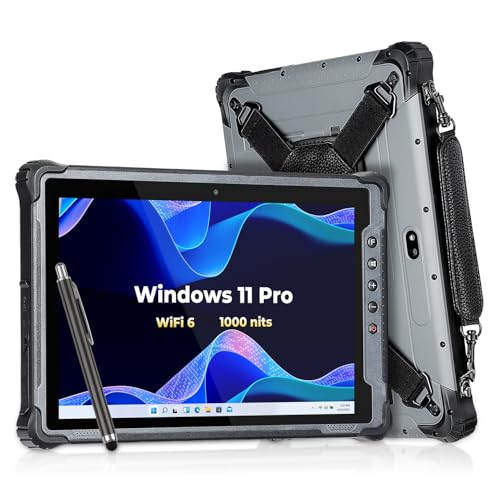
MUNBYN

CENAVA
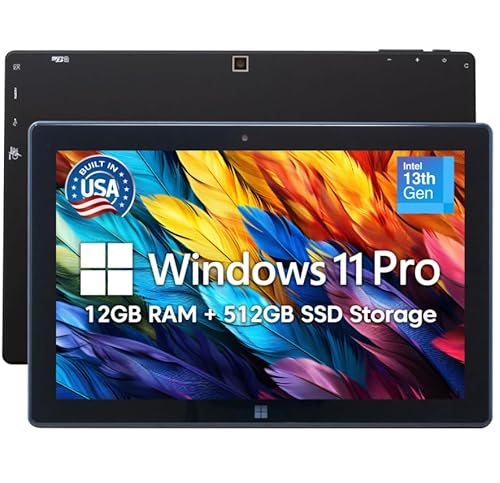
Fusion5
Please sign in to leave a review
No reviews yet. Be the first to review!
Get notified when the price drops. Track this product on BigBangPrice, our price tracking partner.
Cons
From Expert Reviews
Praised by Experts
Criticized by Experts
From User Reviews
Users Love
Users Complain About
Expert Opinion
Professional reviewers highlight the Fusion5 tablet’s smooth performance, bright 500‑nit IPS display, and extensive port selection as strong points for productivity in harsh environments. They commend its rugged build—described as “built like a tank”—and the fast‑charging 6,000 mAh battery that keeps the device running all day. Criticisms focus on the lack of a bundled USB‑C charger, incompatibility with Fusion5 docking keyboards, and a heavier chassis that may limit ultra‑portable use.
What Users Say
Everyday users appreciate the tablet’s durability, sharp screen, and full Windows 11 Pro experience, noting it works well for classroom, travel, and field tasks. Common praise centers on reliable performance and expandable storage, while recurring complaints involve missing accessories such as a USB‑C charger and limited keyboard docking options.
Common Complaints
Users frequently mention the absence of an included USB‑C charger, incompatibility with Fusion5 docking keyboards, and uncertainty about the exact weight and protection ratings, which can affect purchasing decisions.
What People Are Saying
“smooth performance from Intel quad-core, 8 GB RAM, and 256 GB SSD for multitasking and full desktop Windows 11 Pro experience”
“built like a tank”
How It Compares
vs. Typical iPad (10‑inch)
Advantages
Disadvantages
Choose Fusion5 for rugged, Windows‑based field work; choose iPad for lightweight media and app‑centric use.
vs. Typical Chromebook Tablet
Advantages
Disadvantages
Select Fusion5 when full Windows applications and ruggedness are essential; opt for a Chromebook tablet for lightweight, cloud‑focused productivity.
