
The Dell P2417H is a 23.8‑inch professional‑grade IPS monitor aimed at office productivity, offering Full HD resolution, extensive ergonomic adjustments, and a suite of connectivity options. It balances energy efficiency and build quality, making it a reliable choice for corporate environments while lacking high‑end color gamut and gaming features.
Pros
Lower = better sales rank

ViewSonic

Eyoyo

Dell
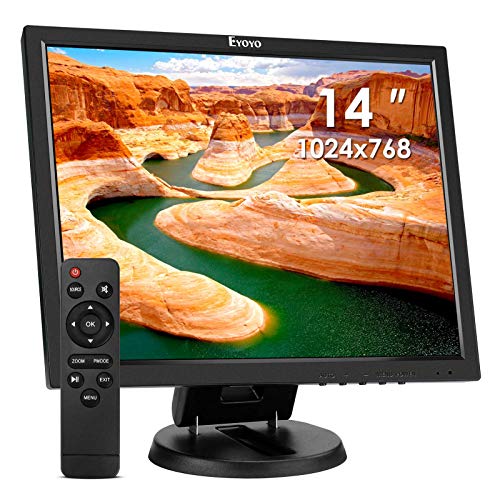
Eyoyo
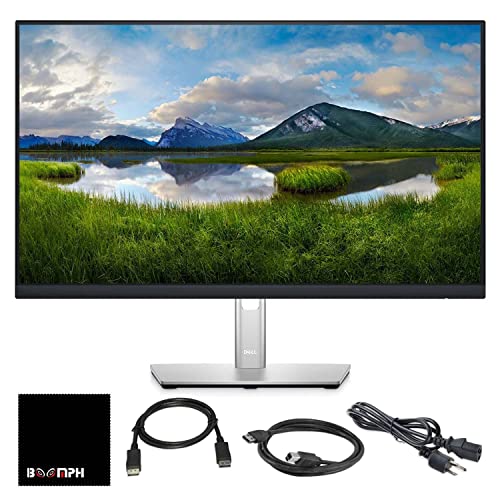
Dell

Boomph

Dell
![KYY Portable Monitor 15.6'' 1080P FHD USB-C Laptop Monitors w/Smart Cover & Dual Speaker, HDMI Computer Display IPS HDR External Gaming Monitor for PC Phone Mac Xbox PS4 Switch[Upgraded]](https://m.media-amazon.com/images/I/41CdBgZtF7L._SL500_.jpg)
KYY

Dell

GUDTEKE

Dell

Pulluty

Dell

Samsung
![[2 Pack] 23.6 Inch Computer Privacy Screen for 16:9 Aspect Ratio Widescreen Monitor, Eye Protection Anti Glare Blue Light Computer Monitor Privacy Filter, Removable Anti-Scratch 23.6 Protector Film](https://m.media-amazon.com/images/I/41qytg0rztL._SL500_.jpg)
Mamol

CAPERAVE

Duex

Samsung

HGFRTEE
Please sign in to leave a review
No reviews yet. Be the first to review!
Cons
From Expert Reviews
Praised by Experts
Criticized by Experts
From User Reviews
Users Love
Users Complain About
Expert Opinion
Professional reviewers position the P2417H as a business‑class productivity monitor, emphasizing its extensive ergonomic flexibility, reliable IPS panel with decent color accuracy, and broad connectivity that suit corporate deployments. They commend Dell’s energy‑efficient design and after‑sales guarantees, while noting the dated 1080p resolution, limited 82 % color gamut, and absence of modern ports or gaming‑oriented features as clear trade‑offs.
What Users Say
Everyday users appreciate the monitor’s sturdy construction, ergonomic adjustability, and eye‑comfort features, reporting smooth performance for typical office tasks. Common criticisms focus on the modest Full HD resolution, limited color space for creative work, and lack of newer connectivity options, with several users mentioning the need for additional lighting due to its 250 cd/m² brightness.
Common Complaints
Users frequently cite the 1080p resolution as feeling dated on a 24‑inch screen, the limited 82 % color gamut for creative tasks, the modest 250 cd/m² brightness in bright rooms, and the lack of USB‑C or picture‑in‑picture features requiring extra accessories.
How It Compares
vs. NEC MultiSync E224Wi
Advantages
Disadvantages
Choose Dell for superior adjustability and enterprise support; choose NEC if higher brightness is a priority.
vs. Lenovo ThinkVision T24i-20
Advantages
Disadvantages
Select Dell for better ergonomic flexibility and Dell‑specific warranty services; select Lenovo if USB‑C docking is essential.
vs. ASUS PA248CRV
Advantages
Disadvantages
Opt for Dell when warranty and adjustability are top priorities; opt for ASUS if you need newer ports and higher refresh rates.
vs. BenQ SW240
Advantages
Disadvantages
Pick Dell for general office productivity and cost efficiency; pick BenQ if accurate color reproduction for design work is required.
