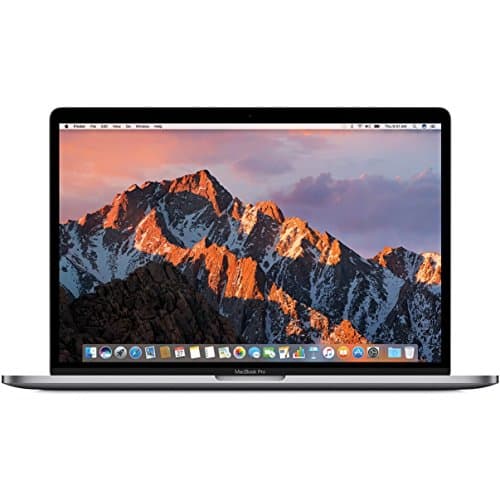
Apple MacBook Pro 2015 13-inch
Score: 69/100Acer Chromebook 2023
Score: 47/100Rankings
The 13.3-inch MacBook Pro Retina (Late 2013) delivers a stunning Retina screen, solid build quality, and fast SSD performance, but its aging dual-core i5, limited ports and non-upgradeable components make it less competitive in 2026.
The Acer Chromebook 315 offers a large 15.6-inch touchscreen, decent RAM and Wi-Fi 6, making it suitable for basic productivity. However, its weak CPU, modest battery life, and dim display limit its appeal for power users.
| Attribute | | Acer Chromebook 2023 |
|---|---|---|
9 hours | 12 hoursbest | |
8 GBbest | 8 GBbest | |
13.3 inches | 15.6 inchesbest | |
128 GBbest | 64 GB | |
| ↓ lower better | 1.57 kgbest | 1.629 kg |
1,600 MHzbest | — | |
— | 60 Hzbest | |
— | 2 countbest |
Click an attribute name to sort · Green = best, red = worst (relative to this comparison)
| Attribute | | Acer Chromebook 2023 |
|---|---|---|
Performance(2) | ||
Processor Model | Intel Core i5-4278U | Intel Pentium Silver N6000 |
Graphics GPU Model | Intel Iris 5100 | Intel UHD Graphics |
Memory & Storage(2) | ||
Storage Type | PCIe SSD | eMMC |
Storage Capacity (GB) | 128 GB | 64 GB |
Software(1) | ||
Operating System | OS X Mavericks | Chrome OS |
Keyboard & Input(1) | ||
Backlit Keyboard | true | false |
Display(2) | ||
Display Size (inches) | 13.3 inches | 15.6 inches |
Display Resolution | 2560x1600 | 1920x1080 |
Battery & Power(3) | ||
Battery Life (hours) | 9 hours | 12 hours |
Weight (kg) | 1.57 kg | 1.629 kg |
Thickness (mm) | 18 mm | 20 mm |
Connectivity(1) | ||
Wi‑Fi Standard | 802.11ac | Wi‑Fi 6 |
Products in the top-left offer the best value (high score, low price).
Professional reviewers such as The Verge and CNET praised the 13-inch Retina MacBook Pro for its stunning display, excellent battery life, and the introduction of the Force Touch trackpad, while noting the limited port selection and aging hardware.
Everyday users commend the crisp Retina screen, long battery endurance, and snappy SSD, but repeatedly express frustration over the lack of upgradeability and the need for adapters due to the sparse port lineup.
Professional reviewers rate the Acer Chromebook 315 as average, noting its decent RAM and port selection but criticizing its underpowered CPU, short battery life, low-brightness display, wobbly keyboard, and subpar webcam.
Everyday users appreciate the large touchscreen, solid build, and adequate performance for basic tasks, but repeatedly complain about the dim display, poor webcam, uncomfortable keyboard, sluggish multitasking, and occasional fan noise.
“best-in-class trackpad”
“a solid upgrade over the 2”
“Great for students, but don't expect brilliance from the camera or screen brightness.”
