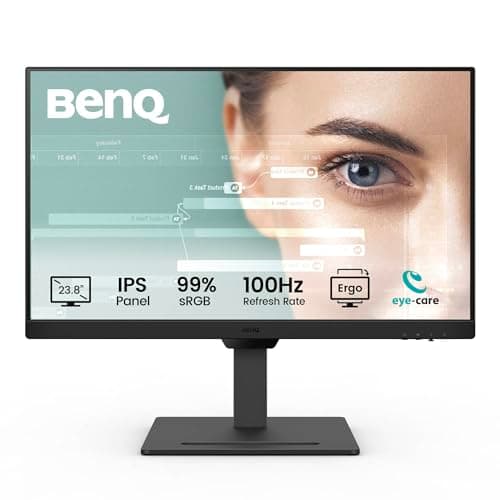
BenQ GW2490T
Score: 82/100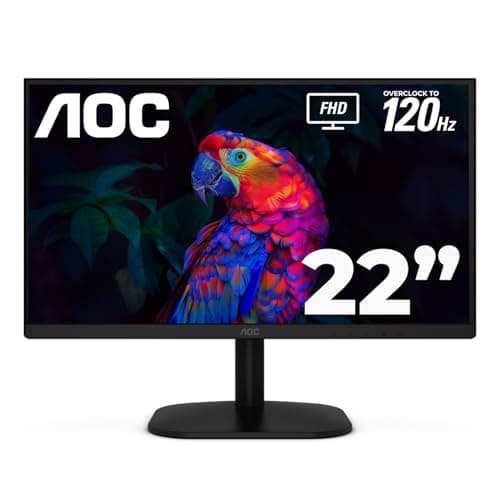
AOC 22B35HM23
Score: 73/100Rankings
The BenQ GW2490T is a 23.8" IPS monitor delivering a 100 Hz refresh rate and extensive eye-care features, paired with a fully adjustable stand. It targets office and remote-work users who value comfort and smooth visuals, though it lacks modern connectivity like USB-C.
The AOC 22B35HM23 is a 22-inch Full HD VA monitor offering a 120 Hz refresh rate, Adaptive Sync and eye-comfort features at an affordable price, aimed at casual gamers and budget-conscious users.
| Attribute | | |
|---|---|---|
23.8 inchesbest | 22 inches | |
100 Hz | 120 Hzbest | |
250 nitsbest | — | |
1,300 ratio | 3,000 ratiobest | |
| ↓ lower better | 5 ms | 4 msbest |
2 countbest | 1 count | |
1 countbest | — | |
— | 25 degreesbest |
Click an attribute name to sort · Green = best, red = worst (relative to this comparison)
| Attribute | | |
|---|---|---|
Display(7) | ||
Screen Size (inches) | 23.8 inches | 22 inches |
Refresh Rate (Hz) | 100 Hz | 120 Hz |
Panel Type | IPS | VA |
HDR Support | false | true |
Contrast Ratio (ratio) | 1300 ratio | 3000 ratio |
Response Time (ms) | 5 ms | 4 ms |
Color Gamut | 99% sRGB | sRGB 100.1% |
Connectivity(1) | ||
HDMI Ports (count) | 2 count | 1 count |
Audio(1) | ||
Built‑in Speakers | true | false |
Ergonomics(1) | ||
Tilt Range (degrees) | -5 to 20 degrees | 25 degrees |
Warranty & Power(1) | ||
Typical Power Consumption (W) | 20 W | 13 W |
Products in the top-left offer the best value (high score, low price).
Professional reviewers highlight the GW2490T's rare 100 Hz office panel, dynamic Brightness Intelligence Gen2, and TÜV/Eyesafe certifications, while noting the absence of a webcam and USB hub.
Everyday users consistently praise the smooth 100 Hz performance and ergonomic flexibility, but note a wobbly base and modest speaker output.
Professional reviewers praise the monitor for its high refresh rate, Adaptive Sync support and sleek aesthetics, noting that it delivers smooth gameplay and solid visual quality for its price. However, they point out the lack of built-in speakers and the limited color accuracy, which make it unsuitable for demanding creative work.
Everyday users consistently highlight the bright, vivid image quality, eye-comfort technologies and the surprising affordability. Recurring complaints focus on the single HDMI port, the basic tilt-only stand, color-accuracy limits for editing, and glare from the glossy panel.
“Base may wobble if not tightened properly”
