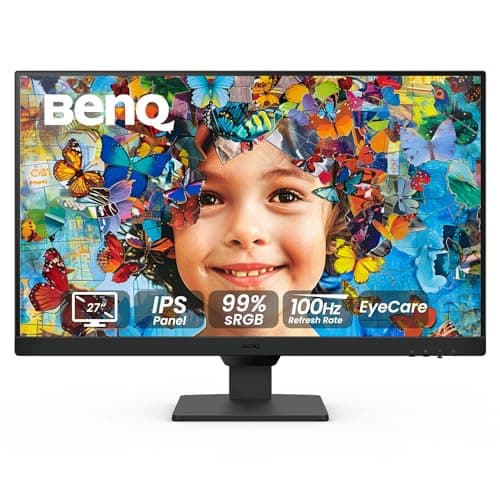
BenQ GW2790 27-inch
Score: 76/100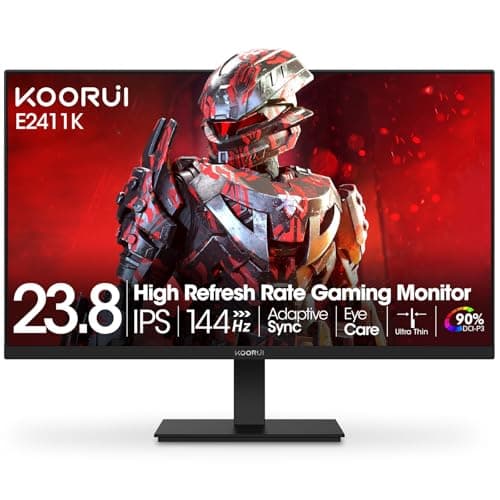
KOORUI MB24V29F
Score: 69/100Rankings
The BenQ GW2790 is a 27-inch IPS monitor with Full HD resolution and a 100 Hz refresh rate, emphasizing eye-comfort technologies and extensive ergonomic adjustments. It's well-suited for office work, study, and casual gaming, though its modest brightness and lack of a USB hub limit its appeal for power users.
The KOORUI 24-inch gaming monitor combines a 144 Hz IPS panel with versatile ports and VESA mounting, but its ergonomics are limited and contrast is modest.
| Attribute | | |
|---|---|---|
27 inchesbest | 24 inches | |
100 Hz | 144 Hzbest | |
| ↓ lower better | 5 msbest | — |
250 nitsbest | 250 nitsbest | |
1,300best | 1,000 | |
99 %best | 99 %best | |
2best | 1 | |
1best | 1best |
Click an attribute name to sort · Green = best, red = worst (relative to this comparison)
| Attribute | | |
|---|---|---|
Display(3) | ||
Screen Size (inches) | 27 inches | 24 inches |
Refresh Rate (Hz) | 100 Hz | 144 Hz |
Contrast Ratio | 1300 | 1000 |
Connectivity(1) | ||
HDMI Ports | 2 | 1 |
Ergonomics(1) | ||
Tilt Range (°) | 25 ° | 20 ° |
Audio(1) | ||
Built‑in Speakers | true | false |
Products in the top-left offer the best value (high score, low price).
Professional reviewers note that the GW2790 punches above its weight with a 100 Hz panel, comprehensive Eye-Care technologies, and a full suite of ergonomic adjustments rarely seen at this price point. They commend its 99% sRGB coverage and versatile color modes, while acknowledging the limited resolution and average brightness.
Everyday users appreciate the monitor's comfort features, especially the ePaper mode and smooth 100 Hz scrolling, as well as the flexible stand and bezel-less design for multi-monitor rigs. Common complaints revolve around the modest pixel density, average brightness, modest built-in speakers, and difficulty finding the unit at an attractive price.
Professional reviewers highlight the KOORUI's strong value proposition, noting the high-refresh 1080p display and adaptive-sync support at a budget price. They also point out the tilt-only stand, low contrast on the IPS panel, and occasional quality-control concerns.
Everyday users consistently praise the monitor's affordability, vibrant colors and easy setup, often recommending it for budget gaming rigs and console use. Recurring complaints focus on limited ergonomics, occasional out-of-the-box motion blur, and quality-control issues such as cracked screens.
“The ePaper mode is perfect for reading-makes the screen look like an e-ink display.”
“Swivel and height adjustment make it easy to set up in any workspace.”
“Love the 100 Hz-scrolling is so smooth, and games look better.”
