Rankings
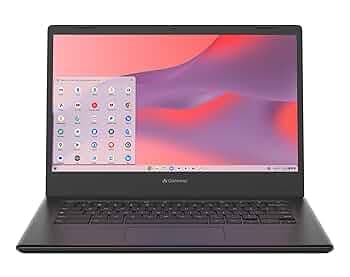
A lightweight 14" Chrome OS laptop with a sharp Full HD display and solid security features, but its limited RAM, modest storage and lack of a backlit keyboard keep it in the budget segment.

The HP 2023 Chromebook delivers a lightweight, long-lasting device with a decent port selection and Chrome OS simplicity, targeting students and casual users. Its modest Celeron processor, limited RAM and eMMC storage keep it from handling heavier workloads.
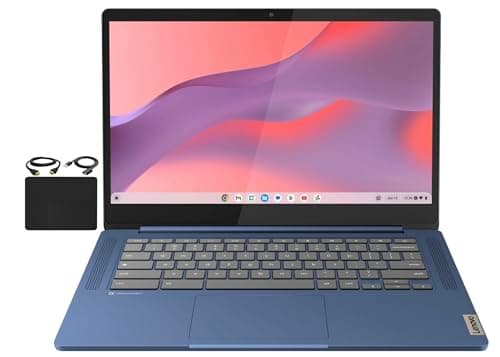
The Lenovo Flagship Chromebook combines a sleek 14" Full-HD touchscreen, long battery life and a backlit keyboard in a lightweight package, but its modest RAM, eMMC storage and basic display refresh keep it in the entry-level Chrome OS segment.
A 15.6" Chrome OS laptop offering a spacious display and solid connectivity, but limited performance, dim screen and modest battery life keep it in the entry-level segment.
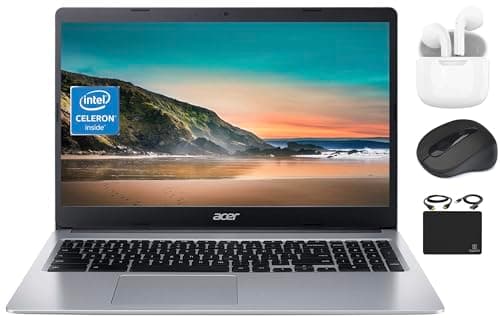
An affordable 15.6" Chrome OS laptop that offers a big display and impressive battery life, but its low-resolution screen, modest Celeron processor and limited RAM keep it in the entry-level segment.

The Acer Chromebook Plus 515 delivers flagship-level performance and AI features at a budget price, with a solid port selection and durable build, though its dim screen and lack of a backlit keyboard are trade-offs.
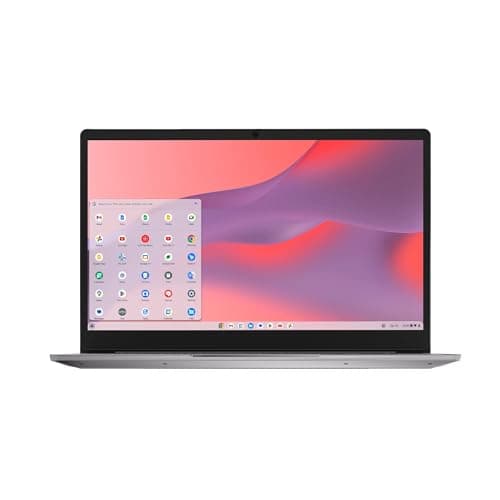
A budget-friendly Chromebook with a large FHD screen, modern connectivity and solid battery life, but limited performance due to its Celeron processor and modest RAM/storage.
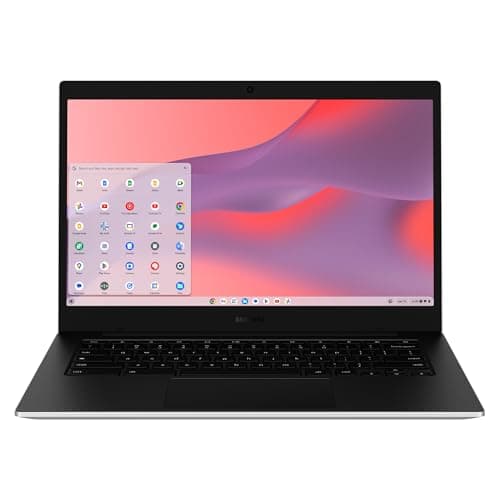
The Galaxy Chromebook Go is a rugged, lightweight 14-inch Chromebook aimed at students and travelers, offering long battery life, LTE connectivity and a durable build, but its low-resolution display and modest performance limit its appeal.

A lightweight, budget-friendly 14-inch Chromebook powered by a MediaTek ARM processor, offering long battery life and good audio, but limited by modest RAM, eMMC storage and a low-resolution non-touch display.
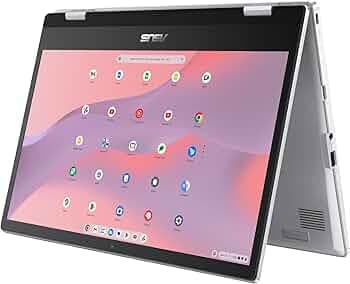
The ASUS Chromebook Flip CX1 is a rugged 14-inch 2-in-1 with a Celeron processor, 8 GB RAM and 128 GB eMMC storage, offering solid battery life and modern connectivity. Its durability and versatile hinge make it great for students, but the modest storage speed and modest display brightness limit its appeal for power users.
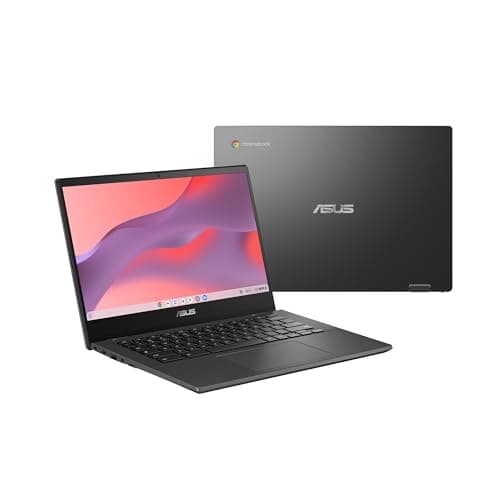
The ASUS Chromebook CM14 is a rugged, lightweight 14-inch device aimed at students and budget-conscious users, offering excellent battery life and durability but limited performance and a low-resolution display.
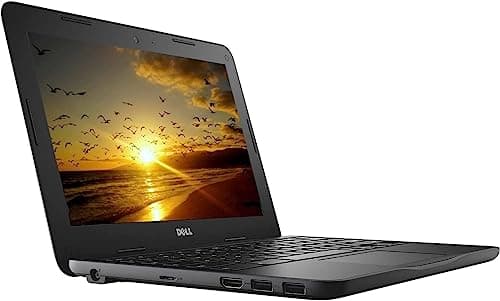
A rugged 11.6" Chromebook designed for education, offering durability and good battery life but hampered by limited RAM, tiny storage, and a low-brightness display.
The Acer Chromebook 14 is a budget-friendly 14" Chrome OS laptop with a Celeron processor, 4 GB RAM and modest eMMC storage. It excels in battery life and portability but is limited by low performance and storage capacity.
| Attribute | | | | | | Acer Chromebook | | | | | Acer Chromebook 315 | | |
|---|---|---|---|---|---|---|---|---|---|---|---|---|---|
15 hoursbest | 10 hours | 14 hours | 13.5 hours | 10 hours | 12 hours | 12 hours | 12 hours | 10 hours | 13.5 hours | 10 hours | 11 hours | 10.5 hours | |
4 GB | 4 GB | 4 GB | 4 GB | 4 GB | 4 GB | 4 GB | 4 GB | 8 GBbest | 4 GB | — | 8 GBbest | 4 GB | |
14 inches | 15.6 inchesbest | 14 inches | 14 inches | 11.6 inches | 14 inches | 15.6 inchesbest | 14 inches | 15.6 inchesbest | 14 inches | 15.6 inchesbest | 14 inches | 14 inches | |
64 GB | 64 GB | 64 GB | 64 GB | 16 GB | 32 GB | 64 GB | 64 GB | 256 GBbest | 64 GB | — | 128 GB | 64 GB | |
| ↓ lower better | 2 kg | 1.578 kg | 1.52 kg | 1.3 kgbest | 1.86 kg | 1.629 kg | 1.629 kg | 1.451 kg | 1.68 kg | 1.3 kgbest | 1.629 kg | 1.63 kg | 1.502 kg |
— | 2,933 MHz | 2,133 MHz | — | — | — | — | — | — | 5,500 MHzbest | — | — | — | |
— | — | — | — | — | — | — | 60 Hzbest | — | — | 60 Hzbest | — | — | |
220 nits | 220 nits | 250 nitsbest | — | 200 nits | — | — | 220 nits | 250 nitsbest | — | — | 250 nitsbest | — |
Click an attribute name to sort · Green = best, red = worst (relative to this comparison)
| Attribute | | | | | | Acer Chromebook | | | | | Acer Chromebook 315 | | |
|---|---|---|---|---|---|---|---|---|---|---|---|---|---|
Performance(2) | |||||||||||||
Processor Model | MediaTek Kompanio 520 | Intel Celeron N4500 | Intel Celeron N4120 | MediaTek Kompanio 520 | Intel Celeron N3060 | Intel Celeron N3160 | Intel Celeron N4020 | Intel Celeron N4500 | Intel Core i3-1215U | MediaTek Kompanio 520 | — | Intel Celeron N6000 | Intel Celeron N4500 |
Graphics GPU Model | ARM Mali‑G52 MC2 | Intel UHD Graphics | Intel UHD Graphics 600 | ARM Mali‑G52 2EE MC2 | Intel HD Graphics 400/500 | Intel HD Graphics 400 | Intel UHD Graphics 600 | Intel UHD Graphics | Intel UHD Graphics | — | — | — | Intel UHD Graphics |
Memory & Storage(4) | |||||||||||||
RAM Capacity (GB) | 4 GB | 4 GB | 4 GB | 4 GB | 4 GB | 4 GB | 4 GB | 4 GB | 8 GB | 4 GB | — | 8 GB | 4 GB |
RAM Speed (MHz) | — | 2933 MHz | 2133 MHz | — | — | — | — | — | — | 5500 MHz | — | — | — |
Storage Type | eMMC | eMMC | eMMC | eMMC | eMMC | eMMC | eMMC | eMMC | SSD | eMMC | — | eMMC | eMMC |
Storage Capacity (GB) | 64 GB | 64 GB | 64 GB | 64 GB | 16 GB | 32 GB | 64 GB | 64 GB | 256 GB | 64 GB | — | 128 GB | 64 GB |
Software(1) | |||||||||||||
Operating System | ChromeOS | Chrome OS | Chrome OS | Chrome OS | Chrome OS | Chrome OS | Chrome OS | Chrome OS | Chrome OS | Chrome OS | Chrome OS | ChromeOS | Chrome OS |
Keyboard & Input(1) | |||||||||||||
Backlit Keyboard | false | false | — | true | false | — | — | false | false | false | — | — | — |
Display(3) | |||||||||||||
Display Size (inches) | 14 inches | 15.6 inches | 14 inches | 14 inches | 11.6 inches | 14 inches | 15.6 inches | 14 inches | 15.6 inches | 14 inches | 15.6 inches | 14 inches | 14 inches |
Display Resolution | 1366x768 | 1920x1080 | 1366x768 | 1920x1080 | 1366x768 | 1920x1080 | 1366x768 | 1366x768 | 1920x1080 | 1366x768 | — | 1920x1080 | 1920x1080 |
Brightness (nits) | 220 nits | 220 nits | 250 nits | — | 200 nits | — | — | 220 nits | 250 nits | — | — | 250 nits | — |
Battery & Power(3) | |||||||||||||
Battery Life (hours) | 15 hours | 10 hours | 14 hours | 13.5 hours | 10 hours | 12 hours | 12 hours | 12 hours | 10 hours | 13.5 hours | 10 hours | 11 hours | 10.5 hours |
Weight (kg) | 2.0 kg | 1.578 kg | 1.52 kg | 1.30 kg | 1.86 kg | 1.629 kg | 1.629 kg | 1.451 kg | 1.68 kg | 1.3 kg | 1.629 kg | 1.63 kg | 1.502 kg |
Thickness (mm) | 18 mm | 18 mm | 18.3 mm | 19 mm | 21.1 mm | 20.32 mm | 20.32 mm | 16 mm | 20.1 mm | 18 mm | 20.3 mm | 17.9 mm | 18.8 mm |
Connectivity(4) | |||||||||||||
Wi‑Fi Standard | Wi‑Fi 6 | Wi‑Fi 6 | Wi‑Fi 5 | Wi‑Fi 6 | Wi‑Fi 5 | Wi‑Fi 5 | Wi‑Fi 5 | Wi-Fi 6 | Wi-Fi 6E | Wi‑Fi 6 | Wi‑Fi 5 | Wi‑Fi 6 | Wi‑Fi 5 |
Bluetooth Version | 5.3 | 5.2 | 5.0 | 5.1 | 4.0 | 4.0 | 5.0 | 5.1 | 5.2 | 5.2 | — | 5.2 | 5.0 |
USB‑C Ports (count) | 2 count | 1 count | 1 count | 1 count | — | — | 2 count | 2 count | 2 count | 1 count | 2 count | 2 count | 1 count |
USB‑A Ports (count) | 1 count | 2 count | 2 count | 1 count | 2 count | 2 count | 2 count | 1 count | 1 count | 1 count | 2 count | 2 count | 1 count |
Warranty & Support(1) | |||||||||||||
Warranty Period (years) | 1 years | 1 years | 1 years | 0.25 years | 0.25 years | 1 years | — | 1 years | 1 years | — | — | — | — |
Products in the top-left offer the best value (high score, low price).
Reviewers commend the CM14 for its rugged build, impressive battery endurance and smooth ChromeOS experience, while noting the TN panel, low resolution and modest RAM keep it from appealing to power users.
Users love the durability, long battery and spill-resistant keyboard, but repeatedly complain about the dim, low-resolution screen and limited storage.
“The laptop survives drops and spills - perfect for school.”
“Battery lasts all day, even with video calls.”
“Display is too dim and low-res for media consumption.”
Lenovo offers a better screen and keyboard; ASUS is cheaper.
The Acer is preferable for users who value a high-resolution screen and added security, while the Lenovo may be chosen for a lower-cost alternative with similar core specs.
Professional reviewers position the IdeaPad Chromebook as a value-driven device ideal for education and light home use, noting Wi-Fi 6 and USB-C as forward-thinking features while cautioning that the Celeron processor and limited RAM make it unsuitable for demanding workloads.
Everyday users appreciate the large screen, quick setup, solid battery life, and overall durability, especially for seniors and students, while common complaints focus on limited RAM, slow eMMC storage, occasional lag, and a non-backlit keyboard.
Professional reviewers view the HP Chromebook as an adequate, budget-friendly device for basic tasks, praising its portability and port variety while criticizing the outdated Celeron CPU and limited RAM.
Everyday users like the light weight, all-day battery and clear webcam, but complain about sluggish performance with many tabs, limited storage, lack of a backlit keyboard, and a dim screen that struggles outdoors.
Reviewers praise the sleek design, battery life and Chrome OS experience, while warning that limited RAM, eMMC storage and a 60 Hz panel may deter power users.
Everyday users love the portability, fast startup and responsive touchscreen, though they note the storage fills quickly and performance slows with many Chrome tabs.
Reviewers commend the durable build and all-day battery, while noting the modest RAM, storage, and display brightness as drawbacks.
Users appreciate the device's durability and instant boot, but often mention the cramped storage and dim screen.
Reviewers commend the Chromebook's solid build and impressive battery endurance, but note the sluggish Celeron CPU and low-resolution storage as drawbacks.
Users appreciate the long battery life and light weight for schoolwork, while complaining about the slow performance and limited storage.
Professional reviewers rate the Acer Chromebook 315 around 3.0-3.5/5, highlighting its large screen, long battery life, and low price as strengths, while criticizing the low-resolution, dim display, thick bezels and modest Celeron processor that lag behind similarly priced competitors.
Everyday users appreciate the long battery, big screen, numeric keypad and low price, but many complain about the blurry low-resolution display, sluggishness with multiple tabs, lack of a backlit keyboard, and the cheap-looking build.
Reviewers commend the battery endurance, comfortable keyboard and LTE option, but criticize the dim, low-resolution screen and the lack of an HDMI port.
Users love the all-day battery, sturdy chassis and LTE, while complaining about the dull screen, sluggish performance and limited storage.
Professional reviewers uniformly commend the Acer Chromebook Plus 515 for delivering flagship-level performance and a rich feature set at a budget price, noting compromises in display brightness, lack of a backlit keyboard, and HDMI limitations.
Everyday users echo the professional praise, emphasizing the device's speed, loud speakers, ample RAM and storage, and easy setup, while criticisms focus on the dim screen and keyboard backlighting.
Professional reviewers view the IdeaPad Slim 3 as a well-balanced entry-level Chromebook. They commend its power-efficient MediaTek processor, standout Waves MaxxAudio sound, long-lasting battery, and privacy-focused design, while noting the modest 4 GB RAM, eMMC storage and lack of a touchscreen keep it from competing with higher-end models.
Everyday users repeatedly praise the device's feather-light chassis, all-day battery life, and surprisingly rich audio, as well as the built-in privacy shutter. The most common complaints revolve around limited storage, the low-resolution HD display, and the absence of a touchscreen.
Professional reviewers commend the Acer Chromebook 315 for its generous screen real estate, solid port selection and the option of up to 8 GB RAM, but they criticize its low-brightness display, lackluster webcam, and battery life that falls short of the advertised 10 hours.
Everyday users love the large display and numeric keypad for productivity tasks and find Chrome OS responsive, but they repeatedly complain about the dim screen, weak webcam, short battery life, and the cheap-feel plastic construction.
Professional reviewers praise the CX1 as a top-tier budget 2-in-1 Chromebook, highlighting its rugged MIL-STD-810H build, versatile 360° hinge, smooth ChromeOS performance and modern Wi-Fi 6 connectivity, while noting eMMC storage and modest brightness as drawbacks.
Everyday users love its durability, long battery life and responsive touchscreen, but some complain about occasional input disconnects, the ChromeOS learning curve, and wish for a brighter or larger display.
Professional reviewers commend the Acer Chromebook 314 for its sharp Full HD screen, efficient Intel Celeron N4500 processor, and the inclusion of both USB-C and HDMI ports, as well as fast boot times and the Titan C2 security chip. They note the limitations of 4 GB RAM and modest storage.
Everyday users appreciate the crisp display, quick startup, portability, and security features, while recurring complaints focus on limited RAM, modest storage, lack of a backlit keyboard, and only a single USB-A port.
