Gigabyte M27UP SA
Score: 90/100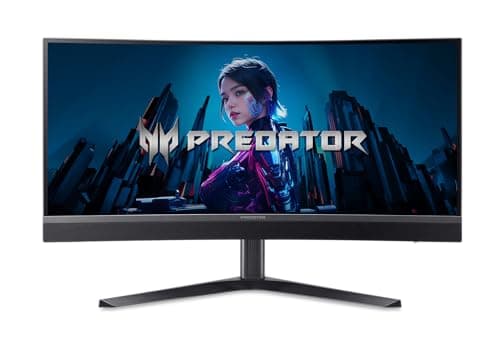
Acer Predator X34
Score: 96/100Rankings
A premium 34-inch ultrawide gaming monitor featuring a Mini-LED IPS panel, 200 Hz refresh, 0.5 ms response, and HDR1000 brightness, delivering immersive performance with extensive ergonomics, though it shows some blooming and UI quirks.
The Gigabyte M27UP is a 27-inch SS IPS monitor that combines 4K@160 Hz and FHD@320 Hz dual-mode gaming, HDR400, a USB-C KVM dock and extensive ergonomic adjustments, targeting both gamers and creators.
| Attribute | Gigabyte M27UP SA | |
|---|---|---|
27 inches | 34 inchesbest | |
160 Hz | 200 Hzbest | |
| ↓ lower better | 1 ms | 0.5 msbest |
350 nits | 450 nitsbest | |
1,000 | 100,000,000best | |
125 %best | 99 % | |
2best | 2best | |
1best | 1best |
Click an attribute name to sort · Green = best, red = worst (relative to this comparison)
| Attribute | Gigabyte M27UP SA | |
|---|---|---|
Display(7) | ||
Screen Size (inches) | 27 inches | 34 inches |
Resolution | 3840x2160 | 3440x1440 |
Refresh Rate (Hz) | 160 Hz | 200 Hz |
Response Time (GTG) (ms) | 1 ms | 0.5 ms |
Brightness (nits) | 350 nits | 450 nits |
Contrast Ratio | 1000 | 100000000 |
Color Gamut (sRGB %) (%) | 125 % | 99 % |
Products in the top-left offer the best value (high score, low price).
Reviewers praise the rare 4K 160 Hz panel, fast response and USB-C KVM, while noting HDR400's modest impact and occasional firmware hiccups.
Everyday users love the vivid colors, dual-mode flexibility and ergonomic stand, but some report firmware issues when toggling resolutions and wish for stronger HDR.
Professional reviewers, notably Tom's Hardware, hail the X34 X0bmiiphux as a flagship ultrawide LCD that rivals OLED in brightness and contrast. They praise its 1152-zone Mini LED backlight, Quantum Dot layer, 99% DCI-P3 coverage and "killer" HDR performance, while noting the lack of G-Sync Ultimate is not a major drawback.
Everyday users love the monitor's immersive curvature, exceptional HDR brightness, and solid build quality. USB-C convenience and the wide screen for multitasking receive frequent compliments. Common complaints focus on blooming in dark scenes, a sluggish OSD menu, and the need to use DisplayPort or USB-C for the full 200 Hz refresh rate.
“The 4K 160 Hz experience is mind-blowing for both games and movies.”
“USB-C KVM makes my desk so tidy - love the 18 W PD.”
“HDR looks decent but not as punchy as true HDR10 displays.”
