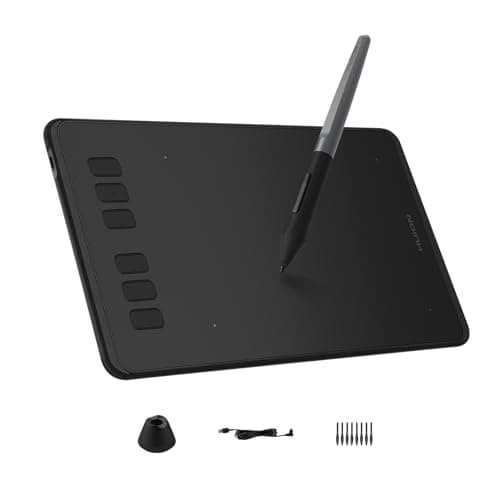
Huion Inspiroy H640P
Score: 75/100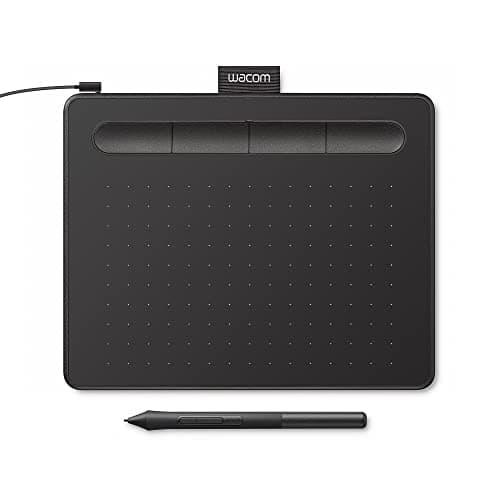
Wacom Intuos Small Black
Score: 72/100Rankings
The Huion Inspiroy H640P offers a lightweight, ultra-thin design with a battery-free stylus delivering 8192 pressure levels and six express keys. Its small drawing surface and absence of tilt or Bluetooth connectivity constrain professional use. Suited for travelers and casual creators needing a budget-friendly tablet.
The Wacom Intuos Small is an entry-level graphics tablet featuring a compact 6.0 × 3.7 in active area and a battery-free pen with 4096 pressure levels. Its modest size and lack of tilt support limit advanced drawing workflows. Ideal for beginners and students seeking an affordable, portable solution.
| Attribute | | |
|---|---|---|
152 mmbest | 152 mmbest | |
254 mmbest | 95 mm | |
8,192best | 4,096 | |
| ↓ lower better | 272 g | 230 gbest |
233 Hzbest | — | |
| ↓ lower better | 8 mm | 2.54 mmbest |
1 yearsbest | 1 yearsbest | |
6best | 4 |
Click an attribute name to sort · Green = best, red = worst (relative to this comparison)
| Attribute | | |
|---|---|---|
Connectivity(2) | ||
Connectivity Interface | Micro USB | USB-A, Bluetooth |
Bluetooth Version | No | Yes |
Display(1) | ||
Active Area Height (mm) | 254 mm | 95 mm |
General(1) | ||
Compatible Operating Systems | Windows 7+, macOS 10.12+, Android 6.0+, Linux | Windows, macOS 10.10+, ChromeOS, Android 6.0+ |
Pen & Controls(2) | ||
Pressure Sensitivity Levels | 8192 | 4096 |
Shortcut Keys Count | 6 | 4 |
Accessories(1) | ||
Included Accessories Count | 2 | 4 |
Build & Design(3) | ||
Weight (g) | 272 g | 230 g |
Thickness (mm) | 8 mm | 2.54 mm |
Overall Dimensions | 152 x 254 x 8 mm | 199.9 x 160 x 2.54 mm |
Products in the top-left offer the best value (high score, low price).
Professional reviewers view the H640P as an excellent entry-level, portable tablet that delivers strong value through its battery-free pen, high pressure sensitivity and six express keys. They commend its slim form factor and Android support but caution that the modest active area and lack of tilt make it less suitable for serious artists, recommending larger tablets for intensive work.
Everyday users consistently praise the tablet's feather-light weight, ultra-thin profile and the convenience of a pen that never needs charging. They also highlight the usefulness of the programmable keys and the straightforward setup. The most common criticisms revolve around the limited drawing area, the missing tilt function, and occasional confusion over the exact weight due to varying listings.
“thinner than a cellphone, lighter than a magazine”
“super slim and compact”
“Small active area limits precision on large/dual monitors, requiring constant panning”
Professional reviewers consider the Intuos Small a solid starter tablet, praising its realistic pen feel, bundled software, and space-saving design, while noting the trade-off of a modest active area and missing advanced features like tilt and multi-touch.
Everyday users appreciate the tablet's lightweight build, quick setup, accurate battery-free pen and the included creative software, often calling it 'super slim and compact'. Common frustrations revolve around the limited drawing surface on high-resolution or dual monitors, hand-eye coordination learning curve, and occasional ExpressKey delays.
