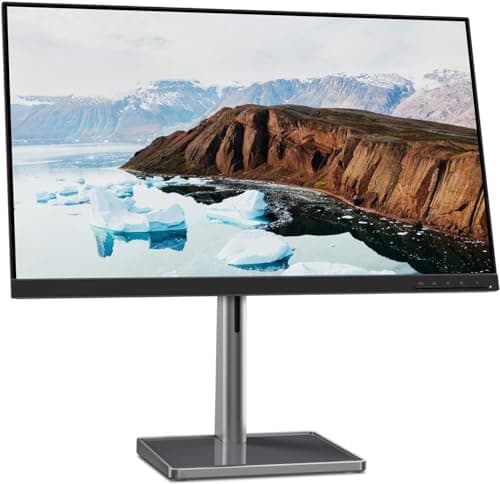
Lenovo L27m-30
Score: 74/100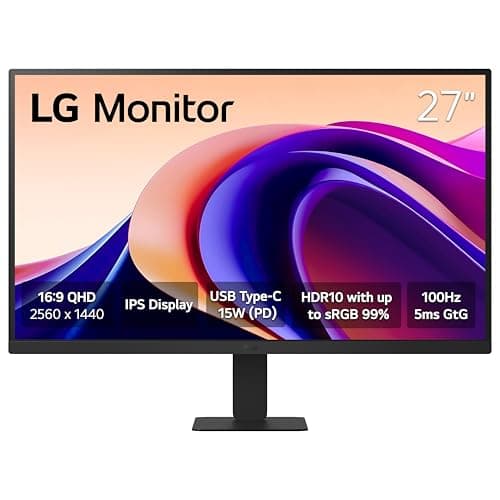
LG 27U631A-B
Score: 81/100Rankings
The LG 27U631A-B delivers a crisp QHD IPS panel with accurate colors and a smooth 100 Hz refresh, complemented by USB-C docking and eye-care features. Its sleek, borderless design is appealing, but ergonomic adjustments are limited and it lacks built-in speakers and adaptive-sync.
The Lenovo L27m-30 is a 27-inch Full HD IPS monitor geared toward remote-work and home-office use, featuring a fully adjustable stand, USB-C docking with 75 W PD and eye-comfort certifications. It delivers a smooth 75 Hz experience with FreeSync but falls short on modern video inputs and headphone connectivity.
| Attribute | | |
|---|---|---|
27 inchesbest | 27 inchesbest | |
75 Hz | 100 Hzbest | |
| ↓ lower better | 4 msbest | 5 ms |
250 nitsbest | 250 nitsbest | |
1,000best | 1,000best | |
72 % | 99 %best | |
1best | 1best | |
27 °best | 25 ° |
Click an attribute name to sort · Green = best, red = worst (relative to this comparison)
| Attribute | | |
|---|---|---|
Display(4) | ||
Resolution | 1920x1080 | 2560x1440 |
Refresh Rate (Hz) | 75 Hz | 100 Hz |
Response Time (GTG) (ms) | 4 ms | 5 ms |
Color Gamut (sRGB %) (%) | 72 % | 99 % |
Ergonomics(1) | ||
Tilt Range (°) | 27 ° | 25 ° |
Audio(1) | ||
Built‑in Speakers | true | false |
Power & Warranty(1) | ||
Typical Power Consumption (W) | 18 W | 23 W |
Products in the top-left offer the best value (high score, low price).
Professional reviewers commend the L27m-30 for its strong everyday performance, noting the fully adjustable ergonomic stand and the USB-C hub that simplify hybrid-work setups. The 75 Hz panel with AMD FreeSync is highlighted as a worthwhile step up from standard 60 Hz monitors, while the lack of modern video inputs like DisplayPort or HDMI 2.0 is seen as a drawback.
Everyday users appreciate the monitor's adjustability, USB-C single-cable docking, and sleek near-edgeless design, often calling it a sleek addition to any desk. The built-in speakers receive positive remarks for being surprisingly good for calls, and the eye-comfort features are credited with reducing fatigue during long work sessions. Complaints focus on inconsistent USB-C power delivery, lack of a headphone jack, and the presence of an unused VGA port.
Professional reviewers commend the sharp QHD IPS panel, accurate sRGB 99% color reproduction, and useful USB-C connectivity, but criticize the limited ergonomic adjustments and absence of adaptive-sync technology.
Everyday users love the vivid visuals and USB-C convenience, noting reduced eye strain, while common complaints focus on the lack of height adjustment, low USB-C power, and missing speakers.
“The built-in speakers are surprisingly good”
“Crisp and vibrant display”
“USB-C is a game-changer”
