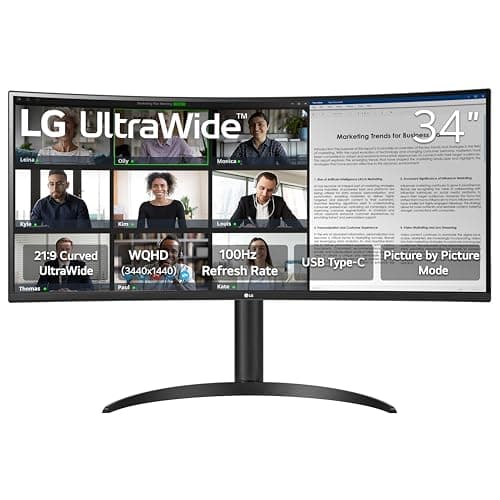
LG 34WR55QK-B
Score: 86/100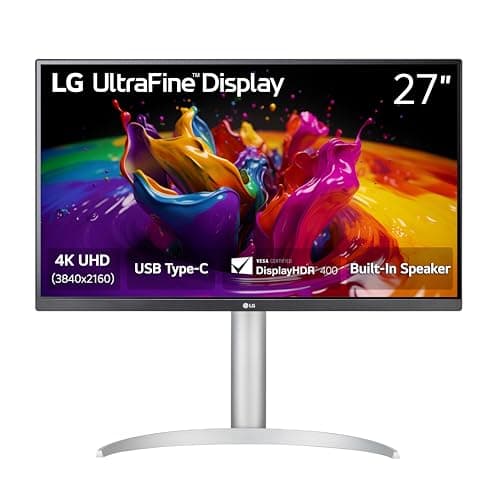
LG 27UP850K-W
Score: 83/100Rankings
The LG 34WR55QK-B is a 34-inch UltraWide curved VA monitor delivering 3440×1440 resolution, 100 Hz refresh and HDR10. It offers a USB-C dock-like connection, solid ergonomics and eye-comfort tools, making it ideal for multitasking professionals.
The LG 27UP850K-W is a 27-inch 4K IPS monitor that excels in color accuracy and offers a versatile USB-C docking solution. Its fully adjustable stand and VESA HDR400 make it ideal for creative professionals, though the 60 Hz panel and modest HDR limit its gaming appeal.
| Attribute | | |
|---|---|---|
34 inchesbest | 27 inches | |
100 Hzbest | 60 Hz | |
300 nits | 400 nitsbest | |
3,000 ratiobest | — | |
| ↓ lower better | 5 msbest | 5 msbest |
2 countbest | 2 countbest | |
1 countbest | 1 countbest | |
1 countbest | 1 countbest |
Click an attribute name to sort · Green = best, red = worst (relative to this comparison)
| Attribute | | |
|---|---|---|
Display(7) | ||
Screen Size (inches) | 34 inches | 27 inches |
Resolution | 3440x1440 | 3840x2160 |
Refresh Rate (Hz) | 100 Hz | 60 Hz |
Panel Type | VA | IPS |
Brightness (nits) | 300 nits | 400 nits |
Contrast Ratio (ratio) | 3000 ratio | 1200:1 ratio |
Color Gamut | sRGB 99% | 95% DCI-P3 |
Ergonomics(1) | ||
Height Adjustment (mm) | 110 mm | 130 mm |
Products in the top-left offer the best value (high score, low price).
TechRadar and PCMag praise its productivity-focused feature set, noting the excellent resolution, 100 Hz refresh and 65 W USB-C, but warn that the VA panel's response time and modest HDR brightness limit its appeal for competitive gaming.
Users love the multitasking real-estate, USB-C convenience and eye-comfort features, while complaining about the lack of swivel, limited HDR brightness and occasional motion blur.
Professional reviewers consider the 27UP850K-W a top-tier productivity monitor for creatives, especially Mac users, citing its precise color reproduction, robust USB-C docking, and ergonomic flexibility. While it includes modest gaming features, the 60 Hz panel and basic HDR limit its appeal for serious gamers, and the lack of a built-in KVM switch is noted as a drawback.
Everyday users overwhelmingly praise the monitor's color accuracy, USB-C convenience, and adjustable stand, noting it improves workflow and reduces eye strain. Common complaints focus on the modest HDR impact, average built-in speakers, absence of a webcam, occasional backlight bleed, and the lack of automatic input switching.
“Perfect for coding and video editing - I can have my IDE, browser, and terminal open side by side.”
“USB-C charging my MacBook Pro while displaying full resolution is a game-changer.”
“Perfect for photo editing-colors are vibrant and accurate.”
