PWR4GTR ADV6531T
Score: 74/100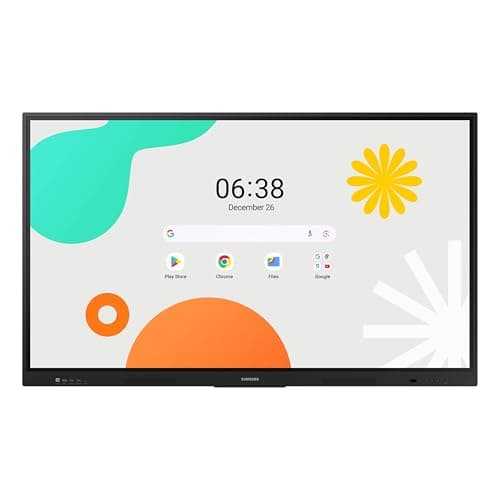
Samsung WAF 65-inch
Score: 77/100Rankings
The Samsung 65" WAF Series Interactive Display runs Android 14, offers 4K resolution, 40-point infrared touch and dual-pen input, and is EDLA-certified for full Google service integration. It excels in connectivity and collaborative features but draws significant power.
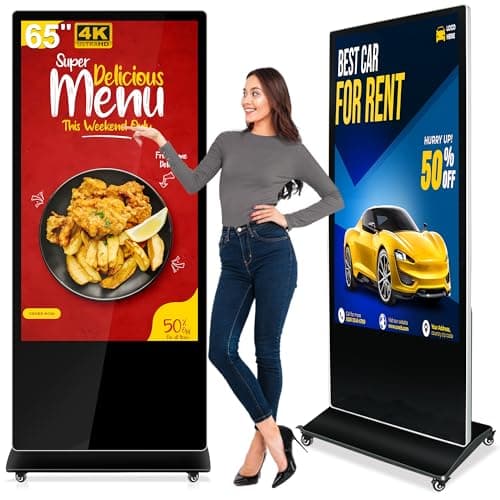
The PWR4GTR 65-inch interactive totem offers 4K UHD, bright IPS touch, Android 11 with a free CMS, and rugged construction, making it a strong choice for permanent indoor installations despite its weight and lack of portability.
| Attribute | | |
|---|---|---|
65 inchesbest | 65 inchesbest | |
500 nitsbest | 400 nits | |
1,200best | 1,200best | |
60 Hzbest | 60 Hzbest | |
| ↓ lower better | — | 8 msbest |
10 | 40best | |
— | 72 %best | |
1 | 3best |
Click an attribute name to sort · Green = best, red = worst (relative to this comparison)
| Attribute | | |
|---|---|---|
Touch(2) | ||
Touch Technology | capacitive | Infrared |
Touch Points | 10 | 40 |
Display(1) | ||
Brightness (nits) | 500 nits | 400 nits |
Connectivity(2) | ||
HDMI Ports | 1 | 3 |
USB Ports | 2 | 4 |
Build & Design(1) | ||
Weight (kg) | 68.49 kg | 36.2 kg |
Products in the top-left offer the best value (high score, low price).
Professional reviewers highlight the display's sharp 4K visuals, high brightness, responsive touch, and the value of the free CMS, while noting the heavy weight and setup complexity.
Everyday users consistently praise the sharp visuals, high brightness, and responsive touch, but mention the heavy weight, initial setup difficulty, and occasional Wi-Fi drops.
Professional reviewers view the Samsung WAF 65" as a breakthrough for interactive education, emphasizing its EDLA certification, 40-point touch, Split Note Mode, and robust connectivity, while noting the absence of Wi-Fi 6 and relatively high power consumption.
Everyday users praise the instant annotation, dual-pen convenience, and the ability to install Google apps directly on the display, though a minority report occasional lag and Bluetooth pairing issues.
“Free CMS is intuitive and a game-changer for managing multiple locations.”
“The instant annotation, dual-pen convenience, and the ability to install Google apps directly on the display make teaching much smoother.”
