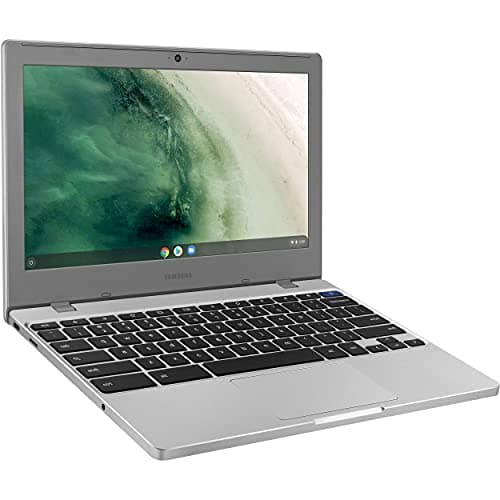
Samsung Chromebook 4
Score: 78/100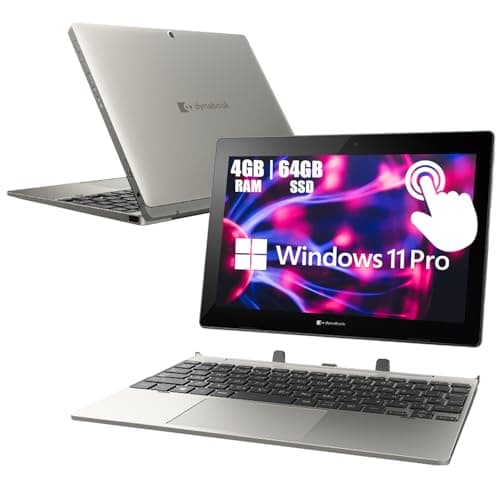
Toshiba Dynabook K50 10.1-inch
Score: 81/100Rankings
The Toshiba Dynabook K50 is a 10.1" 2-in-1 Windows tablet with a detachable keyboard, offering long battery life, a stylus-compatible touchscreen, and enterprise-grade security. Its modest Celeron processor, limited RAM and storage, and a low-resolution display keep it in the entry-level segment.
The Samsung Chromebook 4 is an 11.6" budget-friendly Chrome OS device with a durable build, long battery life, and modern ports. Its modest specs-4 GB RAM and 32 GB eMMC-make it best suited for web-centric tasks and students, while the lack of a touchscreen and limited storage may deter power users.
| Attribute | | |
|---|---|---|
11.6 inchesbest | 10.1 inches | |
12.5 hours | 16 hoursbest | |
2best | 2best | |
| ↓ lower better | 1.678 kg | 1.179 kgbest |
4 GBbest | 4 GBbest | |
32 GB | 64 GBbest | |
| ↓ lower better | 76.2 mm | 12.7 mmbest |
1best | 1best |
Click an attribute name to sort · Green = best, red = worst (relative to this comparison)
| Attribute | | |
|---|---|---|
Software(1) | ||
Operating System | Chrome OS | Windows 11 Pro |
Display(3) | ||
Display Size (inches) | 11.6 inches | 10.1 inches |
Display Resolution | 1366x768 | 1280x800 |
Touchscreen | false | true |
Build & Design(2) | ||
Weight (kg) | 1.678 kg | 1.179 kg |
Thickness (mm) | 76.2 mm | 12.7 mm |
Performance(3) | ||
Processor Model | Intel Celeron N4000 | Intel Celeron N4020 |
RAM Type | LPDDR4 | DDR4 |
Storage Capacity (GB) | 32 GB | 64 GB |
Connectivity(1) | ||
Bluetooth Version | 4.0 | 5.0 |
Battery & Power(1) | ||
Battery Life (hours) | 12.5 hours | 16 hours |
Products in the top-left offer the best value (high score, low price).
Professional reviewers commend the Chromebook 4 for its solid web performance, long battery life, and rugged build quality, noting the Intel Celeron N4020 and 4 GB of RAM as a clear upgrade over earlier models. However, they criticize the lack of upgradable memory and the modest eMMC storage.
Everyday users praise the device's portability, all-day battery, and spill-resistant keyboard, especially for students and travel. Common complaints focus on limited RAM and storage, a dim TN display, and the inability to run non-Chrome OS applications.
“Perfect for my daughter's online classes - lightweight and lasts all day.”
“Surprisingly good build quality for a budget device.”
“I use it with a stylus for taking notes - the digitizer works well.”
Professional reviewers view the Dynabook K50 as an entry-level, secure Windows tablet that delivers solid build quality and portability for field workers or students, while noting limited performance and a small screen.
Everyday users praise the K50's light weight, long battery life, sturdy feel and functional stylus support, but complain about cramped storage, sluggish performance with many tabs, dim display, and the Japanese keyboard layout.
