Samsung LH55WMBWBGCXZA
Score: 80/100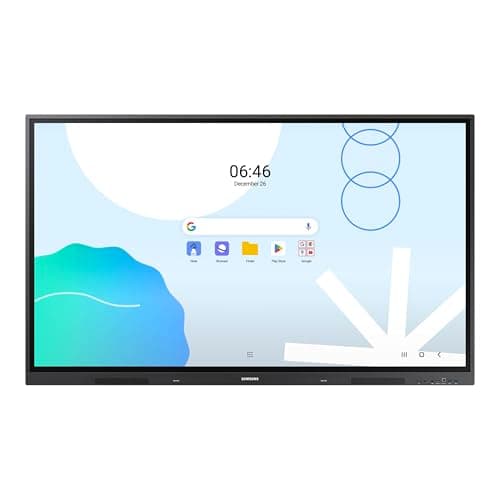
Samsung LH75WAD
Score: 63/100Rankings
The Samsung Pro 55" 4K WMB Interactive Display offers a premium VA panel with 4K resolution, 20-point touch and extensive wireless collaboration tools. It targets education and corporate meeting spaces, delivering low latency and robust connectivity, but its weight and limited storage may be drawbacks.
The Samsung 75" WAD Interactive Display is a wall-mountable 4K Android 13 touchscreen with 40-point IR touch, dual-pen capability and EDLA certification for seamless Google Workspace integration, aimed at large classrooms and corporate meeting rooms.
| Attribute | Samsung LH55WMBWBGCXZA | |
|---|---|---|
55 inches | 75 inchesbest | |
350 nits | 400 nitsbest | |
4,000best | 1,200 | |
— | 60 Hzbest | |
| ↓ lower better | 8 msbest | 8 msbest |
20 | 40best | |
72 %best | 72 %best | |
2 | 3best |
Click an attribute name to sort · Green = best, red = worst (relative to this comparison)
| Attribute | Samsung LH55WMBWBGCXZA | |
|---|---|---|
Touch(1) | ||
Touch Points | 20 | 40 |
Display(4) | ||
Screen Size (inches) | 55 inches | 75 inches |
Brightness (nits) | 350 nits | 400 nits |
Contrast Ratio | 4000 | 1200 |
Panel Type | VA | ADS |
Connectivity(2) | ||
HDMI Ports | 2 | 3 |
USB Ports | 4 | 5 |
Build & Design(1) | ||
Weight (kg) | 15.9 kg | 45.36 kg |
Products in the top-left offer the best value (high score, low price).
Professional reviewers commend the WM55B as a top-tier interactive display, emphasizing its low latency, high touch precision, and robust wireless collaboration features like SmartView+, AirPlay 2, and WebRTC.
Everyday users appreciate the crisp 4K visuals, natural pen feel, and the ease of wirelessly sharing screens from multiple devices. Common praise centers on durability and the dual-pen setup, while recurring complaints involve the initial learning curve of Flip Pro, occasional Wi-Fi instability, and limited internal storage.
Professional reviewers praise its 40-point touch, dual-pen function and Google integration, while noting the lack of a built-in stand, modest brightness and absence of HDR.
Everyday users appreciate the massive touch surface and easy multi-device connectivity, but many find the unit heavy, miss a built-in stand and wish for higher brightness.
“The massive touch surface and dual-pen convenience are game-changing for classrooms”
“EDLA certification makes accessing Google apps seamless”
“Installation was tough due to the weight and lack of a stand”
