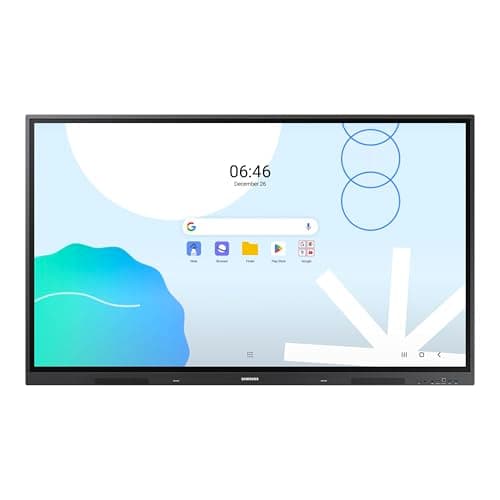
Samsung LH65WADWLGCXZA
Score: 83/100
Jiyang MWE-CS32BCT201 32-inch
Score: 69/100Rankings
The Samsung 65" WAD Interactive Display runs Android 13, is EDLA-certified for Google services, and offers 40-point IR touch, dual-pen input, a 3-in-1 USB-C port, HDMI-out and dual Ethernet ports. It delivers bright 4K visuals and strong connectivity, though it is heavy and lacks native Windows OS.
The JIYANG 32-inch floor-standing kiosk offers a Full HD LCD display, capacitive multi-touch, built-in speakers, and Android-based signage software, making it a versatile indoor digital signage solution.
| Attribute | | |
|---|---|---|
65 inchesbest | 32 inches | |
400 nitsbest | — | |
1,200best | — | |
60 Hzbest | — | |
| ↓ lower better | 8 msbest | — |
40best | — | |
72 %best | — | |
4best | 1 |
Click an attribute name to sort · Green = best, red = worst (relative to this comparison)
| Attribute | | |
|---|---|---|
Touch(1) | ||
Touch Technology | Infrared | Capacitive |
Display(3) | ||
Screen Size (inches) | 65 inches | 32 inches |
Native Resolution | 3840x2160 | 1920x1080 |
Panel Type | Direct LED | LCD |
Connectivity(2) | ||
HDMI Ports | 4 | 1 |
USB Ports | 8 | 1 |
Build & Design(1) | ||
Weight (kg) | 42.8 kg | 35.9 kg |
Products in the top-left offer the best value (high score, low price).
Professional reviewers commend the WAD display for its extensive connectivity, especially the 3-in-1 USB-C, and its dual-pen, 40-point touch capabilities that boost classroom interactivity. The EDLA certification is highlighted as a differentiator, though critics note the newer WAF series offers Android 14 and a more powerful processor.
Everyday users rave about the seamless Google Classroom experience, the convenience of dual pens, and the bright 4K picture that remains visible in bright environments. HDMI-Out is praised for extending content, while the lack of built-in Windows and NFC are noted as drawbacks.
Professional reviewers highlight the JIYANG kiosk as a well-rounded digital signage solution that delivers high-resolution visuals, responsive touch interaction, and a feature-rich software platform at a mid-range price. Its durable construction and energy-saving features are praised, though experts note the lack of an IP rating and the need for manual Android security maintenance.
Everyday users consistently praise the kiosk for its impressive picture quality, straightforward setup, and engaging touchscreen experience, while common complaints focus on screen glare, the unit's weight, and the absence of weatherproofing.
“The Google Classroom integration is flawless-students join instantly.”
“Love the dual pens-no more stopping to change colors during lessons.”
“HDMI-Out lets us project to a second screen in the back of the classroom.”
