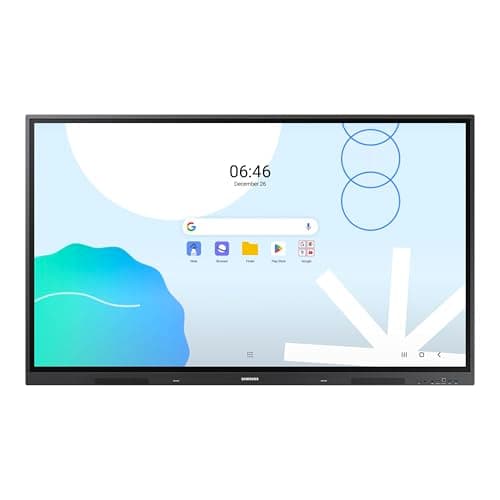
Samsung LH65WADWLGCXZA
Score: 83/100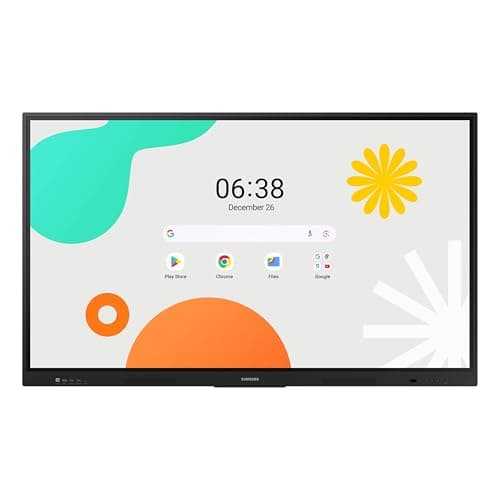
Samsung WAF Series 86-inch
Score: 75/100Rankings
The Samsung 65" WAD Interactive Display runs Android 13, is EDLA-certified for Google services, and offers 40-point IR touch, dual-pen input, a 3-in-1 USB-C port, HDMI-out and dual Ethernet ports. It delivers bright 4K visuals and strong connectivity, though it is heavy and lacks native Windows OS.
Samsung's 86-inch WAF series is an Android-14 powered all-in-one interactive display with 4K IPS panel, 40-point IR touch and an OPS slot for Windows PC integration, aimed at education and corporate training, though it is heavy and power-hungry.
| Attribute | | |
|---|---|---|
65 inches | 86 inchesbest | |
400 nitsbest | 400 nitsbest | |
1,200best | 1,200best | |
60 Hzbest | 60 Hzbest | |
| ↓ lower better | 8 msbest | 8 msbest |
40best | 40best | |
72 %best | 72 %best | |
4best | 3 |
Click an attribute name to sort · Green = best, red = worst (relative to this comparison)
| Attribute | | |
|---|---|---|
Display(2) | ||
Screen Size (inches) | 65 inches | 86 inches |
Panel Type | Direct LED | IPS |
Connectivity(2) | ||
HDMI Ports | 4 | 3 |
USB Ports | 8 | 6 |
Build & Design(1) | ||
Weight (kg) | 42.8 kg | 56.4 kg |
Products in the top-left offer the best value (high score, low price).
Professional reviewers commend the WAD display for its extensive connectivity, especially the 3-in-1 USB-C, and its dual-pen, 40-point touch capabilities that boost classroom interactivity. The EDLA certification is highlighted as a differentiator, though critics note the newer WAF series offers Android 14 and a more powerful processor.
Everyday users rave about the seamless Google Classroom experience, the convenience of dual pens, and the bright 4K picture that remains visible in bright environments. HDMI-Out is praised for extending content, while the lack of built-in Windows and NFC are noted as drawbacks.
Reviewers commend the powerful octa-core CPU, Android 14 platform and OPS slot, but warn that the advanced features demand IT expertise and note the lack of built-in microphones.
Users love the anti-glare display and multi-touch collaboration, but cite heavy weight, complex setup and occasional touch calibration issues.
“The Google Classroom integration is flawless-students join instantly.”
“Love the dual pens-no more stopping to change colors during lessons.”
“HDMI-Out lets us project to a second screen in the back of the classroom.”
Choose the WAD for maximum connectivity and Google EDLA certification; choose the WAF if you need the latest Android version and a newer processor.
