Samsung QB75N-W
Score: 77/100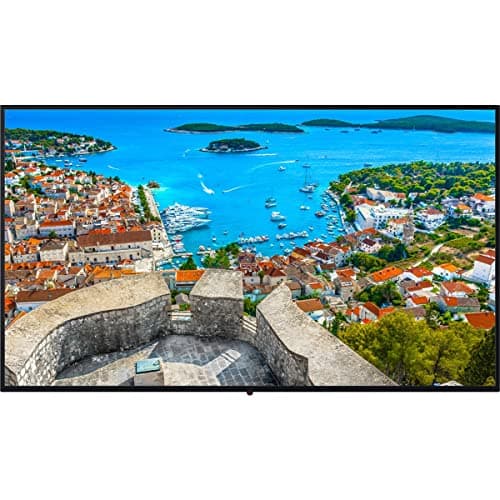
Panasonic TH-65CQE1WA
Score: 72/100Rankings
Samsung QB75N-W is a 75-inch interactive 4K LED display with touch capability and integrated media player, suited for conference rooms and classrooms. It delivers smooth visuals and interactive features but its brightness and bezel size may limit use in bright retail environments.
A 65-inch 4K commercial display with solid image quality and robust connectivity, ideal for digital signage but limited by modest brightness and lack of modern Wi-Fi.
| Attribute | Samsung QB75N-W | |
|---|---|---|
75 inchesbest | 65 inches | |
8,294,400 pixelsbest | 8,294,400 pixelsbest | |
120 Hzbest | — | |
350 nits | 400 nitsbest | |
6,000best | 1,250 | |
72 %best | — | |
| ↓ lower better | 8 ms | 7 msbest |
| ↓ lower better | 0.43 mmbest | — |
Click an attribute name to sort · Green = best, red = worst (relative to this comparison)
| Attribute | Samsung QB75N-W | |
|---|---|---|
Display(5) | ||
Screen Size (inches) | 75 inches | 65 inches |
Panel Type | Edge-Lit LED | VA |
Brightness (nits) | 350 nits | 400 nits |
Static Contrast Ratio | 6000 | 1250 |
Response Time (ms) | 8 ms | 7 ms |
Power & Energy(1) | ||
Typical Power Consumption (W) | 158 W | 201 W |
Connectivity(2) | ||
HDMI Ports (count) | 3 count | 4 count |
USB Ports (count) | 3 count | 4 count |
Professional reviewers praise the QB75N-W for its crisp 4K display, reliable 16/7 operation and integrated media player, while noting the thick bezel, modest brightness and limited RAM.
Everyday users appreciate the clear 4K visuals, intuitive touch interface and all-in-one design, though some mention bezel size and occasional touch calibration drift.
Professional reviewers consider the TH-65CQE1WA a solid mid-tier option that balances cost and capability, praising its USB-C connectivity and control protocol support while noting its lower brightness and lack of portrait mode.
Everyday users appreciate the ease of installation, reliable USB-C video, and the convenience of the built-in browser, but they commonly criticize the basic remote, outdated Wi-Fi, and occasional backlight uniformity issues.
“Installation was straightforward and the USB-C video works flawlessly.”
“The built-in browser is handy for quick signage updates.”
“Brightness feels low in bright office spaces.”
