Samsung QB75N-W
Score: 73/100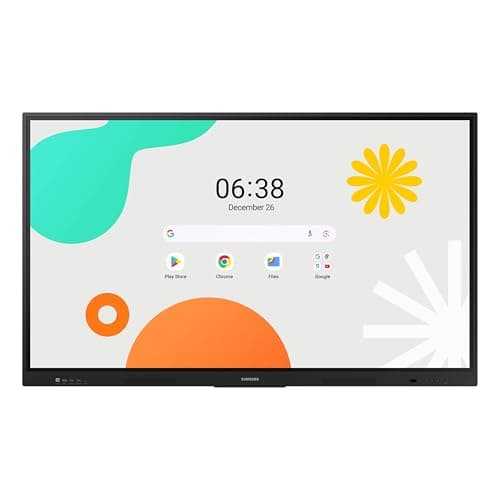
Samsung WAF Series 86-inch
Score: 75/100Rankings
Samsung's 86-inch WAF series is an Android-14 powered all-in-one interactive display with 4K IPS panel, 40-point IR touch and an OPS slot for Windows PC integration, aimed at education and corporate training, though it is heavy and power-hungry.
The Samsung QB75N-W is a 75-inch commercial-grade 4K LED interactive display with IR touch, integrated media player and MagicInfo software. It offers high contrast and robust connectivity, but its thick bezel, modest RAM and high power draw may limit appeal in some environments.
| Attribute | Samsung QB75N-W | |
|---|---|---|
75 inches | 86 inchesbest | |
350 nits | 400 nitsbest | |
6,000best | 1,200 | |
120 Hzbest | 60 Hz | |
| ↓ lower better | 8 msbest | 8 msbest |
4 | 40best | |
72 %best | 72 %best | |
3best | 3best |
Click an attribute name to sort · Green = best, red = worst (relative to this comparison)
| Attribute | Samsung QB75N-W | |
|---|---|---|
Touch(1) | ||
Touch Points | 4 | 40 |
Display(5) | ||
Screen Size (inches) | 75 inches | 86 inches |
Brightness (nits) | 350 nits | 400 nits |
Contrast Ratio | 6000 | 1200 |
Refresh Rate (Hz) | 120 Hz | 60 Hz |
Panel Type | LED | IPS |
Connectivity(1) | ||
USB Ports | 3 | 6 |
Power & Energy(1) | ||
Power Consumption (W) | 158 W | 486 W |
Build & Design(1) | ||
Weight (kg) | 38 kg | 56.4 kg |
Products in the top-left offer the best value (high score, low price).
Professional reviewers praise the QB75N-W for its crisp 4K display, reliable 16/7 operation and the convenience of an integrated media player and interactive software.
Everyday users appreciate the clear 4K visuals, intuitive touch interface and the all-in-one design that simplifies installation. Common praise focuses on the ease of setup and built-in speakers, while recurring complaints involve bezel size, occasional touch calibration drift and wishes for higher brightness in bright environments.
Reviewers commend the powerful octa-core CPU, Android 14 platform and OPS slot, but warn that the advanced features demand IT expertise and note the lack of built-in microphones.
Users love the anti-glare display and multi-touch collaboration, but cite heavy weight, complex setup and occasional touch calibration issues.
“The 40-point touch makes group work effortless.”
“Installation was a nightmare; the unit is massive.”
“Android 14 feels a bit sluggish when launching many apps.”
