Samsung U28E590D
Score: 67/100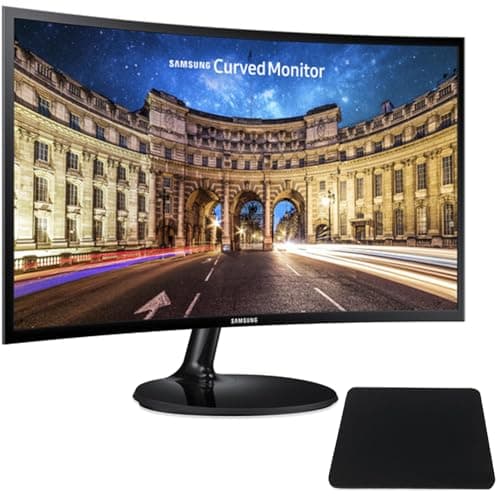
Samsung LC27F390
Score: 71/100Rankings
The Samsung LC27F390FHNXZA is a 27-inch curved Full HD monitor with a VA panel, offering strong contrast, eye-comfort features and AMD FreeSync at an affordable price. It is aimed at home and office users and casual gamers who want an immersive yet budget-friendly display.
The Samsung U28E590D is a 28-inch 4K TN monitor delivering crisp images and a 1 ms response at a budget price, suitable for productivity and casual gaming but constrained by limited color performance and HDMI bandwidth.
| Attribute | Samsung U28E590D | |
|---|---|---|
28 inchesbest | 27 inches | |
60 Hzbest | 60 Hzbest | |
| ↓ lower better | 1 msbest | 4 ms |
370 nitsbest | 250 nits | |
1,000 | 3,000best | |
— | 93 %best | |
2best | 1 | |
1best | — |
Click an attribute name to sort · Green = best, red = worst (relative to this comparison)
| Attribute | Samsung U28E590D | |
|---|---|---|
Display(6) | ||
Screen Size (inches) | 28 inches | 27 inches |
Resolution | 3840x2160 | 1920x1080 |
Panel Type | TN | VA |
Response Time (GTG) (ms) | 1 ms | 4 ms |
Brightness (nits) | 370 nits | 250 nits |
Contrast Ratio | 1000 | 3000 |
Connectivity(1) | ||
HDMI Ports | 2 | 1 |
Ergonomics(1) | ||
Tilt Range (°) | 17 ° | -2 to 22 ° |
Power & Warranty(1) | ||
Typical Power Consumption (W) | 32 W | 24 W |
Products in the top-left offer the best value (high score, low price).
Professional reviewers praised the U28E590D for its sharp 4K image, 1 ms response and AMD FreeSync, but criticized the TN panel's poor off-axis performance, lack of HDR and HDMI 30 Hz limitation.
Everyday users commend the crisp picture and value for 4K, yet note the inability to stream protected 4K content, narrow viewing angles and a flimsy stand.
Professional reviewers commend the monitor's strong 3000:1 contrast and 1800R curvature, calling it a solid value proposition with useful eye-comfort tech and FreeSync at an affordable price, while noting the lack of a high refresh rate, limited color gamut and missing DisplayPort as trade-offs.
Everyday users appreciate the immersive curved screen, eye-comfort features, and premium-feeling build, often describing it as a mini home theater upgrade. Common complaints revolve around screen glare, occasional input lag in fast games, and a wobbling tilt-only stand.
“Crisp, sharp image”
“Great for multitasking”
“Perfect for MacBooks”
