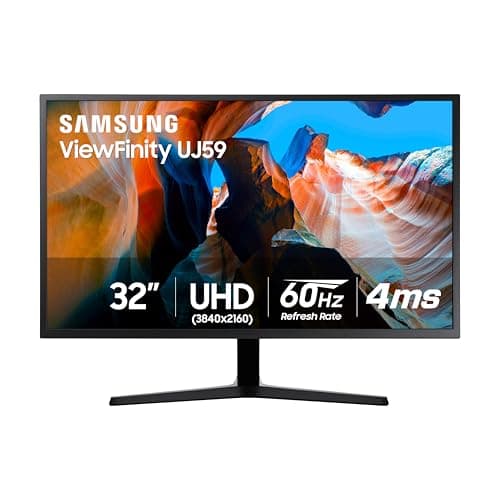
Samsung UJ59 32-inch
Score: 62/100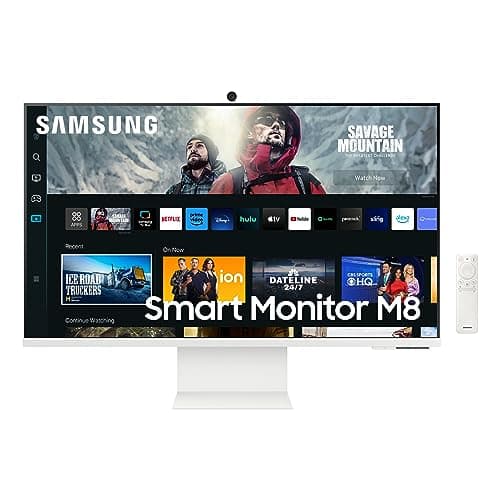
Samsung M80C
Score: 78/100Rankings
The Samsung M80C is a 27-inch 4K smart monitor that blends a VA panel with Tizen OS, offering built-in streaming apps, productivity tools and extensive ergonomics. It targets remote workers and multitaskers who want a single device for work, entertainment and smart-home control.
The Samsung 32" UJ59 Series LU32J590UQNXZA is a 4K VA-panel monitor delivering high contrast and eye-comfort features, suited for productivity and casual gaming but hampered by legacy DP bandwidth and limited HDMI capability.
| Attribute | | |
|---|---|---|
32 inchesbest | 27 inches | |
60 Hzbest | 60 Hzbest | |
| ↓ lower better | 4 msbest | 4 msbest |
270 nits | 400 nitsbest | |
3,000best | 3,000best | |
100 %best | 99 % | |
2best | 1 | |
1best | — |
Click an attribute name to sort · Green = best, red = worst (relative to this comparison)
| Attribute | | |
|---|---|---|
Display(4) | ||
Screen Size (inches) | 32 inches | 27 inches |
HDR Support | false | true |
Brightness (nits) | 270 nits | 400 nits |
Color Gamut (sRGB %) (%) | 100 % | 99 % |
Connectivity(2) | ||
HDMI Ports | 2 | 1 |
USB‑C Port | false | true |
Ergonomics(1) | ||
Tilt Range (°) | 17 ° | -2 to 15 ° |
Power & Warranty(1) | ||
Typical Power Consumption (W) | 59 W | 26.1 W |
Products in the top-left offer the best value (high score, low price).
Professional reviewers view the UJ59 as a cost-effective 32" 4K monitor that excels in contrast and color accuracy, but caution that its older DisplayPort version and spotty G-Sync support limit its appeal to gamers who need higher refresh rates or seamless NVIDIA compatibility.
Everyday users love the sharp 4K picture, deep blacks, and eye-comfort features, while repeatedly complaining about the DP bandwidth limitation, the visible logo, and occasional sync inconsistencies.
Professional reviewers describe the M80C as a hybrid workhorse that blends a high-quality 4K smart TV with PC-grade productivity tools, praising its ergonomic stand and Tizen ecosystem while noting the lack of adaptive sync and modest HDR brightness.
Everyday users praise the monitor for its all-in-one convenience, especially the USB-C single-cable setup, sharp 4K visuals and the pivot function that makes reading and coding easier. SmartThings and voice assistants are also highlighted as smooth and useful for home automation.
“Sharp 4K picture and deep blacks make it great for media.”
“The visible Samsung logo on the front bezel is annoying.”
“Inconsistent NVIDIA G-Sync compatibility after driver updates.”
