Samsung WA75C
Score: 73/100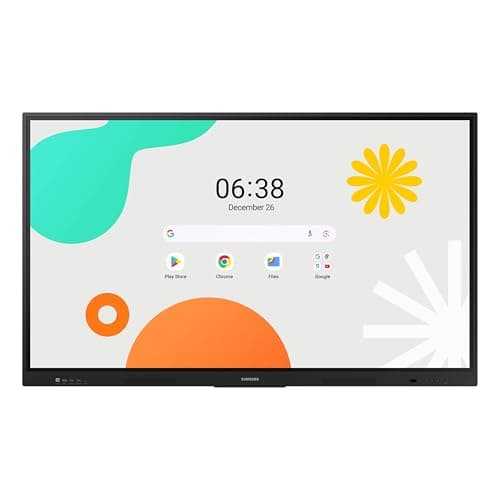
Samsung WAF 65-inch
Score: 77/100Rankings
The Samsung 65" WAF Series Interactive Display runs Android 14, offers 4K resolution, 40-point infrared touch and dual-pen input, and is EDLA-certified for full Google service integration. It excels in connectivity and collaborative features but draws significant power.
The Samsung WA75C is a 75-inch 4K Android-powered interactive display offering robust multi-touch, extensive connectivity and a rich app ecosystem, aimed at modern classrooms and collaborative spaces. While its visual quality and touch responsiveness are strong, the panel's brightness and lack of built-in video-conferencing hardware may limit use in very bright rooms or fully integrated meeting rooms.
| Attribute | Samsung WA75C | |
|---|---|---|
75 inchesbest | 65 inches | |
395 nits | 400 nitsbest | |
1,200best | 1,200best | |
— | 60 Hzbest | |
| ↓ lower better | 8 msbest | 8 msbest |
40best | 40best | |
— | 72 %best | |
3best | 3best |
Click an attribute name to sort · Green = best, red = worst (relative to this comparison)
| Attribute | Samsung WA75C | |
|---|---|---|
Display(3) | ||
Screen Size (inches) | 75 inches | 65 inches |
Brightness (nits) | 395 nits | 400 nits |
Panel Type | Direct LED | IPS |
Connectivity(1) | ||
USB Ports | 6 | 4 |
Power & Energy(1) | ||
Power Consumption (W) | 304.5 W | 409 W |
Build & Design(1) | ||
Weight (kg) | 61.235 kg | 36.2 kg |
Products in the top-left offer the best value (high score, low price).
Professional reviewers praise the WA series for its industry-leading Android integration, 40-point touch responsiveness, and future-proof connectivity like Wi-Fi 6 and ample storage, positioning it as a top choice for modern educational environments.
Everyday users appreciate the intuitive interface, seamless Google app access, reliable multi-touch, and robust build, though they note the absence of a built-in camera/mic and occasional performance hiccups under heavy load.
Professional reviewers view the Samsung WAF 65" as a breakthrough for interactive education, emphasizing its EDLA certification, 40-point touch, Split Note Mode, and robust connectivity, while noting the absence of Wi-Fi 6 and relatively high power consumption.
Everyday users praise the instant annotation, dual-pen convenience, and the ability to install Google apps directly on the display, though a minority report occasional lag and Bluetooth pairing issues.
“The instant annotation, dual-pen convenience, and the ability to install Google apps directly on the display make teaching much smoother.”
