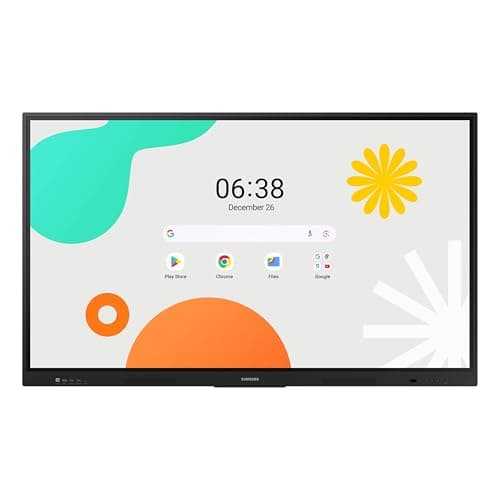
Samsung WAF 65-inch
Score: 77/100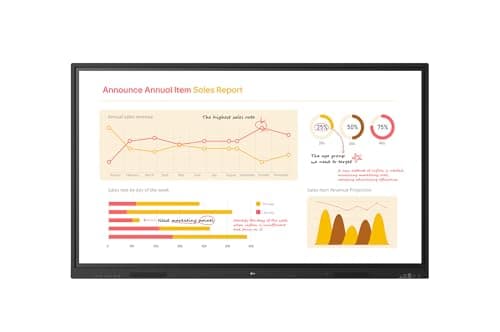
LG 65TR3BQ
Score: 83/100Rankings
The LG 65TR3BQ is a 65-inch 4K interactive display aimed at corporate and educational environments, offering 40-point multi-touch, robust connectivity and solid image quality. It lacks an integrated OS and Wi-Fi, making it dependent on external devices for many functions.
The Samsung 65" WAF Series Interactive Display runs Android 14, offers 4K resolution, 40-point infrared touch and dual-pen input, and is EDLA-certified for full Google service integration. It excels in connectivity and collaborative features but draws significant power.
| Attribute | | |
|---|---|---|
65 inchesbest | 65 inchesbest | |
400 nitsbest | 350 nits | |
1,200 | 5,000best | |
60 Hzbest | 60 Hzbest | |
| ↓ lower better | 8 ms | 6.5 msbest |
40best | 40best | |
72 %best | 72 %best | |
3best | 3best |
Click an attribute name to sort · Green = best, red = worst (relative to this comparison)
| Attribute | | |
|---|---|---|
Display(4) | ||
Brightness (nits) | 400 nits | 350 nits |
Contrast Ratio | 1200 | 5000 |
Response Time (ms) | 8 ms | 6.5 ms |
Panel Type | IPS | VA |
Connectivity(1) | ||
USB Ports | 4 | 8 |
Power & Energy(1) | ||
Power Consumption (W) | 409 W | 127 W |
Build & Design(1) | ||
Weight (kg) | 36.2 kg | 32.1 kg |
Products in the top-left offer the best value (high score, low price).
Professional reviewers view the Samsung WAF 65" as a breakthrough for interactive education, emphasizing its EDLA certification, 40-point touch, Split Note Mode, and robust connectivity, while noting the absence of Wi-Fi 6 and relatively high power consumption.
Everyday users praise the instant annotation, dual-pen convenience, and the ability to install Google apps directly on the display, though a minority report occasional lag and Bluetooth pairing issues.
Professional reviewers view the 65TR3BQ as a solid mid-tier interactive board that balances performance and cost, praising its touch responsiveness and connectivity while noting the absence of an internal OS and portrait mode.
Everyday users overwhelmingly praise the display's responsiveness, 4K image quality, and ease of connecting laptops via the front USB-C port, but complain about missing Wi-Fi, a large bottom bezel, and occasional calibration tweaks.
“The instant annotation, dual-pen convenience, and the ability to install Google apps directly on the display make teaching much smoother.”
“Extremely responsive touch-students can write simultaneously without lag.”
“The 4K screen is bright and clear, even in well-lit classrooms.”
