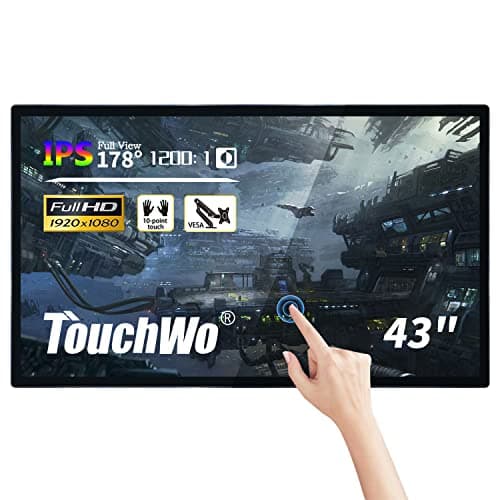
TouchWo HD430AA 43-inch
Score: 43/100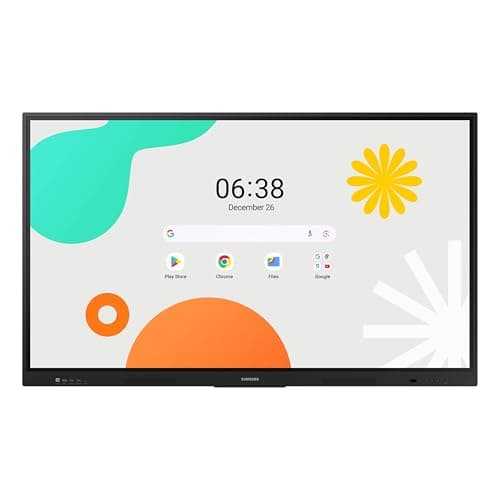
Samsung WAF 65-inch
Score: 77/100Rankings
The Samsung 65" WAF Series Interactive Display runs Android 14, offers 4K resolution, 40-point infrared touch and dual-pen input, and is EDLA-certified for full Google service integration. It excels in connectivity and collaborative features but draws significant power.
The TouchWo 43-inch model delivers a full-HD LED panel with integrated Windows PC, 10-point capacitive touch and robust connectivity, targeting classrooms and conference rooms, though Windows activation and TPM limitations can be drawbacks.
| Attribute | | |
|---|---|---|
43 inches | 65 inchesbest | |
300 nits | 400 nitsbest | |
— | 1,200best | |
— | 60 Hzbest | |
| ↓ lower better | 8 msbest | 8 msbest |
10 | 40best | |
— | 72 %best | |
2 | 3best |
Click an attribute name to sort · Green = best, red = worst (relative to this comparison)
| Attribute | | |
|---|---|---|
Touch(2) | ||
Touch Technology | Capacitive | Infrared |
Touch Points | 10 | 40 |
Display(4) | ||
Screen Size (inches) | 43 inches | 65 inches |
Native Resolution | 1920x1080 | 3840x2160 |
Brightness (nits) | 300 nits | 400 nits |
Panel Type | LED | IPS |
Connectivity(2) | ||
HDMI Ports | 2 | 3 |
USB Ports | 5 | 4 |
Power & Energy(1) | ||
Standby Power (W) | 5 W | 0.5 W |
Build & Design(1) | ||
Weight (kg) | 17.6 kg | 36.2 kg |
Products in the top-left offer the best value (high score, low price).
Professional reviewers commend the vivid 1080p panel, solid i7 performance and fluid 10-point touch, while noting issues with Windows activation, lack of TPM for Windows 11, and occasional overheating.
Everyday users appreciate the straightforward setup and responsive touch, but report unactivated Windows licenses, missing TPM, and occasional overheating in industrial settings.
Professional reviewers view the Samsung WAF 65" as a breakthrough for interactive education, emphasizing its EDLA certification, 40-point touch, Split Note Mode, and robust connectivity, while noting the absence of Wi-Fi 6 and relatively high power consumption.
Everyday users praise the instant annotation, dual-pen convenience, and the ability to install Google apps directly on the display, though a minority report occasional lag and Bluetooth pairing issues.
“All-in-one design integrates PC, display and touch in one unit.”
“Windows is not activated. You need to purchase a separate license key… motherboard doesn't support upgrading to Windows 11 (no TPM 2.0).”
“Touch screen does not work with touch pens… limited hardware and software… expensive for such basic technology.”
