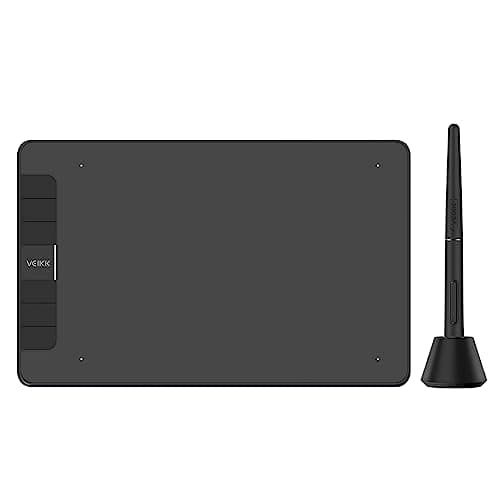
VEIKK VK640
Score: 89/100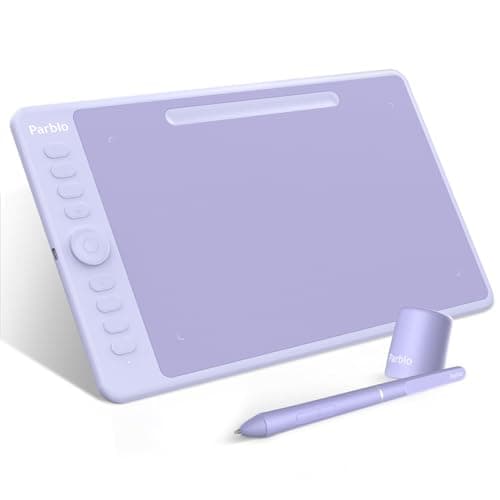
Parblo Intangbo M
Score: 91/100Rankings
The Parblo Intangbo M offers a larger 10×6.25 in active area, full 8192-level pressure sensitivity, tilt and a rich set of workflow controls, positioning it as a portable yet capable tablet for creators and students.
The VEIKK VK640 offers a 6×4 in active area, 8192 pressure levels, tilt support and six shortcut keys, making it a capable entry-level tablet with a generous accessory bundle. It lacks wireless connectivity and iOS support, and some users note driver-related cursor issues.
| Attribute | | |
|---|---|---|
8,192 levelsbest | 8,192 levelsbest | |
15,483.84 mm² | 40,322.5 mm²best | |
250 Hz | 266 Hzbest | |
— | 2 countbest | |
| ↓ lower better | 279 gramsbest | 621 grams |
12 monthsbest | — |
Click an attribute name to sort · Green = best, red = worst (relative to this comparison)
| Attribute | | |
|---|---|---|
Compatibility(1) | ||
Operating System Compatibility | Windows, macOS, Linux, Android | Windows 7+, macOS 10.11+, Android 6.0+ |
Performance(1) | ||
Report Rate (Hz) | 250 Hz | 266 Hz |
Display(1) | ||
Active Drawing Area (mm²) | 15483.84 mm² | 40322.5 mm² |
Pen & Stylus(1) | ||
Pen Technology | Battery-free EMR | Battery‑free electromagnetic resonance |
Build & Design(1) | ||
Weight (grams) | 279 grams | 621 grams |
Products in the top-left offer the best value (high score, low price).
Professional reviewers view the VK640 as a capable, affordable alternative to Wacom's entry tablets, praising its high pressure sensitivity, tilt support, and accessory bundle while noting limited OS support and lack of wireless features.
Everyday users appreciate the pressure sensitivity, smooth surface, and plentiful nibs, but complain about cursor stutter at edges, the fixed cable, and the need to install drivers.
Professional reviewers praise the Intangbo M for its solid build, high pressure sensitivity, tactile surface and thoughtful accessories, while noting drawbacks like line wobble, inconsistent tilt and limited pen-button customization.
Everyday users love the smooth natural drawing feel, portability and value-packed accessories, but complain about driver conflicts, lack of an eraser on the pen and occasional connectivity hiccups.
“Compared to Wacom or other tablets it has a short set up time, my laptop (running Windows 10) recognized it as soon as I plugged it in and installed the drivers. Very good for the price!”
“The pressure sensitivity is really fine.”
“Really nice and smooth tablet! You get a lot out of it for its price.”
