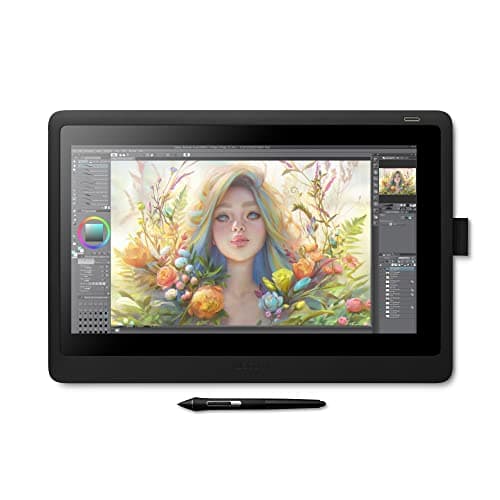
Wacom Cintiq 16
Score: 63/100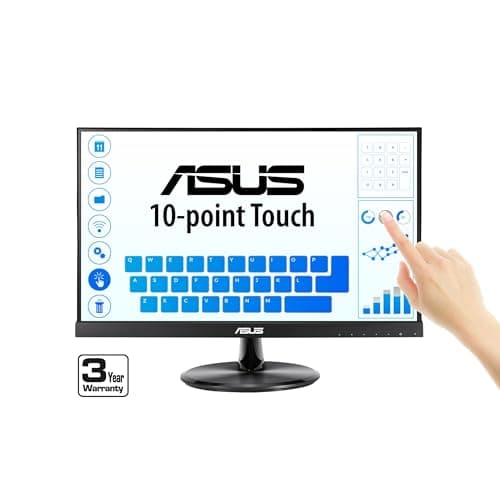
Asus VT229H
Score: 74/100Rankings
The ASUS VT229H is a 21.5-inch Full HD IPS monitor with 10-point projective-capacitive touch, eye-care features and VESA mounting. It is aimed at business, education and kiosk environments where interactive capability and wide viewing angles are important.
The Wacom Cintiq 16 offers a 15.6" Full HD IPS screen with professional-grade Pro Pen 2 performance at an affordable price. It provides solid pen accuracy and build quality but lacks touch input, an adjustable stand, and a laminated display, which can affect ergonomics and visual fidelity.
| Attribute | | |
|---|---|---|
15.6 inches | 21.5 inchesbest | |
— | 250 nitsbest | |
1,000best | 1,000best | |
— | 60 Hzbest | |
| ↓ lower better | — | 5 msbest |
— | 10best | |
72 %best | 72 %best | |
1best | 1best |
Click an attribute name to sort · Green = best, red = worst (relative to this comparison)
| Attribute | | |
|---|---|---|
Display(1) | ||
Screen Size (inches) | 15.6 inches | 21.5 inches |
Warranty(1) | ||
Warranty Period (years) | 1 years | 3 years |
Build & Design(1) | ||
Weight (kg) | 1.9 kg | 3.7 kg |
Products in the top-left offer the best value (high score, low price).
Professional reviewers praise the Cintiq 16 for delivering Pro Pen 2 performance, solid screen quality and build at a modest price, noting its ease of setup and value. Criticisms focus on the absence of touch input, express keys, an adjustable stand and the non-laminated display that introduces parallax, as well as its limited Full HD resolution.
Everyday users consistently highlight the natural drawing experience, precise pen tracking and durability, while frequently expressing frustration over the lack of touch gestures, missing ergonomic stand and occasional parallax. Overall satisfaction remains high among budget-conscious creatives.
Professional reviewers praise the VT229H's IPS panel, touch responsiveness, and TÜV-certified eye-care features, while noting the lack of modern connectivity options and ergonomic adjustments as the main shortcomings.
Everyday users like the smooth touch experience, easy installation and clear image quality, but complain about occasional touch calibration drift and a wobbly stand.
“Users appreciate the smooth and accurate touch response, especially for use with virtual keyboards and point-of-sale (POS) systems.”
“The image quality is frequently described as "crisp" and "color-accurate" for daily tasks.”
“Touch calibration may drift after system updates.”
