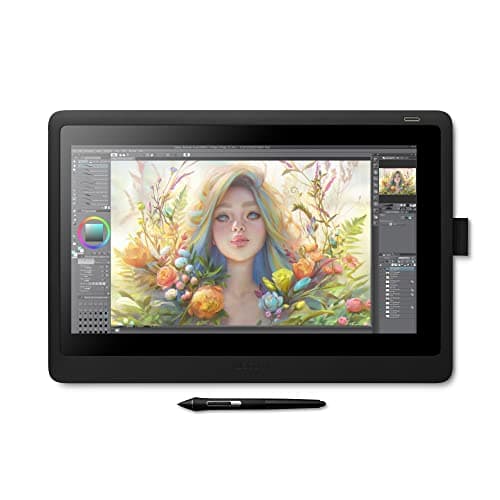
Wacom Cintiq 16
Score: 63/100
Wacom One HD
Score: 77/100Rankings
The Wacom One HD Creative Pen Display is a compact 13.3" Full HD pen display aimed at beginners and students. It offers a straightforward single-cable setup, a battery-free pen, and useful software bundles, but lacks multi-touch, adjustable tilt and extensive shortcut keys.
The Wacom Cintiq 16 offers a 15.6" Full HD IPS screen with professional-grade Pro Pen 2 performance at an affordable price. It provides solid pen accuracy and build quality but lacks touch input, an adjustable stand, and a laminated display, which can affect ergonomics and visual fidelity.
| Attribute | | |
|---|---|---|
15.6 inchesbest | 13.3 inches | |
— | 200 nitsbest | |
1,000best | 1,000best | |
72 % | 91.7 %best | |
1best | — | |
1 | 2best | |
— | 10 Wbest | |
1 yearsbest | 1 yearsbest |
Click an attribute name to sort · Green = best, red = worst (relative to this comparison)
| Attribute | | |
|---|---|---|
Display(2) | ||
Screen Size (inches) | 15.6 inches | 13.3 inches |
Color Gamut (%) | 72 % | 91.7 % |
Connectivity(1) | ||
USB Ports | 1 | 2 |
Build & Design(1) | ||
Weight (kg) | 1.9 kg | 2.0 kg |
Products in the top-left offer the best value (high score, low price).
Professional reviewers praise the Cintiq 16 for delivering Pro Pen 2 performance, solid screen quality and build at a modest price, noting its ease of setup and value. Criticisms focus on the absence of touch input, express keys, an adjustable stand and the non-laminated display that introduces parallax, as well as its limited Full HD resolution.
Everyday users consistently highlight the natural drawing experience, precise pen tracking and durability, while frequently expressing frustration over the lack of touch gestures, missing ergonomic stand and occasional parallax. Overall satisfaction remains high among budget-conscious creatives.
Professional reviewers praise the Wacom One HD for its straightforward setup, accurate low-latency pen response, and solid software bundle, positioning it as a strong entry-level option for students and hobbyists. However, they note the absence of multi-touch, limited ergonomics, and a short warranty as notable drawbacks compared to higher-end models.
Everyday users overwhelmingly rate the device 4-5 stars, highlighting its natural drawing feel, ease of use, and portability. Common praise centers on the battery-free pen and useful software trials, while recurring complaints involve occasional lag, driver hiccups, and confusion about the need for a host computer.
“great, no-frills drawing tablet for budding artists”
“great starter tablet for digital art”
“natural drawing feel and easy setup”
