Wacom Cintiq DTK2200
Score: 79/100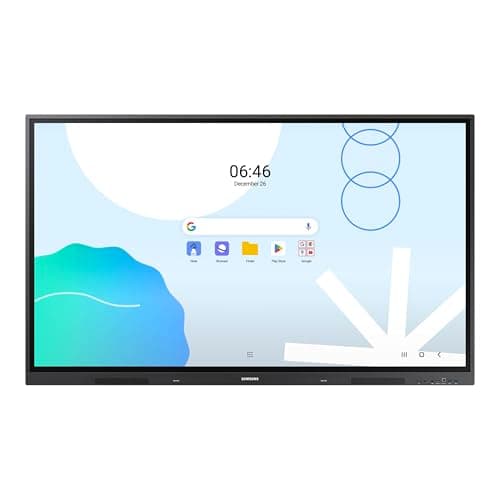
Samsung LH75WAD
Score: 63/100Rankings
The Wacom DTK2200 Cintiq 22HD is a 21.5" Full HD pen display targeting professional artists who need a large drawing surface and solid pen performance. It offers 2048 pressure levels, an adjustable stand and extensive shortcut keys, but lacks touch input and uses an older DVI connection.
The Samsung 75" WAD Interactive Display is a wall-mountable 4K Android 13 touchscreen with 40-point IR touch, dual-pen capability and EDLA certification for seamless Google Workspace integration, aimed at large classrooms and corporate meeting rooms.
| Attribute | Wacom Cintiq DTK2200 | |
|---|---|---|
21.5 inches | 75 inchesbest | |
230 nits | 400 nitsbest | |
1,000 | 1,200best | |
— | 60 Hzbest | |
| ↓ lower better | 14 ms | 8 msbest |
— | 40best | |
72 %best | 72 %best | |
— | 3best |
Click an attribute name to sort · Green = best, red = worst (relative to this comparison)
| Attribute | Wacom Cintiq DTK2200 | |
|---|---|---|
Display(6) | ||
Screen Size (inches) | 21.5 inches | 75 inches |
Native Resolution | 1920x1080 | 3840x2160 |
Brightness (nits) | 230 nits | 400 nits |
Contrast Ratio | 1000 | 1200 |
Response Time (ms) | 14 ms | 8 ms |
Panel Type | IPS | ADS |
Connectivity(1) | ||
USB Ports | 1 | 5 |
Build & Design(1) | ||
Weight (kg) | 8.5 kg | 45.36 kg |
Products in the top-left offer the best value (high score, low price).
Professional reviewers praise the Cintiq 22HD for its natural drawing experience, large yet affordable screen size, and precise tilt-and-pressure pen performance, while noting the outdated DVI-only video input and lack of touch as drawbacks for modern workflows.
Everyday users love the natural feel, large active area, and workflow shortcuts provided by the ExpressKeys and touch strips, but many complain about the grainy screen texture, DVI-only connectivity, occasional driver glitches, and heat buildup during long sessions.
Professional reviewers praise its 40-point touch, dual-pen function and Google integration, while noting the lack of a built-in stand, modest brightness and absence of HDR.
Everyday users appreciate the massive touch surface and easy multi-device connectivity, but many find the unit heavy, miss a built-in stand and wish for higher brightness.
“The massive touch surface and dual-pen convenience are game-changing for classrooms”
“EDLA certification makes accessing Google apps seamless”
“Installation was tough due to the weight and lack of a stand”
