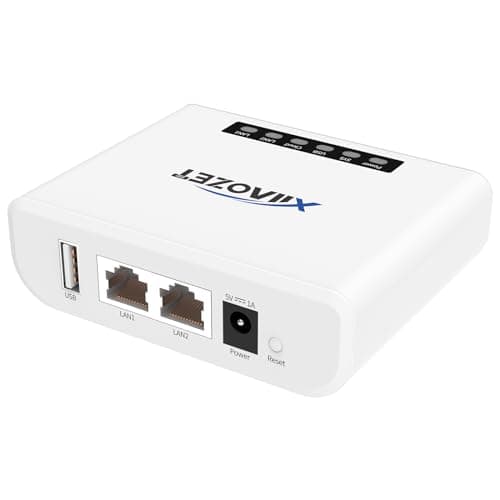
Xiiaozet Wireless Print Server
Score: 80/100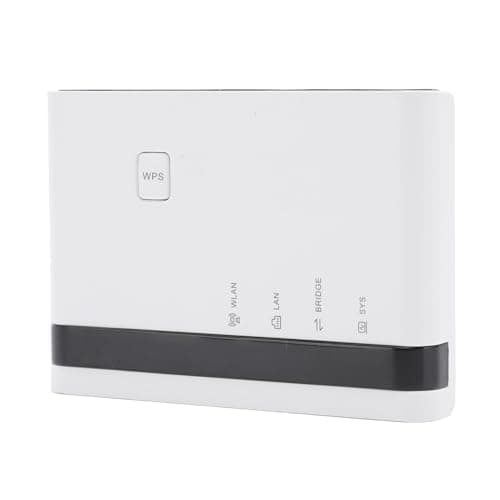
Ashata Wireless Print Server
Score: 74/100Rankings
The Xiiaozet LK100W converts a USB printer to a network device with 300 Mbps Wi-Fi, Ethernet, and unlimited Windows users, offering strong security and low power draw. It is limited to Windows OS, provides only one USB port, and lacks 5 GHz Wi-Fi or scanner support. Best for home offices or small businesses that need simple, reliable Windows-only printer sharing.
The Ashata Wireless Print Server provides a compact solution for sharing up to four USB printers via Ethernet or 2.4 GHz Wi-Fi, with a web-based interface compatible with major desktop and mobile OSes. Missing Wi-Fi speed details and limited security information may deter enterprise users. Suitable for small offices, retail, or educational settings that need multi-printer sharing without complex setup.
| Attribute | | |
|---|---|---|
300 Mbpsbest | — | |
1best | — | |
100 Mbpsbest | 100 Mbpsbest | |
1 | 4best | |
5 Vbest | — | |
| ↓ lower better | 5 Wbest | — |
1 yearsbest | — | |
| ↓ lower better | 0.24 kgbest | — |
Click an attribute name to sort · Green = best, red = worst (relative to this comparison)
| Attribute | | |
|---|---|---|
Ports(1) | ||
USB Ports | 1 | 4 |
Power & Energy(1) | ||
Power Supply Type | DC 5V adapter | Type-C |
Software(1) | ||
Supported Operating Systems | Windows 7+ | Windows 7/8/10/11, macOS, Linux 3.4+, Android |
General(1) | ||
Printer Compatibility | 95% of USB printers (inkjet, laser, thermal, label, dot matrix, all-in-one, barcode, multi-function) | Inkjet, Receipt, Stylus, Barcode (up to 4 printers) |
Products in the top-left offer the best value (high score, low price).
Professional reviewers, primarily tech-focused YouTubers, commend the LK100W for its straightforward print-only functionality, low power draw, and the virtual USB tool that expands compatibility. However, they criticize the cumbersome initial configuration, the absence of scanning, and the limited operating-system support, suggesting it is best suited for simple Windows-only environments.
Everyday users generally appreciate the device's reliability for shared printing and its ease of installing legacy printers, but they frequently encounter setup frustrations, network re-configuration needs, and wish for broader OS and mobile support.
“Priceless cuz it beats up to have some cabling run... you can put a network device anywhere.”
“Prints beautiful.”
