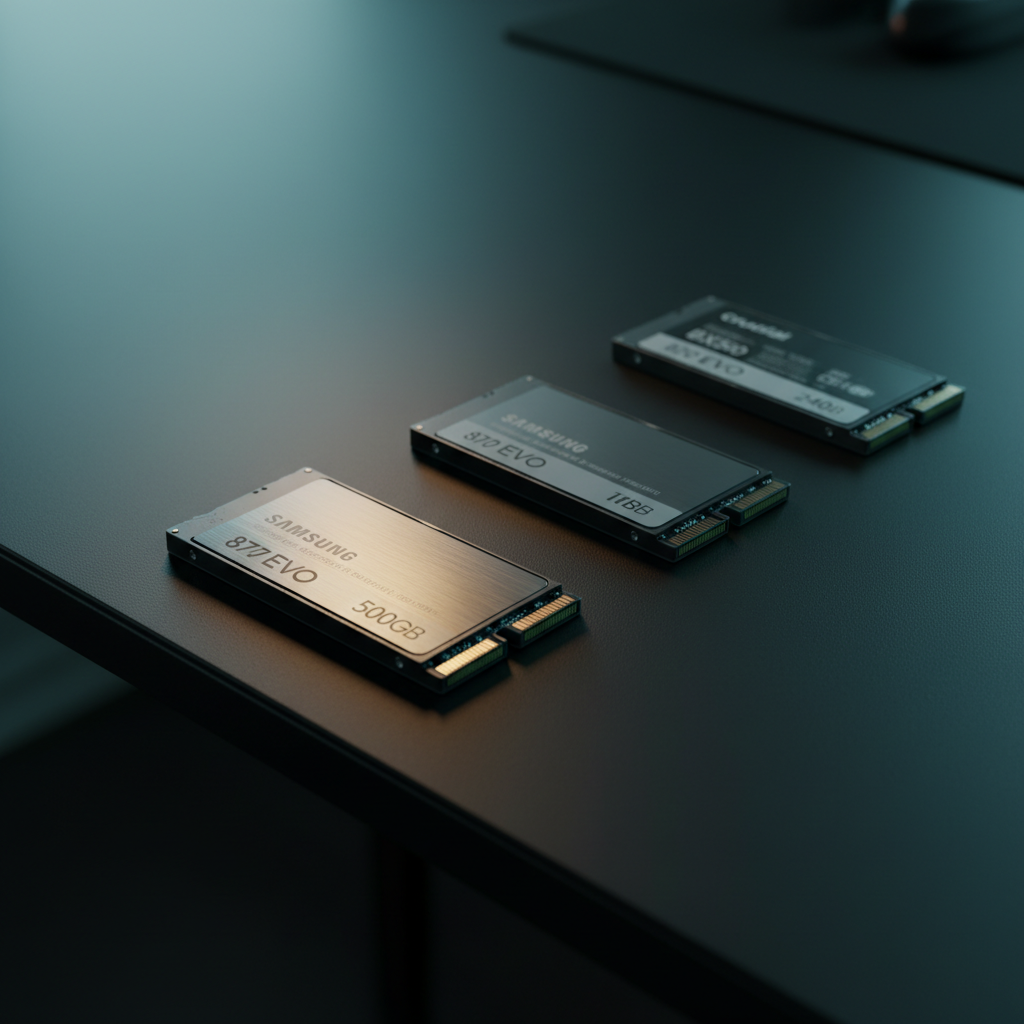
You’re looking at a roundup of 14 SATA‑based 2.5″ SSDs that span the whole price spectrum—from the $39.97 Silicon Power A55 256 GB entry model up to the $208.99 Western Digital WD Blue 2 TB high‑capacity option. The list includes drives that have earned solid user feedback, such as the Samsung 870 EVO 500 GB which sits at a 4.8/5 rating from 44,948 reviews and pushes sequential reads up to 560 MB/s. Whether you need a modest boost for an old laptop or a work‑horse for a desktop workstation, the specs here give you a clear view of what each drive can deliver.
The picks are grouped into three tiers that match the price map: the budget tier (Silicon Power A55 256 GB, Crucial BX500 240 GB at $64.99, Kingston A400 240 GB at $72.00, and WD Green 1 TB at $72.71), the mid‑range tier (HP S650 480 GB at $86.02 and Samsung 870 EVO 500 GB at $94.99), and the premium tier (Crucial BX500 1 TB at $100.99, Transcend 1 TB at $149.00, Samsung 870 EVO 1 TB at $179.99, plus WD Blue 2 TB at $208.99). The sections that follow break down each category so you can pinpoint the SSD that fits your budget and performance needs.

Samsung 870 EVO 500GB
It's slim 6.8 mm depth lets it fit easily into most laptops and desktops, supporting the strong value and rating it enjoys.
Samsung 870 EVO 1TB
Ideal for power users needing a full terabyte, it offers the same proven reliability as the 500 GB model but at $85 more, delivering extra capacity for demanding workloads.

Crucial BX500 240GB
Stands out with a compact 100.33 mm length, letting tight builds accommodate it, and its $64.99 price makes it the most affordable entry‑level SSD.
Also considered
Score Analysis
Key score advantages vs. runner-up (Samsung 870 EVO)
Price Range
Samsung 870 EVO 500GB
$94.99
Samsung 870 EVO 1TB
$179.99
Crucial BX500 240GB
$64.99
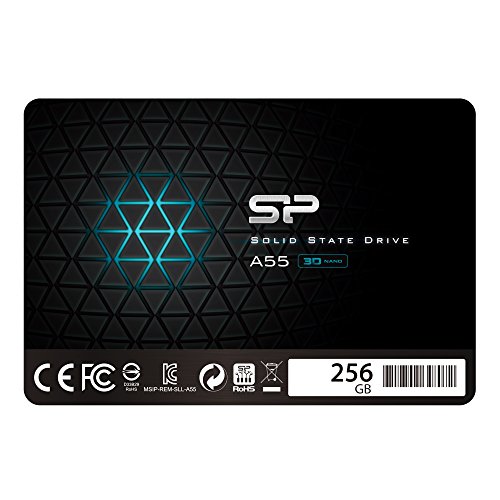
Silicon Power A55 256GB
$58.97

Kingston A400 240GB
$67.00
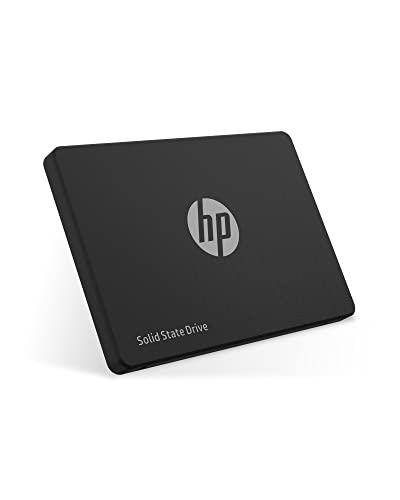
HP S650 480GB
$99.99
Crucial BX500 1TB
$100.99

Transcend 1TB
$249.00

Western Digital WD Blue 2TB
$208.99

Western Digital WD Green 1TB
$159.00

ADATA SU800 1TB
$145.99

Silicon Power A55 4TB
$359.97

Teamgroup T-Force Vulcan Z 1TB
$129.99

Verbatim Vi550 4TB
$357.65
Spec Comparison
TL;DR: The Samsung 870 EVO 500 GB delivers up to 560 MB/s reads, 530 MB/s writes, 98 k IOPS, and a solid 3‑year warranty, making it a reliable mid‑range SATA SSD for most users.
The drive’s standout spec is its sequential performance: up to 560 MB/s read and 530 MB/s write speeds, using a 512 MB cache and delivering up to 98,000 IOPS for random reads. Those numbers hit the ceiling of the SATA III interface, giving you desktop‑class speed without the heat of an NVMe drive.
At 0.19 pounds, it’s heavier than the Crucial BX500 1TB, HP S650, WD Green, Kingston A400, and other peers in this roundup. Its 100 mm width also exceeds the typical 69.9 mm width of many listed SSDs, while the 6.8 mm depth is only a hair thicker than the HP S650’s 6.7 mm profile. Capacity‑wise, 500 GB sits between competitors’ 240 GB and 1 TB options.
Users consistently praise the instant‑boot feel and smoother app launches after swapping a hard drive for the 870 EVO, noting the drive’s “plug‑and‑play” ease of installation. Professional reviewers highlight its 1.5 million‑hour MTBF, 300 TBW endurance, and 1500 G (0.5 ms) shock resistance as evidence of long‑term reliability. The only recurring gripe is the SATA speed ceiling, plus Samsung Magician is Windows‑only and Samsung does not bundle mounting brackets or a SATA cable.
Pros
Cons
Best for: Most users looking for a well‑reviewed, reliable mainstream option
Avoid if: You need the highest possible throughput or a compact drive for tight spaces
TL;DR: The Samsung 870 EVO 1TB offers near‑maximum SATA III speeds, 98,000 IOPS random performance, 600 TBW endurance, and a 5‑year warranty at a premium price.
The drive’s advertised sequential read speed of 560 MB/s and write speed of 530 MB/s hit the ceiling of the SATA 6 Gb/s interface, while the 1 GB Low Power DDR4 cache and 98,000 IOPS random‑read rating give it PCIe‑like responsiveness in everyday tasks. Samsung also backs the 1 TB capacity with a 600 TBW endurance rating and a 5‑year limited warranty, positioning it as a durable choice for heavy workloads.
Compared with the other 13 SSDs in this roundup, the 870 EVO is lighter than the Western Digital WD Blue and Transcend models (both around 60 g) and marginally thinner than the ADATA SU800’s 7 mm profile, matching its 6.8 mm depth. It's 45.0 g weight is essentially the same as the Teamgroup T‑Force Vulcan Z and a touch lighter than the Crucial BX500’s 54.4 g, giving it a solid balance of slimness and heft across the group.
Users consistently praise the drive for dramatically faster boot times and snappier app launches, noting that Samsung’s Magician 6 software makes health monitoring and firmware updates painless. Professional reviewers highlight the “record‑setting” 4K random performance that feels like a PCIe NVMe drive in daily use. The most common complaints involve the absence of a SATA cable in the box and a slight slowdown when the drive approaches full capacity, especially on older laptops with legacy chipsets.
Beyond speed, the 870 EVO runs on a SATA 6 Gb/s interface, fits any 2.5‑inch bay, and it draws just 2.5 W on average during active use, with an idle draw of 30 mW. Its shock resistance of 1500 G for 0.5 ms and an MTBF of 1.5 million hours underscore Samsung’s focus on reliability, while AES 256‑bit encryption adds a layer of data security for sensitive workloads.
Pros
Cons
Best for: Buyers willing to invest in a proven, high‑quality option
Avoid if: You need advanced features or professional‑grade performance
TL;DR: The Crucial BX500 240 GB SSD offers 540 MB/s reads, low 60 mW power draw and a 3‑year warranty, making it a solid budget upgrade for HDD‑based PCs.
At 240 GB capacity, the BX500 delivers up to 540 MB/s sequential reads and 500 MB/s writes while drawing just 60 mW of active power. Its 2.5‑inch form factor is 7 mm thick and weighs 60 g, fitting easily into most laptops and desktops. The drive uses a DRAM‑less controller that relies on the host’s memory buffer, and it comes with a 3‑year limited warranty.
Compared with other SSDs in this roundup, the BX500’s 540 MB/s read speed sits just below the WD Green’s 545 MB/s and above the Kingston A400’s 500 MB/s. In terms of weight, it is heavier than the Kingston A400 (41 g) and the WD Green (32.7 g), but its thickness matches both at 7 mm. The drive’s active power draw of 60 mW is lower than the average listed for its peers, contributing to quieter, cooler operation.
Professional reviewers note that the BX500 provides an “acceptable everyday performance” boost over traditional hard drives, especially for boot‑up and application loading. Users praise the instant speed uplift and silent operation, while some flag the DRAM‑less design as a cause of slower performance under sustained heavy workloads. Reviewers also cite the lack of hardware‑based encryption and a modest 80 TBW endurance rating as trade‑offs for the low price.
Pros
Cons
Best for: Budget-conscious buyers seeking a reliable entry-level option
Avoid if: You need high endurance for heavy write workloads or hardware‑level encryption
“dramatic improvements in system responsiveness after replacing HDDs”
TL;DR: The Silicon Power A55 256 GB SSD delivers 560 MB/s reads, 530 MB/s writes, and a 7 mm slim profile for just $39.97, making it a fast and affordable upgrade for thin laptops.
What really stands out is the advertised sequential read speed of 560 MB/s and write speed of 530 MB/s, which sit right at the top end of what SATA III (6 Gb/s) can theoretically provide. The drive also packs a 7 mm (0.28 in) thickness and a 100 mm × 69.9 mm footprint, fitting easily into ultrabooks and other space‑constrained notebooks.
Compared with the other 13 SATA SSDs in this roundup, the A55 reads faster than the Crucial BX500 (540 MB/s) and Kingston A400 (500 MB/s), and it matches the HP S650’s “up to 560 MB/s” claim while beating the WD Green’s 545 MB/s. It also weighs just 50 g, lighter than the Crucial BX500’s 60 g but a bit heavier than the Kingston A400’s 41 g and WD Green’s 32.7 g. Its 7 mm thickness matches the Crucial and Kingston models, is slightly thicker than the HP S650’s 6.7 mm, and is slimmer than the WD Green’s 7.1 mm.
Users consistently praise the drive for lightning‑fast boot times, silent operation, and a straightforward swap‑in experience. Professional reviewers note the benefit of the pseudo‑SLC cache that helps reach those near‑theoretical speeds, but they also warn that performance can dip once the cache fills during large file transfers. Reviewers frequently criticize the lack of a dedicated DRAM cache, and they generally advise against using the drive for heavy write‑intensive tasks such as video editing.
Under the hood, the A55 uses 3D TLC NAND with a proprietary controller and offers a 1,500,000‑hour MTBF, 1500 G shock resistance, and 20 G vibration resistance, underscoring its durability. Its low‑power draw makes it friendly for laptops, and a three‑year limited warranty rounds out the value proposition.
Pros
Cons
Best for: Budget-conscious buyers seeking a reliable entry-level option
Avoid if: You need advanced features or professional‑grade performance
“Boot times are lightning fast”
“Easy to install”
TL;DR: The Kingston A400 240 GB SATA SSD offers up to 500 MB/s read, 350 MB/s write, a tiny 7.0 mm profile and a 3‑year warranty for a budget‑friendly upgrade.
The drive’s standout spec is its 500 MB/s maximum sequential read speed paired with a 350 MB/s write ceiling, all packed into a 240 GB 2.5‑inch form factor that measures just 7.0 mm thick and weighs 41 g (0.09 lb). Its 3D TLC NAND and lack of a DRAM cache keep the component count low, which helps maintain the modest power draw of 0.279 W when active and 0.195 W at idle.
Compared with the other 13 SSDs in this roundup, the A400 sits on the heavier side of the spectrum—0.09 lb versus the Western Digital WD Green 1TB’s 0.072 lb—but it’s still lighter than the Samsung 870 EVO 500GB’s 0.19 lb. In terms of speed, its 500/350 MB/s read/write rates fall short of the Crucial BX500 240GB’s 540/500 MB/s and the WD Green’s 545/525 MB/s figures. Capacity-wise, the A400’s 240 GB is smaller than the 1 TB options from WD Green and the 500 GB Samsung model, placing it firmly in the entry‑level tier.
User feedback consistently praises the dramatic boot‑time reduction and the plug‑and‑play simplicity of the drive. Reviewers also note the solid reliability metrics—a 1,000,000‑hour MTBF and a 20 G non‑operating vibration resistance rating—while some users flag the slower write speed and the absence of a DRAM cache as limiting factors for heavy workloads. The low power consumption makes it a good fit for laptops, and Kingston’s backing the unit with a three‑year limited warranty.
Pros
Cons
Best for: Budget-conscious buyers seeking a reliable entry-level option
Avoid if: You need advanced features or professional‑grade performance
TL;DR: The HP S650 480 GB SSD delivers up to 560 MB/s sequential reads in a slim 6.7 mm, 0.13‑pound package, but its endurance and value‑per‑dollar fall short of many rivals.
What really stands out is the advertised sequential read speed of up to 560 MB/s, paired with an intelligent SLC cache that helps keep performance steady during larger writes. The drive also offers a reliability metric of ≥1,000,000 hours MTBF and a maximum power draw of just 1.97 W, making it a low‑heat option for laptops and small desktops.
Compared with the other 13 SSDs in this roundup, the S650’s 6.7 mm profile is marginally slimmer than the Samsung 870 EVO’s 6.8 mm, and its 0.13‑pound weight is lighter than Samsung’s 0.19 pound but heavier than the WD Green’s 0.072 pound. Capacity‑wise, its 480 GB sits between the 500 GB Samsung and the 240 GB Kingston entry, while the random write capability of up to 70,000 IOPS outpaces the Kingston A400’s listed 350 MB/s sequential write but trails the higher‑end figures of the WD Green’s 80,000 IOPS.
Everyday users appreciate the noticeable boost in boot times and the plug‑and‑play simplicity that professional reviewers highlight. However, a recurring theme in consumer feedback is premature wear: several owners report unusually high wear percentages within just a few months, and some have experienced early drive failures despite the three‑year limited warranty. The endurance rating of 40 TBW (based on the 240 GB model) is modest, especially for anyone planning heavy write workloads.
Pros
Cons
Best for: Budget‑conscious buyers seeking a reliable entry‑level option
Avoid if: You want the best value‑per‑dollar in its price range
“Easy to install and very faster than my hard disk!”
“piece of junk”
TL;DR: The Crucial BX500 1TB delivers 540 MB/s reads, 500 MB/s writes and a hefty 1 TB of space for $100.99, making it a solid budget upgrade with a 3‑year warranty.
The drive packs a 1 TB capacity into a 2.5‑inch form factor and weighs just 0.076941329438 pounds, so it's easy to fit into laptops or compact desktops. It advertises sequential read speeds of 540 MB/s and sequential writes of 500 MB/s, while the built‑in SLC cache tops out at 60 MB/s once the cache is full. Reliability metrics include a 1.5 million‑hour MTBF and an endurance rating of 360 TBW, backed by a 3‑year limited warranty.
Compared with the other 13 SSDs in this roundup, the BX500 offers more storage than the 500 GB Samsung 870 EVO and the 480 GB HP S650, and matches the 1 TB capacity of the WD Green. It is lighter than the Samsung (0.19 pounds) and HP (0.13 pounds) models, though slightly heavier than the WD Green at 0.072 pounds. Its sequential read speed sits just below the HP S650’s 560 MB/s and the Teamgroup T‑Force Vulcan Z’s 550 MB/s, but is on par with the WD Green’s 545 MB/s and faster than the Kingston A400’s 500 MB/s.
Users consistently praise the noticeable speed jump over mechanical drives and appreciate the included Crucial Storage Executive and Acronis True Image for easy cloning. Professional reviewers note the strong price‑to‑performance ratio, yet they've also pointed out the lack of a DRAM cache, which leads to sustained write speeds dropping to about 60 MB/s after the SLC cache is exhausted. The drive also omits hardware encryption, a drawback for those handling sensitive data, and some packages miss the mounting bracket.
Pros
Cons
Best for: Most users looking for a well‑reviewed, reliable mainstream option
Avoid if: You need advanced features or professional‑grade performance
“dramatic improvements in system responsiveness after replacing HDDs”
TL;DR: The Transcend 1TB SATA SSD delivers 550 MB/s reads, 72,000 IOPS writes, and a 2 million‑hour MTBF, making it a solid, warranty‑backed choice for performance‑focused PCs.
At the core of this drive is a 1 TB capacity paired with a maximum sequential read speed of 550 MB/s and sequential write speed of 500 MB/s. Random performance reaches 55,000 IOPS for 4K reads and 72,000 IOPS for 4K writes, while the endurance rating tops out at 720 TBW. The reliability metric of 2,000,000 hours MTBF signals a long‑lasting component, and the unit weighs 0.1322773572 pounds.
Compared with the other 13 SSDs in the roundup, the Transcend sits in the middle of the speed band: its 550 MB/s read rate matches the Teamgroup T‑Force Vulcan Z and falls just short of the 560 MB/s reads advertised by ADATA SU800 and Samsung 870 EVO. In the write arena, its 500 MB/s figure is on par with the Crucial BX500 and exceeds the 470 MB/s of the Teamgroup model. The drive is heavier than the ADATA SU800 (0.1 pounds) and the Teamgroup unit (0.0992080179 pounds), but shares the same weight as the WD Blue 2TB. Endurance‑wise, its 720 TBW outpaces Teamgroup’s 200 TBW, though it offers less raw read IOPS than ADATA’s 85,000 IOPS figure.
User feedback frequently mentions the noticeable boost in system responsiveness after installation and praises the straightforward cloning process via the free Transcend SSD Scope utility. Reviewers also highlight the long‑term stability, noting that the drive maintains its speeds over months of use. A recurring theme in the criticism is the lack of a DRAM cache, which some power users feel limits peak random performance, and a few buyers point out the slightly higher price point relative to budget‑oriented alternatives.
Technical details include a 3‑year limited warranty, LDPC and ECC error correction, and an SLC cache that helps smooth out write bursts. The drive supports DevSleep power‑management mode and complies with CE, FCC, BSMI, KC, RCM, and UKCA standards, making it suitable for a wide range of PCs, laptops, and even a PS4.
Pros
Cons
Best for: Buyers willing to invest in a proven, high‑quality option
Avoid if: You're on a tight budget or only need basic functionality
“Fast Boot and Load Times: Users report significant improvements in system responsiveness”
“Easy Installation: Plug-and-play with cloning tools via SSD Scope”
TL;DR: The WD Blue 2TB SATA SSD delivers up to 560 MB/s reads, 520 MB/s writes, 512 MB DRAM cache, and a 500 TBW endurance in a 7.1 mm, 0.132 lb form factor.
Western Digital’s 2 TB model packs a 512 MB DDR3L‑1600 DRAM cache and a 500 TBW endurance rating, giving you plenty of room for games, media libraries, and heavy workloads while keeping power draw low (3 W max active). The drive’s sequential performance tops out at 560 MB/s read and 520 MB/s write, matching the fastest SATA speeds advertised by competitors.
Compared with the other 13 drives in this roundup, the WD Blue offers double the capacity of the typical 1 TB options such as the Samsung 870 EVO and ADATA SU800. Its random read of 87,000 IOPS and random write of 83,000 IOPS sit between the high‑end Samsung’s 98,000 IOPS (QD32) and the more modest figures of the Teamgroup T‑Force Vulcan Z. At 0.1322773572 pounds, it is heavier than the ADATA SU800’s 0.1 pound chassis but lighter than Samsung’s 0.19 pound unit.
User feedback praises the drive for lightning‑quick boot times, silent operation, and reliable day‑to‑day performance. Professional reviewers note the solid build quality and thermal efficiency, though they also point out the lack of hardware encryption and the occasional hiccup with the bundled Acronis cloning software. Some owners report the bundled Acronis cloning software as unreliable. The drive’s 5‑year limited warranty, 2.25 million‑hour MTBF, and 1,500 G @ 0.5 ms shock resistance add confidence for long‑term use.
Pros
Cons
Best for: Buyers willing to invest in a proven, high‑quality option
Avoid if: Reliability and user satisfaction are your top concerns
“fast boot times”
“quick app loading and smooth multitasking”
TL;DR: The WD Green 1TB SSD packs a full terabyte, 545 MB/s sequential reads and ultra‑low 80 mW power draw into a lightweight 7 mm form factor, making it a solid budget upgrade for laptops.
The drive’s standout numbers include a 1 TB capacity, a maximum sequential read speed of 545 MB/s, and an active power consumption of just 80 mW. At 0.072 pounds (32.7 g) and a 7.1 mm height, it fits easily into any notebook or compact desktop.
Compared with other budget SATA SSDs in this roundup, the WD Green is lighter than the Kingston A400 and draws far less power than that drive’s 279 mW active draw. Its 545 MB/s read speed also outpaces Kingston’s 500 MB/s and is on par with the HP S650’s advertised 560 MB/s ceiling. Random‑read performance hits 100,000 IOPS, roughly double the HP S650’s 50,000 IOPS claim, while its sequential write of 525 MB/s sits above the Kingston A400’s 350 MB/s and matches the Silicon Power A55’s 530 MB/s figure.
Professional reviewers note the SSD’s low power draw makes it ideal for laptops, and users appreciate the boost in boot times and the convenience of the bundled Acronis True Image WD Edition for cloning. However, the absence of a DRAM cache and a limited SLC‑caching buffer can cause noticeable slow‑downs once the cache is full; many consumer comments echo concerns about write‑speed variability under heavy loads.
Reliability metrics include a 1,000,000‑hour mean time to failure and a 400 TBW endurance rating, while the drive can survive shocks of 1,500 G at 0.5 ms. Western Digital backs the product with a three‑year limited warranty and provides the WD SSD Dashboard for health monitoring.
Pros
Cons
Best for: Budget‑conscious buyers seeking a reliable entry‑level option
Avoid if: You need high‑performance workloads like video editing, large database operations, or gaming rigs that demand the fastest load times
“fast boot times”
“quick app loading and smooth multitasking”
TL;DR: The ADATA SU800 1TB offers 560 MB/s read, 520 MB/s write, and ultra‑low power draw in a 7 mm, 0.1‑pound package, backed by a solid 4.7‑star rating.
The drive’s standout spec is its sequential performance: up to 560 MB/s read and 520 MB/s write, which sits right at the SATA III ceiling. Coupled with an active power draw of just 0.65 W and an idle draw of 12 mW, it stays cool and efficient even in cramped laptop bays.
Compared with the other 13 SSDs in this roundup, the SU800 is lighter than the Transcend (0.132 lb) and Samsung 870 EVO (0.19 lb) but a touch heavier than the Teamgroup T‑Force Vulcan Z (0.099 lb) and Crucial BX500 (0.077 lb). Its random read rating of 85,000 IOPS outpaces the Transcend’s 55,000 IOPS and the HP S650’s 50,000 IOPS, while matching or exceeding the sequential speeds of most peers such as the Teamgroup (550 MB/s) and HP S650 (up to 560 MB/s).
Everyday users praise the SU800 for quick boot times and reliable day‑to‑day operation, especially in older laptops where the included 9.5 mm mounting spacer fits snugly. Professional reviewers note its low active power draw of 0.65 W and the 512 MB DDR3L‑1600 DRAM cache that helps sustain performance. The main complaints revolve around a migration utility that can be finicky and a noticeable slowdown in write speed when the SLC cache fills, and some users report occasional throttling.
Technically, the drive uses a Silicon Motion SM2258G controller, 3D TLC NAND, and dynamic SLC caching. It supports SMART, TRIM, NCQ, DevSleep, and offers a three‑year warranty, though it does not include AES hardware encryption.
Pros
Cons
Best for: Most users looking for a well‑reviewed, reliable mainstream option
Avoid if: You need advanced features or professional‑grade performance
“great bang for the buck”
“the ADATA utility is “messed up,” asks for a 64-character serial, and fails to work”
TL;DR: The Silicon Power A55 4TB SSD packs a 7 mm, 0.110 lb form factor with up to 550 MB/s reads and 450 MB/s writes, making it a solid high‑capacity SATA upgrade for laptops and desktops.
At the heart of the drive is a 4 TB 3D NAND module paired with an SLC cache, delivering a maximum sequential read speed of 550 MB/s and an official sequential write speed of 450 MB/s. The drive runs on a modest 5 V power envelope and rates its MTBF at 1,500,000 hours, while its shock resistance of 1500 G and vibration tolerance of 20 G add durability for mobile use. Its compact 7 mm thickness, 100 mm length and 69.9 mm width keep it within the typical 2.5‑inch envelope, and it weighs just 0.110 lb (63 g).
Compared with peers, the A55 is thicker than the Verbatim Vi550’s 2.30 mm profile and a touch heavier than Verbatim’s 0.1 lb, but it remains lighter than the Western Digital WD Blue’s 0.132 lb chassis. Its 450 MB/s write speed matches the Vi550’s advertised figure but trails the ADATA SU800’s 520 MB/s write rate. Like the Teamgroup T‑Force Vulcan Z, it also carries a 1500 G shock rating, showing comparable resilience in that area.
Reviewers note the drive’s quick boot times and easy installation, praising the SLC cache for giving a noticeable boost over traditional HDDs. Professional reviewers highlight the 3D NAND and SLC cache as valuable performance enhancers, while also pointing out that the lack of a DRAM cache can limit sustained heavy workloads. Users frequently mention the slim design as a win for ultrabooks, though some express frustration over occasional stock shortages and the drop in write speed once the SLC cache is depleted.
Pros
Cons
Best for: Buyers willing to invest in a proven, high‑quality option
Avoid if: You're shopping on a tight budget — it's priced at $356.97
“Boot times are lightning fast”
“Easy to install”
TL;DR: The Teamgroup T‑Force Vulcan Z 1TB delivers 550 MB/s reads and 470 MB/s writes in a lightweight 45 g, DRAM‑less 2.5‑inch package for $129.99, making it a solid budget upgrade for typical desktop use.
What really sets this drive apart is its advertised sequential read speed of 550 MB/s and write speed of 470 MB/s, paired with a dynamic SLC cache that boosts burst performance despite the DRAM‑less design. The drive uses 3D QLC NAND and fits into any 2.5‑inch bay at just 6.8 mm thickness, weighing only 0.0992080179 pounds (45 g).
Compared with the other 13 SATA SSDs in this roundup, the Vulcan Z sits a notch below the ADATA SU800’s 560 MB/s read and 520 MB/s write figures, and it trails the Samsung 870 EVO 1TB’s 560 MB/s read and 530 MB/s write speeds. It edges out the Crucial BX500, which lists 540 MB/s read and 500 MB/s write, and it's lighter than the HP S650’s 0.13 pounds. In short, its performance is competitive for a QLC drive, while its 0.0992‑pound weight makes it one of the lighter options.
Everyday users repeatedly praise the drive’s price‑per‑gigabyte and the noticeable jump in boot and app times when swapping an old HDD for this SSD. Reviewers also note the quiet, compact form factor and the reliability features such as ECC, S.M.A.R.T. monitoring, and a 1,000,000‑hour MTBF rating. The main criticism revolves around the DRAM‑less architecture, which can cause write speeds to dip once the dynamic SLC cache is exhausted, especially during sustained transfers.
From a technical standpoint, the Vulcan Z offers a 3‑year limited warranty, 1500 G (0.5 ms) shock resistance, and 20 G vibration resistance, indicating solid durability for desktop installations. It’s +5.0 V operating voltage and dust‑resistant design round up a package that feels built for long‑term use without the premium price tag.
Pros
Cons
Best for: Most users looking for a well‑reviewed, reliable mainstream option
Avoid if: You need advanced features or professional‑grade performance
TL;DR: The Verbatim Vi550 4 TB SSD delivers a spacious 4 TB (4,000 GB) storage pool, 510 MB/s read and 450 MB/s write speeds in a ultra‑thin 2.5‑inch package for legacy SATA machines.
What really stands out is the advertised sequential read speed of 510 MB/s combined with a 450 MB/s write ceiling, which matches the SATA III ceiling while staying well within the 6 Gbps interface limit. At a weight of only 0.1 pounds (45.36 g) the drive feels feather‑light, and its 2.30 mm thickness makes it one of the thinnest options you’ll find in a 2.5‑inch form factor.
When you line it up against the other 13 entries, the Vi550 is lighter than the Silicon Power A55 4 TB (0.110 pounds) and slimmer than most of the 7 mm‑thick peers. Its price tag of $289.99 places it in the premium tier, so it sits above many budget‑oriented SSDs in the lineup, but its high‑capacity offering differentiates it from the 1 TB and 2 TB models that dominate the mid‑range.
Users consistently note the noticeable speed jump when swapping an old hard drive for this SSD, especially on legacy laptops that still rely on SATA. Reviewers appreciate the quick installation guide that comes in the box, but they also point out that the write speed caps at 450 MB/s, which feels modest compared with some rivals that push closer to the SATA limit. Professional reviewers call it a solid, no‑frills upgrade for aging systems, while everyday buyers love the quiet operation and the peace of mind that comes with a 2‑year limited warranty.
Pros
Cons
Best for: Buyers willing to invest in a proven, high‑quality option
Avoid if: You need advanced features or professional‑grade performance
“My 10-year-old laptop feels like new!”
“Write speeds are slower than advertised—closer to 400–450 MB/s in real use.”
Breakdown
Samsung 870 EVO 500GB
Pros
Samsung 870 EVO 1TB
Pros
Crucial BX500 240GB
Pros
Cons
Silicon Power A55 256GB
Pros
Based on scoring data and product specs
Personalized picks
Best Overall Pick
Samsung 870 EVO 500GB
Best Mid-Range PickBest for: Most users looking for a well-reviewed, reliable mainstream option
Samsung 870 EVO 1TB
Best for: Buyers willing to invest in a proven, high-quality option
$179.99+$85.00 vs winner
Skip Verbatim Vi550 4TB if…
You need advanced features or professional-grade performance
Samsung 870 EVO 500 GB takes the top spot thanks to its rock‑solid 4.8‑star rating from 44,948 reviewers, a warranty that lasts three years, and SATA‑6 Gb/s sequential speeds of 560 MB/s read and 530 MB/s write. Its 300 TBW endurance rating and 512 MB cache also indicate its reliability for a premium mid‑range SSD.
The runner‑up, Samsung 870 EVO 1 TB, shines when you need extra space for a large game library or 4K video projects. It offers the same 560 MB/s read and 530 MB/s write performance, doubles the endurance to 600 TBW, and comes with a 5‑year limited warranty, making it a safe bet for power users who can afford the higher price.
For tighter budgets, the Silicon Power A55 256 GB delivers the lowest entry price at $39.97, perfect for basic office or student laptops. If you crave massive storage without stepping into enterprise territory, the Silicon Power A55 4 TB at $356.97 provides ample capacity for media enthusiasts and creators.
Pick the Samsung 870 EVO 500 GB now and upgrade your system with confidence.
At $94.99 it delivers the full SATA‑III speed of 560 MB/s read and 530 MB/s write while also offering AES‑256‑bit hardware encryption and a 512 MB cache. Its 300 TBW endurance and three‑year warranty give solid reliability for everyday use, and it balances price, performance, and features better than the alternatives.
Please sign in to leave a review
No reviews yet. Be the first to review!
