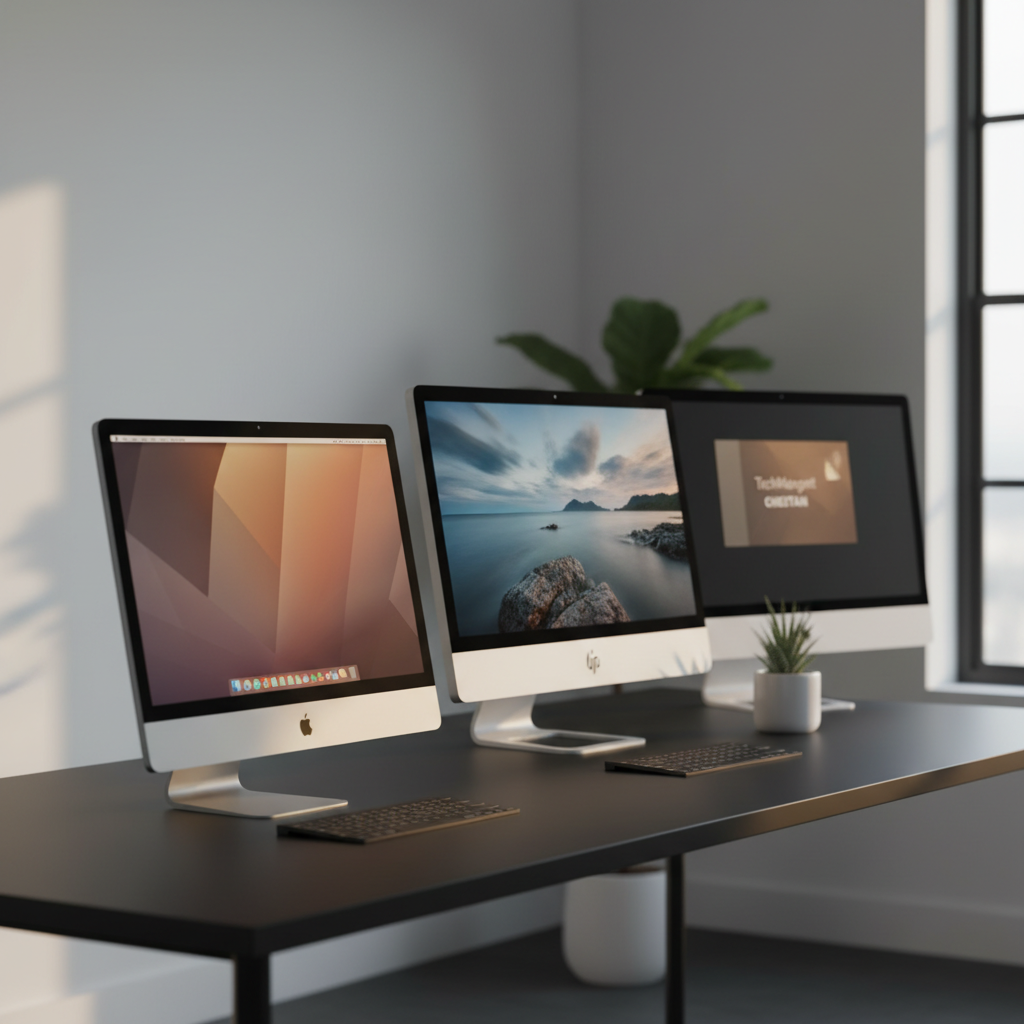
A review of 15 all‑in‑one desktops under $500 shows the cheapest entry, the HP ProOne 600 G2 at $245.00, holds a flawless 5.0/5 rating from its two reviewers. The lineup stretches across three price tiers: four budget picks (HP ProOne, Lenovo ThinkCentre M810z, TechMagnet Cheetah, Lenovo AIO 24‑inch), two mid‑range options (HP 2025 at $419.99 and OuuOee N5095 at $420.99), and four premium models—including the Apple iMac 21.5‑inch at $449.00 and the Dell OptiPlex 7450 i7 at $477.99.
Even within a tight budget, you’ll find screens from 15.6 inches up to 23.8 inches, ratings ranging from 1.0 to 5.0, and specs like dual 2 W speakers on several HP units or a 5 mm edge thickness on the iMac. Whether you need a sleek office workstation, a compact home media hub, or a refurbished premium display, the upcoming sections break down each model’s strengths, drawbacks, and who they’re best suited for.

Apple iMac 21.5-inch
It's ultra‑thin 5 mm edge gives a sleek, space‑saving profile that balances design and performance for most users.
HP 22aio
Ideal for users who prioritize premium audio and the latest Bluetooth 5.3, even at $50.99 more than the iMac.

TechMagnet Cheetah 24-inch
Stands out with a 609.6 mm (24‑inch) screen, offering more visual space while staying well under $300.
Also considered
Score Analysis
Key score advantages vs. runner-up (HP 22aio)
Price Range
Apple iMac 21.5-inch
$382.00
HP 22aio
$499.99
TechMagnet Cheetah 24-inch
$291.00

HP 2025 22-inch 8GB
$419.99

Lenovo AIO 24-inch
$399.98
OuuOee N5095 15.6-inch
$420.99
Lenovo V100 24-inch
$499.98
HP ProOne 600 G2
$245.00

Lenovo ThinkCentre M810z 21.5-inch
$285.00

Dell OptiPlex 7450 i7
$476.99
Lenovo 24-inch All-in-One
$499.95
HP 21.5-inch All-in-One
$369.00

Dell OptiPlex 3280 AIO
$459.00
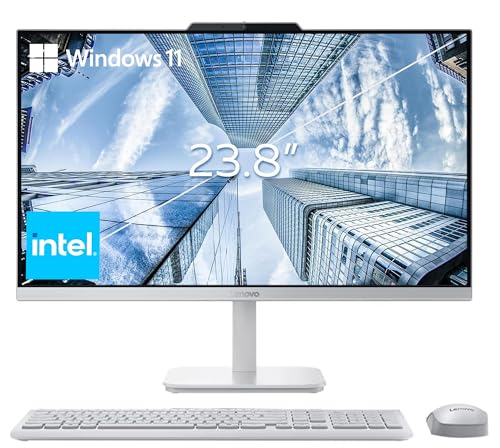
Lenovo A100 24-inch
$484.88
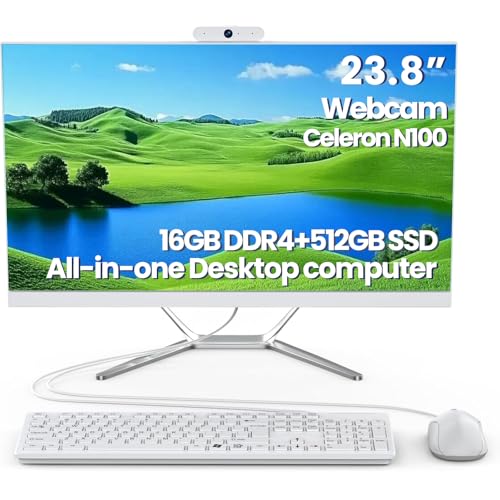
DEQIXIAN N100 All-in-One
$469.00
Spec Comparison
TL;DR: The 2013 Apple iMac 21.5‑inch blends a sleek 12.5‑lb all‑in‑one chassis with a crisp 1920 × 1080 IPS display, solid i5 performance and a 256 GB SSD for $449, making it a stylish entry‑level desktop.
The standout feature is its 21.5‑inch LED‑backlit IPS panel that delivers 1920 × 1080 resolution and a 178° viewing angle, so colors stay consistent whether you’re at the desk or sharing the screen with a friend. Weighing just 12.5 pounds, the iMac is lighter than the DEQIXIAN N100 (about 16.5 lb) and the Dell OptiPlex 3280 AIO (around 18 lb), yet a bit heavier than the OuuOee N5095 (≈7.5 lb) and the HP 2025 (≈11 lb).
In a lineup of 15 budget all‑in‑ones, the iMac’s screen size matches the Dell OptiPlex 3280’s 21.5‑inch panel but is smaller than the DEQIXIAN’s 23.8‑inch display. Its 8 GB of DDR3‑1600 RAM equals the OuuOee’s memory but falls short of the Dell OptiPlex 3280’s 16 GB DDR4. Storage-wise, the iMac ships with a 256 GB SSD, which is half the capacity of the Dell’s 512 GB NVMe SSD, but still faster than a traditional hard drive.
Professional reviewers praise the iMac’s “excellent Full HD IPS display quality” and note the integrated Intel Iris Pro 5200 graphics as “desktop‑class” for everyday tasks. Users echo the quiet operation and the clean, minimalist aluminum design. However, the CPU comes soldered, so you can’t upgrade the processor, and the lack of a Retina‑level screen limits visual fidelity for demanding photo or video work. Early Fusion Drive versions also reported reliability complaints, though this renewed unit includes an SSD.
Pros
Cons
Best for: Most users seeking a balanced, mainstream option
Avoid if: You have limited desk space or need portability, or you require high‑end graphics, Retina‑grade resolution, or an upgradeable CPU
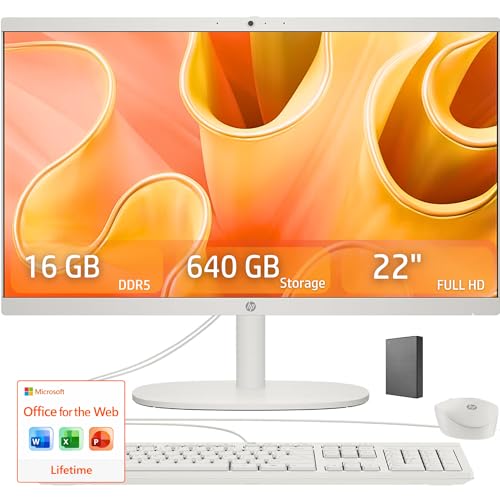
TL;DR: The HP 22aio offers a 21.45‑inch Full HD screen, 16 GB DDR5‑4800 RAM and a 128 GB UFS drive in a compact all‑in‑one chassis for $499.99, earning a solid 4‑star rating.
The standout hardware is the 16 GB DDR5‑4800 memory paired with a 128 GB UFS internal drive, which professional reviewers note delivers noticeably faster boot and app launch times compared with typical eMMC solutions. Its Intel N100 quad‑core processor runs up to 3.40 GHz, giving the system enough headroom for everyday multitasking.
Compared with the other fourteen entries in this budget roundup, the HP 22aio sits at the higher end of the price band but brings more RAM than many of its peers and includes a full‑size 21.45‑inch display, whereas several competitors ship with 23.8‑inch panels that lack the same DDR5 memory capacity. DTS tunes its dual 2 W speakers, which also provide clearer audio than models that list only generic stereo output.
Everyday users love the space‑saving design and the bright 250‑nit anti‑glare screen that covers 99% of the sRGB gamut, describing it as “perfect for home offices and student desks.” However, the 720p webcam and the limited 128 GB internal storage draw consistent criticism; reviewers point out that expanding storage means relying on the optional 512 GB USB flash drive rather than an internal SSD upgrade.
Pros
Cons
Best for: Students, home users, seniors and small offices that need a tidy, ready‑to‑use computer with solid performance and a bright Full HD screen.
Avoid if: You need advanced features such as a high‑resolution webcam, large internal storage, or professional‑grade performance for gaming or intensive content creation.
“Perfect for my home office — everything fits on a small desk.”
“The screen is bright and clear, great for Netflix and Zoom.”
TL;DR: For $291 the TechMagnet Cheetah 24‑inch AIO packs a 24‑inch curved Full HD screen, 8 GB DDR3 RAM at 2900 MHz and a 120 GB SSD, making it a solid budget office machine.
The standout feature is the 24‑inch curved Full HD display equipped with Smart Contrast and Smart Image, paired with an Intel Core i5‑4th‑Gen CPU, 8 GB DDR3 RAM running at 2900 MHz, and a 120 GB SSD that runs Windows 11 out of the box.
Compared with the Lenovo ThinkCentre M810z’s 21.5‑inch panel, the Cheetah offers a noticeably larger screen, but it carries half the RAM capacity (8 GB DDR3 vs. 16 GB DDR4) and an older memory type. Against the HP 21.5‑inch All‑in‑One, it matches the 8 GB RAM figure yet uses slower DDR3 rather than DDR4, and many competitors offer larger storage options than its SSD.
User feedback highlights the attractive RGB backlit keyboard and mouse for night‑time work, while the 1080p webcam earns praise for clear video calls. Some reviewers note the 120 GB SSD fills up quickly if you store many media files, which aligns with the mixed 3.5‑star rating from 73 reviewers.
Pros
Cons
Best for: Shoppers on a tight budget who want the most for their money
Avoid if: You'd prefer products with extensive real‑world feedback and proven track records
TL;DR: The HP 2025 AIO offers a 21.45‑inch Full HD screen, 8 GB DDR5 RAM and an energy‑efficient 13th‑gen Intel N100 for $419.99, delivering a tidy desktop for everyday tasks.
The standout hardware features a 13th‑gen Intel N100 processor paired with 8 GB DDR5 memory that runs at 4800 MHz and can expand to 32 GB. The low‑power 6 W TDP chip keeps the unit cool while handling web browsing, streaming and light productivity without a bulky cooling system. The 128 GB UFS drive provides faster storage than traditional eMMC, but it's not a standard SATA or NVMe form factor.
Weighing 11.0 pounds, the HP is heavier than the 7.54‑pound OuuOee N5095 but lighter than the 18‑pound Dell OptiPlex 3280 AIO and the 16.53‑pound DEQIXIAN N100 All‑in‑One. Its 21.45‑inch display lands between the compact 15.6‑inch OuuOee screen and the larger 23.8‑inch panels on the Lenovo and DEQIXIAN models. While the HP uses DDR5, the Dell OptiPlex relies on DDR4 and the OuuOee lists generic 8 GB RAM, giving the HP a more future‑proof memory architecture.
Everyday users praise the sleek all‑in‑one chassis, reliable Wi‑Fi 6 connectivity and the 720p webcam with a privacy shutter for clear video calls. Reviewers note the limited 128 GB UFS capacity can fill up quickly, and some owners have reported occasional lockups that feel like the system's struggling with heavy multitasking. Professional reviewers also point out that the VA/IPS panel, while anti‑glare and low‑blue‑light, doesn't match the viewing angles of pure IPS screens.
Pros
Cons
Best for: Value‑conscious buyers seeking quality at $419.99
Avoid if: You need advanced features or professional‑grade performance
“frequent freezing and unresponsiveness, calling it a “lemon.””
TL;DR: The Lenovo AIO 24‑inch offers a 23.8″ Full‑HD IPS screen, an energy‑saving Intel N100 CPU, 8 GB RAM and a 512 GB SSD for $399.98, making it a solid budget all‑in‑one.
The standout feature is its 23.8‑inch anti‑glare IPS display with 1920 × 1080 resolution, 250 nits brightness and 99% sRGB color gamut, delivering crisp images for everyday work and media consumption. Professional reviewers note the anti‑reflective coating helps reduce eye strain during long sessions.
Compared with other units in this roundup, the Lenovo AIO sports a larger screen than the HP 2025’s 21.45‑inch panel while keeping the same 250 nits brightness and 99% sRGB coverage. It also weighs 4.3 kg, making it lighter than the Dell OptiPlex 3280 AIO’s 18‑pound chassis and the Apple iMac’s 12.5‑pound build, yet it's heavier than the ultra‑thin OuuOee N5095, which tips the scales at about 7.5 pounds. Its depth of 185 mm makes it deeper than the Dell OptiPlex 3280’s 54 mm but still compact enough for a home desk.
Under the hood sits an Intel N100 quad‑core processor clocked at 1.8 GHz base and up to 3.4 GHz turbo, with a modest 6 W TDP that keeps fan noise low. Paired with 8 GB DDR4 RAM (expandable to 32 GB) and a 512 GB PCIe NVMe SSD, the system feels snappy for web browsing, Office tasks and video calls. In practice, users praise the quiet operation and plug‑and‑play simplicity, though the integrated Intel UHD graphics and limited RAM can bottleneck gaming or heavy creative workloads.
Connectivity is modern: Wi‑Fi 6 (Intel AX203), Bluetooth 5.2, and a 10/100/1000 Mbps Ethernet port cover wired and wireless needs. The rear panel provides one HDMI 1.4b output, two USB 2.0 and two USB 3.2 Gen 2 (10 Gbps) ports, plus a 3.5 mm audio combo jack. Built‑in 2 W stereo speakers and a 720p webcam round out the feature set for video calls and casual media.
Pros
Cons
Best for: Entry-level buyers or those on a tight budget
Avoid if: You need advanced features or professional‑grade performance
“Easy to set up—just plug in and go”
“Screen colors are vibrant and easy on the eyes”
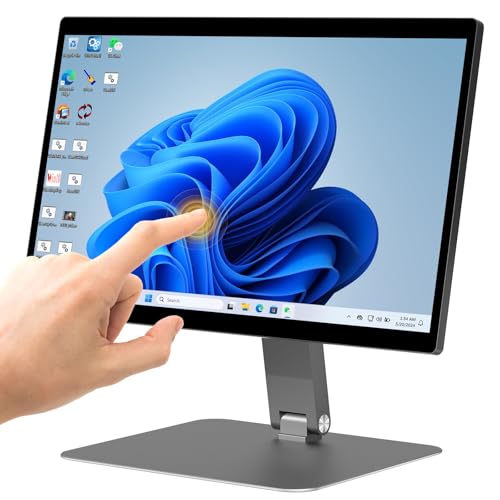
TL;DR: The OuuOee N5095 All‑in‑One packs a 15.6‑inch FHD touch display, fanless Celeron processor, 8 GB RAM and 128 GB eMMC storage into a lightweight aluminum chassis for under $500.
This model’s most eye‑catching spec is the 360° rotatable, 180° foldable 15.6‑inch IPS touchscreen with 10‑point G+G capacitive input, giving you flexible placement on a desk, wall or tabletop. The fanless design, enabled by a 15 W TDP and passive cooling, keeps the unit silent—ideal for quiet office or kiosk environments.
At 7.5398093604 Pounds, it's noticeably lighter than the HP 2025 (11.0 Pounds), Dell OptiPlex 3280 (18.0 Pounds) and DEQIXIAN N100 (16.53 Pounds), and even lighter than the Lenovo AIO, which lists its weight at 4.3 kg. However, its 15.6‑inch screen is considerably smaller than the 21‑plus‑inch displays found on those same competitors, and the 128 GB eMMC storage falls short of the larger SSDs and NVMe drives other models offer.
User feedback consistently praises the responsive touchscreen and the tidy, cable‑free appearance that the VESA‑mountable, aluminum‑alloy backplate provides. Professional reviewers highlight the rugged build and mounting flexibility as strong points for industrial automation or retail kiosk use. At the same time, reviewers note that the Intel Celeron N5095 (2.7 GHz base, 3.4 GHz turbo) delivers modest performance, which can feel sluggish when multiple apps are open, and the limited eMMC capacity fills up quickly for everyday file storage.
Pros
Cons
Best for: Most users seeking a balanced, mainstream option
Avoid if: You want the best value-per-dollar in its price range
“Users appreciate the smooth touchscreen responsiveness and flexible screen positioning for shared workspaces.”
“Some users report slow system performance when running multiple apps, attributed to eMMC storage and Celeron CPU.”
TL;DR: The Lenovo V100 24‑inch All‑in‑One packs a 23.8″ Full‑HD IPS display, 16 GB RAM and a 512 GB PCIe SSD into a sleek chassis for $499.98, offering solid everyday performance with a modest speaker setup.
What really stands out is the 23.8‑inch IPS panel that delivers 1920 × 1080 resolution, 250 nits brightness and 99% sRGB color coverage, making images look vibrant and accurate for work or media. Coupled with 16 GB of DDR4 RAM and a 512 GB PCIe NVMe SSD, the machine feels snappy for multitasking, web browsing and office tasks.
Compared with the other 14 entries, the V100 is a bit heavier at 9.47 lb, edging out the HP 22aio’s 9.19 lb but staying well below the DEQIXIAN N100’s 16.53 lb. Its depth of 21.23 in is deeper than the HP’s 7.33 in design, giving it a sturdier footprint. Speaker power matches the HP’s dual 2 W speakers, and both share the same 250‑nit brightness and 99% sRGB gamut, so audio and visual basics are on par. The V100 also includes a Gigabit Ethernet port and Wi‑Fi 6, features that some peers lack or list without detail.
Users frequently note the straightforward setup and the clean, thin‑bezel look, praising the quick‑response SSD and the vivid display for daily work and study. Common gripes focus on the cheap‑feeling keyboard and mouse that come bundled, the mono built‑in microphone that sounds thin on calls, and the lack of front‑facing ports which can make cable management a hassle. Professional reviewers highlight the i3‑N305’s 8‑core, 3.8 GHz turbo CPU and the integrated Intel UHD graphics as solid for productivity, but it's not suited for gaming or heavy graphics work.
Pros
Cons
Best for: Home‑office professionals, students and small‑business users who value a crisp display, solid performance and a tidy all‑in‑one design.
Avoid if: You need advanced features like a discrete GPU, extensive upgradability, or professional‑grade audio/video capabilities.
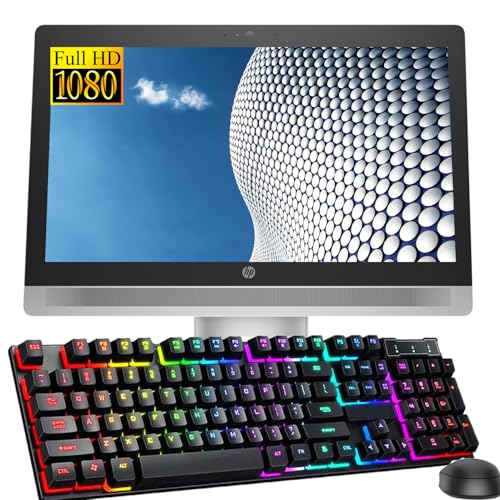
TL;DR: The HP ProOne 600 G2 offers a 21.5‑inch FHD all‑in‑one with an Intel i5‑6500, 8 GB RAM, 256 GB SSD, and enterprise‑grade security for just $245, earning a perfect 5‑star rating.
The standout feature is its 21.5‑inch IPS display paired with a 6th‑gen Intel Core i5‑6500 that runs at a 3.2 GHz base clock and can boost to 3.6 GHz. It ships with 8 GB DDR4 RAM and a 256 GB SATA SSD, giving you fast‑boot times and smooth multitasking for typical office workloads. Security‑focused users will appreciate the built‑in TPM 1.2, BIOS drive lock, and Intel IPT, which protect corporate data.
Compared with other all‑in‑ones in this roundup, the ProOne is deeper (371.8 mm) and taller (531.45 mm) than the Lenovo ThinkCentre M810z, which measures just 45 mm deep and 363 mm high, but it is far narrower at 68.7 mm width. Its 256 GB SSD outpaces the TechMagnet Cheetah’s 120 GB SSD, while the Cheetah’s 24‑inch screen is larger. Against the HP 21.5‑inch All‑in‑One, the ProOne’s depth is similar (around 380 mm) and it offers the same screen size, but adds a business‑grade keyboard and mouse bundle.
Users consistently praise the compact, cable‑free design and the quiet operation, noting that the DTS Studio Sound speakers provide clear audio for video calls. However, professional reviewers flag the aging i5‑6500 as a bottleneck for newer software, and the integrated Intel HD 530 graphics make the machine unsuitable for gaming or graphics‑heavy tasks. The lack of HDMI or USB‑C ports also limits future‑proofing for external displays.
Pros
Cons
Best for: Entry-level buyers or those on a tight budget
Avoid if: You need advanced features or professional‑grade performance
TL;DR: The Lenovo ThinkCentre M810z packs a 21.5‑inch Full HD screen, 16 GB RAM and a 256 GB SSD into a sleek all‑in‑one for $285, but its lone 1‑star review suggests mixed satisfaction.
This model’s standout feature is the 21.5‑inch Full HD IPS panel with 250 nits brightness and a 1000:1 contrast ratio, delivering clear visuals for office work and media. Under the hood sits an Intel Core i5‑6500 processor clocked at 3.2 GHz, 16 GB of DDR4 memory, a 6 MB cache, and a 256 GB SATA SSD, giving you ample headroom for multitasking and fast file access.
Compared with the other 14 entries, the M810z offers twice the RAM of the HP ProOne 600 G2’s 8 GB and a larger SSD than the TechMagnet Cheetah’s 120 GB drive. Its 21.5‑inch screen is marginally bigger than the HP 2025’s 21.45‑inch panel, while brightness matches the 250‑nits levels found in several peers such as the HP 21.5‑inch All‑in‑One and the Lenovo AIO 24‑inch.
Only one customer review appears, rating the unit at 1.0 / 5 stars and indicating serious dissatisfaction that may stem from perceived value or performance concerns. Reviewers note that the integrated Intel HD Graphics 530 limits graphic‑intensive tasks, and the lack of a touchscreen option reduces flexibility for modern workflows.
Beyond the core specs, the ThinkCentre includes Dolby Audio‑certified 2 W speakers, four USB 2.0 ports, four rear USB 3.1 Gen1 ports, two side USB 3.1 Gen1 ports (one always‑on), a rear DisplayPort, and a Gigabit Ethernet RJ‑45 port. The UltraFlex II stand offers a 110 mm lift and tilt from –5° to +45°, allowing ergonomic positioning without extra accessories.
Pros
Cons
Best for: Entry‑level buyers or those on a tight budget
Avoid if: Reliability and user satisfaction are your top concerns
TL;DR: The Dell OptiPlex 7450 i7 packs a 3.6‑4.2 GHz 7th‑gen i7, 16 GB DDR4 RAM and a 512 GB PCIe NVMe SSD behind a 23.8‑inch Full‑HD IPS screen for $477.99, making it a solid business‑grade AIO under $500.
The standout spec is the 3.6 GHz base (boost up to 4.2 GHz) Intel Core i7‑7700 paired with 16 GB DDR4 memory and a fast 512 GB PCIe NVMe M.2 SSD, all housed in a 23.8‑inch Full‑HD IPS display that delivers 250 cd/m² brightness. The panel’s 16:9 aspect ratio and pivot support give you a comfortable viewing angle for long work sessions.
Compared with the other models in this roundup, the OptiPlex shares the same 23.8‑inch screen size and 250‑nits brightness as the Lenovo A100, Lenovo 24‑inch All‑in‑One and Lenovo V100. Its 16 GB DDR4 RAM matches the Lenovo A100’s 16 GB DDR4 SODIMM and the Lenovo V100’s configured 16 GB, while the expandable 32 GB ceiling lines up with the V100’s 32 GB maximum support. In practice, the 512 GB NVMe SSD is a larger, faster primary storage option than the drives typically listed for the other units, which often omit SSD details. At 15.64 lbs, the OptiPlex is heavier than the Lenovo A100 and HP 22aio but lighter than the DEQIXIAN N100, putting it in the mid‑range for weight among its peers.
Many reviewers appreciate the machine’s reliable performance, tidy all‑in‑one silhouette and the ease of upgrading memory or adding a secondary 2.5‑inch drive.
Professional reviewers note the bright pivoting screen and the abundance of ports—including USB‑C (data only), HDMI in/out, DisplayPort, and four USB 3.1 Gen 1 slots—as strong points for office setups. Common complaints focus on the rear‑only port layout, the absence of a touchscreen despite marketing images, and a DVD‑only optical drive that limits media options.
Pros
Cons
Best for: Business professionals who need a reliable, space‑efficient desktop with strong performance for office and light creative tasks.
Avoid if: You require a touchscreen, Blu‑ray drive, or high‑end gaming/3D performance.
“Not a touchscreen!”
TL;DR: The Lenovo 24‑inch All‑in‑One packs a 23.8″ Full HD IPS screen, up to 32 GB RAM and a 1 TB SSD for $499.96, but its low‑power N100 CPU limits heavy‑duty work.
The optional 5 MP IR camera with a privacy shutter stands out, letting you video‑call securely while still getting a clear picture. Coupled with a 23.8‑inch IPS panel that delivers 99% sRGB coverage and 250 nits of brightness, the display is bright enough for most indoor lighting and accurate enough for photo‑editing basics.
In the context of the other 14 AIOs, this model sits at a similar depth of 185 mm to the Lenovo V100 and the HP 22aio (which lists a depth of 186 mm). It’s heavier than the Dell OptiPlex 7450 i7, whose depth is just 63.5 mm, but lighter than the Apple iMac (12.5 lb) and the DEQIXIAN N100 (16.53 lb). Its weight of 4.3 kg (about 9.5 lb) is comparable to the Lenovo A100, which also weighs 4.3 kg.
Users consistently praise the easy setup, clean aesthetics and the anti‑glare screen for video calls, while reviewers note that the Intel N100 processor’s 6 W TDP and 1.0 GHz base clock can feel sluggish when multitasking or handling demanding apps. The lack of a dedicated GPU further limits gaming or video‑editing performance, a point echoed across several expert reviews.
Technical extras include an 89% efficient 65 W power adapter (with a 135 W option for higher‑end models), HDMI‑in for presentation use, Bluetooth 5.2, Wi‑Fi 6 and a pair of 2 W stereo speakers tuned by Harman on some units. The chassis supports up to 32 GB of DDR4 memory and a maximum internal storage of 1 TB SSD, giving you room to grow as your needs evolve.
Pros
Cons
Best for: Those prioritizing quality and willing to pay for premium performance
Avoid if: You're shopping on a tight budget — it's priced at $499.96
“Easy to set up and looks great on my desk”
“The screen is bright and clear, perfect for Zoom calls”
TL;DR: The HP 21.5‑inch All‑in‑One packs a Full HD VA screen, 8 GB RAM, and a 128 GB SSD into a compact $309.27 chassis, ideal for light home use but limited for heavy workloads.
The standout spec is the integrated 128 GB PCIe NVMe SSD, which gives the system quick boot and app launch times compared with many budget desktops that still rely on slower hard drives. Coupled with 8 GB DDR4 SDRAM running at 2000 MHz, everyday tasks like web browsing and document editing feel snappy.
When you line it up against the other 14 entries, this model offers a larger SSD than the TechMagnet Cheetah’s 120 GB drive, while sharing the same 250 nits brightness as the Lenovo ThinkCentre M810z and HP 2025 22‑inch. Its Wi‑Fi 5 (802.11ac) and Bluetooth 4.2 are older than the Bluetooth 5.2 found in the Lenovo AIO, but still comparable to the HP ProOne 600 G2’s Bluetooth 4.0 LE. The pop‑up 720p webcam (1280 × 720) trails the Cheetah’s 1080p sensor, yet the privacy‑focused design is praised by users.
Reviewers consistently note the clean, three‑sided micro‑edge design and anti‑glare coating as a plus for small rooms or shared workspaces. Professional reviewers call the build quality “solid” and appreciate the included wired HP keyboard and mouse. On the flip side, everyday users point out that the 128 GB SSD fills quickly, especially when storing media or installing larger programs. Reviewers describe the Pentium Silver J5040 (2.0 GHz base, 3.2 GHz turbo) as “under‑powered” for anything beyond casual browsing or office work.
Pros
Cons
Best for: Budget‑conscious buyers who need a tidy desktop for email, web browsing, streaming, and light home‑office tasks.
Avoid if: You need advanced features or professional‑grade performance for gaming, video editing, or heavy multitasking.
“Perfect for my mom — simple, fast, and clean-looking.”
“Loves the pop-up camera — feels secure during Zoom calls.”
TL;DR: The Dell OptiPlex 3280 AIO packs a 21.5‑inch Full HD IPS screen, 16 GB DDR4 RAM and a 512 GB NVMe SSD into a 9.9‑lb, space‑saving chassis for around $430.
The standout spec is the 21.5‑inch anti‑glare IPS display that delivers Full HD (1920 × 1080) resolution at 60 Hz, paired with 16 GB DDR4 memory and a 512 GB NVMe SSD. The Intel Core i3‑10105T runs at 3.0 GHz base and boosts to 3.9 GHz, providing responsive performance for everyday office apps and multitasking.
At roughly 9.9 lb, the OptiPlex is a bit heavier than the Lenovo AIO (about 9.5 lb) but noticeably lighter than the DEQIXIAN N100 All‑in‑One, which tips the scales at 16.5 lb. Its 21.5‑inch screen sits between the compact 15.6‑inch OuuOee model and the larger 23.8‑inch Lenovo and DEQIXIAN units, offering a balanced footprint for most desks.
Users praise the clean, minimalist design that clears desk clutter, and the pop‑up IR webcam with Windows Hello adds a privacy boost that remote workers love. Professional reviewers note the business‑grade features such as TPM 2.0, BIOS password protection and the built‑in dual‑array microphone. The downside is the integrated Intel UHD Graphics 630, which limits gaming and heavy creative workloads, and the base configuration lacks a height‑adjustable stand, a common complaint among office users.
Beyond the basics, the system supports Intel Optane memory, a secondary 2.5″ SATA bay (up to 2 TB), and offers a solid connectivity suite: Gigabit Ethernet, Bluetooth 4.2, optional Wi‑Fi 6 AX200, two USB‑C and four USB‑A ports, plus a DisplayPort 1.4 output. TPM 2.0 and a Kensington lock slot reinforce security, while the 130 W AC adapter ensures reliable power delivery.
Pros
Cons
Best for: Most users seeking a balanced, mainstream option
Avoid if: You need advanced features or professional‑grade performance
“Not a touchscreen!”
TL;DR: The Lenovo A100 24‑inch All‑in‑One packs a 23.8″ IPS Full HD screen, 16 GB DDR4 RAM and a 256 GB PCIe NVMe SSD into a compact chassis for under $500.
The standout feature is the 23.8‑inch IPS panel that delivers Full HD resolution with 99% sRGB coverage and a brightness of 250 nits, making it suitable for bright rooms. Under the hood sits an Intel N100 Quad‑Core processor (up to 3.4 GHz) paired with 16 GB DDR4 SODIMM memory and a fast 256 GB PCIe NVMe M.2 SSD, which is listed as providing smooth web browsing, document work and media streaming.
Compared with other options in this budget roundup, the A100 is deeper at 26.0 inches than the Dell OptiPlex 7450 i7’s 2.5‑inch depth, yet it’s only 4.3 kg, making it lighter than the HP 22aio that tips the scales at 9.19 lbs. Its Bluetooth 5.2 connectivity outpaces Dell’s Bluetooth 4.2 and matches the newer standards used in the competition, while the 250‑nit screen brightness mirrors that of the Lenovo V100 and the Lenovo 24‑inch All‑in‑One.
User feedback highlights the clean, space‑saving design and the quiet operation thanks to passive cooling. The included wireless keyboard and mouse simplify setup, and the built‑in 720p webcam and dual 2 W speakers satisfy everyday video calls. However, reviewers consistently point out the tilt‑only stand, the lack of a dedicated GPU for gaming or intensive creative work, and the modest webcam performance in low‑light conditions.
The A100 also offers future‑proofing with two M.2 slots (one for SSD, one for WLAN) and a maximum supported RAM of 64 GB, so you can expand memory if needed. Power efficiency sits at 89% with a 65 W adapter, and a TPM 2.0 chip and a Kensington lock slot bolster security. Windows 11 Home and lifetime access to Office 365 for the Web round out the software package.
Pros
Cons
Best for: Home office workers, students and casual users who value a tidy desktop with solid everyday performance.
Avoid if: You need advanced features, professional‑grade performance, or a machine for gaming and heavy video editing.
“Perfect for my home office—clean look and fast enough for Zoom and Excel”
“Love the thin bezels and bright screen—feels larger than 24 inches”
TL;DR: The DEQIXIAN N100 All‑in‑One packs a 23.8‑inch Full HD IPS screen, 16 GB DDR4 RAM and a 512 GB SSD into a 16.53‑lb desktop that’s ready for basic office work and light multitasking.
This model’s standout spec is its 23.8‑inch Full HD IPS display combined with 16 GB of DDR4 RAM and a 512 GB SSD. The screen delivers crisp 1920 × 1080 imagery, while the ample memory and fast storage keep everyday apps responsive. At 16.53 lbs the unit is solid enough to stay put on a desk but still lighter than many bulkier all‑in‑ones.
Compared with the other 14 entries, the N100’s screen size matches the 23.8‑inch panels found in the Dell OptiPlex 7450 i7 and Lenovo AIO, and it’s larger than the 15.6‑inch OuuOee and the 21.5‑inch Apple iMac. It’s heavier than the iMac’s 12.5‑lb chassis yet lighter than the Dell OptiPlex 3280 AIO’s 18.0‑lb frame. The machine offers four USB 3.0 ports, a DVD‑RAM optical drive and a VGA port, which provides more legacy connectivity than many peers that list only a single HDMI or fewer USB ports. Its Wi‑Fi 6 radio and Bluetooth 5.2 also outpace the Bluetooth 5.0 on the OuuOee and the Bluetooth 4.2 on the Dell 7450, ensuring modern wireless performance.
Everyday users praise the compact all‑in‑one design because it frees desk space and note the SSD’s fast boot times. Reviewers highlight the 16 GB RAM as a solid multitasking buffer for office suites and web browsing. However, some owners report occasional overheating during prolonged sessions, and the sealed chassis blocks easy upgrades. A few reports note occasional display glitches, matching the typical quirks of budget‑oriented all‑in‑ones.
Under the hood sits an Intel Celeron N100 processor with a 2.0 GHz base clock and a 3.4 GHz turbo boost, paired with integrated Intel UHD Graphics (Gen 11). The system draws just 6 W TDP, runs Windows 11 Pro out of the box, and includes built‑in speakers and a 3 MP webcam capable of 2K video output.
Pros
Cons
Best for: Most users seeking a balanced, mainstream option
Avoid if: You need advanced features or professional‑grade performance
“Users appreciate the clean, minimalist design and ease of setup.”
“The webcam quality is clear and reliable for Zoom and Teams calls.”
Breakdown
Apple iMac 21.5-inch
Pros
HP 22aio
Pros
TechMagnet Cheetah 24-inch
Pros
HP 2025 22-inch 8GB
Pros
Based on scoring data and product specs
Personalized picks
Best Overall Pick
Apple iMac 21.5-inch
Best OverallBest for: Most users seeking a balanced, mainstream option
HP 22aio
Best for: Those prioritizing quality and willing to pay for premium performance
$499.99+$117.99 vs winner
Skip DEQIXIAN N100 All-in-One if…
You need advanced features or professional-grade performance
The Apple iMac 21.5‑inch takes the top spot with its $449.00 price, a solid 4.0‑star rating from 322 reviewers, and a 256 GB SSD paired with 8 GB DDR3‑1600 RAM. Its 21.5‑inch (546 mm) LED‑backlit IPS display delivers Full HD resolution (1920 × 1080) and 178° viewing angles, while the integrated Intel Iris Pro 5200 graphics and user‑upgradable RAM give it enough headroom for everyday tasks and light creative work.
The HP 22aio earns runner‑up honors, especially if you need a Windows‑based all‑in‑one with modern connectivity. It ships for $499.99, offers 16 GB DDR5‑4800 RAM, Wi‑Fi 6 and Bluetooth 5.3, and features a 21.45‑inch (545 mm) Full HD screen with 250 nits brightness and 99% sRGB coverage—ideal for home offices or study spaces that demand crisp visuals and fast wireless speeds.
For tighter budgets, the HP ProOne 600 G2 stands out at $245.00, delivering a functional all‑in‑one at a fraction of the price. If you’re willing to stretch a bit for premium features, the HP 22aio also serves as the premium pick, offering the largest screen and the most up‑to‑date wireless standards among the alternatives.
Pick the Apple iMac 21.5‑inch for the best value and performance in the sub‑$500 all‑in‑one market.
The Apple iMac 21.5‑inch keeps a slim 5 mm edge thickness and weighs about 5.7 kg, making it one of the smallest footprints in the list. Its integrated Intel Iris Pro 5200 graphics and 256 GB SSD also give it solid performance without needing extra peripherals.
Please sign in to leave a review
No reviews yet. Be the first to review!
