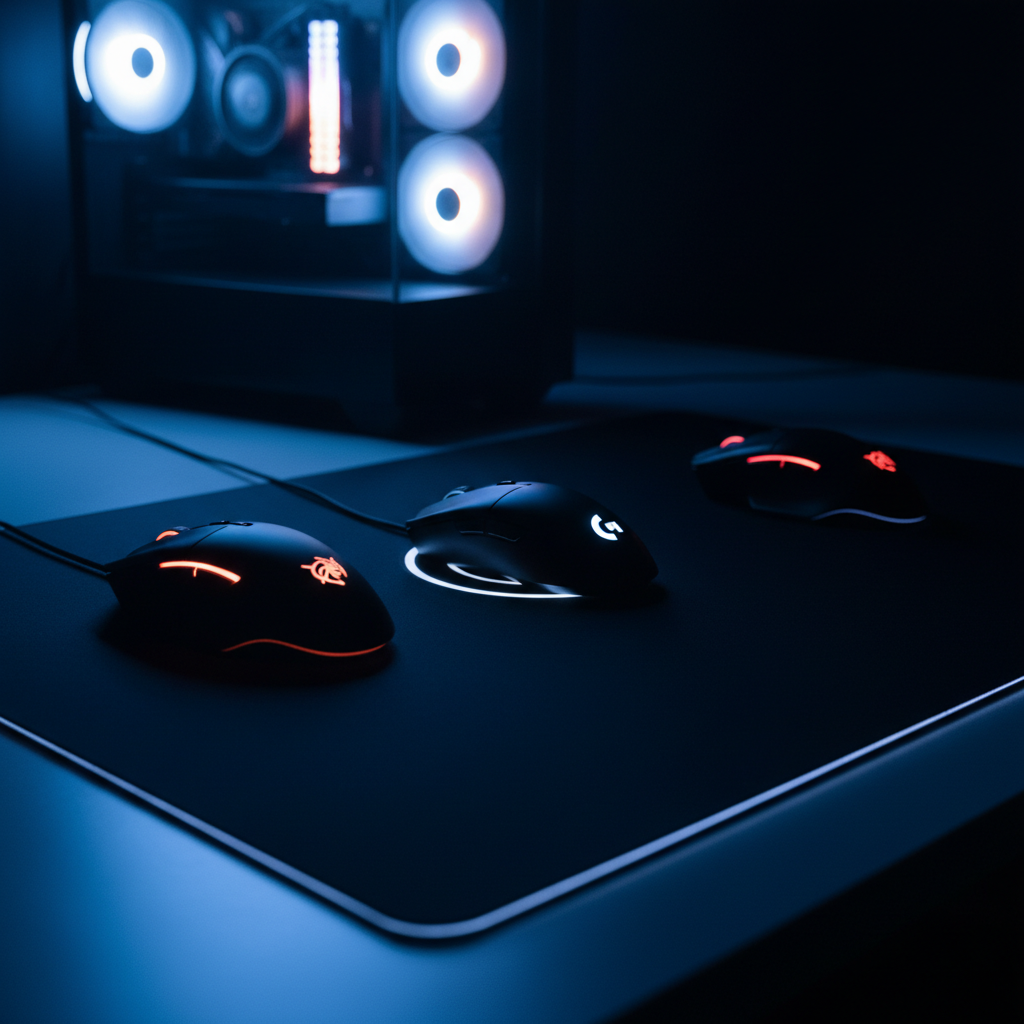
Finding a gaming mouse that feels snappy without blowing your budget can be tricky, especially when you want solid performance and some flair. In this roundup we’ve compared 11 mice that all sit under $50, spanning three price tiers. The budget tier (Redragon M612‑RGB, M602, M614, and M690 PRO) delivers core features for under $25, the mid‑range tier (Logitech G305 Lightspeed and Redragon M910‑KS) adds wireless freedom for around $27‑$31, and the premium tier (Redragon M801, Razer Basilisk V3, Glorious O Eternal, and Corsair Harpoon PRO) pushes DPI and build quality up to $39.99.
If you game on a tight desk and need a wired workhorse, the Redragon M612‑RGB wins with its $16.99 price, 8000 DPI sensor and 11 programmable buttons. For travelers or LAN parties, the Logitech G305 Lightspeed stands out at $26.99, offering LIGHTSPEED wireless and up to 250 hours of battery life on a single AA. And when you crave premium specs without crossing the $50 line, the Redragon M801 delivers a 16000 DPI sensor and 9 programmable buttons for $33.99. We’ll explore each category next.

Redragon M612 Predator
Offers 11 programmable buttons, including 2 side macro buttons, delivering extensive control for cheap gaming.

Logitech G305 LIGHTSPEED
Ideal for home or office gamers who want wireless performance, even though it sits about $10 above the Redragon M612‑RGB.

Redragon M602
Stands out with a 1.8 m braided fiber cable and a low 40 mm height, perfect for tight desk setups where the others lack a compact wired design.
Also considered
Score Analysis
Key score advantages vs. runner-up (Logitech G305 LIGHTSPEED)
Price Range
Redragon M612 Predator
$16.99
Logitech G305 LIGHTSPEED
$26.99
Redragon M602
$16.99

Redragon M801
$33.31

Redragon M690 PRO
$24.99

Redragon M614
$22.99

Glorious O Eternal
$39.99

Razer Basilisk V3
$36.95
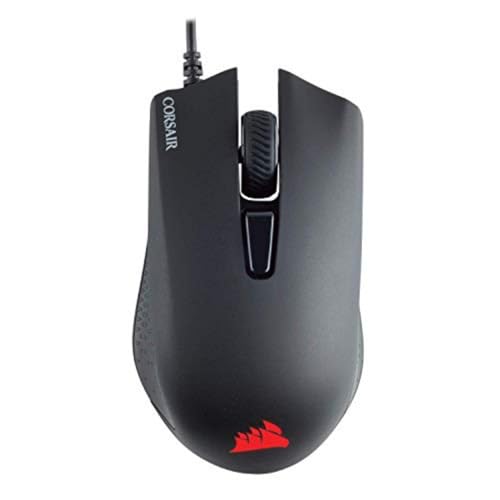
Corsair Harpoon PRO
$39.99

Redragon Wireless Gaming Mouse
$30.99
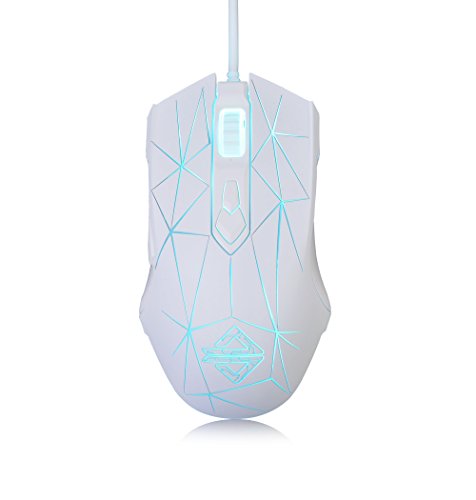
Firstblood Only Game AJ52
$19.99
Spec Comparison
TL;DR: The Redragon M612‑RGB delivers an 8000 DPI Pixart sensor, 11 programmable buttons, and 1000 Hz polling for just $16.99, making it a high‑performance, budget‑friendly wired mouse with vibrant RGB lighting.
The M612‑RGB packs an 8000 DPI Pixart optical sensor, letting you dial in sensitivity from 500 DPI up to 8000 DPI via five preset steps and a custom range. All 11 buttons are fully programmable, and the mouse includes two dedicated side macro buttons plus a rapid‑fire button for shooters. A 1000 Hz polling rate paired with a 1 ms response time means your clicks reach the screen almost instantly. At 125.9 g and a 1 mm profile, it stays light enough for extended play, while the 1.8 m braided USB‑3.0 cable keeps the connection stable.
Compared with other budget contenders, the M612‑RGB is lighter than the Redragon M614’s 222 g chassis but a touch heavier than the Logitech G305’s 0.21 lb (95.3 g). Its 1.8 m cable matches the length of the Redragon M602, giving you the same reach without the extra bulk. Button‑wise, it outnumbers the Firstblood AJ52’s seven programmable keys and the M690 PRO’s eight, putting it near the top of the pack for macro‑heavy builds.
User reviews consistently praise the mouse’s comfortable grip, the breadth of button customization, and the pinpoint accuracy of the sensor. Professional reviewers echo this sentiment, calling the value “excellent” for the price. The most common complaints focus on the bundled software, which many describe as unintuitive and a bit clunky, and a minority of owners report chassis cracks after several months of use. Critics also note the lack of a wireless mode, which frustrates players who want a clutter‑free desk.
Beyond the core specs, the M612‑RGB offers three‑zone RGB lighting with five dynamic modes you can tweak through the Redragon software. The two rubberized side grips add friction for steady control, and the rapid‑fire button gives a distinct edge in fast‑fire games. With a rated 10 million click lifespan and a 1‑year limited warranty, the mouse is built to endure long gaming sessions without wearing out.
Pros
Cons
Best for: Budget-conscious buyers seeking a reliable entry-level option
Avoid if: you need a wireless mouse, are left‑handed, or prefer an ultra‑light chassis
“Users love the comfort and grip, especially during extended sessions.”
“The software is difficult to navigate and unreliable on first setup.”
TL;DR: The Logitech G305 Lightspeed delivers a HERO 12K sensor, 1,000 Hz LIGHTSPEED wireless, and up to 250 hours of battery life for just $26.99, making it a lightweight, high‑performance option for budget‑focused gamers.
The standout spec combines Logitech’s LIGHTSPEED 2.4 GHz wireless, a fixed 1,000 Hz polling rate, and the HERO 12K optical sensor, delivering lag‑free responsiveness comparable to wired mice. Battery endurance lasts up to 250 hours in Performance mode on a single AA cell, and you’ll get nine months in Endurance mode.
Compared with its peers, the G305 is notably lighter than the Redragon M690 PRO (0.330693393 lb) and the Redragon M801 (0.2645547144 lb), while still offering six programmable buttons—more than the five‑button Firstblood AJ52 but fewer than the eleven buttons on the Redragon M614. Its price sits comfortably below many of the other eleven contenders, delivering a solid feature set without the premium tag.
Users consistently praise the mouse for its compact size, ultra‑light 0.21 lb chassis, and marathon‑long battery life, especially when traveling or using a laptop on the go. Professional reviewers highlight the HERO sensor’s accuracy and the LIGHTSPEED latency that feels indistinguishable from a wired connection. The most common complaints revolve around the lack of RGB lighting, the small symmetrical shape that can feel cramped for large‑handed players, and the absence of an on‑mouse battery indicator.
Additional technical details reinforce its value: a DPI range of 200–12,000 lets you fine‑tune sensitivity, while a maximum acceleration of 40 g and 400 IPS tracking keep fast movements precise. PTFE skates reduce friction, and onboard memory can store up to five DPI profiles and button configurations, so you won’t lose settings when switching PCs.
Pros
Cons
Best for: Budget‑conscious gamers, students, travelers, and esports players with small to medium hands who need reliable wireless performance.
Avoid if: You have large hands, prefer a palm grip, or prioritize RGB lighting.
“Perfect for small to medium hands”
“No input lag”
TL;DR: The Redragon M602 delivers a 250‑8000 DPI optical sensor, 7‑color RGB lighting and a solid 0.29 lb build for just $16.99, making it a strong budget pick for casual gamers.
The M602’s most eye‑catching spec is its DPI range of 250 – 8000, selectable in preset steps, plus seven customizable RGB lighting modes that you can turn off via the Redragon software. At 0.29 pounds (131.5 g) it feels sturdier than many ultra‑light options, while the 1.8 m braided fiber cable with a gold‑plated connector adds durability.
When you line it up against the other ten contenders, the M602 sits in the middle of the weight spectrum: it’s a touch heavier than the Logitech G305’s 0.21 lb frame, but lighter than the Redragon M614’s 0.49 lb build and comparable to the Redragon M690 PRO’s 0.33 lb chassis. Its 1.8 m cable matches the Redragon M612‑RGB and out‑lengths the Firstblood AJ52’s 1.6 m lead. In terms of buttons, the M602 offers seven programmable keys (some listings note nine) plus a total of eight, which is fewer than the M612‑RGB’s eleven but on par with the M690 PRO and M910‑KS.
Reviewers consistently praise the ergonomic right‑hand shape with a thumb rest and the PTFE Teflon feet that glide smoothly across most surfaces. Professional reviewers highlight the software’s double‑click speed adjustment and the ability to store five onboard memory profiles. On the flip side, users note the mouse’s heft—130‑150 g can feel heavy for fast‑paced shooters—and complain that the configuration software launches automatically at startup, which some find intrusive. A few reports mention occasional scroll‑wheel or middle‑click wear after months of use.
Under the hood, the M602 uses an optical sensor with a maximum acceleration of 10 G and includes a built‑in weight‑tuning mechanism, though Redragon doesn't disclose the exact adjustment range. Software lets you set the 125 – 1000 Hz polling rate, giving you flexibility for different gaming styles. With five onboard memory profiles, you can keep multiple DPI and button setups ready without reinstalling the software.
Pros
Cons
Best for: Budget‑conscious buyers seeking a reliable entry‑level option
Avoid if: You need advanced features or professional‑grade performance
“very comfortable”
“fantastic”
TL;DR: The Redragon M801 offers a 16000 DPI sensor, 9 programmable buttons, and up to 70 hours of wireless play at a budget‑friendly $33.99, though its larger chassis may not suit small‑hand gamers.
The mouse packs a high‑precision optical sensor that tops out at 16000 DPI and runs at a 1000 Hz polling rate, delivering rapid, lag‑free tracking. Its 9 programmable Omron micro‑switches let you map complex combos, while the 2.4 GHz wireless link reaches up to 10 m and holds a charge for 70 hours with RGB off (35 hours with lighting on). The detachable 1.8 m braided USB‑C cable adds a wired option without sacrificing the wireless range.
Compared with its peers, the M801 is lighter than the Redragon M910‑KS (0.2976 lb) and the Glorious O Eternal (0.3527 lb), but a touch heavier than the Razer Basilisk V3 (0.2225 lb) and the Corsair Harpoon PRO (0.19 lb). It offers more programmable buttons than the Corsair Harpoon PRO, Logitech G305, and Redragon M690 PRO, each of which provides six or eight buttons. Its dimensions (41 mm tall, 121 mm long, 81 mm wide) make it taller than the M910‑KS and wider than that model, while its length sits just below the M910‑KS’s 130 mm.
Users consistently praise the comfort of the ergonomic shape and the reliability of the wireless connection, noting that the ability to switch between wired and wireless modes adds flexibility for marathon sessions. Professional reviewers highlight the Omron switches and the 5 onboard memory profiles as durability and convenience wins. Reviewers cite the stiff detachable USB‑C cable, which can feel cumbersome in wired mode, and the relatively large chassis that may feel bulky for small‑hand users, as the main drawbacks. Additionally, the RGB software doesn’t integrate with major lighting ecosystems.
Pros
Cons
Best for: MMO and MOBA gamers who need multiple programmable buttons and macro support, plus budget‑conscious players who value wireless flexibility.
Avoid if: You have small hands or require deep RGB ecosystem synchronization.
“no noticeable lag”
“The RGB lighting is described as "decent" and "customizable"”
TL;DR: The Redragon M690 PRO offers a 1000 Hz polling rate, 8 programmable buttons, 8000 DPI, and up to 87 hours of battery life for just $24.99, making it a strong budget wireless gaming mouse.
The standout spec is its 1000 Hz polling rate, which the manufacturer pairs with a PAW3104 optical sensor that reaches a maximum of 8000 DPI. You also get eight programmable buttons, a dedicated rapid‑fire button, and a 10‑meter 2.4 GHz wireless range. In eco‑mode the rechargeable lithium‑ion cell lasts for 87 hours, and the mouse can stay powered while you charge via its USB‑C cable.
Compared with the other ten contenders, the M690 PRO sits in the middle of the weight spectrum: it’s heavier than the Logitech G305’s 0.21 lb frame but lighter than the Redragon M614’s 0.48942622164 lb chassis. Its eight programmable buttons outnumber the G305’s six yet fall short of the M614’s eleven. Battery endurance reaches 87 hours, which is respectable, though the G305 can stretch to 250 hours in performance mode. The 10‑meter wireless range matches the Redragon M910‑KS, and its 1000 Hz polling rate aligns with the Redragon M612‑RGB.
Users consistently praise the long battery life, solid build quality, and the handy rapid‑fire button for fast‑paced shooters. The ergonomic shape earns compliments for comfort during extended sessions. On the flip side, many note that the Redragon software feels clunky and that side‑macro buttons often don’t work on macOS, which can be frustrating for cross‑platform players. Professional reviewers also point out the mouse’s weight—around 0.33 lb—poses a potential drawback for those who prefer ultra‑light gear.
Technically, the mouse supports five DPI levels (500, 1000, 2000, 3000, 8000) and offers a maximum acceleration of 30 G when wired. Its maximum speed is listed at 40 ips, and Both wireless and wired modes maintain the 1000 Hz polling rate. The Eco Mode disables RGB lighting and auto‑sleeps after one minute of inactivity, helping preserve the battery.
Pros
Cons
Best for: Budget‑conscious gamers who want a feature‑rich wireless mouse, especially FPS and MOBA players needing high DPI.
Avoid if: You need an ultra‑lightweight mouse or rely heavily on side‑button macros on macOS.
“smooth and responsive experience”
“pro‑grade features at a budget price”
TL;DR: The Redragon M614 packs 8000 DPI, 11 programmable buttons and RGB lighting into a wired, right‑handed mouse for $22.99, earning a 4.5‑star rating from over 17 k reviewers.
The standout spec pairs an 8000 DPI optical sensor with 11 programmable buttons—including a dedicated sniper button—giving you plenty of on‑the‑fly customization for FPS or MOBA titles. The mouse also offers 7 dynamic RGB lighting modes and 16.8 million color options, all managed through Redragon’s Windows‑only programming software.
Compared with the other ten mice in this budget roundup, the M614 is heavier than the wireless Redragon M690 PRO (0.33 lb) and lighter‑focused models like the Logitech G305 (0.21 lb) and Redragon M602 (0.29 lb). It also out‑numbers most competitors in button count: the M690 PRO has 8, Firstblood AJ52 has 7, and the G305 offers 6, while the M614 delivers 11. Unlike several peers that are wireless, the M614 stays wired for a consistent connection.
Users repeatedly praise the low price, comfortable wider grip, and vivid RGB lighting, calling it “great quality for budget gamers.” Professional reviewers note the high DPI range and the extra sniper button as strong points for competitive play. The main complaints revolve around the Windows‑only driver and occasional build quirks, as well as reports of inconsistent DPI numbers across listings.
The mouse relies on Redragon’s exclusive software, which only runs on Windows, and it’s covered by a 1‑year warranty. Its ergonomic, right‑handed shape is wider than most mice, making it a solid fit for palm or claw grips.
Pros
Cons
Best for: Budget‑conscious buyers seeking a reliable entry‑level option
Avoid if: You have limited desk space or need portability
“Red Dragon products are very affordable and are great quality. If you're a budget gamer, look no further!”
“I wish there were more of this product, but sadly, it is no longer in production.”
TL;DR: At $39.99, the Glorious O Eternal earns a 4.6‑star rating from over 24 k reviewers, who praise its feather‑light feel and precise tracking but note dust buildup and lack of wireless.
Glorious offers the O Eternal for $39.99 and lists a 4.6‑out‑of‑5 rating based on 24,331 reviews, placing it solidly among the eleven budget gaming mice in this roundup.
Buyers consistently highlight the mouse’s ultra‑light honeycomb shell, which they say reduces wrist fatigue, and the smooth, accurate tracking that feels responsive in fast‑paced games. Reviewers also appreciate the durable mechanical switches, the customizable RGB lighting, and the flexible braided cable that minimizes drag. On the downside, many note that the honeycomb design tends to collect dust, the RGB brightness isn’t as vivid as some rivals, and the mouse remains wired with no onboard memory, which can be a drawback for users who prefer a completely wireless setup.
With only price and rating to compare, the O Eternal stands out as a well‑rated, affordable option that delivers the core qualities gamers look for in a lightweight mouse, while its brand reputation adds confidence for those seeking a proven product in the sub‑$50 range.
Pros
Cons
Best for: Buyers willing to invest in a proven, high-quality option
“Lightest mouse I’ve ever used — feels like it floats”
“Perfect for long gaming sessions — no wrist pain”
TL;DR: At $37.99, the Razer Basilisk V3 holds a 4.6‑star rating from over 9,600 reviewers, praised for comfort and lighting but noted for a floaty scroll wheel.
The Razer Basilisk V3 comes from the well‑known Razer brand and lands in the sub‑$50 segment of this roundup. With a 4.6‑star rating based on more than 9,600 user reviews, it ranks among the higher‑rated options in the group of eleven budget mice.
Buyers repeatedly highlight the mouse’s ergonomic shape, textured finish and the abundance of programmable buttons that let you customize controls for games or productivity. The 11‑zone RGB lighting also earns frequent compliments. On the downside, users point out that the scroll wheel can feel floaty and may roll back after stopping, the DPI clutch sits far forward for smaller hands, and a few have experienced premature button failures or find the Razer Synapse software cumbersome.
Because detailed specifications aren’t publicly listed, the Basilisk V3’s appeal comes from its strong brand reputation, solid user rating and attractive price point. If you prioritize a comfortable, well‑lit mouse from a trusted maker and can accept the reported scroll‑wheel quirks, it stands out as a reliable budget choice.
Pros
Cons
Best for: Buyers willing to invest in a proven, high‑quality option
TL;DR: The Corsair Harpoon PRO offers a feather‑light 86 g design, 12,000 DPI sensor and 1000 Hz polling at $39.99, making it a solid budget choice for FPS and MOBA players who value speed.
The Harpoon PRO packs a PixArt PMW3327 optical sensor that tops out at 12,000 DPI and can run at a 1000 Hz polling rate, delivering 1 ms response time. Weighing just 0.19 pounds (86 g) and featuring six programmable buttons, its design supports fast, precise movements while staying comfortably light.
At 0.19 pounds it is lighter than every other mouse listed in the roundup—lighter than the Razer Basilisk V3 (0.2225 lb), Logitech G305 (0.21 lb), and the heavier Glorious O Eternal (0.3527 lb). It matches the button count of the G305 but falls short of the Redragon M801’s nine programmable buttons, so it sits in the middle of the feature spectrum while still being the lightest option.
Users consistently praise the mouse’s “weightless” feel and the comfortable claw‑style grip, noting that it becomes an extension of the hand during long sessions. Professional reviewers highlight the reliable PixArt sensor and the low‑resource iCUE software for DPI and lighting tweaks. Common complaints focus on a right‑click that can double‑click over time, a plastic build that feels cheap, and a single‑zone RGB logo that doesn’t match the lighting depth of some rivals.
Additional technical touches include onboard memory for profile storage, PTFE skates for smooth gliding, and a 1.8 m USB‑2.0 cable that stays untangled. The mouse is right‑handed only, supports Windows, macOS, PS4, PS5 and Xbox, and comes with a two‑year manufacturer warranty.
Pros
Cons
Best for: FPS and MOBA gamers with small to medium right‑handed hands who want a lightweight, high‑DPI wired mouse under $50.
Avoid if: You have large hands, need left‑handed support, or require ultra‑durable switches without any risk of early double‑click failures.
“Feels great in the hand”
“Great DPI management and easy software”
TL;DR: The Redragon M910‑KS offers tri‑mode (2.4 GHz, Bluetooth, wired) connectivity, 8000 DPI optical sensor and up to 70 hours of battery life for $30.99, making it a solid budget choice.
What really stands out is the three‑way connectivity: a 2.4 GHz USB nano receiver, Bluetooth and a wired USB‑C link, all pair with a Pixart‑type optical sensor that spans 250 – 8000 DPI across five selectable levels. You also get polling options from 125 Hz up to 1000 Hz, and a rapid‑fire button that registers one click as three.
Compared with the other ten mice, the M910‑KS weighs more than the Logitech G305 (0.21 lb) but less than the Redragon M614 (0.48942622164 lb). Its 70‑hour battery life (RGB off) matches that of the Redragon M801, while its 10 m wireless range equals the Redragon M690 PRO. The 135 g weight sits between the ultra‑light G305 and the bulkier Razer Basilisk V3 (0.2225 lb).
Reviewers praise the versatile connectivity and the long battery life, noting that the rapid‑fire button feels handy for FPS titles. Professional reviewers highlight the low‑latency 2.4 GHz performance as comparable to wired mice. On the downside, users say the RGB lighting flickers in video captures and a lack of macOS software for lighting or macro customization.
Pros
Cons
Best for: Budget‑conscious gamers who want wireless flexibility, solid DPI range and reliable performance.
Avoid if: You need advanced macOS customization or the absolute lightest mouse for esports competition.
TL;DR: The Firstblood Only Game AJ52 offers 7 DPI levels, 7 programmable buttons, a 1.6 m braided cable and 16.8 million‑color RGB lighting for just $19.99, making it a solid entry‑level wired mouse.
The AJ52’s standout feature is its vibrant RGB system – 16.8 million colors illuminate both the front and back of the mouse, the supplied software controls them. It also provides 7 adjustable DPI levels and a configurable polling rate of 125/250/500/1000 Hz, giving you enough flexibility for most casual gaming scenarios. The mouse measures 38 mm tall, 126 mm long and 69 mm wide, and weighs 0.27998707274 pounds, which puts it squarely in the lightweight category.
Compared with the other ten contenders, the AJ52 is slightly heavier than the ultra‑light Logitech G305 (0.21 pounds) but a touch lighter than Redragon’s M602 (0.29 pounds). The Redragon M602 and M612‑RGB use 1.8 m braided cables, so the AJ52’s 1.6 m cable is shorter and helps keep your desk tidier. The mouse’s 7 programmable buttons match the Redragon M602’s button count, yet fall short of the 11‑button layouts on the Redragon M614 and M612‑RGB, so power users looking for extra side macros might prefer those models.
Users consistently praise the AJ52’s comfortable symmetrical shape and the UV‑coated surface that feels smooth during long sessions. Reviewers also note the bright RGB lighting as a highlight for builds that favor a white‑themed aesthetic. On the downside, reviewers describe the side buttons as flimsy and occasionally unresponsive, and the braided cable can feel stiff and prone to tangling. Professional reviewers point out that the bundled software handles basic DPI, polling‑rate and lighting tweaks but lacks advanced profile management or cloud sync, and there’s no dedicated macOS software support.
Pros
Cons
Best for: Budget-conscious buyers seeking a reliable entry‑level option
Avoid if: You need premium esports performance, extensive side‑macro support, or full macOS software customization
“I’ve had this mouse since 2017, and it’s been flawless. No charging, no lag, just plug and play. The RGB lighting, 7 programmable buttons, and comfort make it a tried-and-true pick.”
Breakdown
Redragon M612 Predator
Pros
Logitech G305 LIGHTSPEED
Pros
Redragon M602
Pros
Redragon M801
Pros
Cons
Based on scoring data and product specs
Personalized picks
Best Overall Pick
Redragon M612 Predator
Best OverallBest for: Budget-conscious buyers seeking a reliable entry-level option
Logitech G305 LIGHTSPEED
Best for: Home and office users seeking a balance of features and value
$26.99+$10.00 vs winner
Skip Firstblood Only Game AJ52 if…
You have limited desk space or need portability
The Redragon M612‑RGB clinches the top spot with a 4.6 / 5 rating from 10,643 reviewers, with 11 fully programmable buttons, and a 1000 Hz polling rate that keeps every click razor‑sharp. Its optical Pixart sensor reaches up to 8000 DPI, while the 10 million‑click durability rating promises longevity, all for just $16.99.
The Logitech G305 Lightspeed earns runner‑up honors if you need wireless freedom on the go. Weighing only 0.21 lb (95.3 g), it delivers a lag‑free 1 ms report rate via LIGHTSPEED and a HERO 12K sensor that tops out at 12,000 DPI. Battery life stretches up to 250 hours in performance mode—or up to 9 months in endurance mode—making it ideal for travel or clutter‑free desks.
For tighter budgets, the Redragon M602 remains the cheapest option at $16.99, offering solid entry‑level performance. If you prefer a mid‑range balance of wireless convenience and battery endurance, the G305 Lightspeed at $26.99 is a strong choice. The most premium pick under $50 is the Corsair Harpoon PRO at $39.99, delivering higher‑end features for those willing to spend a bit more.
Pick the Redragon M612‑RGB now and upgrade your gaming without blowing your budget.
The Redragon M612‑RGB, priced at $16.99, offers 11 fully programmable buttons, up to 8000 DPI, a 1000 Hz polling rate, and customizable RGB lighting, making it a strong value compared to other budget options.
Please sign in to leave a review
No reviews yet. Be the first to review!
