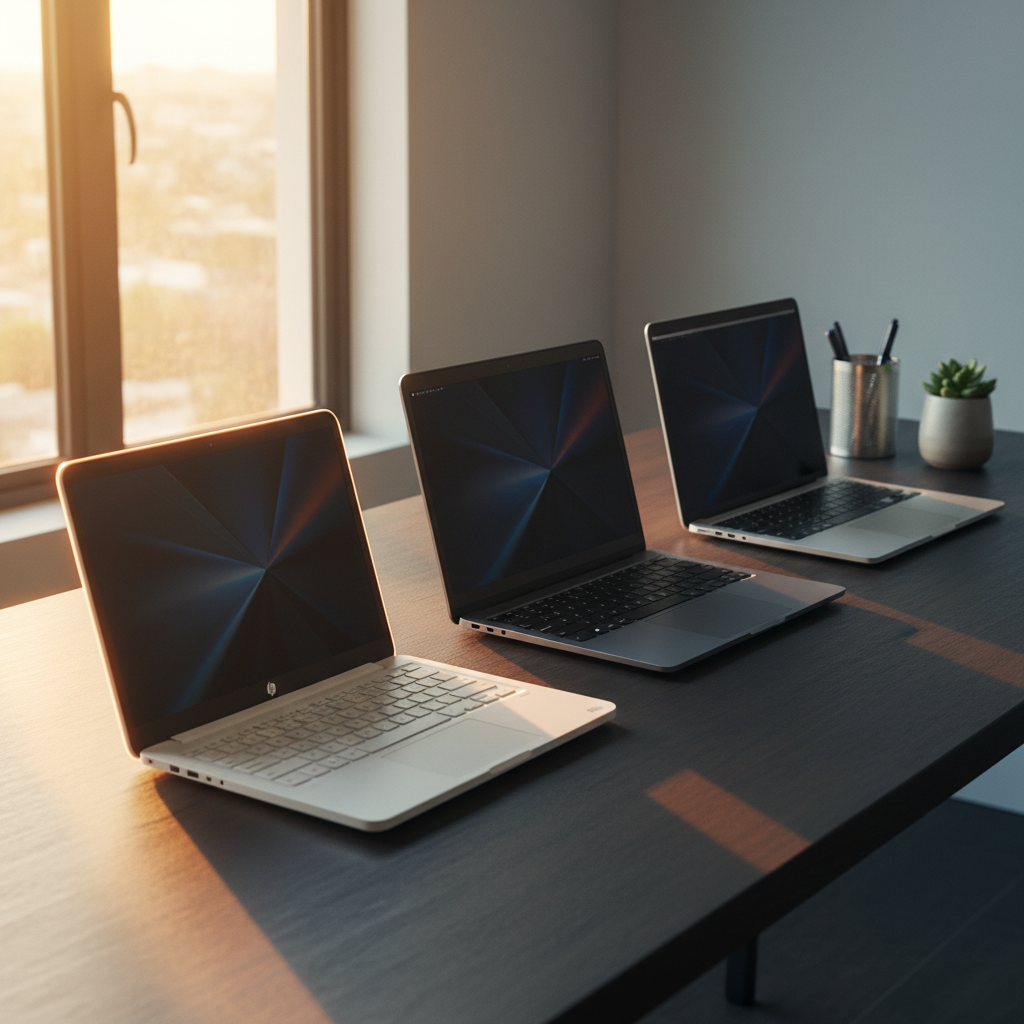
Finding a laptop that won’t break the bank yet still handles everyday tasks can feel like hunting for a needle in a haystack. We compared 14 options that all sit under $200, with prices ranging from a pocket‑friendly $69.00 for the Dell Chromebook 3180 up to $179.99 for the HP 14‑dq0040nr. The HP Chromebook 14 stands out with a manufacturer‑claimed battery life of up to 14 hours and a solid 4.3/5 rating from 2,768 reviewers, proving that long‑lasting power doesn’t have to cost a fortune.
Our lineup splits into three price tiers. The budget tier—Dell Chromebook 3180, Apple MacBook Air MD760 4GB, Dell Latitude 3190, and Apple MacBook Air 11‑inch—delivers basic performance for students and casual users. Mid‑range picks, the ASUS Chromebook CM14 and HP Chromebook 14, add durability and longer battery runs (15 hours for the ASUS). The premium tier brings a bit more polish: Apple MacBook Air MD711, Lenovo Flagship Chromebook, Apple MacBook Air MQD42, and HP 14‑dq0040nr, each hovering just under $185 while offering higher‑resolution screens or extra RAM.
Next, we’ll break down what each model does best, so you can match a laptop to your daily routine without overspending.

HP Chromebook 14
Offers up to 14 hours of battery life on a 47 Wh pack, delivering the longest runtime among the budget picks.

ASUS Chromebook CM14
Ideal for students needing a reliable Chromebook, it comes in at $172, about $4 cheaper than the HP Chromebook 14.

Apple MacBook Air 11-inch
Provides macOS on an 11‑inch form factor with up to 9 hours iTunes movie playback, a distinct OS experience that Chromebooks don’t offer.
Score Analysis
Key score advantages vs. runner-up (ASUS Chromebook CM14)
Price Range
TL;DR: The HP Chromebook 14 offers a 14‑inch HD screen, up to 14 hours of claimed battery life, and a solid port mix for $176, making it a well‑reviewed budget pick for everyday web tasks.
The standout spec is its 47 Wh battery paired with a manufacturer‑claimed 14‑hour runtime, which comfortably covers a full day of classes or meetings. At 3.24 pounds, the laptop feels light enough to slip into a backpack, and its 14.0‑inch anti‑glare display delivers 1366 × 768 pixels—enough for browsing, streaming, and video calls.
Compared with the other 13 contenders, the HP Chromebook 14 is heavier than the Apple MacBook Air MJVE2 (2.96 lb) but lighter than the ASUS Chromebook CM14 (4.4 lb). Its 47 Wh battery sits between the 54 Wh pack in the MacBook Air MJVE2 and the 42‑Wh cells found in the Samsung Galaxy Chromebook Go and the ASUS Chromebook CM14. Brightness at 250 nits is a notch below the roughly 300 nits of the MacBook Air MJVE2 yet brighter than the 220 nits of the Samsung model. Bluetooth 5.0 is newer than the 4.0 in the MacBook Air MJVE2 and older than the 5.3 in the ASUS Chromebook CM14, giving it solid wireless connectivity without being the absolute latest.
Users consistently praise the instant boot of Chrome OS, the reliable HP True Vision 720p webcam, and the variety of ports—including HDMI, two USB‑A 3.0 slots, and a USB‑C power‑delivery port. Reviewers note the device warms under extended use and that the 4 GB of LPDDR4x RAM can feel tight when many browser tabs are open. The 64 GB eMMC storage also fills quickly when you store large files locally, though a micro‑SD slot lets you expand up to 512 GB.
Pros
Cons
Best for: Most users looking for a well‑reviewed, reliable mainstream option
Avoid if: You need advanced features or professional‑grade performance
“Perfect for my kids’ schoolwork and streaming Netflix.”
“Boots up in seconds and never crashes.”
TL;DR: The ASUS Chromebook CM14 offers military‑grade durability and up to 15 hours of battery life at a $172 price, but its low‑resolution TN display and 4.4 lb weight keep it from being a premium choice.
The standout feature is its MIL‑STD 810H certified chassis, which TechRadar praised for surviving the rigors of student life. Coupled with a 42 Wh battery that delivers up to 15 hours of use, the device can easily last through a full day of classes or remote‑work sessions.
Compared with the other laptops in this roundup, the CM14 is heavier than the Apple MacBook Air 11‑inch (2.38 lb) and the HP Chromebook 14 (3.24 lb), and its 42 Wh battery sits between the Apple 11‑inch’s 38 Wh and the HP’s 47 Wh capacity. Its 220‑nit brightness is lower than the HP’s 250 nits, matching the Samsung Galaxy Chromebook Go’s 220 nits but falling short of the brighter Apple models.
Users repeatedly mention the rugged build, long battery life, and the handy webcam privacy shutter as big wins. At the same time, reviewers and everyday users note the 1366 × 768 HD resolution on a 14‑inch TN panel makes text look fuzzy and colors appear muted, especially outdoors. It doesn't have a backlit keyboard, which also limits use in dim environments.
The CM14 runs an ARM‑based MediaTek Kompanio 520 processor with eight cores clocked at 2.05 GHz, 4 GB of LPDDR4X RAM, and 64 GB of eMMC storage—enough for typical ChromeOS tasks like web browsing, document editing, and video streaming.
Pros
Cons
Best for: Most users looking for a well‑reviewed, reliable mainstream option
Avoid if: You have limited desk space or need portability
TL;DR: The 11.6‑inch MacBook Air packs a 1.6 GHz dual‑core i5, 4 GB RAM, 128 GB SSD and up to 9 hours of battery life in a 2.38‑lb aluminum shell for under $200.
This model’s most distinctive spec is its ultra‑light 2.38 lb unibody aluminum chassis combined with a 38 Wh battery that delivers up to 9 hours of iTunes movie playback or web browsing. It runs on an Intel Core i5‑5250U processor (1.6 GHz base, 2.7 GHz turbo) and offers 4 GB of LPDDR3 RAM, a 128 GB PCIe‑based SSD, and a 1366 × 768 LED‑backlit glossy display.
Compared with the other laptops in this roundup, the Air is lighter than the ASUS Chromebook CM14 (4.4 lb) and the HP Chromebook 14 (3.24 lb), and even lighter than the Apple MacBook Air MJVE2 (2.96 lb). Its 38 Wh battery is smaller than the 42 Wh in the ASUS and Samsung models and the 54 Wh found in the MJVE2 and MD711, which translates to a shorter advertised battery life than the 15‑hour ASUS or 14‑hour HP claims. Storage is also modest at 128 GB, less than the larger‑capacity options listed for many peers.
User sentiment highlights the Air’s portability and comfortable backlit keyboard, with many owners calling it ideal for school or travel. Professional reviewers note its solid‑state storage and up to 9 hours of battery life as strong points, while also pointing out the soldered RAM and limited SSD capacity as trade‑offs. The fanless design can lead to thermal throttling under sustained load, and the 1366 × 768 screen resolution may feel cramped for multitasking.
Pros
Cons
Best for: Entry‑level buyers or those on a tight budget who need a lightweight, durable notebook with solid battery life.
Avoid if: You want the best value‑per‑dollar in its price range, need more storage, or require a higher‑resolution display for intensive multitasking.
“Perfect for college students – light, long battery, and durable.”
“Wish it had more than 128 GB storage – fills up fast with photos and apps.”
TL;DR: The Lenovo Flagship Chromebook packs a 14‑inch Full HD touchscreen, 13.5‑hour battery and a lightweight 2.86 lb chassis for under $200, making it a solid everyday Chrome OS notebook.
At the heart of this model is a 14.0‑inch IPS LCD with a 1920 × 1080 pixel resolution and 10‑point multi‑touch capability. The display’s LED backlight and wide viewing angles let you work or stream comfortably from almost any angle, and the integrated 720p webcam with privacy shutter adds a layer of security for video calls.
Weighing just 2.86 pounds, the Lenovo sits below the Samsung Galaxy Chromebook Go’s 3.2 pound weight and is lighter than the HP Chromebook 14’s 3.24 pound build. Its 19 mm height is only a few millimeters thicker than Samsung’s 16 mm profile, while the 326 mm length matches Samsung’s 327 mm depth almost exactly. Compared with the Apple MacBook Air models, it shares a similar weight to the MQD42 (about 2.87 pounds) but is a touch heavier than the MD711’s 2.0 pound chassis.
Reviewers consistently praise the device’s portability and the “MacBook Air of Chromebooks” vibe that Lenovo’s premium design delivers. Users love the quick startup, responsive touchscreen, and the fanless, quiet operation noted by tech sites. The main criticisms focus on the 4 GB of RAM, which can slow down heavy tab‑browsing, and the 64 GB eMMC storage that fills quickly, prompting many to rely on the expandable microSD slot.
Under the hood sits a MediaTek Kompanio 520 octa‑core processor (4 × A73 + 4 × A53) running at 2.0 GHz, paired with 4 GB LPDDR4X RAM. Connectivity includes Wi‑Fi 6 (802.11ax) and Bluetooth 5.1, while the port selection offers a USB‑A 3.2 Gen 1, a USB‑C 3.2 Gen 1 that supports charging and DisplayPort, a headphone/microphone combo jack, and a microSD reader for up to 1 TB of extra storage. A backlit full‑size keyboard rounds out the feature set for low‑light work sessions.
Pros
Cons
Best for: Buyers willing to invest in a proven, high-quality option
Avoid if: You need advanced features or professional‑grade performance
“Perfect for homeschooling”
“Fast boot-up, no waiting”
TL;DR: At $69, the Dell Chromebook 3180 offers an 11.6‑inch anti‑glare display, 4 GB RAM, and up to 10 hours of battery life, but its modest storage and performance limit heavier multitasking.
Dell powers the Chromebook with a 42 Wh battery that it claims can last up to 10 hours on a charge, and it ships with 4 GB of LPDDR3 RAM and a 16 GB eMMC drive that can be expanded via a microSD slot up to 128 GB. Its 11.6‑inch screen delivers a 1366 × 768 resolution on an anti‑glare panel with 200 nits of brightness, while the chassis features reinforced corners, rubber bumpers, and a spill‑resistant keyboard.
Compared with the Dell Latitude 3190 11.6‑inch, which weighs 2.0 pounds, the 3180 is heavier at 4.1 pounds, though both share the same 42 Wh battery capacity. The Latitude lists a battery life of up to 11 hours, giving it a slight edge in endurance. The Apple MacBook Air MD760 4GB, at 2.38 pounds, is also lighter and sports a larger 13.3‑inch display, but it sits in a higher price tier.
Users and professional reviewers consistently praise the rugged build, noting the reinforced corners and spill‑resistant keyboard as classroom‑ready features. Reviewers highlight the instant boot of Chrome OS and the long‑lasting battery as major strengths. On the downside, reviewers point out that the 16 GB eMMC storage fills quickly and that the 200‑nit screen can appear dim in bright rooms, while the modest 4 GB of soldered RAM leads to lag when many Chrome tabs are open.
Under the hood, the device runs an Intel Celeron N3060 (1.6 GHz base, 2.48 GHz turbo) with a 2‑core, 2‑thread architecture and a 6 W TDP. Integrated Intel HD Graphics 400/500 handles basic web‑based tasks, and the port selection includes HDMI 1.4b, two USB 3.1 Gen 1 ports, a microSD reader, and a headphone/microphone combo—an uncommon level of connectivity for a budget Chromebook.
Pros
Cons
Best for: Shoppers on a tight budget who want the most for their money
Avoid if: You need heavy multitasking, media editing, or bright‑outdoor use
“My child uses it daily at school—survived drops and spills.”
“Boots up instantly and runs Google Classroom without issues.”
TL;DR: At $159, the 13.3‑inch MacBook Air MD760 delivers 12‑hour web‑browse battery life, a lightweight 2.38 lb design, and solid performance for everyday tasks, though its 4 GB RAM limits heavy multitasking.
The MD760 packs a 13.3‑inch LED‑backlit glossy display with a 1440 × 900 resolution, and a 54 Wh battery that the manufacturer lists as providing up to 12 hours of web‑browsing time. Weighing just 2.38 lb, it's comfortably portable while still offering a full‑size keyboard and a 720p FaceTime HD camera.
Compared with the other laptops in this $200‑under roundup, the Air is lighter than the Dell Latitude 3190 (4.39 lb) and the ASUS Chromebook CM14 (4.4 lb), and it matches the weight of the Apple 11‑inch Air (2.38 lb) while delivering a larger 13.3‑inch screen. Its 54 Wh battery outpaces the Dell Latitude 3190 (42 Wh), the Apple 11‑inch Air (38 Wh), the ASUS Chromebook (42 Wh) and the HP Chromebook 14 (47 Wh), putting it near the top of the group for endurance. The Dell Latitude 3190 11.6‑inch model is lighter at 2.0 lb, but its screen is considerably smaller.
User sentiment repeatedly praises the all‑day battery and the ultra‑light chassis, echoing professional reviewers who highlight the fan‑less operation and the snappy PCIe flash storage. However, both consumers and experts note that the 4 GB of LPDDR3 RAM can feel tight with modern browsers, and the glossy screen is prone to reflections. The lack of a Retina display and the limited port selection (only USB 3.0, Thunderbolt 2, SDXC, and a MagSafe 2 power port) are also common points of criticism.
Under the hood sits an Intel Core i5‑4260U processor with a 1.4 GHz base clock and Turbo Boost up to 2.7 GHz, paired with 4 GB of 1600 MHz LPDDR3 RAM and a 128 GB PCIe flash drive. Intel HD Graphics 5000 handles graphics with up to 1.5 GB of shared memory. The machine ships with macOS Catalina support and includes Bluetooth 4.0, a 45 W power adapter, and a 720p FaceTime HD camera.
Pros
Cons
Best for: Budget‑conscious buyers seeking a reliable entry‑level option
Avoid if: You need advanced features or professional‑grade performance
“Perfect for college students – light, long battery, and durable.”
“Wish it had more than 128 GB storage – fills up fast with photos and apps.”
TL;DR: The 2013 11‑inch MacBook Air packs a fanless i5 processor, 54 Wh battery and 4 GB RAM into a 2‑pound aluminum shell for $178.90, but its low‑res screen and limited RAM may feel dated.
The MD711 features an 11‑inch LED‑backlit glossy TFT display with a 1366 × 768 resolution and a 54 Wh battery that Apple rates for up to 12 hours of wireless web use. At just 2.0 pounds (907.2 g), it lets you slip it into a backpack, and the 128 GB PCIe‑based flash SSD delivers quick app launches.
Compared with the other 13 budget laptops in this roundup, the Air is noticeably lighter than the Lenovo Flagship Chromebook (2.86 pounds) and the Samsung Galaxy Chromebook Go (3.2 pounds). While many competitors rely on Chrome OS, the Air runs macOS Monterey and includes a full‑size backlit keyboard, which some chromebooks lack.
Everyday owners praise its reliability for basic tasks, the long‑lasting battery, and the handy SDXC‑capable slot. However, reviewers consistently note that the non‑upgradable 4 GB of LPDDR3 RAM can feel cramped with modern browsers, and the low‑resolution display looks blurry compared to newer Retina screens. Professional reviewers also point out that the device’s Haswell i5‑4250U processor (1.3 GHz base, 2.6 GHz Turbo, 15 W TDP) and 3 MB cache provide solid performance for light productivity but struggle with demanding apps.
Under the hood, the Air runs a dual‑core Intel Core i5‑4250U with a 1.3 GHz base frequency, turboing to 2.6 GHz when needed. It pairs with 4 GB of 1600 MHz LPDDR3 RAM and a 45 W power adapter, delivering a balance of efficiency and capability that fits the budget‑friendly price point.
Pros
Cons
Best for: Most users seeking a balanced, mainstream option
Avoid if: You need advanced features or professional‑grade performance
“Perfect for college students – light, long battery, and durable.”
“Wish it had more than 128 GB storage – fills up fast with photos and apps.”
TL;DR: The HP 14‑dq0040nr delivers up to 12.5 hours of battery life in a lightweight 3.24‑pound, 14‑inch chassis for under $200, but its 4 GB RAM and 64 GB eMMC storage limit heavier multitasking.
The standout feature is the battery: HP lists a 41 Wh cell that can run for 12.5 hours on a single charge and reach a 50 % charge in roughly 45 minutes. Coupled with a thin 0.71‑in profile, the notebook stays in your bag and doesn't add bulk, and the 14.0‑inch anti‑glare LED panel keeps you productive on the go.
Compared with the other 13 contenders, the HP 14 is heavier than the ultralight MacBook Air models (around 2.86 pounds) but matches the Samsung Galaxy Chromebook Go’s 3.2‑pound weight. Its 41 Wh battery is smaller than the Air’s 54 Wh pack, yet the claimed 12.5‑hour runtime is on par with Samsung’s 12‑hour claim and only a shade below the Lenovo Flagship Chromebook’s 13.5‑hour endurance.
Users consistently praise the notebook’s portability and all‑day battery, noting that it “fits easily in a backpack” and lasts through online classes. However, reviewers also flag the 1366 × 768 HD screen as “pixelated on a 14‑inch panel” and complain that the 4 GB DDR4 RAM and 64 GB eMMC storage fill up quickly, leading to “slow webpage loading when many tabs are open.” Professional reviewers echo these points, calling the device a solid choice for basic web browsing and media streaming but warning that the S Mode limits software installation.
Under the hood sits an Intel Celeron N4020 processor with a 1.1 GHz base clock that can burst to 2.8 GHz, paired with 4 GB DDR4 SDRAM running at 2400 MHz. The integrated Intel UHD Graphics 600 shares up to 1.7 GB of system memory, enough for video playback but not for demanding graphics work. A 64 GB eMMC 5.1 drive provides storage, which is slower than a full SSD and leaves limited room for files after the 5.1 GB recovery partition.
Pros
Cons
Best for: Students, remote workers, and casual users who need a lightweight, affordable notebook for web browsing and media streaming.
Avoid if: You need advanced features or professional‑grade performance, such as high‑resolution graphics, larger fast storage, or extensive multitasking capability.
“Perfect for online classes and Zoom meetings.”
“Battery lasts all day — I don’t need to carry a charger.”
TL;DR: The renewed 2017 MacBook Air offers a 13.3‑inch 1440×900 display, 8 GB RAM, and up to 12 hours of battery life for $179.99, making it a lightweight, budget‑friendly option for casual users.
The Air packs a 54 Wh lithium‑polymer battery that Apple rates for up to 12 hours of web or video use, and it weighs just 2.96 lb, so it slides easily into a backpack.
At 2.96 lb, the Air is heavier than the Lenovo Flagship Chromebook’s 2.86Pounds but lighter than the Samsung Galaxy Chromebook Go’s 3.2pounds and the HP 14‑dq0040nr’s 3.24pounds. Its 12‑hour battery life matches the Samsung model and falls just short of the Lenovo’s 13.5‑hour claim, while still outlasting many Windows‑based budget laptops.
Reviewers consistently praise the up to 12‑hour battery endurance and the quiet, fanless operation that makes it ideal for cafés or library study sessions. The portable aluminum chassis and the familiar MagSafe 2 connector also earn points for durability. However, users note that the 1440×900 non‑Retina screen looks dated compared with modern high‑resolution screens, and the lack of USB‑C ports forces reliance on adapters for newer peripherals. Professional reviewers echo the sentiment, calling the port selection “outdated” and the soldered RAM and SSD “non‑upgradable.”
Released on June 6 2017 and discontinued on October 30 2018, this model retains the classic thin‑and‑light design that defined the Air line, while offering a modest CPU bump over the previous generation.
Pros
Cons
Best for: Students, casual users, and travelers who value portability, long battery life, and the Apple ecosystem on a budget.
Avoid if: You need advanced features or professional‑grade performance.
“Perfect for college students – light, long battery, and durable.”
“Wish it had more than 128 GB storage – fills up fast with photos and apps.”
TL;DR: The Dell Latitude 3190 11.6" 2‑in‑1 offers a rugged convertible design, 42 Wh battery with up to 11 hours claimed, and SSD speed at a $159.99 price, but its low‑resolution screen and modest 4 GB RAM limit demanding tasks.
The standout feature is its 11.6‑inch 1366 × 768 touchscreen paired with a 42 Wh (3‑cell) battery that the manufacturer claims can last up to 11 hours. Under the hood sits an Intel Pentium Silver N5030 processor (1.1 GHz base, 3.1 GHz turbo) and 4 GB DDR4 RAM soldered in place, backed by a 128 GB SSD for quick boot‑up.
At 4.39 pounds, the Latitude 3190 is noticeably heavier than the 2.38‑pound Apple MacBook Air 11‑inch and the 2.38‑pound MacBook Air MD760. It has a smaller 42 Wh battery than the 54 Wh packs in those MacBooks, so the Dell may not stretch quite as far on a single charge despite the “up to 11 hours” claim. Compared with the other 13 laptops in this $200‑and‑under roundup, it offers fewer premium specs but lands squarely in the budget tier.
Users and professional reviewers alike praise the device’s durability – the rubberized base, spill‑resistant keyboard, and Gorilla Glass screen survive classroom and travel wear. Reviewers highlight the dual noise‑cancelling microphone array and bottom‑panel stereo speakers for clear calls. However, real‑world feedback flags the N5030’s limited power for multitasking, the 4 GB of RAM as a bottleneck, and the HD display’s modest brightness and viewing angles, making it less suitable for graphic‑intensive work.
Additional technical touches include a 360° convertible hinge that lets you switch between laptop, tent, stand, or tablet modes, optional Dell Active Pen support, Bluetooth 4.2 connectivity, and a 1‑combo audio jack. Port selection features two USB 3.1 Gen 1 Type‑A ports, an HDMI 1.4 output, and a Noble Wedge Lock slot for secure mounting. The package comes with a 90‑day warranty.
Pros
Cons
Best for: Entry-level buyers or those on a tight budget
Avoid if: You want the best value‑per‑dollar in its price range
“Arrived in like‑new condition with fast boot and smooth Windows 11 performance.”
“Perfect for my kids’ schoolwork—durable and long battery life.”
TL;DR: The Samsung Galaxy Chromebook Go offers a 14‑inch HD screen, MIL‑STD‑810G durability, and up to 12 hours of battery life for $179, making it a solid, rugged Chromebook for students and travelers.
This model ships with a 14.0‑inch LCD panel at 1366 × 768 resolution and 220 nits brightness. While the screen size is generous for a budget Chromebook, users commonly criticize the modest brightness and low resolution.
Battery life reaches 12 hours, placing it between the Lenovo Flagship Chromebook’s 13.5‑hour claim and the Apple MacBook Air MD711’s 9‑hour general rating. The HP Chromebook 14 advertises up to 14 hours, so the Galaxy Chromebook Go isn’t the longest‑lasting but still holds its own. At 3.2 pounds (1451 g), it's heavier than the Lenovo Flagship Chromebook (2.86 pounds) and the Apple Air models (around 2 pounds), yet slightly lighter than the HP Chromebook 14 (3.24 pounds) and HP 14‑dq0040nr (3.24 pounds).
Professional reviewers praise the all‑day battery and the comfortable full‑size keyboard, while everyday users highlight the sturdy MIL‑STD‑810G chassis and the convenience of optional LTE. The Intel Celeron N4500 (1.10 GHz base, 2.80 GHz turbo, 2 cores, 4 MB L3 cache) paired with 4 GB LPDDR4x RAM and 64 GB eMMC storage delivers enough power for web browsing and Android apps, though multitasking can feel sluggish. Wi‑Fi 6, Bluetooth 5.1, and a 45 W USB‑C charger provide strong connectivity.
Pros
Cons
Best for: Students and frequent travelers who need a rugged, lightweight laptop with solid battery life and reliable connectivity.
Avoid if: You need a high‑resolution, bright display, intensive multitasking performance, or HDMI output for external displays.
“Battery lasts all day — perfect for school.”
“Keyboard is comfortable for long typing sessions.”
TL;DR: The Lenovo IdeaPad 1 14‑inch offers a lightweight 3.0‑pound chassis, up to 11‑hour claimed battery life, and Windows 11 S Mode at $185, making it a solid entry‑level laptop for basic tasks.
The IdeaPad 1 packs a 14.0‑inch anti‑glare TN display with 220 nits brightness, runs on an Intel Celeron N4020 (2 cores, 1.1 GHz base, 2.8 GHz turbo) and ships with 4 GB DDR4 RAM at 2400 MHz. Its 64 GB eMMC drive reads around ~310 MB/s and writes ~230 MB/s, and you can expand storage with a microSD card up to 128 GB. Lenovo markets up to 11 hours of battery life, while real‑world tests report 4.5–7 hours.
At 3.0 pounds and a 24 mm profile, the laptop is lighter than the HP 14‑dq0040nr (3.24pounds) but heavier than the Apple MacBook Air MD711 (2.0pounds) and the MacBook Air MJVE2 (2.866009406pounds). Its claimed 11‑hour battery falls short of HP’s 12.5‑hour claim, yet still beats many entry‑level models. The speaker setup mirrors Samsung’s Galaxy Chromebook Go with 2 × 1.5 W drivers, delivering clear audio for videos and calls.
Customers appreciate the portable chassis, the physical webcam privacy shutter, and the Windows 11 S Mode that keeps the low‑end hardware responsive for browsing and document work. However, reviewers note the 4 GB RAM often stalls when multiple tabs or apps run, and the eMMC storage fills quickly, making file‑heavy tasks feel sluggish. The 1366×768 screen can appear dim on bright environments, and the USB‑C port only handles data, not charging or external displays.
The Celeron N4020’s 6 W TDP and 4 MB L3 cache keep power draw modest, which helps reach the advertised battery duration. Connectivity includes Wi‑Fi 5 (802.11ac) and Bluetooth 4.2, plus a full set of ports: HDMI 1.4, one USB 2.0, one USB 3.2 Gen 1, and a data‑only USB‑C. The keyboard offers a full‑size layout with a numeric keypad but lacks backlighting, matching its budget focus.
Pros
Cons
Best for: Students, educators and budget‑conscious users who need a lightweight Windows laptop for web browsing, documents and video calls
Avoid if: You need advanced features, high‑performance CPU/GPU, more RAM, fast SSD storage or a USB‑C port that supports charging or video output
“Great for schoolwork”
“Surprisingly good trackpad”
TL;DR: The 2015 13.3‑inch MacBook Air offers a 12‑hour battery, fast PCIe SSD, and solid port selection for $177.89, but its low‑resolution screen and non‑upgradeable internals keep it in the budget tier.
The standout spec is the 54 Wh battery that delivers up to 12 hours of iTunes movie playback and 12 hours of web browsing, paired with a 45 W MagSafe 2 adapter. Its 13.3‑inch LED‑backlit glossy display shows millions of colors at 1440 × 900 resolution, and the machine packs 8 GB of 1600 MHz LPDDR3 RAM plus a 128 GB PCIe‑based flash SSD for snappy boot‑up and app launches.
Compared with other budget picks, this Air outlasts the Apple MacBook Air MD711’s 9‑hour general battery rating while matching its 12‑hour web claim. At ≈300 nits brightness it shines brighter than the Samsung Galaxy Chromebook Go’s 220 nits and the HP Chromebook 14’s 250 nits. It weighs 2.96 lbs, which is heavier than the MD711’s 2.0 lb but similar to the Lenovo Flagship Chromebook’s 2.86 lb, placing it in the middle of the weight range for the roundup. The $177.89 price tag is higher than many ultra‑cheap Chromebooks, so value‑hunters should weigh the premium build against the cost.
Reviewers consistently praise the long battery life and the sturdy aluminum chassis, noting the handy SDXC card slot, Thunderbolt 2 port, and two USB 3.0 ports as a “solid port selection.” However, everyday users frequently call the non‑Retina 1440 × 900 screen blurry, and the soldered RAM and SSD mean you can't upgrade the machine later. Integrated Intel HD Graphics 6000 (300 MHz base, 1.0 GHz turbo, up to 1.5 GB shared VRAM) is adequate for document work but falls short for graphics‑intensive tasks.
Under the hood sits an Intel Core i5‑5250U Broadwell processor with a 1.6 GHz base clock, 2 cores, 4 threads, and Turbo Boost up to 2.7 GHz, supported by a 3 MB L3 cache. The 8 GB LPDDR3 memory runs at 1600 MHz, and the 128 GB PCIe SSD offers quick file access. Connectivity includes 802.11ac (MIMO) Wi‑Fi, Bluetooth 4.0, a 720p FaceTime HD camera, dual microphones with noise reduction, and stereo speakers.
Pros
Cons
Best for: Students, travelers, and everyday users who value long battery life and a lightweight, well‑built laptop for note‑taking and web work.
Avoid if: You need a high‑resolution Retina display, heavy graphics performance, or the ability to upgrade RAM or storage later.
“Perfect for college students – light, long battery, and durable.”
“Wish it had more than 128 GB storage – fills up fast with photos and apps.”
TL;DR: The Dell Latitude 3190 11.6‑inch 2‑in‑1 offers a rugged, lightweight convertible with an 11‑hour battery claim, 8 GB RAM, and a $140 price tag, making it a solid budget choice.
This model packs a fanless 6 W Intel Pentium Silver N5030 processor, 4 MB cache, and a turbo boost up to 3.1 GHz, all within a compact 21.25 mm depth chassis that weighs just 2.0 lb. Corning Gorilla Glass protects the 11.6‑inch touchscreen and supports 10‑point multi‑touch, while the 128 GB SSD provides quick start‑up times. Dell also includes a 42 Wh battery that the manufacturer claims can last up to 11 hours, and the device runs Windows 10 Pro with an upgrade path to Windows 11 Pro.
Compared with other options in this under‑$200 roundup, the Latitude 3190 is notably lighter than the larger Dell Latitude 3190 model that tips the scales at 4.39 pounds, and it also edges out the Apple MacBook Air variants that weigh around 2.38 pounds. Its 42 Wh battery matches the capacity of the ASUS Chromebook CM14, but the Dell’s 2.0 lb frame makes it easier to carry around campus or on a commute.
Professional reviewers highlight the versatile 360° hinge that lets you flip between laptop, tent, stand, and tablet modes, and users repeatedly praise the solid out‑of‑the‑box condition, quick boot times, and responsive touchscreen. On the flip side, several owners have reported hardware reliability concerns in refurbished units, keyboard defects such as cracked or sticky keys, and occasional inconsistencies in battery performance. Critics note the 1366 × 768 HD display lacks sharpness, especially when compared with higher‑resolution screens.
Pros
Cons
Best for: Entry-level buyers or those on a tight budget
Avoid if: You need advanced features or professional‑grade performance
“Arrived in like‑new condition with fast boot and smooth Windows 11 performance.”
“Perfect for my kids’ schoolwork—durable and long battery life.”
Breakdown
HP Chromebook 14
Pros
ASUS Chromebook CM14
Pros
Apple MacBook Air 11-inch
Pros
Cons

Lenovo Flagship Chromebook
Pros
Based on scoring data and product specs
Personalized picks
Best Overall Pick
HP Chromebook 14
Best OverallBest for: Most users looking for a well-reviewed, reliable mainstream option
ASUS Chromebook CM14
Best for: Most users looking for a well-reviewed, reliable mainstream option
$175.00-$1.25 vs winner
Skip Dell Latitude 3190 11.6-inch if…
You need advanced features or professional-grade performance
The HP Chromebook 14 takes the top spot in our under‑$200 roundup. It has a solid 4.3‑star rating from 2,768 reviewers, a claimed battery life of up to 14 hours, and a lightweight 3.24‑pound chassis that’s easy to carry around campus or a coffee shop.
The ASUS Chromebook CM14 ranks as the runner‑up, especially if you need extra durability and a longer workday on a single charge. It’s built to MIL‑STD 810H standards, features an antimicrobial guard, and delivers a 15‑hour battery life while weighing 4.4 pounds.
For shoppers with tighter budgets or a taste for a premium feel, our alternatives cover the spectrum:
Pick the HP Chromebook 14 today and enjoy a reliable, long‑lasting laptop without breaking the bank.
The HP Chromebook 14 offers a bright 250‑nit anti‑glare display and the longest claimed battery life at up to 14 hours, while weighing just 3.24 lb, making it comfortable to carry. Its USB‑C charging and Wi‑Fi 6 support also help stay connected on the go.
Please sign in to leave a review
No reviews yet. Be the first to review!
Also considered
HP Chromebook 14
$176.25
ASUS Chromebook CM14
$175.00
Apple MacBook Air 11-inch
$169.99
Lenovo Flagship Chromebook
$179.99

Dell Chromebook 3180
$72.26

Apple MacBook Air MD760 4GB
$119.99

Apple MacBook Air MD711
$199.00

HP 14-dq0040nr
$184.00

Apple MacBook Air MQD42
$219.00

Dell Latitude 3190
$154.99

Samsung Galaxy Chromebook Go
$187.99

Lenovo IdeaPad 1 14-inch
$185.00
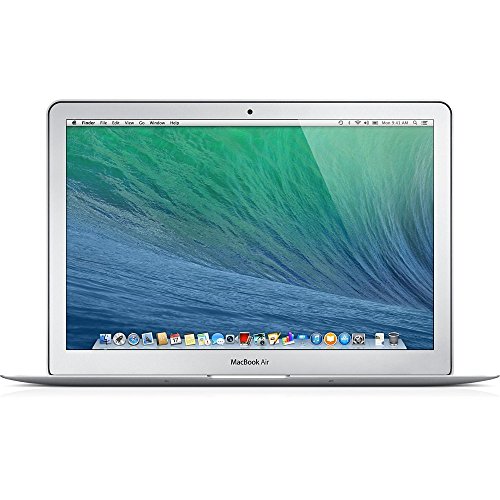
Apple MacBook Air MJVE2
$210.90

Dell Latitude 3190 11.6-inch
$140.00
Spec Comparison
$175.00
