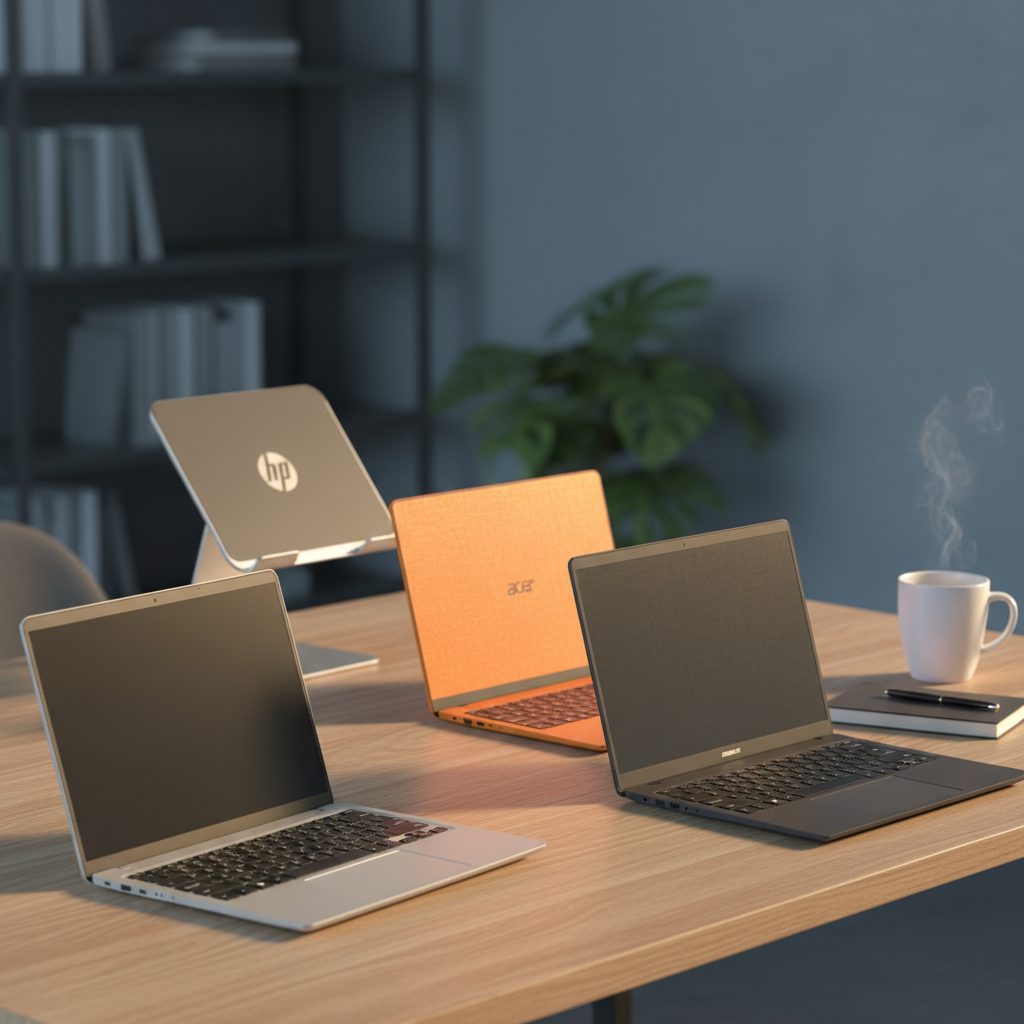
Our top pick is the HP Chromebook 11, which lands at the top of the list with a solid 4.4/5 rating from 2,478 reviewers and a price tag of $185.00. Its 11.6‑inch HD IPS anti‑glare screen, 4 GB RAM and 32 GB storage keep everyday tasks snappy, while a claimed 15‑hour battery life means you can power through a full day of classes or travel without hunting for an outlet. At just 2.36 pounds, it’s one of the lightest options, making it a truly portable secondary device.
Twelve netbooks fall into three price tiers. The budget tier—Acer Chromebook 11 C732 ($60.47), Dell Chromebook 3180, Lenovo 500e Chromebook and Samsung Chromebook 4—offers basic performance and long battery life for under $100. Mid‑range choices like the Dell 11.6‑inch Chromebook and Lenovo 100e give a step up in build quality while staying around $90‑$105. Premium picks—including the HP Chromebook 11, Dell Latitude 3190, Lenovo 300e and the highest‑rated G‑Anica N4000 ($199.89)—bring stronger processors, higher‑resolution displays and extra durability.
Below you’ll find a quick look at each model’s strengths and who they’re best suited for, so you can match a netbook to your specific needs.

HP Chromebook 11
Its 15‑hour battery life (37 Wh) gives you all‑day use, earning it the Best Overall title.

Acer Chromebook 11 C732
Ideal for entry‑level buyers or tight‑budget students, it costs $60.47—about $125 less than the HP Chromebook 11.

Samsung Chromebook 4
With an 11.6‑inch screen, it provides a larger view than the 11‑inch HP and Acer models while staying under $90.
Also considered
Score Analysis
Key score advantages vs. runner-up (Acer Chromebook 11)
Price Range
HP Chromebook 11
$185.00
Acer Chromebook 11 C732
$60.47
Samsung Chromebook 4
$89.00

Dell Latitude 3190 11.6-inch
$140.00
Lenovo 300e
$145.00

Dell Chromebook 3180
$72.26

Lenovo 500e Chromebook
$54.99

G-Anica N4000
$199.99

Lenovo 100e
$104.99

Dell 11.6-inch Chromebook
$93.92

Acer Chromebook 311
$74.95

Toshiba Dynabook K50 10.1-inch
$92.00
Spec Comparison
TL;DR: The HP Chromebook 11 offers an 11.6‑inch anti‑glare IPS display, 4 GB RAM and a 37 Wh battery in a lightweight 2.36‑lb chassis for $185, earning a solid 4.4‑star rating.
One standout feature is its 11.6‑inch HD IPS screen with a 220‑nit brightness rating and a 178‑degree viewing angle, all behind an anti‑glare finish. This combination delivers clear visuals for web browsing and video calls without glare in bright rooms.
Compared with the other eleven contenders, the HP sits a bit heavier than the Dell Latitude 3190 (2.0 lb) and the Lenovo 100e (2.2 lb) and carries a smaller 37 Wh battery versus Dell’s 42 Wh pack. It also offers half the RAM of the G‑Anica N4000, which lists 8 GB, and its 4 GB of LPDDR4x is on the lower end of the lineup. Screen size matches many peers, but the price point sits above the budget‑focused Dell 11.6‑inch Chromebook.
Users consistently praise the Chromebook’s portability and the crisp, glare‑free display, while professional reviewers highlight the convenience of having both USB‑C and USB‑A ports. The MediaTek MT8183 octa‑core processor (2.0 GHz base, 2 MB L2 cache) and 4 GB RAM can feel sluggish when many tabs are open, and the 32 GB eMMC storage fills quickly. Battery life of 8 hours 58 minutes falls short of the manufacturer’s 15‑hour claim, a common complaint in user feedback.
Pros
Cons
Best for: K‑8 students, first‑time laptop owners, and travelers who need a portable secondary device.
Avoid if: You require intensive multitasking, large local storage, or extended battery endurance for long‑haul work sessions.
“budget Chromebook with limitations.”
“It’s fine for light use, but not for students or professionals with heavy workloads.”
TL;DR: The Acer Chromebook 11 C732 offers a fanless, lightweight design with up to 17.25 hours of light‑use battery life, 4 GB RAM and 32 GB storage for just $60.47.
This model’s standout spec is its 45 Wh battery, which translates to a manufacturer‑claimed 12‑hour run time and an independent claim of 17.25 hours of light browsing. That endurance tops the 42 Wh packs that power the Dell Chromebook 3180, Lenovo 500e and Dell 11.6‑inch Chromebook, and it far exceeds the Samsung Chromebook 4’s 12.5‑hour claim.
At 2.98 pounds, the C732 is lighter than the Dell Chromebook 3180 (4.1 pounds) and the Dell 11.6‑inch model (4.45 pounds), but a bit heavier than the Acer Chromebook 311, which tips the scales at about 2.36 pounds. Its 250 cd/m² brightness also beats Dell’s 200‑nit panel, while the Toshiba Dynabook’s 2.6‑pound chassis is a shade lighter.
Users consistently praise the long battery life and the durable fanless chassis, noting that the keyboard feels comfortable for extended typing sessions. Professional reviewers echo the battery praise yet warn that the 1366 × 768 display suffers from narrow viewing angles and modest color depth, and the Intel HD Graphics 500 struggles with multiple tabs or any graphics‑intensive work. The Auto Update Expiration ended in June 2024, so the device won’t receive Chrome OS security updates—a point some buyers find concerning.
Pros
Cons
Best for: Entry-level buyers or those on a tight budget
Avoid if: Reliability and user satisfaction are your top concerns
“budget Chromebook with limitations.”
“It’s fine for light use, but not for students or professionals with heavy workloads.”
TL;DR: The Samsung Chromebook 4 packs an 11.6‑inch screen, Intel Celeron N4000, 4 GB RAM and up to 12.5 hours of battery life into a $89.99, 3.7‑pound, MIL‑STD‑810G‑tested package.
The standout spec is its battery endurance – the manufacturer lists up to 12.5 hours on a single charge, which easily covers a full school day or a long commute. Weighing in at 3.7 pounds and measuring just 76.2 mm thick, it’s light enough to slip into a backpack without adding bulk. Under the hood sits an Intel Celeron N4000 processor, 4 GB LPDDR4 RAM and a 32 GB eMMC drive, delivering the basics for web browsing, streaming and cloud‑based work.
Compared with the other eleven entries, the Chromebook 4 is heavier than the Toshiba Dynabook K50 (2.6 pounds) and the Lenovo 100e (2.2 pounds), but lighter than the Dell 11.6‑inch model (4.45 pounds). Its 12.5‑hour battery sits between the Toshiba’s claimed 16‑hour run‑time and the Dell, Lenovo 500e and Acer models that top out around 10‑11 hours. Storage is modest at 32 GB eMMC, similar to the Lenovo 100e’s 32 GB offering, while its 4 GB RAM matches the Lenovo 500e and Acer Chromebook 311.
Users consistently praise the Chromebook’s portability, all‑day battery and the spill‑resistant keyboard that survives the occasional coffee mishap. Professional reviewers note the durability boost from MIL‑STD‑810G testing and that the Celeron’s UHD Graphics 600 enables smoother video playback. The downsides that surface in comments are the limited 4 GB RAM for heavy tab loads, the cramped 32 GB storage that pushes users toward cloud files, and a TN LCD panel that delivers muted colors and narrow viewing angles.
Pros
Cons
Best for: Value‑conscious buyers seeking quality at $89.99
Avoid if: You need a high‑performance machine for video editing, heavy multitasking, or a touchscreen interface
TL;DR: The Dell Latitude 3190 11.6‑inch 2‑in‑1 packs an 8 GB DDR4 memory, 128 GB SSD, and up to 11‑hour battery life into a lightweight 2‑lb chassis for under $150.
This model’s standout spec is its 42 Wh battery paired with a manufacturer‑claimed up to 11 hours of runtime, letting you work or study all day without hunting for an outlet. Combined with 8 GB DDR4 RAM and a fast 128 GB SSD, the device feels snappy for everyday tasks while staying under the 2.0 lb weight limit.
Compared with the other eleven entries, the Latitude 3190 is lighter than the Lenovo 300e, HP Chromebook 11, Samsung Chromebook 4, Dell 11.6‑inch Chromebook, and Toshiba Dynabook K50, and only marginally heavier than the Lenovo 100e. Its 42 Wh battery matches the capacity of the Lenovo 100e and Dell Chromebook, but exceeds the HP Chromebook’s 37 Wh pack. Like most peers it shares an 11.6‑inch display, with the Toshiba model as the sole outlier at 10.1 inches.
Professional reviewers praise the rugged 360° hinge, Corning Gorilla Glass‑protected touchscreen, and the quick‑boot SSD, while everyday users love the dual noise‑cancelling microphones and spill‑resistant keyboard. The low‑resolution 1366 × 768 panel and the modest Pentium Silver N5030 CPU draw criticism from those who need sharper visuals or heavier multitasking power.
The Intel Pentium Silver N5030 runs at a 1.1 GHz base clock with a 3.1 GHz turbo boost and 4 MB cache, delivering enough juice for web browsing, Office work, and video calls. Integrated Intel UHD Graphics 605 handles basic media playback, and the fanless 6 W design keeps the chassis silent. Connectivity includes Wi‑Fi 5, Bluetooth 4.2, two USB 3.1 ports, an HDMI 1.4 output, and a combo audio jack.
Pros
Cons
Best for: Students, travelers, and budget‑conscious users who need a lightweight, durable 2‑in‑1 for everyday tasks.
Avoid if: You’re a power user, creator, or gamer who requires higher‑performance CPU, more RAM, or a higher‑resolution display.
TL;DR: The Lenovo 300e 11.6‑inch 2‑in‑1 offers a rugged MIL‑STD‑810H chassis, 8 GB RAM, 128 GB SSD, and up to 10‑hour battery life for under $110.
The 300e packs an 11.6‑inch HD IPS display (1366 × 768) with 250 nits of brightness and a 360° hinge that lets you switch between laptop, tablet, tent and stand modes. Under the hood sits an Intel Celeron N4120 quad‑core processor (1.1 GHz base, 2.6 GHz turbo), 8 GB LPDDR4 soldered RAM and a 128 GB SSD, all housed in a chassis that meets MIL‑STD‑810H drop standards.
At 2.98 lb, the 300e is heavier than the Lenovo 100e (2.2 lb) but lighter than the Dell 11.6‑inch Chromebook (4.45 lb) and the Samsung Chromebook 4 (3.7 lb). Its battery life of up to 10 hours matches the Lenovo 100e and Acer Chromebook 311, yet falls short of the Toshiba Dynabook K50’s claimed 16 hours and Samsung’s 12.5‑hour runtime. Storage‑wise, the 128 GB SSD outpaces the Samsung’s 32 GB eMMC and the Acer’s unspecified storage, though it’s still modest compared with larger‑capacity laptops.
Educators and students praise the device’s durability – the spill‑resistant, sealed keyboard and the ability to survive drops up to 29.5 in. Professional reviewers note the “modest” performance of the Celeron CPU, while many users call out the low‑resolution screen and limited storage as trade‑offs for the rugged build. Bluetooth 5.0 and Wi‑Fi 5 round out the connectivity, and the inclusion of HDMI 1.4b, a USB‑C port with DP & PD, and a 4‑in‑1 SD reader give you plenty of peripheral options.
Pros
Cons
Best for: K‑12 students, teachers, and school IT departments that need a durable, convertible netbook with all‑day battery life.
Avoid if: You require high‑performance CPUs, large storage volumes, or a high‑resolution display for gaming or professional content creation.
“Survives everything”
“Great for note-taking”
TL;DR: The Dell Chromebook 3180 packs an 11.6‑inch anti‑glare display, 4 GB RAM and a rugged, spill‑resistant chassis into a $69 budget laptop that lasts up to 10 hours on a 42 Wh battery.
What really sets the 3180 apart is its education‑focused durability. The chassis features reinforced corners, rubber bumpers and a spill‑resistant chiclet keyboard, while the 180° hinge lets you flip the screen flat for collaborative work. Under the hood you get a 1.6 GHz dual‑core Intel Celeron N3060, 4 GB of LPDDR3 RAM soldered in, and a 16 GB eMMC drive, all powered by a 42 Wh battery that Dell claims can last up to 10 hours on a single charge.
Compared with the other eleven netbooks in this roundup, the 3180 is on the heavier side at 4.1 pounds – heavier than the Acer Chromebook 311, the Acer 11 C732 and the Samsung Chromebook 4, but a touch lighter than Dell’s own 11.6‑inch Chromebook that tips the scales at 4.45 pounds. Its 42 Wh battery matches the Lenovo 500e’s capacity and falls short of the Acer 11 C732’s 45 Wh pack. Storage is modest at 16 GB, noticeably less than the Samsung model’s 32 GB eMMC, while the 4 GB RAM is on par with most peers such as the Acer 311 and Samsung Chromebook 4.
Users consistently praise the device’s rugged build and the “instant‑boot” experience that Chrome OS delivers, noting that the anti‑glare screen and 180° hinge are classroom‑friendly. However, reviewers also point out that the limited 16 GB of internal storage fills quickly and that the modest 200‑nit brightness can feel dim in bright environments. Users describe performance as sufficient for web‑based learning tools, but several users report lag when many Chrome tabs are open, a symptom of the modest 2‑core, 6 W CPU and fixed 4 GB RAM.
The 3180 rounds out its feature set with a full‑size HDMI 1.4b port, two USB 3.1 Gen 1 ports, a microSD slot that accepts up to 128 GB, and Intel HD Graphics 400/500 for basic video output. The built‑in 720p webcam and stereo speakers cover typical classroom needs, while the 65 W Dell E4 AC adapter recharges the battery in roughly three to four hours.
Pros
Cons
Best for: Entry‑level buyers or those on a tight budget who need a durable, web‑focused laptop for classroom or light‑home use.
Avoid if: You require heavy multitasking, media editing, programming, or bright‑outdoor use where a dim screen would be a problem.
“My child uses it daily at school—survived drops and spills.”
“Boots up instantly and runs Google Classroom without issues.”
TL;DR: The Lenovo 500e Chromebook costs $79.95, offers MIL‑STD‑810G durability, up to 11 hours of battery life, and a 360° hinge, making it a solid budget 2‑in‑1 for tough environments.
The standout feature is its ruggedness: it survives drops up to 29.5 in, meets MIL‑STD‑810G standards, and the keyboard tolerates up to 11 oz of liquid. At 3.0 lbs it feels sturdy yet portable, and the 360° hinge lets you switch between laptop, tent, stand, and tablet modes.
Compared with the other eleven entries, the 500e is heavier than the Acer Chromebook 311 and the Acer 11 C732, but lighter than the Dell 3180, Dell 11.6‑inch Chromebook, and Samsung Chromebook 4. Its 42 Wh battery matches the capacity that Dell uses in the 3180 and the 11.6‑inch model, while many rivals list smaller or unspecified capacities. Storage-wise, it ships with 32 GB eMMC and supports microSD cards up to 512 GB, a flexibility that rivals the Acer 311’s expandable slot and exceeds the fixed 32 GB of several competitors.
Users consistently praise the chassis for surviving classroom mishaps and the battery that lasts up to 11 hours, enough for a full school day. Professional reviewers note it’s a solid build and flexible hinge, but they also point out the low 1366 × 768 pixel touchscreen and the muffled bottom‑firing speakers. The Intel Celeron N3450U (1.10 GHz base, 2.20 GHz turbo) with 4 GB of LPDDR4 RAM handles web browsing and document work, though multitasking feels limited.
Pros
Cons
Best for: Entry-level buyers or those on a tight budget
Avoid if: You need advanced features or professional‑grade performance
“Survived my kid dropping it daily.”
“Battery lasts all day at school.”
TL;DR: The G‑Anica N4000 is a 10‑inch Windows 11 netbook with an Intel Celeron N4020, 8 GB RAM, 128 GB storage, and a lightweight 1 kg design, priced at $199.89.
Its standout spec is the 10‑inch 1280 × 800 pixel TN display paired with 8 GB DDR4 RAM, which together give a portable yet capable environment for web browsing and light office work. Under the hood sits an Intel Celeron N4020 processor (base 1.1 GHz, burst up to 2.8 GHz) and 128 GB of storage, while the device weighs just 1000 g and measures 76.2 mm × 254 mm × 254 mm.
Compared with the other eleven netbooks in this roundup, the N4000 is lighter than the HP Chromebook 11 (1070 g) but a touch heavier than the Dell Latitude 3190 (907 g). Its Bluetooth 4.2 matches the HP Chromebook’s version, yet it trails the newer Bluetooth 5.0 found on the Lenovo 300e and Toshiba Dynabook. While most peers list battery capacity in watt‑hours, the N4000 reports 3000‑5000 mAh, making direct energy‑comparison harder. Storage is explicitly stated at 128 GB, a concrete figure that many competitors leave unspecified.
User feedback highlights the netbook’s tiny footprint and the bundled accessories (laptop bag, mouse, mouse pad, earphone) as major pluses for students and travelers. Reviewers also note the Windows 11 experience as a win for those needing a full desktop OS. On the downside, reviewers frequently call the Celeron chip “under‑powered” for anything beyond basic tasks, and critics say the TN panel’s limited viewing angles reduce comfort during extended use.
Pros
Cons
Best for: Children, students, and casual users who need a lightweight Windows laptop for web browsing and light productivity.
Avoid if: You're shopping on a tight budget — it's priced at $199.89.
“great product for kids”
“good birthday present”
TL;DR: The Lenovo 100e offers an 11.6‑inch rugged netbook with a 42 Wh battery lasting up to 10 hours, USB‑C Power Delivery, 4 GB RAM, and expandable storage, all for $104.99.
The standout feature is the USB‑C port that handles Power Delivery with a 45 W adapter and drives 4K video at 60 Hz, letting you charge and connect an external monitor with a single cable. Coupled with a 42 Wh battery, the machine can stay on for up to 10 hours, matching the endurance of many classroom‑grade laptops.
Compared with the other eleven entries, the 100e is lighter than the Dell 11.6‑inch Chromebook (over 4 pounds) but a bit heavier than the Acer Chromebook 311, which weighs 1.07 kg. Its 10‑hour battery life trails the Dell’s 11‑hour claim and the Toshiba Dynabook’s advertised 16 hours, yet it equals the Acer’s 10‑hour runtime. Brightness sits at 250 nits, the same as the Lenovo 300e, but the display uses a TN panel, so viewing angles are narrower than the IPS screens found on some competitors.
Users consistently praise the spill‑resistant keyboard and its durability that lets the device survive classroom mishaps. Professional reviewers note the solid build and the convenience of USB‑C charging, while also flagging the Celeron N4020 processor and 4 GB of soldered RAM as limiting factors for multitasking or media‑heavy tasks. The base 64 GB eMMC storage feels modest, but the M.2 2242 slot lets you add up to a 256 GB PCIe NVMe SSD if you’ll need more space.
Pros
Cons
Best for: K‑12 students, schools, and anyone needing a durable, low‑maintenance laptop for web‑based learning and basic office tasks.
Avoid if: You need advanced performance, a bright high‑resolution display, or extensive multitasking capabilities.
“I upgraded the memory to 8GB and the hard disk to 256GB SSD on my laptop with Intel Celeron N4020 processor.”
TL;DR: The Dell 11.6‑inch Chromebook packs a MIL‑STD‑810G‑rated, anti‑glare 10‑point touchscreen, up to 11 hours of battery life and 4 GB RAM for $93.92, making it a rugged, budget‑friendly choice for basic web tasks.
This model’s standout feature is its 10‑point multi‑touch IPS LCD with anti‑glare coating, paired with a 42 Wh battery that Dell claims can last up to 11 hours on a single charge. The 4 GB DDR3L RAM and Intel Celeron N‑series processor (1.1 GHz base, 2.48 GHz turbo) keep the device snappy enough for Chrome OS’s lightweight workflow.
At $93.92, the Dell sits in the same price band as the Toshiba Dynabook K50 ($92.00) and the Samsung Chromebook 4 ($89.99). It's heavier than the Acer Chromebook 311 (about 1.07 kg) and the Lenovo 100e (2.2 lb), but still under 5 lb, which most users find portable enough for a classroom or commuter bag.
Professional reviewers praise the MIL‑STD‑810G certification and spill‑resistant keyboard, noting that the device survives the typical bumps of a K‑12 environment. Everyday owners echo the durability praise while repeatedly mentioning the limited 16 GB eMMC storage and occasional sluggishness when many Chrome tabs are open—issues tied to the 4 GB RAM and entry‑level Celeron CPU.
Beyond the rugged chassis, the Chromebook offers a USB‑C charging option on newer refurbished units, an HDMI output for external displays, and a microSD slot that expands storage up to 256 GB. The 1366 × 768 HD resolution's standard for this class, and the built‑in virus protection and automatic Chrome OS updates keep the system secure with minimal effort.
Pros
Cons
Best for: Most users seeking a balanced, mainstream option
Avoid if: You need advanced features or professional‑grade performance
TL;DR: The Acer Chromebook 311 delivers an 11.6‑inch IPS screen, up to 10 hours of battery life, and dual USB‑C ports for just $74.95, making it a solid entry‑level netbook for students.
This model packs a lightweight 1.07 kg chassis around an 11.6‑inch CineCrystal IPS display that supports 1366 × 768 resolution and 58 % sRGB coverage. The battery lasts up to 10 hours, and the device sells for $74.95, it's well under the $200 budget ceiling.
At 1.07 kg it is noticeably lighter than the Lenovo 500e Chromebook, which weighs 3.0 pounds, and far lighter than the Dell 11.6‑inch Chromebook that tips the scales at over 4 pounds. Its battery life matches the Dell 3180’s 10‑hour claim but falls short of the Lenovo 500e’s 11‑hour runtime. Unlike many rivals, the 311 offers two USB‑C ports that handle data, DisplayPort, and charging, a convenience few competitors list.
Users appreciate the quick startup and the durable plastic body with a spill‑resistant keyboard, noting that the device feels sturdy in classroom settings. Professional reviewers highlight the flicker‑free IPS panel, which eases eye strain during long sessions. The trade‑off comes in storage: a 32 GB eMMC drive fills up fast, and the soldered 4 GB LPDDR4 RAM cannot be upgraded. The muted color reproduction from the 58 % sRGB panel also draws criticism, especially in bright environments.
Pros
Cons
Best for: Entry-level buyers or those on a tight budget
Avoid if: You want the best value‑per‑dollar in its price range
“Lasts all day”
“Reliable for Google Classroom”
TL;DR: The Toshiba Dynabook K50 offers a 10.1‑inch touchscreen, detachable keyboard, and up to 16‑hour battery life for just $92, making it a lightweight Windows tablet for everyday tasks.
The standout claim is a manufacturer‑listed battery life of up to 16 hours, paired with a tablet‑only weight of 2.6 pounds and a slim 12.7 mm thickness. Its detachable keyboard dock lets you flip between tablet and laptop modes without adding much bulk.
At 2.6 pounds, the K50 is lighter than the Dell 11.6‑inch Chromebook (4.44892844716 pounds) and the Samsung Chromebook 4 (3.7 pounds), though it is heavier than the Acer Chromebook 311, which is listed at 1.07 kg. Battery endurance also outpaces many peers: the Dell and Lenovo 500e models list up to 11 hours, Samsung reaches up to 12.5 hours, and the Acer, Lenovo 100e, and Lenovo 300e cap at 10 hours.
Users appreciate the tablet’s portability, up to 16‑hour battery, and passive stylus support for note‑taking. However, the 4 GB DDR4 RAM and 64 GB eMMC storage can feel cramped when many browser tabs are open, and the 1280 × 800 display on a 10.1‑inch screen may appear dim in bright light. Honestly, the limited RAM shows up during heavier multitasking.
Beyond the basics, the K50 runs Windows 11 Pro, includes TPM 2.0‑equivalent security, Bluetooth version 5.0, and a microSD slot that expands storage up to 512 GB. The Intel Celeron N4020 processor (1.1 GHz base, 2.8 GHz turbo) and integrated UHD Graphics 600 keep everyday tasks responsive.
Pros
Cons
Best for: Students, field workers, or anyone needing a portable Windows tablet for web browsing, video calls, and light productivity.
Avoid if: You need high‑performance computing, large SSD storage, or a high‑resolution display for gaming, video editing, or development.
“Perfect for my daughter’s online classes – lightweight and lasts all day.”
“Surprisingly good build quality for a budget device.”
Breakdown
HP Chromebook 11
Pros
Acer Chromebook 11 C732
Pros
Cons
Samsung Chromebook 4
Pros
Dell Latitude 3190 11.6-inch
Pros
Based on scoring data and product specs
Personalized picks
Best Overall Pick
HP Chromebook 11
Best OverallBest for: Buyers willing to invest in a proven, high-quality option
Acer Chromebook 11 C732
Best for: Entry-level buyers or those on a tight budget
$60.47-$124.53 vs winner
Skip Toshiba Dynabook K50 10.1-inch if…
Reliability and user satisfaction are your top concerns
The HP Chromebook 11 takes the top spot with a solid 4.4‑star rating from 2,478 reviewers, a 15‑hour claimed battery life and a responsive 11.6‑inch IPS touchscreen. At 2.36 lb it’s light enough to carry around, while 4 GB of LPDDR4 RAM and 32 GB of eMMC storage give you enough juice for everyday tasks without breaking the $200 budget.
The Acer Chromebook 11 C732 lands as the runner‑up, perfect if you need an ultra‑affordable, fanless device for schoolwork or casual browsing. It costs $60.47, offers the same 4 GB of RAM and 32 GB of storage, and its 12‑hour manufacturer‑claimed battery (up to 17.25 h on light browsing) keeps it running through a full day of classes.
For tighter budgets, the Acer Chromebook 11 C732 remains the best budget pick thanks to its rock‑bottom price and reliable specs. The Samsung Chromebook 4 is the strongest mid‑range option at $89.99, delivering a popular touchscreen experience. If you’re willing to stretch to the premium tier, the G‑Anica N4000 tops the list at $199.89, has the highest rating among the alternatives.
Grab the HP Chromebook 11 today and enjoy a capable, feature‑rich netbook without breaking the bank.
The HP Chromebook 11 stands out with a higher user rating, a built‑in touchscreen, and a solid 4 GB of LPDDR4 RAM, all for $185. Its 11.6‑inch IPS panel and 32 GB eMMC storage make it more versatile than most budget rivals, while still staying under the $200 ceiling.
Please sign in to leave a review
No reviews yet. Be the first to review!
