Rankings
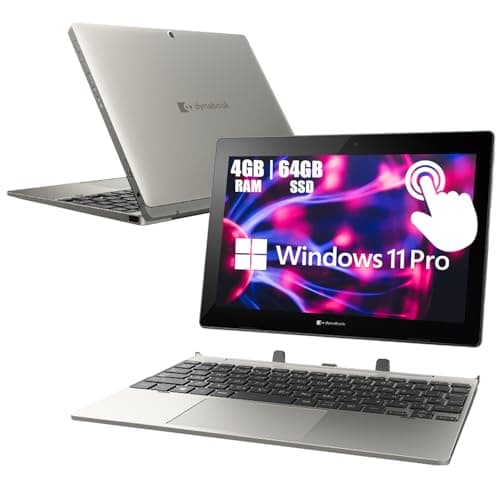
The Toshiba Dynabook K50 is a 10.1" 2-in-1 Windows tablet with a detachable keyboard, offering long battery life, a stylus-compatible touchscreen, and enterprise-grade security. Its modest Celeron processor, limited RAM and storage, and a low-resolution display keep it in the entry-level segment.
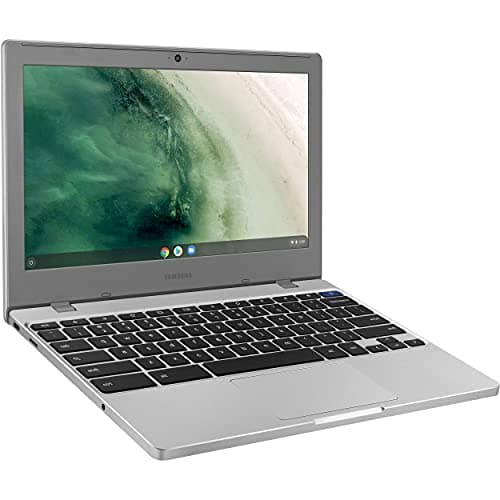
The Samsung Chromebook 4 is an 11.6" budget-friendly Chrome OS device with a durable build, long battery life, and modern ports. Its modest specs-4 GB RAM and 32 GB eMMC-make it best suited for web-centric tasks and students, while the lack of a touchscreen and limited storage may deter power users.
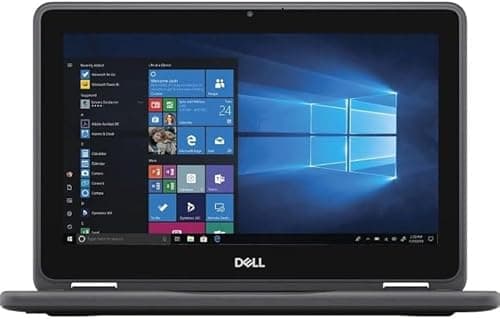
The Dell Latitude 3190 is a rugged, budget-friendly 2-in-1 netbook with solid battery life and a responsive touchscreen, but its low-resolution screen and limited RAM constrain performance.
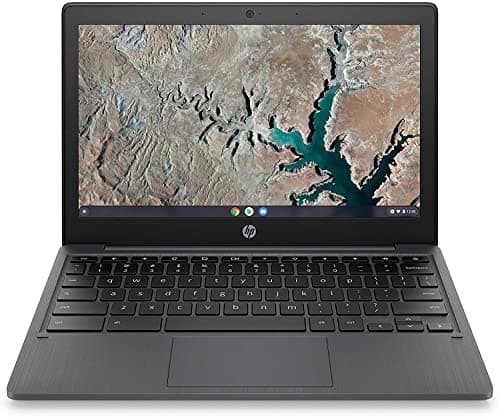
The HP Chromebook 11-inch offers a lightweight, anti-glare IPS display and solid battery life for basic web-based tasks, but its low-end MediaTek processor, limited RAM and storage keep it in the entry-level segment.
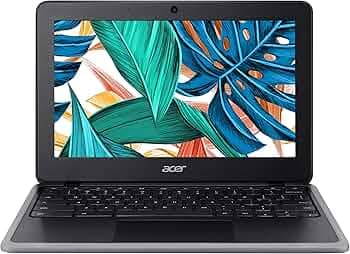
The Acer Chromebook 311 is a lightweight, budget-friendly Chrome OS device with solid battery life and dual USB-C ports, aimed at students and mobile users, though its limited storage and modest display color gamut keep it in the entry-level segment.
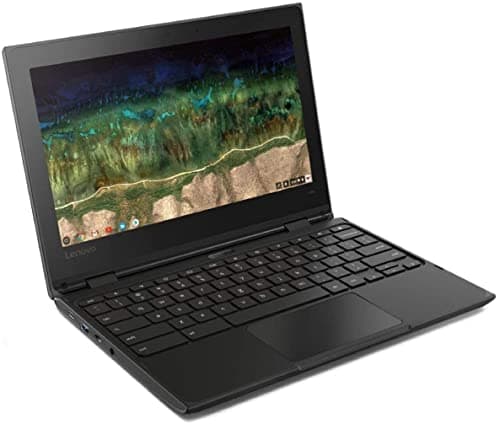
The Lenovo 500e Chromebook is a rugged 2-in-1 aimed at education, offering solid durability and long battery life but limited performance and a low-resolution display.
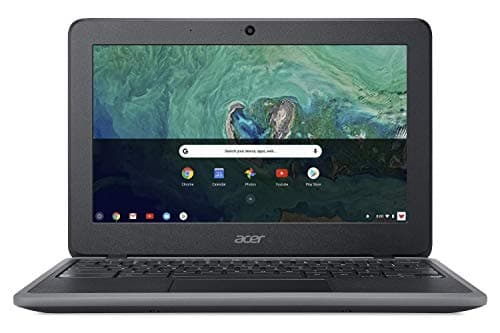
The Acer Chromebook 11 is a rugged, fanless 11.6" netbook with excellent battery life and solid build quality, aimed at education and light productivity. Its low-resolution display and limited storage keep it from more demanding tasks.
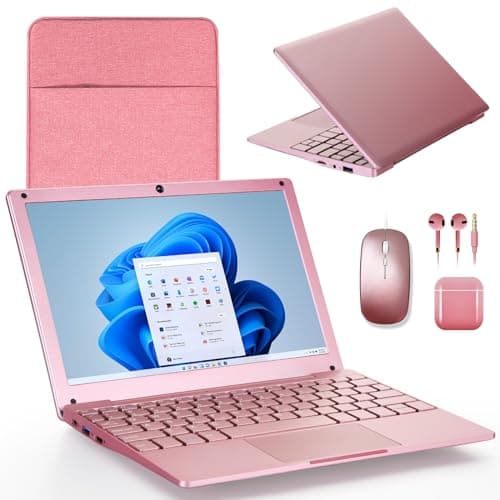
The G-Anica win11 Netbook is a budget-friendly 10-inch Windows 11 device with 8 GB RAM and 128 GB storage. It is ultra-portable and comes with a full accessory bundle, but its low-end Celeron CPU, modest TN display and short battery life limit productivity.
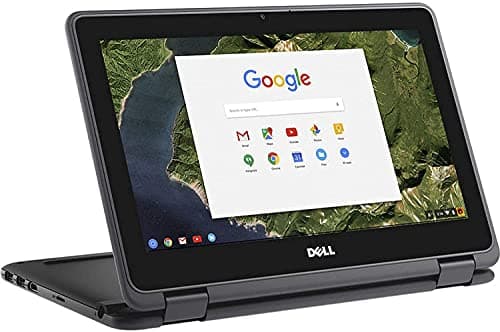
The 2021 Dell 11.6" Convertible Chromebook is a rugged, lightweight 2-in-1 with good battery life and a touchscreen, but its tiny 16 GB storage and modest performance make it suitable mainly for basic educational use.
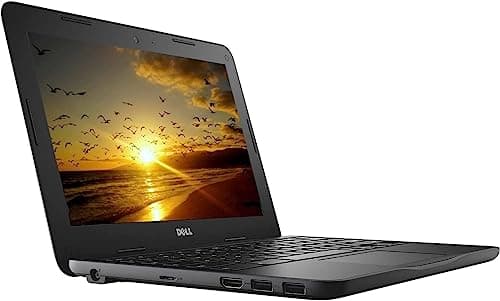
The Dell Chromebook 3180 is a rugged, budget-friendly 11.6" Chrome OS device with solid battery life and durability, but it suffers from limited RAM, storage, and a dim display.
The Lenovo 300e Windows 2nd-Gen is a rugged, education-focused 2-in-1 with solid battery life and flexible usage modes, though its low-resolution screen and modest specs keep it in the entry-level segment.
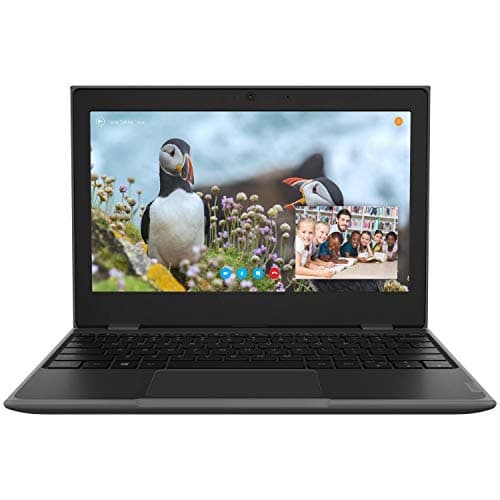
The Lenovo 100e is a rugged 11.6" netbook with solid battery life and USB-C versatility, but its modest RAM, low-resolution screen, and limited storage keep it in the entry-level segment.
| Attribute | | | | | Lenovo 300e | | | | | | | |
|---|---|---|---|---|---|---|---|---|---|---|---|---|
11.6 inchesbest | 11.6 inchesbest | 11.6 inchesbest | 11.6 inchesbest | 11.6 inchesbest | 11.6 inchesbest | 11.6 inchesbest | 10 inches | 11.6 inchesbest | 11.6 inchesbest | 11.6 inchesbest | 10.1 inches | |
8.97 hours | 12 hours | 12.5 hours | 11 hours | 10 hours | 10 hours | 11 hours | 5 hours | 10 hours | 11 hours | 10 hours | 16 hoursbest | |
8best | 2 | 2 | 4 | 4 | 2 | 4 | 2 | 2 | 2 | 2 | 2 | |
| ↓ lower better | 1.07 kg | 1.352 kg | 1.678 kg | 0.907 kgbest | 1.35 kg | 1.86 kg | 1.361 kg | 1 kg | 0.998 kg | 2.02 kg | 1.07 kg | 1.179 kg |
4 GB | 4 GB | 4 GB | 8 GBbest | 8 GBbest | 4 GB | 4 GB | 8 GBbest | 4 GB | 4 GB | 4 GB | 4 GB | |
32 GB | 32 GB | 32 GB | 128 GBbest | 128 GBbest | 16 GB | 32 GB | 128 GBbest | 64 GB | 16 GB | 32 GB | 64 GB | |
| ↓ lower better | 16.8 mm | 22 mm | 76.2 mm | 21.25 mm | 25.4 mm | 21.1 mm | 76 mm | 76.2 mm | 19.8 mm | 22 mm | 18.1 mm | 12.7 mmbest |
1 | 2best | 1 | — | 1 | — | 1 | 1 | 1 | 1 | 2best | 1 |
Click an attribute name to sort · Green = best, red = worst (relative to this comparison)
| Attribute | | | | | Lenovo 300e | | | | | | | |
|---|---|---|---|---|---|---|---|---|---|---|---|---|
Software(1) | ||||||||||||
Operating System | Chrome OS | Chrome OS | Chrome OS | Windows 10 Pro | Windows 10 Pro | Chrome OS | Chrome OS | Windows 11 | Windows 10 Pro | Chrome OS | Chrome OS | Windows 11 Pro |
Display(3) | ||||||||||||
Display Size (inches) | 11.6 inches | 11.6 inches | 11.6 inches | 11.6 inches | 11.6 inches | 11.6 inches | 11.6 inches | 10 inches | 11.6 inches | 11.6 inches | 11.6 inches | 10.1 inches |
Display Resolution | 1366x768 | 1366x768 | 1366x768 | 1366x768 | 1366x768 | 1366x768 | 1366x768 | 1280x800 | 1366x768 | 1366x768 | 1366x768 | 1280x800 |
Touchscreen | true | false | false | true | true | false | true | — | false | true | false | true |
Build & Design(2) | ||||||||||||
Weight (kg) | 1.07 kg | 1.352 kg | 1.678 kg | 0.907 kg | 1.35 kg | 1.86 kg | 1.361 kg | 1 kg | 0.998 kg | 2.02 kg | 1.07 kg | 1.179 kg |
Thickness (mm) | 16.8 mm | 22 mm | 76.2 mm | 21.25 mm | 25.4 mm | 21.1 mm | 76 mm | 76.2 mm | 19.8 mm | 22 mm | 18.1 mm | 12.7 mm |
Performance(6) | ||||||||||||
Processor Model | MediaTek MT8183 | Intel Celeron N3350 | Intel Celeron N4000 | Intel Pentium Silver N5030 | Intel Celeron N4120 | Intel Celeron N3060 | Intel Celeron N3450U | Intel Celeron N4020 | Intel Celeron N4020 | Intel Celeron N-series | Intel Celeron N4020 | Intel Celeron N4020 |
Processor Cores | 8 | 2 | 2 | 4 | 4 | 2 | 4 | 2 | 2 | 2 | 2 | 2 |
RAM Capacity (GB) | 4 GB | 4 GB | 4 GB | 8 GB | 8 GB | 4 GB | 4 GB | 8 GB | 4 GB | 4 GB | 4 GB | 4 GB |
RAM Type | LPDDR4/LPDDR4x | LPDDR4 | LPDDR4 | DDR4 | LPDDR4 | LPDDR3 | LPDDR4 | DDR4 | LPDDR4 | DDR3L | LPDDR4 | DDR4 |
Storage Capacity (GB) | 32 GB | 32 GB | 32 GB | 128 GB | 128 GB | 16 GB | 32 GB | 128 GB | 64 GB | 16 GB | 32 GB | 64 GB |
Storage Type | eMMC | eMMC | eMMC | SSD | SSD | eMMC | eMMC | eMMC/HDD/SSD | eMMC | eMMC | eMMC | eMMC |
Connectivity(4) | ||||||||||||
Wi‑Fi Standard | 802.11ac | 802.11ac | 802.11ac | Wi‑Fi 5 | Wi‑Fi 5 | Wi-Fi 5 | Wi-Fi 6 | 802.11b/g/n | Wi‑Fi 5 | 802.11ac | Wi‑Fi 5 | 802.11ac |
Bluetooth Version | 4.2 | 4.2 | 4.0 | 4.2 | 5.0 | 4.0 | 5.1 | 4.2 | 5.0 | 4.0 | 5.0 | 5.0 |
USB‑C Ports | 1 | 2 | 1 | — | 1 | — | 1 | 1 | 1 | 1 | 2 | 1 |
HDMI Port | — | false | true | true | true | true | true | true | true | true | — | true |
Battery & Power(2) | ||||||||||||
Battery Life (hours) | 8.97 hours | 12 hours | 12.5 hours | 11 hours | 10 hours | 10 hours | 11 hours | 5 hours | 10 hours | 11 hours | 10 hours | 16 hours |
Warranty Period (months) | 12 months | 3 months | 3 months | 3 months | 3 months | 3 months | 3 months | — | 3 months | 3 months | — | 3 months |
Products in the top-left offer the best value (high score, low price).
Professional reviewers view the HP Chromebook 11a as a solid budget option for light use, commending its portability and display, while criticizing its underpowered processor, limited RAM/storage and short real-world battery life.
Everyday users appreciate the Chromebook's light weight, clear screen and convenient ports, but complain about sluggish performance with multiple tabs, insufficient internal storage and a cheap-feeling plastic build.
“budget Chromebook with limitations.”
“It's fine for light use, but not for students or professionals with heavy workloads.”
“The screen is clear and readable in classrooms or bright rooms.”
Professional reviewers praise the battery life, keyboard and durability, but note the dim display, modest graphics and the end of OS updates as drawbacks.
Users love the long battery life and durability, while complaining about the narrow-view display and lack of USB-C charging.
Professional reviewers commend the Chromebook 4 for its solid web performance, long battery life, and rugged build quality, noting the Intel Celeron N4020 and 4 GB of RAM as a clear upgrade over earlier models. However, they criticize the lack of upgradable memory and the modest eMMC storage.
Everyday users praise the device's portability, all-day battery, and spill-resistant keyboard, especially for students and travel. Common complaints focus on limited RAM and storage, a dim TN display, and the inability to run non-Chrome OS applications.
Professional reviewers view the Latitude 3190 as a well-built, no-frills convertible that excels in durability and value for basic computing, while noting the low-resolution screen and limited RAM as significant constraints.
Everyday users appreciate the solid condition, quick boot times, responsive touchscreen, and portability, but many report hardware reliability issues in refurbished units, keyboard defects, and battery inconsistencies.
Professional reviewers agree the Lenovo 300e (2nd Gen) excels as a rugged, affordable device for education, emphasizing durability, Pencil Touch input, and long battery life, while noting modest performance and limited storage as acceptable trade-offs.
Everyday users and educators praise the laptop for surviving harsh classroom conditions, providing all-day battery life, and enabling easy note-taking with a regular pencil; common complaints target the small, low-resolution screen and limited storage capacity.
Reviewers praise its rugged construction, port selection and battery life, while noting modest processing power and limited storage.
Users appreciate durability and battery life, but often complain about the small storage capacity and dim screen.
Professional reviewers praise its durability, battery life, and stylus support, while noting the low-resolution screen, modest performance, and weak audio.
Users love the ruggedness and battery life but complain about the dim, low-resolution screen and poor speaker quality.
Professional reviewers rate the G-Anica netbook extremely poorly, citing an outdated Celeron processor, low-quality TN display, limited storage and fragile construction.
Everyday users are split: some appreciate its tiny footprint, light weight and bundled accessories, praising it as a suitable starter laptop for children or as a travel companion. However, many complain about power-on failures, short battery life, sluggish performance and keyboard issues, resulting in an average rating of about 2.75 / 5.
Professional reviewers praise the 100e for its rugged construction, classroom-ready features, and versatile USB-C connectivity, while noting limited performance due to the Celeron processor and 4 GB RAM.
Everyday users appreciate the sturdy design and long battery, but complain about sluggish multitasking and the dim, low-quality screen.
Reviewers praise its durability and long battery, while noting the entry-level CPU and tiny storage keep it limited to light web tasks.
Users like the durability and touchscreen versatility, but complain about the tiny internal storage and sluggishness with many tabs.
Reviewers highlight the Chromebook 311's snappy performance, excellent battery life and dual USB-C ports, while noting limited storage, muted colors and a plastic chassis as drawbacks.
Users appreciate the light weight, long battery and responsive Chrome OS experience, but frequently mention the cramped 32 GB storage and lack of a backlit keyboard as pain points.
Professional reviewers view the Dynabook K50 as an entry-level, secure Windows tablet that delivers solid build quality and portability for field workers or students, while noting limited performance and a small screen.
Everyday users praise the K50's light weight, long battery life, sturdy feel and functional stylus support, but complain about cramped storage, sluggish performance with many tabs, dim display, and the Japanese keyboard layout.
