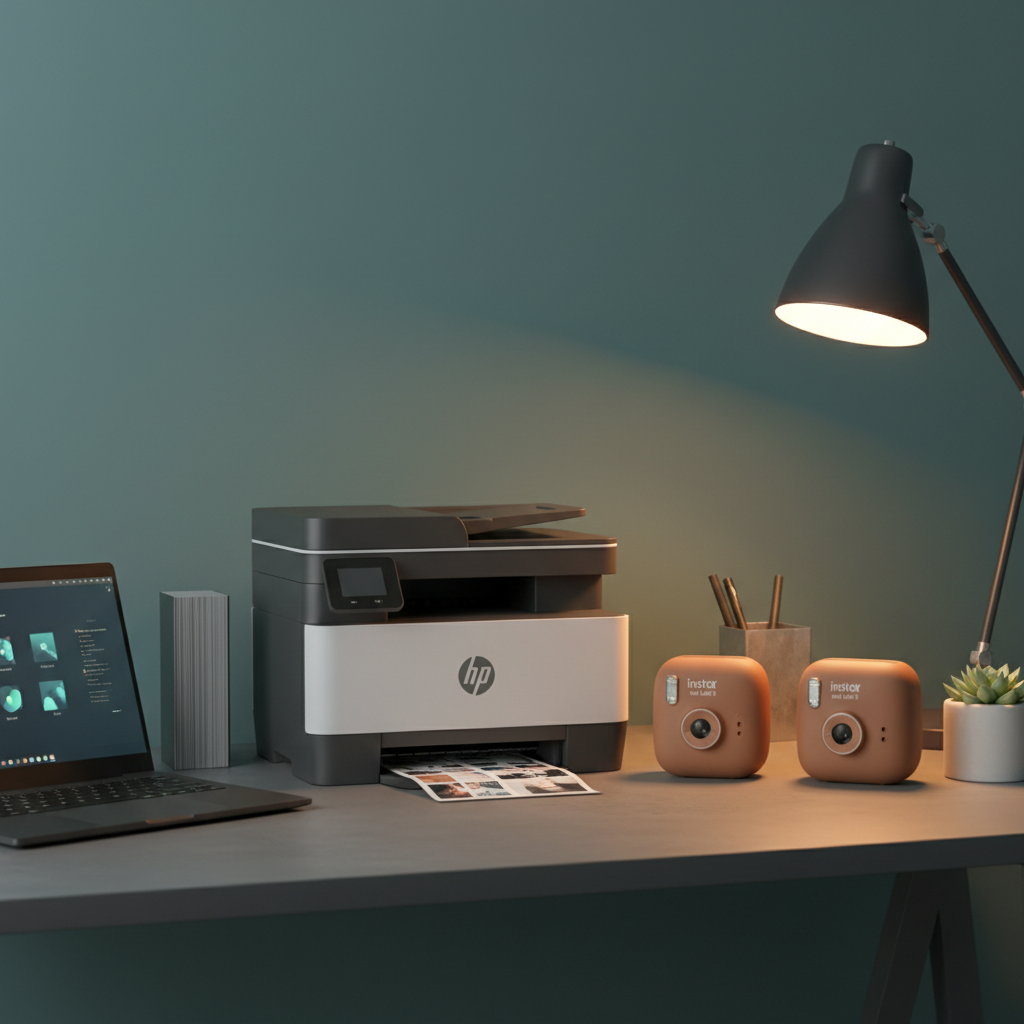
We compared 12 printers that all sit under $200, pulling from the three price tiers the brand offers. The budget tier includes the HP DeskJet 2827e at $39.99 and the Fujifilm Instax Mini Link 3 at $99.80, while mid‑range models like the Brother MFC‑J1360DW sit around $110. Premium options such as the HP Envy Photo 7975 cost $139.89.
If you need a reliable workhorse for homework, recipes and occasional photos, the HP Envy Photo 7975 wins with a 2.7‑inch display, 13 ppm black copy speed and a 4.0‑star rating from nearly 4,000 reviewers. For spontaneous snapshots on the go, the Instax Mini Link 3 shines—its 0.1‑pound body, Bluetooth 5.1 connection and up to 100 prints per charge earned it a 4.8‑star rating. And for pure value, the DeskJet 2827e delivers Wi‑Fi, a 60‑sheet tray and 5.5 ppm color speed at just $39.99, and it has a 4.0‑star score.
Below you’ll find a deeper look at each model, so you can match the printer that fits your desk, backpack or creative workflow.

HP Envy Photo 7975
Its 13 ppm copy speed delivers solid performance for everyday printing needs.

Fujifilm Instax Mini Link 2
Ideal for instant‑photo fans who want a proven, high‑quality printer, and it’s just $0.06 more than the Top Pick at $139.95.

Fujifilm Instax Mini Link 3 Clay White
Offers a lower price of $99.80 and draws just 3 W, making it the most energy‑efficient, budget‑friendly option.
Also considered
Score Analysis
Key score advantages vs. runner-up (Fujifilm Instax Mini)
Price Range
HP Envy Photo 7975
$139.89
Fujifilm Instax Mini Link 2
$139.95
Fujifilm Instax Mini Link 3 Clay White
$99.99

HP DeskJet 2827e
$39.99

Brother Work Smart 1360
$109.98

HP OfficeJet Pro 8125e
$129.89

Polaroid Hi-Print 2nd Generation
$109.99

Kodak Mini 2 Retro
$99.99

Canon MegaTank G3270
$159.00

Canon PIXMA TR4720
$69.00

Epson EcoTank ET-2400
$159.00
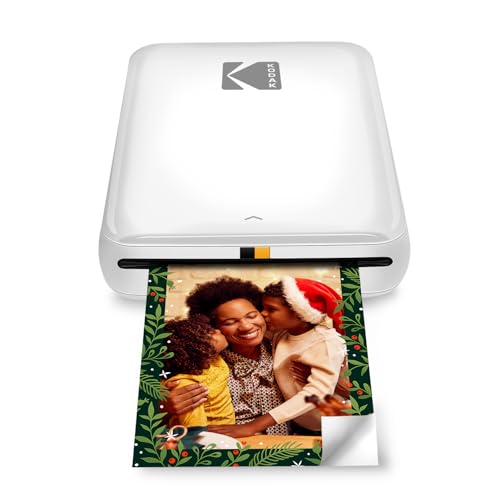
Kodak Step White
$72.99
Spec Comparison
TL;DR: For $139.89 the HP Envy Photo 7975 delivers 4800 × 1200 dpi color prints, a 2.7‑in touchscreen, and automatic duplex in a compact 17.9‑lb all‑in‑one.
The standout spec pairs 4800 × 1200 dpi maximum color resolution with a 2.7‑in color touchscreen that lets you select settings without a computer. AI‑enabled printing and a dedicated photo tray further boost photo quality, while the printer can output a borderless 8.5 × 11 in photo in about 1.67 minutes per page. Print speeds sit at 15 ppm black and 10 ppm color, and copies run at 13 ppm black and 6 ppm color.
Compared with the other eleven entries, the Envy 7975 is heavier than the feather‑light Fujifilm Instax Mini Link 2 Clay (1.0 lb) and the Kodak Mini 2 (0.44 lb), but its 17.9‑lb chassis is on par with the HP OfficeJet Pro 8125e (≈17.6 lb). Its footprint (383 mm × 233 mm × 460 mm) is larger than the Instax’s 231 mm cube, yet still fits comfortably on a dorm desk. The 2.7‑in touchscreen matches the OfficeJet 8125e, while the Brother MFC‑J1360DW offers a smaller 1.8‑in non‑touch display. Memory is 256 MB, half of the OfficeJet’s 512 MB, and both share a 35‑sheet automatic document feeder.
Reviewers consistently praise the quiet operation, easy wireless setup via the HP Smart app, and the sharp text quality that professional testers call “very good.” Users also like the compact design and the ability to print photos directly from phones. The main complaints revolve around the 1.67‑minute photo print time, which feels sluggish for larger batches, and the relatively low cartridge yields—200 pages black and 165 pages color—making the cost per page higher for heavy users. The single tri‑color cartridge design means you replace the whole set even if only one color runs out.
Beyond the headline specs, the Envy 7975 supports media up to 280 lb basis weight, handles borderless 8.5 × 11 in prints, and offers a 1000‑page monthly duty cycle with a recommended volume of 300‑400 pages. Power consumption stays modest at 14 W when active, 0.8 W in sleep, and just 0.07 W when manually off, while the first page emerges in 0.37 minutes.
Pros
Cons
Best for: College students or home office users who need a quiet, space‑saving printer for documents and occasional photos.
Avoid if: You run a high‑volume office or require professional‑grade photo speed and ultra‑low ink cost.
“I would not recommend this to a friend.”
“Versatile for students and home users.”
TL;DR: The Fujifilm Instax Mini Link 2 prints 2×3‑inch photos in about 15 seconds, runs up to 100 shots on a charge, and ships with two film packs for $139.95.
The Mini Link 2’s standout feature is its Bluetooth 5.1 connectivity paired with a 15‑second printing time, letting you send images from a smartphone and get a physical photo almost instantly. It can produce roughly 100 prints on a single 1.5‑2.0‑hour charge, and each print measures 62 mm × 46 mm on genuine Instax Mini film.
At 1.0 pound, this printer is far lighter than the HP Envy Photo 7975 or HP OfficeJet Pro 8125e, which weigh well over 17 pounds each, yet it’s a bit heftier than the ultra‑light Kodak Mini 2 at around 0.44 pound. Priced at $139.95, it sits in the same price band as the HP Envy Photo 7975 but offers a portable, instant‑photo experience that the bulkier office models can’t match. The bundle includes two Instax Mini Twin Film Packs (20 exposures each), giving you 40 shots right out of the box.
Reviewers consistently praise the authentic film quality, noting that the real Instax Mini film delivers crisper detail and truer colors than many Zink‑based rivals. The 256‑level per‑color RGB printing and 12.5 dots/mm (318 dpi) resolution reinforce that picture quality, earning a 4.5‑star rating for image results. Users also love the quick setup—Bluetooth 5.1 pairs in seconds and the USB‑C cable (≈30 cm) charges the unit in just 1.5‑2.0 hours. On the downside, the printer lacks a built‑in AC adapter, so you’ll need an external USB power source, and the starter packs include only the film, so you must buy more later. Some users mention that on‑screen color previews can differ from the printed output, and the companion app may lag with larger video files.
Pros
Cons
Best for: Buyers willing to invest in a proven, high‑quality option
Avoid if: You're on a tight budget or only need basic functionality
“Quick and easy to use”
“Makes trips more memorable”
TL;DR: The Fujifilm Instax Mini Link 3 prints 2×3 in photos in about 15 seconds, offers Bluetooth 5.1, and delivers roughly 100 prints per charge for just $99.80.
The standout spec is its Bluetooth 5.1 (BLE) connection, which reviewers say pairs faster and stays more reliable than the older Link 2. Coupled with a 15‑second printing time, you can hand a fresh instant photo to a friend almost as soon as you snap it. The internal lithium‑ion battery delivers approximately 100 prints per charge, and a full recharge takes just 1.5–2.0 hours via the supplied USB‑C cable.
At 0.1pounds, the Mini Link 3 is noticeably lighter than the Kodak Mini 2’s 0.440924524pounds and the Polaroid Hi‑Print 2nd Gen’s 0.7495716908Pounds. Its 100‑print battery life also dwarfs the 20‑print capacity of both the Kodak Mini 2 and the Polaroid Hi‑Print, while the Kodak Step White manages only 25 prints per charge and consumes 7.4 watts—more than double the Mini Link 3’s 3 W power draw. In short, it’s the most portable and longest‑lasting option among the dozen budget printers under $200.
User sentiment highlights the Mini Link 3’s compact size (≈210 g) and playful software features like AR effects, QR‑code videos, and Remote Live View, which users praise for group shots and vlogging. Professional reviewers note the upgraded Bluetooth 5.1 and richer app toolkit as genuine improvements. Common complaints revolve around occasional color‑balance quirks that may need manual brightness tweaks, and the fact that the printer relies entirely on the Instax mini app—some users find the app a bit sluggish or miss a built‑in power adapter.
Technically, the printer pushes a 12.5 dots/mm resolution (318 dpi) onto 86 × 54 mm Instax Mini film, delivering a 62 × 46 mm image area. It supports JPEG, PNG, HEIF, and DNG files up to 800 × 600 pixels, and each print uses 256 RGB levels for decent colour depth. The device also includes LED indicators, a shutter button on the printer, and QR‑code integration for quick video‑still prints.
Pros
Cons
Best for: Travelers, casual event photographers, and social‑media creators who want a well‑reviewed, portable instant printer.
Avoid if: You need high‑volume, professional‑grade printing or a completely standalone device without a smartphone app.
“Quick and easy to use”
“Makes trips more memorable”
TL;DR: The HP DeskJet 2827e delivers AI‑enhanced color printing, Wi‑Fi connectivity and a compact, eco‑friendly design for just $39.99, making it a solid entry‑level choice for light home use.
The standout feature is HP’s AI‑enabled formatting that automatically trims web pages and emails before printing, helping you avoid wasted pages. The printer prints up to 7.5 ppm in black and 5.5 ppm in color, with a first‑page out time of 19 seconds, and it supports 1200 × 1200 dpi black resolution and 4800 × 1200 dpi color resolution.
Compared with the other eleven options, the DeskJet 2827e weighs noticeably less than the Canon PIXMA TR4720 (12.7 lb) and the Brother MFC‑J1360DW (16.8 lb), yet it weighs more than ultra‑portable models like the Kodak Step White (≈0.15 lb) and the Polaroid Hi‑Print 2nd Gen (≈0.75 lb). Its 11.97 in depth matches the Canon’s 11.7 in closed depth, but its 60‑sheet input tray holds fewer sheets than the Canon’s 100‑sheet capacity. Copy speed for color (3 cpm) trails the Canon’s 4.4 cpm and is similar to the Brother’s 3.5 cpm, while the maximum of nine copies per run is far lower than the Canon’s 200‑copy limit.
Users consistently praise the hassle‑free setup via the HP Smart app, the reliable 2.4 GHz Wi‑Fi connection, and the printer’s green credentials—60 % recycled plastic, Energy Star and EPEAT certifications. Reviewers also note the compact footprint (16.7 × 11.97 × 6.06 in) and the convenient icon‑based LCD. On the downside, the forced use of genuine HP cartridges (120‑page black, 100‑page tri‑color yields) raises long‑term ink costs, and the manual duplex requires a paper re‑feed. Professional reviewers highlighted the AI formatting as a smart way to keep prints tidy, while some consumers lament the slower speeds and lack of an automatic duplex or ADF.
Pros
Cons
Best for: Entry-level buyers or those on a tight budget
Avoid if: Reliability and user satisfaction are your top concerns
“Good quality color printer for everyday tasks”
“one of the most anti‑consumer things I’ve seen – permanently disables remanufactured/third‑party cartridges”
TL;DR: The Brother MFC-J1360DW prints up to 16 ppm black and 9 ppm color, offers automatic duplex printing, and fits a small office for $109.98.
What really sets this model apart is its all‑in‑one speed and duplex capability. It can pump out up to 16 pages per minute in black and 9 pages per minute in color, while automatically printing two‑sided on standard 8.5" × 11" paper. The 1.8‑inch color LCD, although non‑touch, lets you glance at status and make basic selections without opening the front panel. Starter cartridges promise roughly 200 pages per color, giving you a decent first‑print run before you need to restock.
Compared with the other eleven entries, the Brother sits in a sweet spot for size and price. It’s lighter than the HP OfficeJet Pro 8125e (which tips the scales at over 17 pounds) yet considerably heavier than ultra‑portable options like the Kodak Mini 2 or Fujifilm Instax Mini Link 3 Clay, which weigh under half a pound. Its 20‑sheet ADF is smaller than the 35‑sheet feeder on the HP OfficeJet Pro 8125e, but still more useful than the single‑sheet feeds on many portable printers. The 1.8‑inch display is also smaller than the 2.7‑inch touchscreen found on the HP OfficeJet Pro 8125e, meaning on‑device navigation is more limited.
Users consistently praise the hassle‑free wireless setup via the Brother Mobile Connect app and the broad cloud‑printing support for Google Drive, Dropbox, Box and OneDrive. Reviewers highlight the automatic duplex printing and built‑in ADF as rare conveniences in this price range. On the flip side, reviewers flag the relatively high cost of LC501 cartridges and note that the plastic housing feels less premium than metal‑cased rivals. The small, non‑touch screen can make menu browsing feel cramped, and many complain about the lack of automatic duplex scanning when scanning multi‑page documents.
The machine carries ENERGY STAR certification and an EPEAT Silver rating, which can matter for environmentally conscious buyers. Its connectivity suite includes Wi‑Fi 802.11 b/g/n, Wi‑Fi Direct, USB 2.0, AirPrint, and Mopria, covering almost any device you might own. With a monthly duty cycle of up to 2,000 sheets and a maximum of 99 copies per job, it handles light‑to‑moderate office workloads without breaking a sweat.
Pros
Cons
Best for: Most users seeking a balanced, mainstream option
Avoid if: You need advanced features or professional‑grade performance
TL;DR: The HP OfficeJet Pro 8125e offers fast black‑text printing, a large 225‑sheet tray and a 2.7‑inch touchscreen for under $130, but its color speed and photo quality lag behind competitors.
This all‑in‑one inkjet packs a 2.7‑inch color touchscreen and 512 MB of memory, letting you navigate settings and scan documents without a computer. Black‑text prints at up to 20 ppm, with the first page out in just 15 seconds, while color pages come out in 18 seconds at 10 ppm. The 225‑sheet main tray plus a 35‑sheet ADF give you plenty of room for office jobs.
Compared with other roundup entries, the OfficeJet Pro is a shade lighter than the HP Envy Photo 7975 but a bit heavier than the Brother MFC‑J1360DW. Its touchscreen is noticeably larger than Brother’s 1.8‑inch non‑touch display, and it provides Ethernet and dual‑band Wi‑Fi that the Fujifilm Instax Mini Link 2 and Kodak Mini 2 lack entirely. While the Instax models are portable photo printers, the OfficeJet delivers a full suite of paper handling options that those devices simply don’t offer.
Everyday users praise the straightforward HP Smart app setup, the crisp document quality professional reviewers highlight, and the quiet mode for late‑night work. Reviews note slow color printing, sub‑par photo output, and the lack of automatic duplex scanning on the ADF. Ink costs can also feel high unless you enroll in HP + or Instant Ink.
Pros
Cons
Best for: Most users seeking a balanced, mainstream option
Avoid if: You need high‑quality photo prints, fast color throughput, or automatic duplex scanning
“Setup was a breeze—even for non-tech users”
“Prints are sharp and professional-looking”
TL;DR: The Polaroid Hi‑Print 2nd Gen delivers vivid 2×3‑inch dye‑sublimation photos at 1200 × 1200 dpi, packs a 620 mAh battery for about 20 prints, and fits in your pocket for under $90.
The standout spec is its maximum print resolution of 1200 × 1200 dpi, which professional reviewers say gives “sharper, more vivid, fade‑resistant prints.” Each 2.1 × 3.4 in photo takes roughly 60 seconds, translating to a rated speed of 1 page per minute. The printer runs on a 620 mAh lithium‑ion battery that fully charges in 1 hour and delivers about 20 prints per charge.
Compared with the other eleven budget printers, the Hi‑Print is heavier than the Fujifilm Instax Mini Link 3 Clay (0.1 lb) and the Kodak Step White (0.1499 lb), but lighter than the full‑size Canon PIXMA TR4720. It offers fewer prints per charge than Fujifilm’s ~100‑print claim, matches Kodak Mini 2’s 20‑print capacity, and falls short of Kodak Step White’s 25‑print life. At $88.15 it sits below the $99.80 Fujifilm and $99.99 Kodak Mini 2, yet above the $72.99 Kodak Step White. Its 4.4/5 star rating trails Fujifilm’s 4.8/5 but edges out the Canon’s 3.9/5.
Everyday users love the printer’s pocket‑size convenience and the adhesive‑backed glossy paper that sticks to journals, planners, and event boards. Reviewers praise the compact form factor, quick 1 ppm output, and the dye‑sublimation process for color fidelity. Common complaints focus on the relatively high cost per print (around $0.85), the small 2×3‑inch format, and the lack of Wi‑Fi or onboard controls, which can make Bluetooth pairing feel finicky. Some owners report motor jams after a few years, so durability isn’t a strong suit.
Pros
Cons
Best for: Journal and planner enthusiasts who want thin, adhesive prints; travel photographers needing a lightweight, on‑the‑go photo printer.
Avoid if: You want the best value‑per‑dollar in its price range or need larger, high‑volume prints.
TL;DR: The Kodak Mini 2 prints 2.1 × 3.4 in laminated photos at 291 × 300 dpi, runs on a rechargeable battery for about 20 prints, and sells for $99.99.
The Mini 2’s standout feature is its 4PASS dye‑sublimation process, which produces color‑only prints at a resolution of 291 × 300 dpi on credit‑card‑sized (2.1 × 3.4 in) laminated paper. A single charge yields roughly 20 prints, and a full recharge takes 90 minutes via the included USB‑C cable.
At 0.440924524 pounds (200 g), the printer is heavier than the ultra‑light Fujifilm Instax Mini Link 3 (about 0.1 pounds) but far lighter than the office‑oriented Brother MFC‑J1360DW (16.8 pounds). Its 76 mm depth sits between the slim Kodak Step White (25 mm) and the bulkier Fujifilm model (125 mm). Battery life matches the Polaroid Hi‑Print 2nd Gen (20 prints per charge) but falls short of Fujifilm’s 100‑print claim and Kodak Step’s 25‑print capacity.
Reviewers consistently praise the vivid, water‑ and fingerprint‑resistant prints and the hassle‑free Bluetooth pairing through the Kodak Photo Printer app. Professional reviewers note the durability that the 4PASS layering provides. The most common complaints involve the limited 2.1 × 3.4 in print size, occasional cartridge or paper jams, and the modest battery life that requires frequent recharging for heavy use.
The printer feeds a single‑sided, non‑sticky photo paper that already includes lamination, eliminating the need for a separate coating step. Print speed ranges from 55 to 90 seconds per photo, and the device outputs only color images. The specs list no display, and Bluetooth is the only connectivity option, working with iOS and Android devices via the dedicated app.
Pros
Cons
Best for: Value‑conscious buyers seeking quality at $99.99
Avoid if: You need larger prints or high‑volume, continuous printing
“Truest colors and best clarity”
“So convenient, easy and fun to use”
TL;DR: The Canon MegaTank G3270 delivers ultra‑low‑cost printing with a 4‑tank system that yields about 6,000 black and 7,700 color pages, but it sits at $159.00 and prints at a modest 11 ipm black.
What really sets the G3270 apart is its four built‑in refillable ink tanks, which the manufacturer claims provide up to ~6,000 black and ~7,700 color pages before needing a refill. That translates to a running cost of roughly 0.3¢ per black page and 0.8¢ per color page, and both consumer and professional reviewers highlight the figure. The printer also offers a maximum print resolution of 4800 × 1200 dpi, ensuring sharp text and vivid photos on supported media.
In the context of this roundup, the G3270 is heavier than the Epson EcoTank ET‑2400 and the Fujifilm Instax Mini Link 2, but lighter than the HP Envy Photo 7975 and the HP OfficeJet Pro 8125e. Its copy speed of 11 copies/min (black) and 6 copies/min (color) outpaces the Epson’s 3.8 cpm color and the Brother MFC‑J1360DW’s 3.5 cpm color, while matching the HP models’ 6 cpm color rate. Paper capacity sits at 100 sheets of plain paper and 20 sheets of 4×6 cards, which is modest compared with larger office‑oriented units.
Users consistently praise the hassle‑free ink‑tank refills and the printer’s solid photo quality on glossy paper, noting that the wireless options—Apple AirPrint, Mopria, Canon PRINT apps, and Wi‑Fi Direct—make setup a breeze. Professional reviewers echo the low per‑page cost and commend the text and graphics rendering, yet they flag the manual‑only duplex, the lack of an automatic document feeder, and the relatively slow 11 ipm black / 6 ipm color print speeds as trade‑offs. The acoustic noise level of 48.5 dBA and a compact footprint (13.2 lb) keep it suitable for home desks.
Pros
Cons
Best for: Those prioritizing quality and willing to pay for premium performance
Avoid if: You're shopping on a tight budget — it's priced at $159.00
“a touch above entry-level”
“worth every penny”
TL;DR: The Canon PIXMA TR4720 delivers sharp photo prints and automatic duplex at $69.00, but its color pages cost about 18 cents each and it prints color at just 4.4 ipm.
The standout feature is its built‑in 20‑sheet automatic document feeder paired with automatic two‑sided printing, letting you scan, copy, or fax multi‑page jobs without manual reloading. Print quality tops out at a maximum resolution of 1200 dpi, and the printer can handle heavy stock up to 300 # basis weight. Color pages run about 17.9 cents each, while monochrome pages are 8.2 cents, so you’ll see a noticeable ink cost if you print lots of color.
At $69.00 it sits above the $39.99 HP DeskJet 2827e but under the $109.98 Brother MFC‑J1360DW. It’s heavier than the HP’s 7.55 lb chassis yet lighter than Brother’s 16.8 lb unit, so it’s a middle‑weight option for a home office. Its color print speed of 4.4 ipm is faster than the Polaroid Hi‑Print’s 1 ppm borderless rate, though still modest compared with higher‑end models.
Users consistently praise the TR4720’s photo quality, noting realistic colors and crisp detail. The wireless setup via AirPrint, Mopria, and Canon’s app is straightforward, and ENERGY STAR® compliance keeps power draw low at 7 W max and 0.3 W in standby. On the downside, reviewers flag the 56.5 dBA noise level, the small non‑backlit 2‑line LCD, and the front‑flip paper tray that expands the depth to 16.2 in, which can crowd a tight desk.
Pros
Cons
Best for: Home users and small offices that want good photo quality and all‑in‑one functionality without a premium price.
Avoid if: You need high‑volume, fast color printing, or want to keep per‑page costs to a minimum.
“Best printer EVER!!! Incredible value for the money”
TL;DR: The Epson EcoTank ET-2400 costs $159.99, prints up to 5 ppm in color, and includes refillable ink that can produce 7,500 color pages, making it a low‑running‑cost all‑in‑one for home offices.
The standout spec is the supertank ink system: Epson ships the ET‑2400 with four T522 ink bottles that together promise 4,500 black and 7,500 color pages, and the manufacturer claims the ink can last up to 2 years in the box. That translates to far fewer cartridge changes compared with traditional inkjets.
Compared with the other 11 printers in this roundup, the ET‑2400 is noticeably lighter at 8.6 pounds, while models like the Canon MegaTank G3270, HP Envy Photo 7975, and Brother MFC‑J1360DW weigh 13 pounds or more. Its copy speeds of 3.8 cpm in color and 7.7 cpm in monochrome lag behind the Canon’s 6 cpm color and HP’s 6 ppm color, but they still meet basic home‑office needs. Unlike most peers, the ET‑2400 has no built‑in display, so you’ll rely on the Epson Smart Panel app or Alexa voice commands for setup and printing.
Users consistently praise the hassle‑free ink refills and the wireless printing options via Wi‑Fi, AirPrint, and the Epson Smart Panel app. Reviewers also note the solid text and photo quality for an entry‑level model. On the downside, several owners report occasional Wi‑Fi drops and app instability, and the manual duplex means you have to flip pages yourself. The lack of an automatic document feeder also limits multi‑page scanning or copying, which professional reviewers flag as a key trade‑off.
Pros
Cons
Best for: Home users and small home offices that need reliable color printing, appreciate low ink costs, and can work without an automatic duplex or document feeder.
Avoid if: You're shopping on a tight budget — it's priced at $159.99.
“Easy setup and great print quality for documents and photos.”
“Ink lasts forever — haven’t refilled in months.”
TL;DR: The Kodak Step White prints 2×3 in adhesive photos from your phone in about a minute, runs on a rechargeable battery for up to 25 shots, and stays under $80.
The standout feature of the Kodak Step White is its Zink (Zero Ink) technology combined with a built‑in lithium‑ion battery that delivers up to 25 prints per charge and prints at a rate of 1 ppm. At just 0.14991433816 pounds (68 g) and measuring only 25 mm × 76 mm × 51 mm, it truly fits in a pocket, making it ideal for on‑the‑go sharing.
Compared with the other eleven printers in this roundup, the Step is dramatically lighter than the Canon PIXMA TR4720, which tips the scales at 12.7 lb, and also lighter than the Polaroid Hi‑Print 2nd Gen at roughly 0.75 lb. Its 25‑print battery life exceeds the Polaroid’s 20‑print claim, though it's a bit heavier than the Fujifilm Instax Mini Link, listed at 0.1 lb. While many peers offer Wi‑Fi or USB connectivity, the Step relies solely on Bluetooth and NFC, so it lacks the desktop or laptop options found in the Canon, HP, and Brother models.
Users consistently praise the printer’s quick Bluetooth pairing, the intuitive Kodak Step Prints app, and the fun of instant, adhesive‑backed photos for parties or scrapbooks. Professional reviewers note the “fast printing under 60 seconds per photo” and commend the low operating cost. The most common complaints involve occasional thin white lines that require recalibration, a print quality that falls short of dye‑sublimation machines, and the restriction to Android and iOS devices only.
Technically, the printer delivers 300 × 300 dpi resolution in black‑and‑white and 313 × 400 dpi in color, with a 24‑bit per pixel color depth. It supports dual‑sided printing, holds up to 10 sheets of Zink paper in both the input and output trays, and works with media sized 2.2 × 3.4 in (standard 2 × 3 in prints). The included micro‑USB cable handles charging, and the device consumes 7.4 watts while printing.
Pros
Cons
Best for: Social‑event enthusiasts and scrapbook hobbyists who want instant, wallet‑friendly prints from a smartphone.
Avoid if: You need computer or USB connectivity, or you require gallery‑quality, dye‑sublimation‑level prints.
“about the size of a portable hard drive”
“still going strong several months later”
Breakdown
HP Envy Photo 7975
Pros
Cons
Fujifilm Instax Mini Link 2
Pros
Fujifilm Instax Mini Link 3 Clay White
Pros
HP DeskJet 2827e
Pros
Cons
Based on scoring data and product specs
Personalized picks
Best Overall Pick
HP Envy Photo 7975
Best OverallBest for: Audiophiles and enthusiasts seeking premium sound quality and advanced features
Fujifilm Instax Mini Link 2
Best for: Buyers willing to invest in a proven, high-quality option
$139.95+$0.06 vs winner
Skip Kodak Step White if…
You have limited desk space or need portability
We’re naming the HP Envy Photo 7975 the clear winner of our budget‑printer roundup. At $139.89 it undercuts many full‑size photo printers, while still delivering 15 ppm black and 10 ppm colour print speeds and a maximum colour resolution of 4800 × 1200 dpi. Its 2.7‑inch colour touchscreen and built‑in duplex printing make everyday tasks feel effortless, and the 4.0‑star rating from 3,974 reviewers shows solid user satisfaction.
The runner‑up spot goes to the Fujifilm Instax Mini Link 2 in Clay, perfect if you need instant, on‑the‑go photo prints for parties or travel. Priced at $139.95, it prints a 62 mm × 46 mm image in just 15 seconds and can produce about 100 prints per charge, thanks to its built‑in rechargeable battery. Its Bluetooth 5.1 connectivity and the included two Instax Mini Twin film packs (20 exposures each) make sharing physical photos a breeze.
For shoppers looking at other price points, our alternatives are:
Pick the HP Envy Photo 7975 today and enjoy reliable, high‑quality prints without breaking the bank.
The HP Envy Photo 7975 supports a main tray of 125 sheets, a separate photo tray for 15 sheets, and can print up to 8.5 × 11.7 in with borderless capability, plus it offers automatic duplex printing. By contrast, the HP DeskJet 2827e only holds 60 sheets, handles up to legal‑size paper, and requires manual re‑feed for two‑sided prints, making the Envy the more versatile choice.
Please sign in to leave a review
No reviews yet. Be the first to review!
