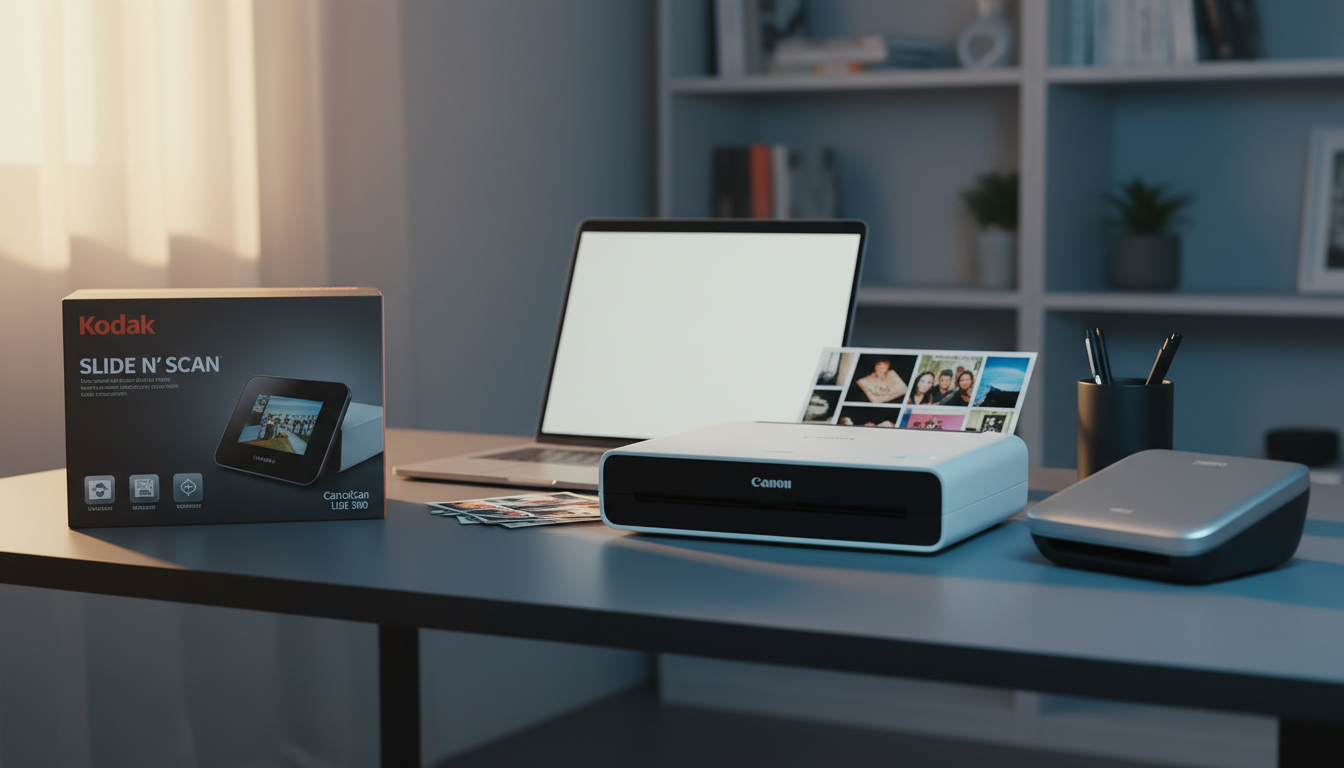
⚡ Quick Answer
Scanning photos, receipts, or old film can feel like a chore until you find the right tool. We’ve lined up 10 scanners that sit under the $200 ceiling, spanning everything from the $39.99 Kodak Mobile Film entry‑level unit to the $199.00 Plustek PS186 professional‑grade model. To keep things clear, we grouped them into budget (Kodak Mobile Film, Canon Canoscan Lide 300, Epson Perfection V19 II, Brother DS‑640), mid‑range (Epson WorkForce ES‑50, Epson Perfection V39 II) and premium (Kodak SCANZA, Doxie Go SE, Kodak Slide N SCAN, Plustek PS186) tiers.
Among the premium options, the Kodak Slide N SCAN stands out with a $189.99 price tag, a 4.4‑star rating from 12,124 reviewers, a 5‑inch LCD and 14 MP sensor for on‑the‑go film digitizing. The budget‑friendly Canon Canoscan Lide 300 costs $75.00, earns 4.2 stars from 6,925 users and offers USB 2.0 connectivity with four EZ buttons for one‑touch scans. If portability is key, the Epson WorkForce ES‑50 delivers USB‑powered sheet feeding for $129.00 and a 4.3‑star rating from 5,781 reviews. Each model brings its own mix of size, speed and feature set, so let’s break down how they perform in real‑world scenarios.

Kodak Slide N SCAN
Its compact 134 mm depth lets you scan slides and negatives without a bulky setup, delivering the high‑quality results that earned it top ratings.

Canon Canoscan Lide 300
Ideal for entry‑level users or tight‑budget hobbyists, the Canoscan Lide 300 comes in at $75.00—about $115 cheaper than the Best Overall model.

Epson WorkForce ES-50
At just 1.8 inches deep, the ES‑50 offers ultra‑portable scanning that the larger Kodak and Canon models can’t match, while staying within a mid‑range price of $129.00.
Also considered
Score Analysis
Key score advantages vs. runner-up (Canon Canoscan Lide)
Price Range
Kodak Slide N SCAN
$189.99
Canon Canoscan Lide 300
$75.00
Epson WorkForce ES-50
$159.99

Kodak SCANZA
$159.99

Epson Perfection V19 II
$99.99

Brother DS-640
$134.99

Doxie Go SE
$189.00

Epson Perfection V39 II
$119.99

Kodak Mobile Film
$39.99

Plustek PS186
$199.00
Spec Comparison
TL;DR: The Kodak Slide N SCAN packs a 5‑inch LCD, 14 MP sensor and adapters for 35 mm, 110 mm and 126 mm film into a 1.0‑pound, USB‑powered unit for under $200.
The standout feature is its built‑in 5‑inch LCD that lets you preview, edit colour and rotate scans without a computer. Coupled with a 14 MP (4320 × 3252) 1/2.33″ CMOS sensor, it delivers ready‑to‑view JPEGs straight from the device. Film adapters for 135 mm, 110 mm and 126 mm formats and a quick‑feeding tray mean you can digitise slides and negatives on the go.
Weighing just 1.0 pounds (454 g), the scanner beats the Doxie Go SE (1.18 pounds) and far outweighs the Plustek PS186 (3.66 pounds). Its 134 mm depth and 136 mm width keep it more compact than the Plustek’s 10.36‑inch depth and the Canon Canoscan Lide 300’s 368 mm depth, while it still offers a larger screen than the Kodak SCANZA’s 3.5‑inch display. No other device in this ten‑product roundup includes HDMI output or on‑device film handling, so Kodak’s offering stands out for analog media.
Users appreciate the “no‑PC” workflow, noting that the LCD and HDMI photo‑frame mode let families showcase scans on a TV instantly. Reviewers also praise the lightweight, portable design for hobbyists traveling to a friend’s attic to rescue old slides. The main complaints target the manual film feeding – swapping adapters for each format can slow a batch scan – and the 14 MP native resolution, which some professionals deem insufficient for large‑format prints. The scanner stores files on an SD/SDHC card up to 32 GB and draws power from USB 5 V/1 A, with optional adapter or power‑bank support.
Pros
Cons
Best for: Casual photographers, hobbyists and families who want an easy, portable way to digitise 35 mm, 110 mm and 126 mm film.
Avoid if: You need professional‑level resolution, automatic film feeding, or large‑format batch processing.
TL;DR: The Canon CanoScan LiDE 300 offers 2400 × 2400 dpi flatbed scanning in a compact, USB‑powered package for $75.00, but lacks an automatic feeder and newer macOS support, making it best for occasional home use.
At the heart of the LiDE 300 is a 2400 × 2400 dpi optical resolution paired with 48‑bit color depth, delivering crisp scans of documents and photos up to A4/Letter size. The scanner also provides a selectable range from 25 dpi up to 19 200 dpi, so you can dial in the detail you need for anything from quick receipts to high‑resolution artwork.
With a list price of $75.00, it lands among the most affordable options in this ten‑product roundup, cheaper than the Epson Perfection V39 II and the Doxie Go SE. However, it weighs 3.6 pounds and measures 368 mm × 251 mm × 43 mm, making it heavier than ultra‑light peers like the Brother DS‑640 and the Epson Perfection V19 II, which sit around 1 pound and 3.1 pounds respectively.
Users consistently praise the LiDE 300’s compact footprint and the four one‑touch EZ buttons that streamline PDF creation, copying, and cloud sending. Professional reviewers note the quick ~10‑second A4 color scan at 300 dpi, while many users mention the inconvenience of having to load each page manually because the unit lacks an automatic document feeder. macOS support ends at version 10.13, which frustrates owners of newer Macs.
The scanner runs entirely off a single USB 2.0 High‑Speed Mini‑B cable, drawing about 4.5 W during operation and only 0.3 W on standby. Its CIS (Contact Image Sensor) and 3‑color RGB LED light source keep power draw low while delivering the high image quality of the 2400 dpi optics.
Pros
Cons
Best for: Entry-level buyers or those on a tight budget
Avoid if: You want the best value‑per‑dollar in its price range
TL;DR: The Epson WorkForce ES-50 is an ultra‑compact, USB‑powered scanner that delivers 600 dpi color scans at 10 ppm, weighing just 0.59 lb and fitting in any travel bag.
At just 0.59 pounds, the ES‑50's one of the lightest scanners in the lineup. Its footprint measures 1.8 inches deep, 1.3 inches high and 10.7 inches wide, so it slides onto a desk or into a bag without crowding your workspace. Powered directly from a USB‑2.0 connection, it needs no wall adapter, and its sheet‑fed design handles documents up to 8.5 × 72 inches. Optical resolution sits at 600 dpi, while the simple‑x speed reaches 10 pages per minute and effective duplex speed is 1.6 pages per minute.
In practice, the ES‑50 is markedly lighter than the Epson Perfection V39 II (3.1 lb) and the Brother DS‑640 (1.029 lb), and far more portable than flat‑bed options like the Canon Canoscan Lide 300 (3.6 lb). Its depth of 1.8 inches also undercuts the bulkier Kodak SCANZA and Plustek PS186, which sit at 120 mm and 10.36 inches deep respectively. While the Brother DS‑640 can push 16 ppm on high‑res color scans, the ES‑50’s 10 ppm simplex speed is respectable for a device that prioritises size over raw throughput.
User sentiment repeatedly praises the one‑touch scanning button and the reliable OCR that turns receipts into editable text, noting it outperforms many phone‑app alternatives. Professional reviewers highlight the ultra‑compact chassis and solid 600 dpi output, but they also point out the lack of automatic duplex scanning and the slower manual handling required for multi‑page jobs. Some users report color scans looking a bit oversaturated, which aligns with expert notes about limited photo‑resolution capability.
Beyond portability, the ES‑50 includes auto‑skew correction, an automatic feed mode that lets you slide pages without pressing start each time, and support for color, grayscale and black‑and‑white scans. Epson’s ScanSmart software and built‑in TWAIN driver work on both Windows and macOS, and the included OCR feature makes digitizing business cards and receipts straightforward.
Pros
Cons
Best for: Mobile professionals, travelers, and home users who need quick, occasional scans of single sheets.
Avoid if: You require high‑volume duplex scanning, wireless connectivity, or high‑resolution photo digitizing.
“fits in bags, survives cold weather/truck use”
“perfect handling of varied paper without jams”
TL;DR: Kodak SCANZA is a compact, standalone film scanner that digitizes 35mm, 126, 110, Super 8 and 8mm negatives at up to 22 MP, scanning each 35mm frame in under two seconds.
Its scanning speed, under 2 seconds per 35mm frame, stands out, paired with a maximum resolution of 22 MP and a 14 MP CMOS sensor. A 3.5‑inch color TFT LCD lets you adjust brightness and color on the fly, and the device runs on USB power or an optional AC adapter, storing files directly to an SD card up to 128 GB.
At 1.0 lb (454 g), the SCANZA matches the weight of Kodak’s Slide N SCAN and is lighter than the Doxie Go SE (1.18 lb) while being heavier than the Epson WorkForce ES‑50 (0.59 lb). Its 120 mm depth and 127 mm height make it more compact than the Plustek PS186’s 10.36‑inch depth, though its 3.5‑inch screen is smaller than the Slide N SCAN’s 5‑inch display. Like the Slide N SCAN, it includes HDMI output, a feature many flatbed rivals such as the Epson V19 II lack.
Reviewers love rapid digitization and the ability to handle a wide range of legacy formats – from 35mm to Super 8 – without a computer. However, users note that aligning each frame can be fiddly, and the on‑device brightness and color sliders are basic, often prompting users to switch to external editing software. The bundled accessories (USB power cable, HDMI cable, AC adapter, video cable, and film cleaning brush) cover most common film casings, reinforcing its appeal for hobbyist collectors.
Pros
Cons
Best for: Those prioritizing quality and willing to pay for premium performance
Avoid if: You're on a tight budget or only need basic functionality
TL;DR: The Epson Perfection V19 II scans at 4800 dpi, fits on a desk at 9.9 × 1.5 × 14.4 in, weighs 3.1 lb, and costs $89.99, making it a solid budget flatbed for photos and documents.
What really sets the V19 II apart is its 4800 dpi optical resolution, which lets you capture fine detail in photos and documents. It scans a single letter‑sized page at 300 dpi in about 10 seconds, and the flatbed handles items up to 11.7 in tall and 8.5 in wide—sizes that fit most home‑office needs while staying compact.
Compared with the other nine scanners in this roundup, the V19 II weighs more than the ultra‑light Brother DS‑640 and Epson WorkForce ES‑50, but less than the bulkier Canon Canoscan Lide 300. Its 4800 dpi resolution outstrips sheet‑fed rivals like Brother and Doxie Go SE, which top out at 600 dpi, and it matches the resolution of the higher‑priced Epson V39 II while costing less.
Users consistently praise the one‑touch PDF/OCR buttons and the Easy Photo Fix feature that restores faded colors with a single click. Professional reviewers note the fast 10‑second scan time and the value of built‑in OCR for searchable PDFs. The scanner runs entirely from a USB‑B 2.0 cable, includes a kickstand for vertical storage, and has a removable high‑rise lid for scanning books or albums.
Pros
Cons
Best for: Entry‑level buyers or those on a tight budget
Avoid if: You want the best value‑per‑dollar in its price range
“light and work like it should”
TL;DR: The Brother DS-640 delivers 600 DPI scans in just 3 seconds per page, packs OCR into a USB‑powered, pocket‑size body for under $110, but it lacks duplex capability.
Its 600 DPI optical resolution and 3‑second single‑page scan time capture crisp text and basic photos quickly. It runs entirely off a Micro USB 3.0 connection, so no external power brick is needed, and at 466.5 g (1.029 lb) it feels solid yet portable enough to slip into a laptop bag.
Compared with the nine other scanners in this roundup, the DS‑640 is heavier than the Epson WorkForce ES‑50 (0.59 lb) but lighter than the Epson Perfection V39 II (3.1 lb), Canon Canoscan Lide 300 (3.6 lb), and Kodak Slide N SCAN (1.0 lb). Its 35.56 mm height matches the ES‑50’s 1.3‑inch height, while its overall length of 302.26 mm makes it shorter than the Doxie Go SE (309.9 mm) and the Kodak SCANZA (120 mm depth, but taller overall). The DS‑640’s lack of duplex scanning puts it behind any model that lists automatic document handling, though most peers in this list also omit that feature.
Users consistently praise the scanner’s speed—especially the 3‑second page turn—and the built‑in OCR that creates searchable PDFs without extra software. Professional reviewers note the color accuracy for receipts and ID cards, while some users report occasional paper jams and the inconvenience of manually flipping double‑sided pages. Travelers and cramped home‑office desks benefit from the scanner’s USB‑only power design.
Pros
Cons
Best for: Budget‑conscious buyers seeking a reliable entry‑level option
Avoid if: You want the best value‑per‑dollar in its price range
“great little scanner... 3 seconds per page”
“clear images... no bulky all-in-one needed”
TL;DR: The Doxie Go SE is a compact, battery‑powered scanner that delivers 600 dpi color scans at 8 seconds per page, stores up to 8,000 pages internally, and weighs just 1.18 lb, making it a solid portable choice for on‑the‑go professionals.
The standout spec is its built‑in battery that handles roughly 400 pages per charge, letting you scan without a power outlet. Combined with a maximum optical resolution of 600 dpi and an internal memory capacity for 8,000 pages, the Doxie Go SE lets you capture detailed documents anywhere, from receipts to full‑letter pages. Its dimensions—44.5 mm high, 57.2 mm wide, and 309.9 mm long—keep it pocket‑friendly while still accommodating standard paper widths.
In the context of the other nine scanners, the Doxie Go SE is lighter than the Plustek PS186 (3.66 lb) and the Canon Canoscan Lide 300 (3.6 lb), but a bit heavier than the Epson WorkForce ES‑50 (0.59 lb) and the Brother DS‑640 (1.029 lb). Its 309.9 mm length runs just a shade longer than the Brother DS‑640’s 302.26 mm, yet its overall footprint remains smaller than the bulkier flat‑bed models like the Epson Perfection V39 II (3.1 lb). Compared with the Kodak Slide N SCAN and Kodak SCANZA, which both weigh about 1.0 lb, the Doxie is slightly heavier but still comfortably portable.
Users consistently praise the freedom to scan without a computer and the reliability of its ABBYY OCR engine for turning paper into searchable PDFs. Reviewers love the 8,000‑page internal buffer and the ability to add an SD card for extra storage. The main criticism is the 8‑second per page speed, which feels slow for high‑volume office work, and the absence of an automatic document feeder, limiting batch scanning efficiency.
Pros
Cons
Best for: Buyers willing to invest in a proven, high‑quality option
Avoid if: You're on a tight budget or only need basic functionality
TL;DR: The Epson Perfection V39 II scans at 4800 dpi optical resolution, finishes a 300 dpi color page in about 10 seconds, and packs OCR‑ready software into a compact USB‑powered flatbed for $129.99.
The standout spec offers 4800 dpi × 4800 dpi optical resolution, paired with a 48‑bit internal color depth that lets you capture fine detail on photos and documents. Its flatbed can handle up to 8.5 × 11.7 inches, covering A4, Letter and Legal sizes, and it runs on a USB 2.0 bus without an external power brick.
At 3.1 lb, the V39 II is heavier than the Epson WorkForce ES‑50 (0.59 lb) and the Brother DS‑640 (1.029 lb), but lighter than the Plustek PS186 (3.66 lb). Unlike the sheet‑fed ES‑50 and DS‑640, this model uses a flatbed, so you won’t find an automatic document feeder, which many of the other nine scanners include.
Reviewers note the fast ~10‑second scan time at 300 dpi and appreciate the bundled software suite—Easy Photo Fix, image stitching, cloud upload and OCR that converts scans to editable Word, Excel or PowerPoint files. It draws just 2.5 W while operating and stays ready at 1.1 W, and the LED light source helps keep power use low. Epson lists a reliability rating of 10,000 cycles, suggesting solid durability for home or small‑office use.
Pros
Cons
Best for: Home users, hobby photographers and small‑office workers who need high‑resolution flatbed scanning with built‑in OCR.
Avoid if: You're shopping on a tight budget — it's priced at $129.99
“light and work like it should”
TL;DR: For $39.99, Kodak’s Mobile Film scanner packs a collapsible 4 mm‑high frame, LED backlight and Android app into a 249 g device, but its modest 3.7‑star rating reflects limited resolution and slow manual feeding.
The standout feature is its ultra‑compact collapsible cardboard platform that folds down to a 4 mm height, with a film tray only 15.5 mm long and 11 mm wide. At 249 g (0.55 lb) it’s feather‑light enough to slip into a backpack, and the battery‑powered LED backlight lets you scan without an outlet.
Compared with the other nine scanners, Kodak’s unit is dramatically lighter than the Canon Canoscan Lide 300 (3.6 pounds) and the Epson Perfection V19 II (3.1 pounds). It also occupies far less desk space than the flat‑bed models that stand 1.5 inches tall and span nearly 10 inches wide. While many peers require a constant power source, this scanner runs on batteries, matching the portability of the Epson WorkForce ES‑50 and Doxie Go SE, but at a fraction of the price.
Users love how quickly the scanner comes to life: the free Android app provides live preview, editing tools and one‑touch sharing. However, professional reviewers note the native resolution caps around 13‑14 MP, which can limit large‑print detail, and the manual feed of each negative makes bulk digitizing sluggish. The same reviewers point out an occasional glitch with the delete confirmation, echoing consumer complaints about lost slide edges.
Technical details reinforce its niche appeal. The device supports 35 mm color and black‑and‑white negatives as well as slides, and the battery pack powers the LED backlight directly. The included accessories—a collapsible platform, film tray and backlight—make set‑up straightforward, while the Android app handles scanning, basic edits and instant sharing without a computer.
Pros
Cons
Best for: Shoppers on a tight budget who want the most for their money
Avoid if: You need high‑resolution scans, bulk digitizing speed, or professional‑grade detail
“Very pleased... like new and working perfectly”
“nice product with one fault”
TL;DR: The Plustek PS186 offers fast duplex sheet‑fed scanning with a 50‑page ADF, built‑in image processing and barcode support, but its $199 price and bulk make it a premium choice for office use.
The standout feature of the PS186 is its single‑pass duplex capability, letting you scan both sides of a sheet without a second run. It pairs that speed with a 50‑page automatic document feeder, 255 custom scan presets, and barcode scanning for 1D and 2D codes—built‑in image processing handles auto‑rotation, cropping, deskewing and blank‑page removal. The unit weighs 3.66 lb and measures 10.36 in deep, 5.83 in high and 5.02 in wide, giving it a compact footprint for a sheet‑fed scanner.
Compared with the other nine scanners in this roundup, the PS186 is noticeably heavier than the Doxie Go SE (1.18 lb) and the Epson WorkForce ES‑50 (0.59 lb), and only a shade heavier than the Canon Canoscan Lide 300 (3.6 lb). Its depth of 10.36 in also exceeds the ultra‑compact 1.8‑inch depth of the ES‑50, while flatbed‑only models like the Epson V39 II lack any automatic feeder at all. In other words, you get a larger ADF and duplex speed at the cost of a bulkier chassis.
Users consistently praise the scanner’s rapid duplex operation and the convenience of built‑in OCR that creates searchable PDFs straight out of the box. Professional reviewers highlight the barcode‑auto‑naming feature as a workflow boost for inventory tasks. However, many note that true two‑sided scanning still requires you to flip each sheet, and the machine can't handle books or bound documents. The 50‑page feeder, while generous for a desktop unit, can become a bottleneck for high‑volume office runs, and the $199 price tags it as a premium option in the sub‑$200 segment.
Pros
Cons
Best for: Business offices needing batch document processing and filing; tax preparation and expense tracking.
Avoid if: You need to scan books or bound materials, require continuous high‑volume scanning beyond 50 pages, or are on a tight budget.
Breakdown
Kodak Slide N SCAN
Pros
Canon Canoscan Lide 300
Pros
Cons
Epson WorkForce ES-50
Pros
Kodak SCANZA
Pros
Based on scoring data and product specs
Personalized picks
Best Overall Pick
Kodak Slide N SCAN
Best OverallBest for: Buyers willing to invest in a proven, high-quality option
Canon Canoscan Lide 300
Best for: Entry-level buyers or those on a tight budget
$75.00-$114.99 vs winner
Skip Plustek PS186 if…
You're on a tight budget or only need basic functionality
Kodak Slide N SCAN takes the top spot as the best scanner, thanks to its 14 MP (4320 × 3252) CMOS sensor, a built‑in 5‑inch LCD screen, and HDMI output that lets you run a digital photo‑frame slideshow straight from the device. It carries a solid 4.4 / 5 rating from 12,124 reviews and costs $189.99, offering a feature‑rich package for under $200.
The Canon CanoScan LiDE 300 lands as the runner‑up and shines if you need fast, high‑resolution document scanning for a home office. At $75.00 it delivers a 2400 × 2400 dpi optical resolution, Auto Document Fix, and a quick‑scan time of about 5 seconds for a 4×6 photo, making everyday paperwork painless.
For tighter budgets, the Kodak Mobile Film at $39.99 provides a simple, entry‑level solution for occasional slide digitizing. If you want a portable mid‑range option, the Epson WorkForce ES‑50 at $129.00 offers USB‑powered, on‑the‑go scanning. The premium tier is covered by the Plustek PS186 at $199.00, which targets enthusiasts looking for higher‑end film handling.
Choose the Kodak Slide N SCAN today and get the most versatile scanner under $200.
The Kodak Slide N SCAN, priced at $189.99, includes adapters for 135 mm, 110 mm and 126 mm film and offers a 5‑inch LCD plus HDMI output for on‑the‑go viewing. Its USB‑C power option and compact 454 g weight make it portable, while the Kodak Mobile Film is cheaper at $39.99 but only provides a handheld LED backlight and requires a separate smartphone app.
No reviews yet — be the first to share your experience.
Please sign in to leave a review



