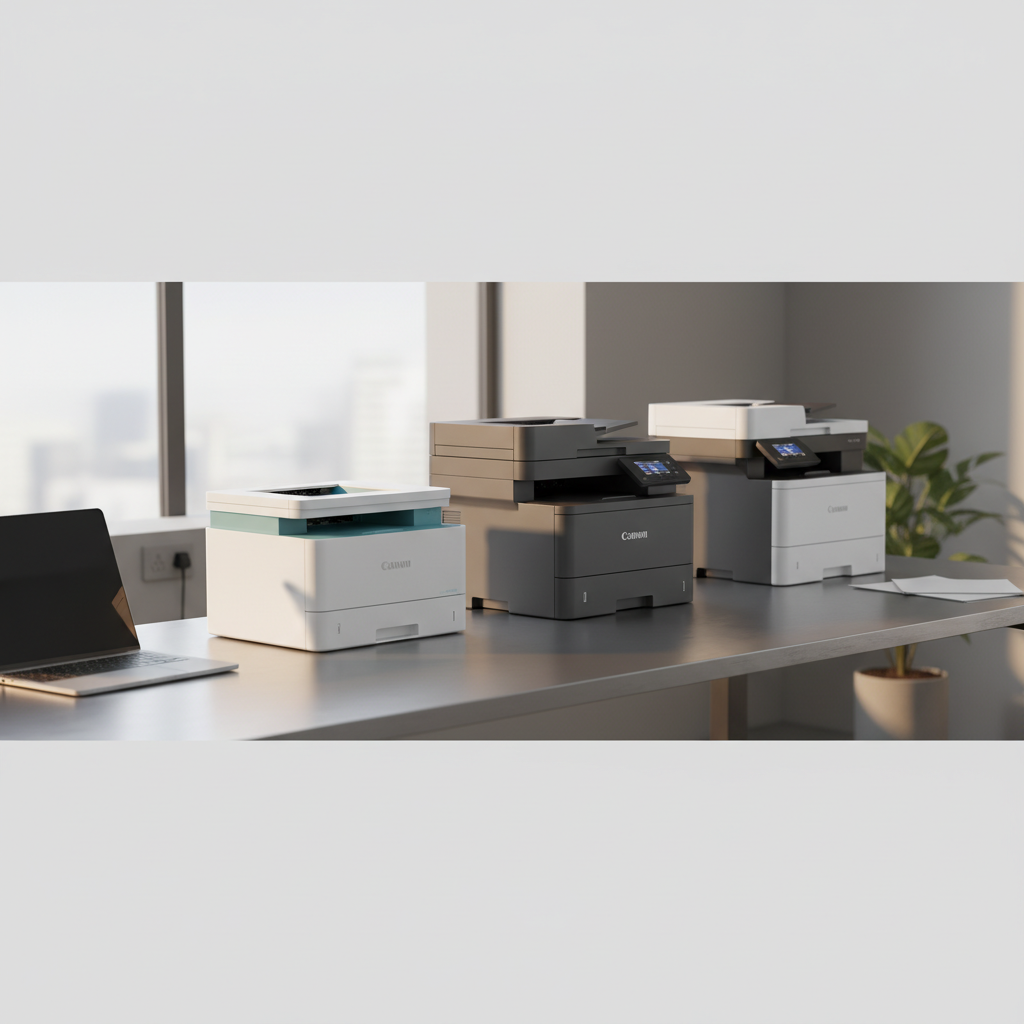
Choosing a Canon printer can feel overwhelming, especially with eight models spanning three price tiers. The budget lineup—Canon PIXMA TS3720, TS4320 and TS6520—starts at $51.51 and tops out at $79.99, offering solid wireless printing for homes and dorm rooms. Mid‑range options include the portable PIXMA TR160 at $193.91 and the MF465dw II for $317.10, striking a balance between performance and cost. At the premium end, the MF665Cdw, MF753Cdw II and the photo‑focused PRO‑200S range from $429.99 up to $549.00 for serious color and fine‑art output.
If you’re traveling often, the TR160’s lightweight 4.5 lb design and 4.4‑star rating from 389 reviewers make it a strong contender for on‑the‑go jobs. Small offices’ll appreciate the MF665Cdw’s 26 cpm speed and 5‑inch display, while the MF465dw II pushes 42 cpm for fast monochrome work. For photographers, the PRO‑200S delivers 4800 × 2400 dpi resolution and handles media up to 380 g/m², justifying its $549.00 price tag.
Read on to see which model earns the top spot for mobile printing, office productivity, and premium photo quality.

Canon PIXMA TR160
Its 2170 mAh battery gives portable power, making it a solid value for most users seeking a balanced, mainstream option.

Canon Color imageCLASS MF665Cdw
Ideal for office teams that need high‑quality color output, this model costs about $236 more than the PIXMA TR160 but delivers strong performance.

Canon imageCLASS MF465dw II
Stands out with a 50‑sheet duplex ADF, letting you scan or copy double‑sided jobs without manual flipping—useful for home offices that need efficient document handling.
Also considered
Score Analysis
Key score advantages vs. runner-up (Canon Color imageCLASS)
Price Range
Canon PIXMA TR160
$199.00
Canon Color imageCLASS MF665Cdw
$449.99
Canon imageCLASS MF465dw II
$324.00

Canon PIXMA PRO-200S
$549.00

Canon PIXMA TS3720
$54.99

Canon PIXMA TS4320
$59.00

Canon PIXMA TS6520
$79.00

Canon Color imageCLASS MF753Cdw II
$517.65
Spec Comparison
TL;DR: The Canon PIXMA TR160 is a 4.5 lb portable inkjet that prints 4800 × 1200 dpi color photos, runs on a 2170 mAh battery, and offers full Wi‑Fi and AirPrint support for on‑the‑go professionals.
The standout feature of the TR160 is its built‑in 2170 mAh lithium‑ion battery paired with a compact 4.5 lb chassis, letting you print anywhere without a power outlet. It delivers 4800 × 1200 dpi resolution from 1856 nozzles, and the first color page appears in just 15 seconds.
When you line it up against the seven other Canon models in this roundup, the TR160 is dramatically lighter than the TS6520, TS4320, MF465dw II, MF665Cdw, MF753Cdw II and PRO‑200S, all of which weigh well over 15 lb. It also sits in a mid‑price tier—more expensive than the entry‑level TS6520 and TS4320, yet considerably cheaper than the MF665Cdw and PRO‑200S. The portable design and battery power give it a unique niche that the bulkier, plug‑in models can’t match.
Users consistently praise the quick setup and reliable mobile printing via Apple AirPrint, Canon PRINT app, and Wi‑Fi Direct. The 1.44‑inch monochrome OLED display makes paper‑type selection straightforward, and the 40.5 dB(A) noise level is acceptable for most workspaces. However, reviewers note the 50‑sheet plain‑paper tray fills up fast, the lack of automatic duplex limits double‑sided jobs, and the separate black and color cartridges can drive up ink costs. A few owners have reported intermittent Wi‑Fi connectivity, which you should keep in mind if you need rock‑solid network stability.
Technical details round out the picture: the printer pushes 5.5 ipm in color and 9 ipm in monochrome, consumes 8 W during operation, and carries ENERGY STAR certification. It supports a broad media range up to Legal size (8.5 × 14 in) and specialty paper up to ~275 g/m², making it versatile for both documents and photos.
Pros
Cons
Best for: Mobile professionals such as consultants, real‑estate agents, and sales reps who need high‑quality color prints away from a desk.
Avoid if: You require high‑volume office output, automatic duplex printing, or a ultra‑quiet environment.
“Portability is a major plus: users report using it at trade shows, pop-up shops, and remote work sites.”
TL;DR: The Canon imageCLASS MF665Cdw delivers fast 26 ppm color laser printing, a 5‑inch touchscreen, and a 50‑sheet duplex ADF, but its bulk and limited grayscale scanning may deter space‑conscious users.
What really sets this machine apart is its 5‑inch color touchscreen paired with a 26 ppm print speed and 1200 × 1200 dpi resolution, giving crisp, vibrant output straight from the panel. The 50‑sheet ADF handles single‑pass two‑sided scanning, which is a real time‑saver for small‑office workflows. With 1 GB of RAM and Canon’s UFR II language, the printer processes jobs efficiently, and it delivers the first page in just 10.3 seconds for black and 10.8 seconds for color.
Compared with the other seven printers in this roundup, the MF665Cdw is heavier at 60.7 pounds, outweighing the MF753Cdw II (50.0 pounds) and the PIXMA TR160 (4.5 pounds). Its copy speed of 26 cpm trails the MF753Cdw II’s 35 cpm and the MF465dw II’s 42 cpm, while the 5‑inch touchscreen matches the MF753Cdw II and dwarfs the 1.44‑inch display on the PIXMA TR160. Paper capacity is generous with a 250‑sheet standard cassette, outmatching the smaller trays on the PIXMA TS3720 and TS4320.
Users consistently praise the quick 26 ppm printing and the vibrant color quality that the 1200 dpi engine delivers. Reviewers frequently mention mobile printing via the Canon PRINT app, AirPrint, and Mopria for convenience. On the flip side, reviewers note the absence of a grayscale scan‑to‑email option and occasional PDF artifacts in black‑and‑white scans. The menu system can feel confusing at first, and some owners report toner smudging on heavier cardstock. Professional reviewers highlight the ENERGY STAR and EPEAT Silver certifications, as well as the 1 GB RAM that keeps the workflow smooth.
From a technical standpoint, the MF665Cdw supports a monthly duty cycle of up to 2,500 pages, making it suitable for modest office volumes. Power consumption peaks at 1080 W, but standby drops to 9 W and off mode to a mere 0.3 W, helping keep operating costs in check. Warm‑up times are short—13 seconds from power‑on and 4.8 seconds from sleep—so you’re rarely waiting long for the first page.
Pros
Cons
Best for: Small and home offices, hybrid workers who need reliable color laser printing and versatile mobile connectivity.
Avoid if: You need high‑quality grayscale scanning, ultra‑compact desk space, or professional‑grade volume printing.
TL;DR: The Canon imageCLASS MF465dw II delivers 42 ppm monochrome laser speed, a 5‑inch touchscreen, and a 50‑sheet duplex ADF for $317.10, making it a solid mid‑range office workhorse.
The standout spec delivers 42 ppm (letter) print speed paired with a rapid 4.9‑second first‑page out, keeping busy workstations moving. A 5‑inch color touchscreen lets you adjust settings without hunting through menus, and the 50‑sheet duplex ADF handles double‑sided scans in one pass. With 1 GB shared RAM and a 100‑sheet multipurpose tray, the MF465dw II can sustain high‑volume jobs, and an optional 550‑sheet cassette pushes total capacity to 900 sheets.
Compared with the other seven Canon models in this roundup, the MF465dw II is heavier than the portable PIXMA TR160 (4.5 lb) but lighter than the MF665Cdw (60.7 lb) and the MF753Cdw II (50.0 lb). It shares a 5‑inch touchscreen with the MF665Cdw and MF753Cdw II, while the PIXMA lineup sticks to sub‑2‑inch displays. The 50‑sheet duplex ADF matches the MF665Cdw’s capacity, a feature most PIXMA models lack entirely. In terms of raw power draw, the MF465dw II’s maximum consumption of 1250 W is higher than the low‑power PIXMA TS3720, but its sleep mode drops to just 0.1 W, helping offset idle costs.
Users praise the quick setup, reliable operation, and especially the fast duplex scanning, noting that the device maintains about 85‑89 % of its single‑sided speed when printing double‑sided. Professional reviewers also highlight slightly better image quality than the MF455dw and commend the readability of 4‑point fonts. On the downside, owners frequently mention the high toner cost and occasional Wi‑Fi configuration hiccups. Owners also complain about the missing automatic duplex copying, since the copier works simplex‑only.
Pros
Cons
Best for: Small to midsize offices that need fast monochrome printing, frequent duplex jobs, and strong security features.
Avoid if: You're shopping on a tight budget — it's priced at $317.10.
TL;DR: The Canon PIXMA PRO-200S offers an 8‑color ChromaLife 100+ ink system, 4800 × 2400 dpi resolution, and fast A3+ borderless prints, but its $549 price and manual duplex limit make it a premium studio choice.
The standout feature is its 8‑color dye‑based ChromaLife 100+ ink cartridge (CLI‑65) paired with a 4800 × 2400 dpi print engine and a 3.0‑inch LCD. With a weight of 32.0Pounds, the printer feels solid on a desk, and its Ethernet port runs at 10/100 Mbps for wired network reliability.
Compared with the other seven Canon models in this roundup, the PRO‑200S is considerably heavier than the portable Canon PIXMA TR160 (4.5 pounds) and the TS6520 (15.65 pounds). It also outweighs the MF465dw II (48.5 lb) and the MF753Cdw II (50.0 pounds). Its 3.0‑inch display is larger than the TR160’s 1.44‑inch screen and the TS6520’s 1.42‑inch panel, yet smaller than the MF753Cdw II’s 5‑inch display. While the MF665Cdw and MF753Cdw II list strong network features, the PRO‑200S uniquely combines Ethernet with Wi‑Fi, a mix not highlighted in the peer specs.
Reviewers consistently praise the printer’s speed—borderless 13×19 mm fine quality finishes in 4 minutes 50 seconds—and its ability to handle thick fine‑art papers up to approx. 380 g/m². Users love the wireless setup and the smooth Photoshop/Lightroom integration via Canon’s Professional Print & Layout plugin. Professional critics note the near‑continuous tone in black‑and‑white prints, thanks to the dual gray inks. Common complaints focus on the high cost of the CLI‑65 cartridges, the single‑sheet capacity of the top tray for large media, and the lack of automatic duplexing.
Technical depth includes 6,144 total nozzles (768 per color), an ink yield of up to 450 4×6 prints or 60 A3+ prints, and a maximum printable area of 990.6 mm (39 inches) by 329 mm (13 inches). Power consumption peaks at 17 W during printing, with a low 0.05 W off‑mode draw.
Pros
Cons
Best for: Buyers willing to invest in a proven, high‑quality option
Avoid if: You're shopping on a tight budget — it's priced at $549.00
“Portability is a major plus: users report using it at trade shows, pop-up shops, and remote work sites.”
TL;DR: The Canon PIXMA TS3720 delivers sharp text and vivid 4×6 photos from a compact, Wi‑Fi‑enabled all‑in‑one design at $51.51, though its slow speeds and rear‑paper tray may limit high‑volume use.
What really stands out is the printer’s 960 color nozzles paired with 320 pigment‑black nozzles, for a total of 1,280 nozzles delivering 4800 × 1200 dpi resolution. A 1.5‑inch monochrome segment LCD guides you through settings, while a 65‑second borderless 4×6 photo print time lets casual photographers see results quickly.
Compared with the seven other printers in this roundup, the TS3720 is the most budget‑friendly at $51.51 and also the lightest at 3,900 g (about 8.6 lb). Its 328 mm depth, 147 mm height, and 437 mm width make it smaller than the TS4320, TS6520, and the larger office‑oriented MF series, which all exceed 350 mm in at least one dimension and weigh well over 15 lb. While it lacks an automatic document feeder and duplex printing that the MF models provide, its dual‑band 802.11n Wi‑Fi, AirPrint, and Canon PRINT app give it a connectivity edge over the more expensive TR160.
Users consistently praise the crisp black text that the hybrid pigment/dye ink system produces, and they love the vivid photo output straight from the included starter cartridges. However, reviewers note that the 7.7 ipm black and 4.0 ipm color print speeds feel sluggish for larger jobs, and the rear‑loaded tray—holding only 60 plain sheets and 20 4×6 photo sheets—can be inconvenient. A few users also mention a fiddly initial Wi‑Fi setup, though the dual‑band capability's still a premium feature at this price point. Power consumption stays modest, maxing at 8 W, with standby at 1.3 W and off at 0.3 W.
Pros
Cons
Best for: Shoppers on a tight budget who want the most for their money
Avoid if: Reliability and user satisfaction are your top concerns
“Portability is a major plus: users report using it at trade shows, pop-up shops, and remote work sites.”
TL;DR: The Canon PIXMA TS4320 prints sharp black text at 14 ipm, offers automatic duplex, and supports borderless photos, all for $59.00, making it a solid entry‑level home printer.
The standout spec is its 1200 × 1200 dpi resolution paired with a 14.0 ipm black‑text speed and a first‑print latency of just 7.5 seconds for black documents. That quick start time means you won’t be waiting long for homework assignments or invoices.
Compared with the TS3720, the TS4320 sits deeper at 375.92 mm versus 328 mm and draws more power (21 W max versus 8 W). It shares a similar weight class with the TS6520, which lists at 15.65 Pounds, but it’s considerably heavier than the portable TR160, which weighs 4.5 pounds. These relative size and power differences help you gauge how much desk space and electricity the printer will consume.
User sentiment repeatedly praises the hassle‑free wireless setup via the Canon PRINT app and the reliable dual‑band Wi‑Fi connection. Reviewers also note the quiet operation and the convenience of automatic two‑sided printing, which cuts paper use. Professional reviewers, however, point out that the photo output can feel muted compared with dedicated photo models, and the two‑cartridge ink system means you replace the whole color cartridge even if only one hue runs out.
Pros
Cons
Best for: Entry-level buyers or those on a tight budget
Avoid if: You need powerful performance or professional‑grade features
“Portability is a major plus: users report using it at trade shows, pop-up shops, and remote work sites.”
TL;DR: The Canon PIXMA TS6520 prints at 1200 × 1200 dpi, delivers first pages in under 10 seconds, and offers automatic duplex printing for $79.99, making it a compact all‑in‑one that's suited to home use.
The standout specification is its 1200 × 1200 dpi resolution, which produces sharp text and vivid photos. Black‑letter prints emerge at 14.0 ipm, while color pages run at 9.0 ipm, and the first black page appears in just 7.5 seconds (color in 9.5 seconds). An automatic two‑sided printing unit adds convenience for everyday documents, and the 1.42‑inch monochrome OLED touchscreen lets you navigate settings without a computer.
Compared with the TS4320, the TS6520 is slightly heavier (15.65 lb vs. 15.25 lb) and adds automatic duplex printing, which the TS4320 lacks. It also offers a larger input tray (100 sheets) than the TR160’s 50‑sheet capacity, though the TR160 is considerably lighter at 4.5 lb. Against the TS3720, the TS6520’s display is a bit smaller (1.42 in vs. 1.5 in) but compensates with a broader media range and dual‑band Wi‑Fi.
Users praise the quick first‑page output and the ease of wireless setup via the Canon PRINT app, AirPrint, or PIXMA Cloud Link. The dual‑band Wi‑Fi (2.4 GHz/5 GHz) keeps connections stable even in crowded homes. Reviewers note the compact footprint fits small workspaces, but they also mention the need to manually feed pages for scanning and the relatively high ink consumption when printing photos. At an operating power draw of 21 W, the printer’s modest on energy use.
Pros
Cons
Best for: Entry-level buyers or those on a tight budget
Avoid if: You need powerful performance or professional‑grade features
“Portability is a major plus: users report using it at trade shows, pop-up shops, and remote work sites.”
TL;DR: The Canon imageCLASS MF753Cdw II delivers fast 35 ppm color laser output, a 5‑inch touchscreen, and up to 850 sheets of paper handling, but its premium $530.81 price and finicky wireless setup may deter budget‑focused buyers.
The standout spec of the MF753Cdw II is its 35 pages per minute print speed paired with a 5‑inch color touchscreen. It can also copy at 35 cpm and scan at 50 black‑and‑white images per minute, making it a true 4‑in‑1 workhorse. Paper handling is generous: a 250‑sheet standard cassette plus an optional 550‑sheet cassette give a total expandable input capacity of 850 sheets, while the 50‑sheet ADF handles duplex scanning without a second pass.
In the context of the roundup, this model sits at the higher end of the price spectrum, making it pricier than the compact PIXMA TR160 and heavier than that lightweight unit. Unlike the PIXMA line, the MF753Cdw II includes built‑in Gigabit Ethernet (10/100/1000BASE‑T) and Wi‑Fi 4, features the smaller printers lack. Its 5‑inch display also matches the imageCLASS MF665Cdw, but the MF753Cdw II adds a larger paper capacity and a higher print speed.
Reviewers consistently praise the printer’s quick first‑print out time of 0.12 minutes (about 7 seconds) and the crisp black‑and‑white text quality, while the 1200 × 1200 dpi resolution delivers vivid color graphics for reports and newsletters. The 7,600‑page black toner yield and 5,500‑page color yields mean cartridges last a long time, which aligns with the positive sentiment about low operating costs. However, users note that configuring Wi‑Fi and installing scanner drivers can be cumbersome, and the lack of a built‑in memory‑card reader limits direct printing from media.
Pros
Cons
Best for: Those prioritizing quality and willing to pay for premium performance
Avoid if: You need advanced features or professional‑grade performance
Breakdown
Canon PIXMA TR160
Pros
Canon Color imageCLASS MF665Cdw
Pros
Canon imageCLASS MF465dw II
Cons
Canon PIXMA PRO-200S
Pros
Cons
Based on scoring data and product specs
Personalized picks
Best Overall Pick
Canon PIXMA TR160
Best Mid-Range PickBest for: Most users seeking a balanced, mainstream option
Canon Color imageCLASS MF665Cdw
Best for: Those prioritizing quality and willing to pay for premium performance
$449.99+$250.99 vs winner
Skip Canon Color imageCLASS MF753Cdw II if…
You need advanced features or professional-grade performance
The Canon PIXMA TR160 is the clear winner, thanks to its solid 4.4/5 rating from 389 reviewers and a respectable 5.5 ipm color (9 ipm monochrome) print speed that handles everyday jobs without lag. Its dual‑band Wi‑Fi and built‑in 2170 mAh lithium‑ion battery let you print from anywhere in the house, while the ENERGY STAR certification keeps power use low.
The runner‑up, Canon imageCLASS MF665Cdw, shines in a small‑office setting where you'll need fast, high‑volume output and scanning. It cranks out 26 ppm in both color and black and supports a 2,500‑page monthly duty cycle, plus a 50‑sheet ADF for quick two‑sided copies—all for $429.99.
For tighter budgets, the Canon PIXMA TS3720 delivers reliable home printing at just $51.51, making it the best value pick. If you crave photo quality, the Canon PIXMA PRO‑200S offers professional‑grade results at $549.00, the premium option in this lineup.
Choose the PIXMA TR160 today and you'll enjoy dependable, wireless color printing right out of the box.
The PIXMA TR160 is designed for portability with a built‑in 2170 mAh lithium‑ion battery, a compact 2040 g weight and Wi‑Fi Direct, so you can print from a laptop or smartphone anywhere. The imageCLASS MF665Cdw is a larger, stationary laser unit with no battery and requires a power outlet, making it less convenient for mobile use.
Please sign in to leave a review
No reviews yet. Be the first to review!
