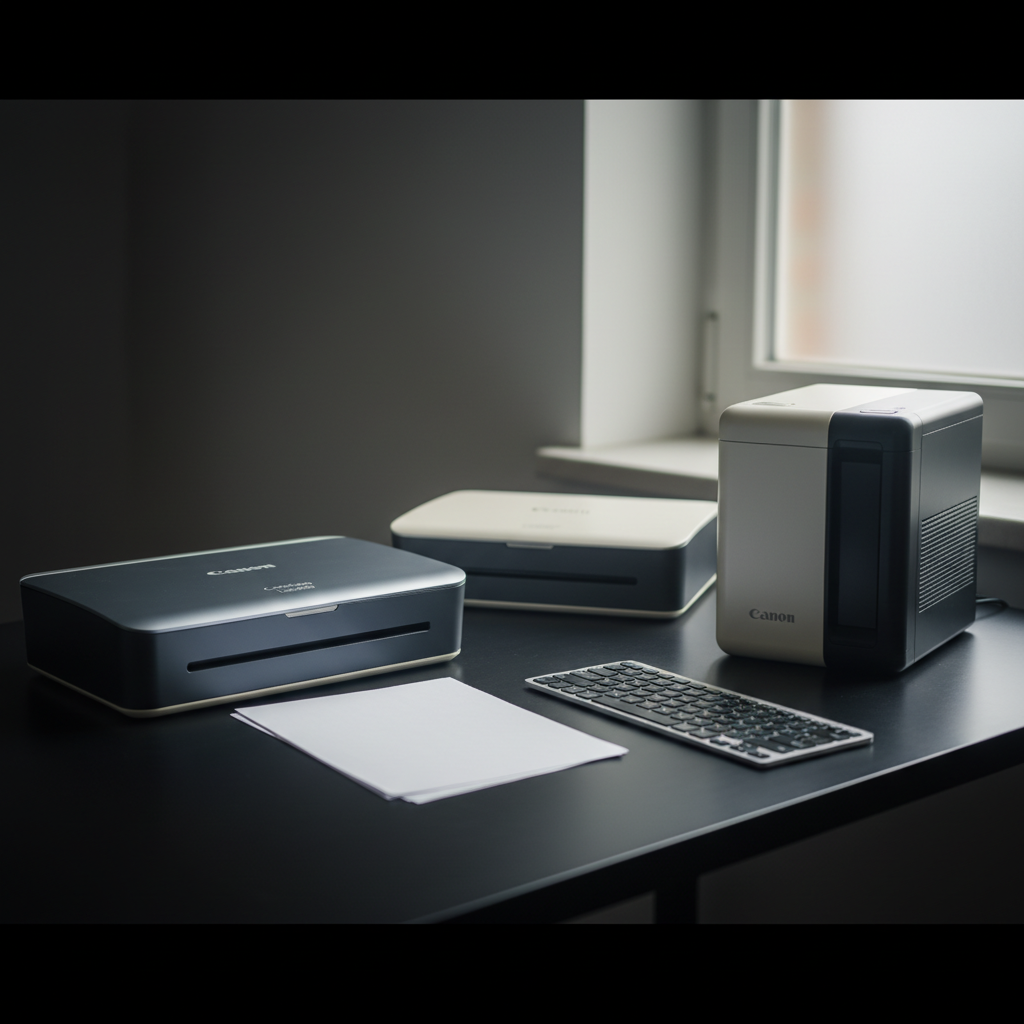
It might surprise you that the $75.00 Canon CanoScan LiDE300, the cheapest scanner in our lineup, carries the same 4.2/5 rating (6,894 reviews) as several higher‑priced rivals. That solid score, combined with its compact 9.9 in × 14.5 in footprint and USB‑powered simplicity, makes it a standout value among the 7 scanners we compared.
We’ve organized the roundup into three price tiers so you can quickly spot the right fit. The budget tier features the LiDE300, the LiDE400 ($97.00, also 4.2/5), and the ultra‑portable P‑208II. In the mid‑range slot sits the R30, while the premium tier groups the P‑215II, the DR‑C225 II (4.3/5 rating from 421 reviews), and the high‑volume DR‑M140. Each tier offers a mix of flatbed and sheet‑fed designs, varying ADF capacities, and different speed claims, so you’ll see how the specs line up with your scanning needs.
Next, we’ll break down each model’s strengths, so you can decide whether a budget flatbed, a mid‑range desktop, or a premium document feeder is the best match for your workflow.

Canon CanoScan LiDE400
Its five EZ Buttons—including Auto Scan, Copy, PDF Start/Finish, and Send—streamline tasks, making it the most user‑friendly entry‑level scanner.

Canon CanoScan LiDE300
Ideal for budget‑conscious students, the LiDE300 delivers solid performance at $75, about $22 less than the LiDE400, while still offering four dedicated EZ‑Scan buttons.

Canon imageFORMULA DR-C225 II
Weighing 5.95 lb, the DR‑C225 II feels robust and handles heavy‑duty office scanning, a step up from the lightweight LiDE models.
Also considered
Score Analysis
Key score advantages vs. runner-up (Canon CanoScan LiDE300)
Price Range
Canon CanoScan LiDE400
$94.30
Canon CanoScan LiDE300
$75.00
Canon imageFORMULA DR-C225 II
$249.99

Canon P-215II
$224.00

Canon imageFORMULA R30
$219.00

Canon imageFORMULA P-208II
$159.99
Canon imageFORMULA DR-M140
$685.99
Spec Comparison
TL;DR: The Canon CanoScan LiDE400 offers 4800 × 4800 dpi optical resolution, USB‑C single‑cable operation, and a compact 9.9‑in depth, making it a solid, budget‑friendly flatbed scanner for home photo and document digitizing.
The standout spec is the 4800 × 4800 dpi optical resolution paired with an Advanced Z‑lid lift that reaches up to 21 mm, letting you scan thicker media without hassle. Five “EZ” buttons—including Auto Scan, Copy, PDF Start, PDF Finish, and Send—streamline common tasks, and the USB‑C connection powers the unit and transfers data with a single cable.
Compared with the other six scanners, the LiDE400 shares the same 3.6‑pound weight as the Canon CanoScan LiDE300 but sits shallower at 9.9 in depth versus the LiDE300’s 14.5 in, and it adds an extra EZ button. It is bulkier and heavier than the portable imageFORMULA P‑208II (about 1.3 lb) and the P‑215II (around 1.0 lb), but lighter than the larger imageFORMULA R30 (6.6 lb) and the DR‑C225 II (5.95 lb). Unlike the R30, DR‑C225 II, and DR‑M140, the LiDE400 lacks an automatic document feeder, so it works best with single‑page jobs.
Users consistently praise the crisp image quality and the ease of setup—thanks to the USB‑C power‑only design and the bundled IJ Scan Utility, ScanGear MP Driver, and OCR tools. Reviewers note that Windows users benefit from dust‑and‑scratch reduction and fading correction, while macOS users report fewer driver updates. Common complaints focus on the absence of wireless connectivity, the lack of an ADF for bulk scanning, and the Windows‑only advanced features.
Pros
Cons
Best for: Entry-level buyers or those on a tight budget
Avoid if: You need powerful performance or professional‑grade features
“Great supplement to a single-function printer”
“Scans are crisp”
TL;DR: The Canon CanoScan LiDE300 delivers 2400 × 2400 dpi optical quality and scans an A4 color page in about 10 seconds, all from a USB‑powered, compact flatbed for $75.
What really stands out is the 2400 × 2400 dpi optical resolution paired with a preview time of roughly 9 seconds and a color‑document scan speed of about 10 seconds per A4 sheet at 300 dpi. The unit draws power directly from its USB 2.0 High‑Speed Mini‑B cable, so you won’t need a wall adapter. Its footprint measures 14.5 inches deep, 1.7 inches high and 9.9 inches wide, and it weighs 3.6 pounds, making it easy to slide onto a desk or store in a drawer.
Compared with the other six scanners in this roundup, the LiDE300 shares the same 3.6‑pound weight as the LiDE400 but sits deeper (14.5 inches vs. 9.9 inches) and offers one fewer EZ‑Scan button (four versus five). It is lighter than the imageFORMULA R30 (6.6 pounds) and the DR‑C225 II (5.95 pounds), yet heavier than the portable P‑208II (about 1.3 pounds) and P‑215II (about 1.0 pound). While the higher‑end models provide ADF trays and larger document capacities, the LiDE300 focuses on single‑sheet flatbed scanning, which keeps its price and size down.
Users consistently praise the “fast and sharp” results and the convenience of the one‑touch buttons, noting that the Auto Scan mode reliably detects photos and documents. Professional reviewers highlight the reliable, no‑frills performance and the useful OCR and Auto Photo Fix features. On the downside, several owners report driver hiccups with newer Windows 11 builds and limited compatibility with macOS Sequoia, while some owners describe the front buttons as non‑recessed and occasionally inconsistent.
Beyond the core specs, the scanner supports 48‑bit color depth (16‑bit per RGB channel) and 16‑bit grayscale depth, plus software tools like OCR, Multi‑page PDF creation and cloud‑send options. The 1‑year limited warranty and ENERGY STAR® certification round out a solid value proposition for home and small‑office use.
Pros
Cons
Best for: Entry‑level buyers or those on a tight budget
Avoid if: You need powerful performance or professional‑grade features
“Great supplement to a single-function printer”
“Scans are crisp”
TL;DR: The Canon imageFORMULA DR‑C225 II delivers fast 25 ppm simplex, 50 ipm duplex scanning in a compact vertical design, with a 30‑sheet ADF and robust cloud integration for $249.99.
What really sets this scanner apart is its upright U‑turn architecture that fits into a 11.8 in deep, 8.7 in high footprint while still handling a 30‑sheet automatic document feeder. The ultrasonic double‑feed sensor helps keep batches clean, and the duplex engine pushes out up to 50 images per minute, matching the speed claims that users repeatedly applaud.
Compared with the other six models in this roundup, the DR‑C225 II is heavier than the ultra‑light P‑215II (2.2 lb) and the flat‑bed LiDE400 (3.6 lb), yet it stays lighter than the R30’s 6.6 lb chassis. Its 30‑sheet ADF is a step up from flat‑beds that lack a feeder, but it falls short of the DR‑M140’s 50‑sheet capacity and the R30’s 40‑/60‑sheet trays. All peers use USB connections, but the DR‑C225 II sticks with USB 2.0, offering no USB 3.0 or wireless options.
Reviewers consistently highlight the scanner’s speed and its ability to juggle receipts, business cards, and even plastic ID cards without a hitch. Professional reviewers note the “reliable handling of mixed document batches” as a standout. On the downside, customers mention the USB 2.0 bottleneck and occasional misfeeds with very thin or wrinkled paper, and they miss a built‑in Wi‑Fi or Ethernet port for networked offices.
Technically, the unit delivers 600 × 600 dpi optical resolution with a 24‑bit (16.7 million colors) depth, ensuring clear color captures. Power draw stays modest at 12.7 W in normal mode and drops to 1.7 W in energy‑saving mode. Canon backs the device with a three‑year warranty and pre‑loads software like CaptureOnTouch, eCopy PDF Pro Office, and Cardiris, plus native support for Dropbox, Google Drive, OneDrive, Box, QuickBooks Online, Evernote, and SharePoint.
Pros
Cons
Best for: Small businesses, remote workers, and professional offices that need fast, reliable sheet‑fed scanning and cloud integration.
Avoid if: You need wireless networking, transparency/film scanning, or a lower‑cost flat‑bed solution.
“Fast and reliable for daily office use”
“Takes up very little space and looks professional on the desk”
TL;DR: The Canon P‑215II is a lightweight, USB‑powered scanner delivering 600 dpi quality and 30 ipm duplex speed, ideal for mobile professionals who need fast, on‑the‑go document capture.
The standout spec is its duplex scan speed of 30 ipm for black‑and‑white and grayscale pages, paired with a 600 dpi optical sensor and 24‑bit color depth. At just 2.2 lb and a depth of 3.7 in, it runs entirely from a USB port, so you won’t need a wall adapter.
Compared with the six other scanners in this roundup, the P‑215II is markedly lighter than the imageFORMULA R30 (6.6 lb), DR‑C225 II (5.95 lb), CanoScan LiDE400 (3.6 lb), LiDE300 (3.6 lb) and DR‑M140 (5.7 lb), though the P‑208II tips the scales at roughly 1.3 lb. Its 20‑sheet ADF is smaller than the R30’s 40‑/60‑sheet capacity, the DR‑C225 II’s 30‑sheet tray, and the DR‑M140’s 50‑sheet feeder. Dimensionally, the P‑215II’s 1.6 in height and 11.0 in width sit below the deeper R30 (251 mm) and DR‑C225 II (11.8 in), making it one of the most compact options despite not being the absolute smallest.
Users love the plug‑and‑play experience: the optional WU10 wireless adapter lets you scan from iOS or Android, and CaptureOnTouch Lite provides driver‑free operation. Professional reviewers praise the fast duplex speed and the detailed 600 dpi output. However, several owners note double‑feeding or missed‑paper with the 20‑sheet ADF, and long receipts can jam or stop early. Canon sells the optional wireless adapter separately, so out‑of‑the‑box mobility isn’t fully wireless.
Technical note: The scanner draws a maximum of 7 W and a minimum of 2.5 W, supports USB 2.0 and USB 3.0, and can handle a suggested daily volume of about 500 scans. It accepts plain paper, plastic and embossed cards, ID cards, receipts and photos, making it versatile for field work.
Pros
Cons
Best for: Those prioritizing quality and willing to pay for premium performance
Avoid if: You're on a tight budget or only need basic functionality
“Plug-and-play simplicity — many report being able to start scanning immediately without installing drivers.”
“The scanner often stops mid-scan or reports a jam when processing long thermal receipts.”
TL;DR: The Canon imageFORMULA R30 delivers fast duplex scanning at 25 ppm, a 60‑sheet ADF, and plug‑and‑play USB connectivity in a compact desktop design for small‑office use.
At the heart of the R30 is a 600 dpi Contact Image Sensor paired with an RGB LED light source, giving crisp scans of both text and color documents. It can push 25 ppm in black‑and‑white mode and 9 ppm in color, while the 50 ipm image‑per‑minute rating keeps the feed moving smoothly. The built‑in 60‑sheet ADF (40 sheets for legal‑size) means you won’t be stopping to reload as often, and the scanner fits on a desk with a depth of 251 mm, height of 245 mm, and width of 293 mm, weighing 6.6 Pounds.
Compared with the other six scanners in this roundup, the R30 is heavier than the DR‑C225 II and larger than the ultra‑compact P‑215II, but its 60‑sheet feeder outstrips the 30‑sheet capacity of the DR‑C225 II and the 50‑sheet feeder of the DR‑M140. While its 25 ppm speed is slower than the 40 ppm of the DR‑M140, the optical resolution matches that model’s 600 dpi, and the R30’s footprint is still smaller than many flatbed alternatives.
Reviewers consistently praise the R30’s instant USB plug‑and‑play setup—no drivers needed—and the reliability of scanning mixed batches of documents, business cards, and even thin plastic cards. Automatic image fixes like deskew, blank‑page skipping, and bleed‑through removal highlight real time‑savers. However, users note the lack of wireless or network options, limited OCR features in the bundled CaptureOnTouch Lite software, and occasional jams with very thin or thick media. The ADF’s drop to 40 sheets for legal‑size paper also surfaces as a minor inconvenience.
The scanner draws ≤0.1 W when off and ≤10 W while scanning, with a 1.0 W sleep mode, which makes it energy‑efficient for a workstation. It supports Windows 10/11 and macOS 11‑13, and the CIS sensor ensures consistent quality across the 54‑356 mm document length range and 0.04‑0.25 mm thickness range.
Pros
Cons
Best for: Small and home offices, shared workspaces, or front‑desk staff needing quick, reliable duplex scanning.
Avoid if: You require wireless/network scanning, high‑volume legal‑size processing, or have very limited desk space.
“Fast and reliable for daily office use”
“Takes up very little space and looks professional on the desk”
TL;DR: The Canon imageFORMULA P-208II is a 1.3007273458‑lb USB‑powered portable scanner offering 600 dpi optical resolution and 16 ipm duplex speed, ideal for travelers who need quick, on‑the‑go document digitization.
At just 1.3007273458 pounds and a closed depth of 55.9 mm, the P‑208II is one of the most portable sheet‑fed scanners on the market. It runs directly from a Hi‑Speed USB 2.0 connection, so you won’t need a wall adapter. The built‑in 10‑sheet ADF feeds documents automatically, and the CMOS CIS sensor delivers 600 dpi optical resolution. With a duplex speed of 16 ipm, you can scan two‑sided pages quickly, while the simple‑press CaptureOnTouch software lets you push scans to cloud services.
Compared with the other six Canon models in this roundup, the P‑208II is dramatically lighter than the CanoScan LiDE400 and LiDE300, both listed at 3.6 pounds, and even lighter than the DR‑C225 II (5.95 pounds) and DR‑M140 (5.7 pounds). It is only a bit heavier than the P‑215II’s 1.00089866948 pounds. In terms of ADF capacity, its 10‑sheet feeder is modest next to the R30’s 40‑sheet (letter) or 60‑sheet (legal) trays and the DR‑M140’s 50‑sheet stack, but its ultra‑slim 55.9 mm depth beats the LiDE400’s 9.9 in (251 mm) and the LiDE300’s 14.5 in (368 mm) footprint, making it easier to slip into a laptop bag.
Everyday users rave about the scanner’s “travel‑ready” vibe – they repeatedly praise the USB‑only power and included carrying case. Professional reviewers note the solid 600 dpi sensor and fast 16 ipm duplex speed as notable for the price point. The main complaints revolve around the bundled software, which lacks OCR, and the limited 10‑sheet ADF that can feel restrictive for batch jobs. The absence of built‑in Wi‑Fi means you’ll need the optional wireless adapter if you want wireless cloud uploads, and a few users report occasional jams with thicker cards.
The P‑208II consumes only 0.5 W while idle and 2.5 W during scanning, keeping power draw low for mobile use. It accepts documents as thin as 0.06 mm and as heavy as 209 g/m², handling letters, legal pages, 4×6 photos, business cards and even embossed plastic cards. Supported document lengths range from 70 mm to 356 mm, and widths from 50.8 mm to 216 mm. Alongside CaptureOnTouch, Canon bundles cloud plug‑ins for Google Drive, Dropbox, OneDrive, SharePoint, Evernote, SugarSync, Box and QuickBooks Online, covering most small‑office workflows.
Pros
Cons
Best for: Entry-level buyers or those on a tight budget
Avoid if: You need advanced features or professional‑grade performance
“Fast and reliable for daily office use”
“Takes up very little space and looks professional on the desk”
TL;DR: The Canon imageFORMULA DR‑M140 delivers 40 ppm single‑sided and 80 ipm duplex scanning in a compact 7.1‑in depth desktop, but its $535 price makes it a premium choice.
Speed is the headline feature: the DR‑M140 scans up to 40 ppm in mono or color and 80 ipm in duplex mode, while maintaining a 600 dpi optical resolution. Its 50‑sheet ADF lets you run medium‑size batches without constant reloading, and the unit fits on a desk thanks to a 7.1‑in depth, 3.7‑in height, and 12.3‑in width footprint.
Compared with the other six scanners in this roundup, the DR‑M140 is slightly lighter than the DR‑C225 II (5.7 lb vs 5.95 lb) but noticeably heavier than the portable P‑215II (2.2 lb). Its depth of 7.1 in is shallower than the DR‑C225 II’s 11.8 in and the CanoScan LiDE400’s 9.9 in, making it one of the more space‑efficient options. The 50‑sheet ADF outpaces the DR‑C225 II’s 30‑sheet feeder and provides a tray where the P‑215II has none, though it’s still bulkier than the ultra‑compact P‑208II.
Professional reviewers praise the dual paper path for handling mixed‑media batches and the ultrasonic double‑feed detection for reliability. Users echo the speed and reliability but flag the ADF capacity inconsistency and the lack of a built‑in network port, which requires an optional adapter. macOS users note that the bundle includes only CaptureOnTouch, while Windows users benefit from CapturePerfect, Kofax VRS, and eCopy PDF Pro Office.
The DR‑M140's a desktop‑only, sheet‑fed scanner that uses an RGB LED light source and a one‑line CMOS CIS sensor. ENERGY STAR certification shows it draws ≤0.5 W when off and ≤25 W while scanning, keeping power costs low. Bundled software covers OCR and PDF creation, making it ready for office workflows without extra purchases.
Pros
Cons
Best for: Legal, medical, and financial offices that need high‑volume duplex scanning and mixed‑media handling.
Avoid if: You prioritize a low price, out‑of‑the‑box network connectivity, or a macOS‑only workflow.
“Fast and reliable for daily office use”
“Takes up very little space and looks professional on the desk”
Breakdown
Canon CanoScan LiDE400
Pros
Canon CanoScan LiDE300
Pros
Canon imageFORMULA DR-C225 II
Pros
Canon P-215II
Pros
Based on scoring data and product specs
Personalized picks
Best Overall Pick
Canon CanoScan LiDE400
Best OverallBest for: Entry-level buyers or those on a tight budget
Canon CanoScan LiDE300
Best for: Entry-level buyers or those on a tight budget
$75.00-$19.30 vs winner
Skip Canon imageFORMULA DR-M140 if…
Reliability and user satisfaction are your top concerns
Canon CanoScan LiDE400 takes the top spot as the Best Overall scanner. It delivers a crisp 4800 × 4800 dpi optical resolution, while scanning a standard Letter page in about 8 seconds, which is noticeably faster than many entry‑level models. The one‑cable USB‑C design supplies both power and data, eliminating the need for a wall adapter, and the built‑in Advanced Z‑lid lifts up to 21 mm for thick documents. At $97.00 it’s got a solid 4.2‑star rating from 6,894 reviewers, confirming broad user satisfaction.
The runner‑up, Canon CanoScan LiDE300, shines when you need a straightforward, USB‑powered scanner for everyday document digitising. It costs $75.00 and offers a respectable 2400 × 2400 dpi optical resolution, with an A4 scan completing in roughly 10 seconds. Its four physical EZ‑Scan buttons (PDF, AUTOSCAN, COPY, SEND) make one‑touch operations easy, and the single Mini‑B USB cable keeps your workspace tidy.
For tighter budgets, the LiDE300 remains the best budget pick at $75.00, delivering reliable performance at the lowest price point. If you can stretch a bit further, the imageFORMULA R30 at $221.77 provides a mid‑range option geared toward small‑office volumes. At the premium end, the imageFORMULA DR‑M140 costs $535.00 and targets power users who need top‑tier speed and durability.
Pick the LiDE400 today and enjoy fast, high‑quality scans right out of the box.
The Canon CanoScan LiDE400’s Advanced Z‑lid can lift documents up to 21 mm, which is ideal for thicker media, while the LiDE300 does not list a comparable lift capability. Both are flat‑bed units, but the LiDE400’s higher lift gives it an edge for bulkier items.
Please sign in to leave a review
No reviews yet. Be the first to review!
