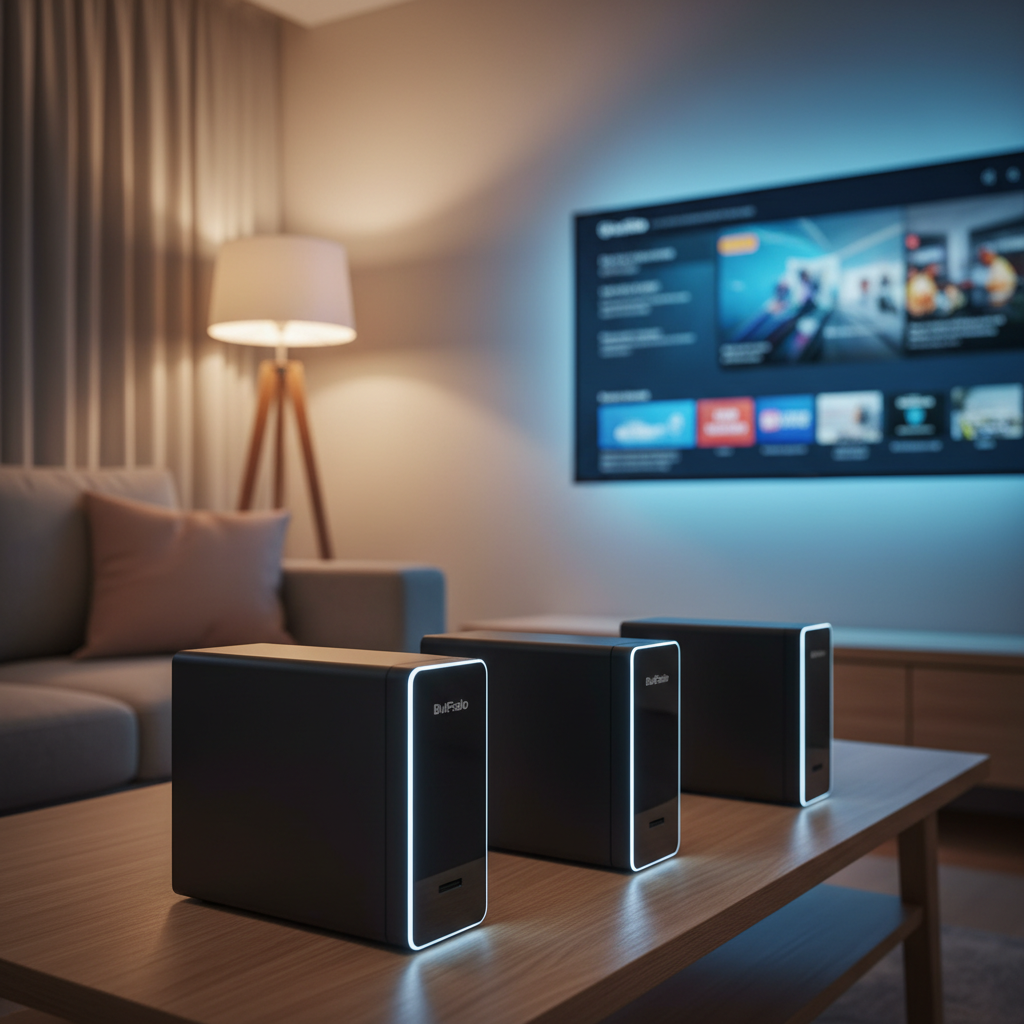
Choosing a personal cloud for home media can feel overwhelming, especially with 12 NAS and cloud‑storage devices on the table. We've narrowed the field into three price tiers so you can match your budget to the features you need. The budget tier – Buffalo LinkStation 210 2TB, 210 4TB, and LS710 – all sit under $210 and offer gigabit Ethernet, single‑bay storage and a 3.8‑4.0/5 rating from over 3,000 reviewers. Mid‑range picks include the LS210, LS220D0402B and Synology BeeStation 4TB, while the premium lineup features the LS720, LS220D0802B and LS220D1202B.
The top‑ranked Buffalo LinkStation 210 2TB starts at $139.99 and carries a 3.8/5 score from 3,211 reviews, making it a solid entry point for families that just want a plug‑and‑play personal cloud. If you need faster networking, the LS710 brings a 2.5 GbE port and the same 4.0/5 rating as the LS720, which costs $539.99 and ships with 16 TB of pre‑installed drives. The Synology BeeStation 4TB, which costs $309.99, adds AI‑driven photo organization for photo‑heavy households. In the sections that follow, we’ll break down each model’s strengths, weaknesses and ideal use cases.

Buffalo LinkStation 210 2TB
Its 220.22 mm height lets the 2TB LinkStation sit discreetly on a shelf, delivering strong value and feature set without crowding your space.

Buffalo LinkStation LS720
Ideal for power users who want premium performance; at $539.99 it costs about $400 more than the Best Choice model.

Buffalo LinkStation LS710
Offers a slimmer 128 mm profile and a $209.99 price, giving value‑focused buyers a middle ground between entry‑level size and premium cost.
Also considered
Score Analysis
Key score advantages vs. runner-up (Buffalo LinkStation LS720)
Price Range
Buffalo LinkStation 210 2TB
$139.99
Buffalo LinkStation LS720
$539.99
Buffalo LinkStation LS710
$209.99
Buffalo LinkStation 210 4TB
$174.99
Buffalo LinkStation LS210
$209.99

Synology BeeStation 4TB
$309.99

Buffalo LS220D0402B
$297.99
Buffalo LS220D1202B
$439.99
Buffalo LS220D0802B
$359.99

D-Link DNS-327L
-$0.01

SSK SSM-F200 2TB HDD
$145.99
SSK SSM-F200 2TB SSD
$159.99
Spec Comparison
TL;DR: The Buffalo LinkStation 210 2TB offers a single‑bay NAS with 2 TB of built‑in storage, 800 MHz processor, gigabit Ethernet, and free remote access for just $139.99, making it a budget‑friendly home media hub.
The core of the LinkStation 210 is a Marvell ARMADA 370 processor running at 800 MHz, backed by 256 MB DDR3 SDRAM, and a factory‑installed 2 TB hard drive. It connects to your network via a 1 Gigabit Ethernet port and includes a single USB 2.0 port rated at 480 Mbps for external backups.
Compared with the other eleven devices in this roundup, the LinkStation 210 is heavier than the SSK SSM‑F200 HDD (295 g) and the D‑Link DNS‑327L (640 g), but lighter than the Buffalo LS710 (3.6596735492 pounds). It shares the same weight as the Buffalo LS210 (2.43 pounds) and is comparable in size to the 4TB variant, which also lists a 2.43‑pound weight. While some peers offer faster USB or newer Ethernet standards, the LinkStation 210 sticks with USB 2.0 and standard gigabit Ethernet, keeping its price competitive.
Everyday users praise the plug‑and‑play setup and the free WebAccess remote feature, noting that streaming music or movies through DLNA/UPnP and iTunes works reliably. However, a handful of reviewers mention occasional network dropouts that require a reboot, and the lack of RAID means there’s no built‑in data redundancy.
Beyond the basics, the device supports a wide range of protocols—including CIFS/SMB, HTTP, HTTPS, AFP, FTP, NTP, and BitTorrent—so you can access files from virtually any platform. It also offers SSL encryption, a Kensington security slot, and a 2‑year warranty that even covers the included hard drive. Power draw peaks at 18 W, rising to 24 W when the maximum 6 TB capacity is configured.
Pros
Cons
Best for: Entry-level buyers or those on a tight budget
Avoid if: You need advanced features or professional‑grade performance
“Easy to configure”
“Works great with Windows, Linux, and Mac”
TL;DR: The Buffalo LinkStation LS720 delivers 16 TB of storage across two 8 TB drives, 2.5 GbE networking, and a 6‑core 1.3 GHz processor, but its premium price and limited app support may deter budget‑focused users.
The LS720 packs a 6‑core 1.3 GHz processor, 2 GB of memory, and a maximum read speed of 234 MB/s with a real‑world read performance of 80 MB/s, making it one of the more powerful NAS units in this lineup. It ships with two 8 TB SATA III drives for a total capacity of 16 TB and an out‑of‑the‑box usable space of 8 TB thanks to RAID 1 redundancy. Its 2.5 GbE Ethernet port and 48 W power consumption round out the hardware profile.
Compared with other entries, the LS720 is heavier than the LS710 (which weighs about 3.66 lb) and larger than the LS220 models that sit at roughly 5.8 lb. Its 2.5 GbE interface outpaces the 1 GbE Ethernet used in the LS220D1202B, LS220D0802B, and LS220D0402B, giving it a clear network‑speed advantage. In terms of storage, the LS720’s 16 TB total eclipses the 12 TB that the LS220D1202B provides and the modest 4 TB that the Synology BeeStation offers.
Users consistently praise the straightforward setup and the peace of mind the pre‑installed RAID 1 configuration provides, noting that Time Machine backups work without extra configuration. Professional reviewers highlight the file‑transfer rates of 85 MB/s write and 80 MB/s read. However, several owners mention that the single internal fan can become audible under heavy loads, and the lack of a third‑party app ecosystem (no Plex or surveillance plugins) limits its appeal for power users.
Pros
Cons
Best for: Those prioritizing quality and willing to pay for premium performance
Avoid if: You're on a tight budget or only need basic functionality
“Easy to configure”
“Works great with Windows, Linux, and Mac”
TL;DR: The Buffalo LinkStation LS710 packs a 2 TB built‑in drive, a 2.5 GbE Ethernet port and a hex‑core 1.3 GHz CPU into a compact 128 mm‑high NAS for $209.99.
The standout hardware is the 2.5 GbE network interface, a rarity at this price point, paired with a 2 TB SATA III HDD and a Hexa‑core processor that can run up to 1.3 GHz. With 2 GB DDR3 RAM and a maximum power draw of 46 W, the LS710 delivers smooth backup and media streaming without needing additional drives.
Compared with the other units in this roundup, the LS710 is heavier than the LS210’s 2.43Pounds and the 4TB LS210’s 2.43Pounds, but it offers a faster 2.5 GbE port versus their 1 Gigabit Ethernet. Its 2 GB RAM dwarfs the LS210’s 256 MB DDR3 and the 4TB model’s 256 MB, and the processor’s 1.3 GHz ceiling outpaces the LS210’s 800 MHz chip. The LS710 draws 46 W, higher than the LS210’s 24 W, reflecting the more capable hardware. The LS220D0402B is bulkier at 5.7pounds and only supports 1000 Mbps Ethernet, making the LS710 the most network‑forward mid‑range option.
Users consistently praise the plug‑and‑play setup and the reliable backup speeds, noting that the built‑in 2 TB drive simplifies initial configuration. Professional reviewers highlight the 2.5 GbE port as a standout feature for home and small‑office environments. The main criticisms focus on the lack of a mobile app for remote access, no hardware or software encryption, and the single‑bay design that precludes RAID or SSD caching. Power users also point out the absence of SSH/CLI support, which limits advanced customization.
Pros
Cons
Best for: Value-conscious buyers seeking quality at $209.99
Avoid if: You have limited desk space or need portability
“Easy to configure”
“Works great with Windows, Linux, and Mac”
TL;DR: The Buffalo LinkStation 210 offers 4 TB of built‑in storage, a modest 800 MHz CPU, and Gigabit Ethernet for $174.99, delivering simple home cloud access with solid support but limited redundancy.
At its core, the LinkStation 210 packs a 4 TB pre‑installed hard drive, an 800 MHz Marvell ARMADA 370 processor and 256 MB DDR3 SDRAM, fitting into a 2.43‑pound chassis. It draws up to 24 W at full load and can drop to just 0.9 W in sleep mode, which helps keep electricity bills low.
Compared with its siblings, the unit weighs less than the LS710, which tips the scales at about 3.66 pounds and consumes 46 W, but it shares the same 800 MHz CPU and 256 MB RAM as the LS210. The LS220 model is considerably heftier at roughly 5.7 pounds, while the LS210 matches the LinkStation 210’s weight and power draw.
Users consistently praise the plug‑and‑play setup and the quiet operation, noting that the Gigabit Ethernet port delivers reliable transfer speeds for media streaming. Professional reviewers point out the lack of RAID and the single USB 2.0 port as clear trade‑offs for an entry‑level price point, and many mention that the drive bay doesn’t support hot‑swap, so upgrades require a bit more effort.
Pros
Cons
Best for: Entry-level buyers or those on a tight budget
Avoid if: You want the best value‑per‑dollar in its price range
“Easy to configure”
“Works great with Windows, Linux, and Mac”
TL;DR: The Buffalo LinkStation LS210 offers 6 TB of ready‑to‑use storage, a 1 Gigabit Ethernet port, and easy remote access for $209.99, making it a solid, low‑profile home NAS.
The standout spec is the pre‑installed 6 TB SATA drive housed in a single‑bay desktop chassis that measures just 45 mm tall, 150 mm long and 175 mm wide, and weighs 2.43 pounds. Its ARM processor runs at 800 MHz and pairs with 256 MB DDR3 SDRAM, while the unit draws 24 W of power. Together these figures make a quiet, low‑energy hub for centralizing photos, videos and documents.
Compared with the other eleven entries, the LS210 is lighter than the LS710, which tips the scales at about 3.66 pounds, and considerably more compact than the LS710’s 128 mm height. It also occupies less vertical space than the LS220D0402B, which stands at roughly 127 mm tall. While the 4 TB and 2 TB variants of the LinkStation 210 share a similar weight of 2.43 pounds, they ship with smaller drives and lower total capacity, positioning the LS210 as the higher‑capacity option in the lineup.
Professional reviewers praise the device’s plug‑and‑play setup and the bundled NAS Navigator 2 and NovaBACKUP software, noting basic file sharing and DLNA media streaming work reliably out of the box. Everyday users echo this sentiment, highlighting the quiet operation and the convenience of Buffalo’s free WebAccess cloud service. However, the community also flags the modest 256 MB RAM and 800 MHz CPU as limiting for more demanding tasks, and the lack of RAID means a single drive failure could result in data loss. macOS support stops at version 10.10, which can be a hurdle for users on newer Apple systems.
Pros
Cons
Best for: Value‑conscious buyers seeking quality at $209.99
Avoid if: You need data redundancy, newer macOS compatibility, or high‑speed external connections
“Easy to configure”
“Works great with Windows, Linux, and Mac”
TL;DR: The Synology BeeStation 4TB delivers a plug‑and‑play personal cloud with 4 TB of built‑in storage, AI‑driven photo tagging, and solid 1 GbE performance, all in a compact, lightweight chassis.
At the heart of the BeeStation is a 4 TB 3.5″ HDD spinning at 5400 RPM, paired with a Realtek RTD1619B quad‑core processor clocked at 1.7 GHz and 1 GB DDR4 SDRAM. The built‑in neural processing unit (NPU) lets the device automatically tag and map photos, turning a simple NAS into an on‑device AI photo hub.
Compared with the other eleven devices in this roundup, the BeeStation weighs only 820 g and measures just 115 mm deep, making it easier to fit on a bookshelf or desk. It also ships with storage already installed, matching the 4 TB capacity of the LinkStation 210 4TB while staying more compact than the bulkier Buffalo models.
Users rave about the QR‑code setup that gets the unit online in minutes, and many praise the AI photo organization for automatically grouping pictures by people and locations. The same reviewers consistently note the lack of media‑streaming services such as Plex or DLNA, and a few mention audible HDD noise during continuous access.
Network performance tops out at 76 MB/s read and 85 MB/s write over its 1 GbE port, and the unit offers two USB 3.2 Gen 1 ports (5 Gbps) for direct file transfers. Power draw stays low at 7.85 W during access and 1.65 W in hibernation, fitting comfortably within typical home energy budgets.
Pros
Cons
Best for: Home users and families who want a private, subscription‑free personal cloud for photo and file backup.
Avoid if: You need media‑streaming features, RAID redundancy, or advanced storage options such as iSCSI or virtualization.
“Set up in under 5 minutes—just scan, plug in, and go.”
“Wish it could stream movies—I expected Plex support.”
TL;DR: The Buffalo LS220D0402B delivers 4 TB of pre‑configured RAID 1 storage in a compact desktop chassis, with a simple web setup and a solid three‑year warranty for home‑office users.
This model ships with two 2 TB drives already installed in a RAID 1 configuration, giving you 4 TB of mirrored storage right out of the box. The device runs on an 800 MHz Marvell ARMADA 370 processor and 256 MB DDR3 SDRAM, which is enough for basic file serving, DLNA streaming, and remote access. Its maximum power draw is 48 W, and the unit measures 8.1 inches deep, 5 inches high and 3.4 inches wide, weighing 5.7 pounds.
When you line it up against the other eleven contenders, the LS220D0402B is heavier than the LinkStation LS210, which is listed at 2.43 pounds, yet lighter than the LS220D0802B that tips the scales at 6.0 pounds. It shares the same depth as the LS220D0802B and matches the compact footprint of the LinkStation 210 4TB. Compared with the Synology BeeStation, both offer a single gigabit Ethernet port, but the BeeStation’s spec sheet includes explicit network read/write speeds that Buffalo does not list. The LS710 includes a faster 2.5 GbE port, while the LS210 and the 210 4TB both provide a single USB 2.0 port just like the Buffalo, meaning connectivity options are fairly consistent across the lineup.
Professional reviewers praise the “dead‑simple” web‑based setup and note that the hardware RAID offloads work from the modest CPU, keeping the system responsive despite the limited 256 MB of RAM. Everyday users highlight the quiet operation and the peace of mind from having mirrored drives, though several mention occasional macOS Time Machine hiccups and a dated web interface that feels less polished than newer competitors. The three‑year limited warranty adds confidence for small‑business owners who need reliable on‑premises storage.
Pros
Cons
Best for: Most users seeking a balanced, mainstream option
Avoid if: You're shopping on a tight budget — it's priced at $297.99
“Works right out of the box”
“Great for Mac backups”
TL;DR: The Buffalo LS220D1202B delivers 12 TB of pre‑installed storage, hardware RAID 1 redundancy, and a simple desktop NAS experience, but its USB 2.0 port and premium price may limit power users.
At the heart of this unit, two 6 TB 3.5‑inch SATA drives form a 12 TB storage pool, pre‑configured in RAID 1 for automatic mirroring. The Marvell ARMADA 370 processor runs at 800 MHz and pairs with 256 MB DDR3 SDRAM, while a single Gigabit Ethernet port offers up to 1000 Mbps network speed.
Compared with other Buffalo models in the roundup, the LS220D1202B is slightly lighter than the LS220D0802B but heavier than the LS210, and it sits at a higher price tier than the LS210 and LS710. Its compact desktop footprint (5.0 in H × 8.1 in L × 3.4 in W) makes it easy to fit on a shelf or desk.
Reviewers consistently praise the plug‑and‑play setup and the peace of mind that RAID 1 provides out of the box. They highlight the built‑in DLNA server, Time Machine support, and private cloud remote access as useful for everyday backups and media streaming. On the downside, users note the single USB 2.0 port as a bottleneck for external transfers, and the modest 256 MB RAM with an 800 MHz CPU can feel sluggish for more demanding tasks.
Pros
Cons
Best for: Those prioritizing quality and willing to pay for premium performance
Avoid if: You're shopping on a tight budget — it's priced at $439.99
“Set it up in 10 minutes”
“Peace of mind with RAID 1”
TL;DR: The Buffalo LS220D0802B packs 8 TB of ready‑to‑use storage, a modest 800 MHz ARM CPU and 256 MB RAM into a compact 6‑pound box, ideal for simple home‑office file sharing and media streaming.
This model’s most eye‑catching spec is the pre‑installed 8 TB (2 × 4 TB) drive array, offering RAID 0, RAID 1 or JBOD configurations straight out of the box. The internal hardware runs on an 800 MHz Marvell ARMADA 370 processor paired with 256 MB DDR3 SDRAM, and the unit draws a maximum of 48 W.
Compared with the other eleven devices, the LS220D0802B shares the same 8.1‑inch depth, 5.0‑inch height and 3.4‑inch width as its Buffalo siblings LS220D0402B and LS220D1202B, but it tips the scales at 6.0 pounds—slightly heavier than the LS210 (2.43 pounds) and the LS710 (3.66 pounds), yet on par with the LS720 (5.9 pounds). All models feature a single Gigabit Ethernet port, so the LS220D0802B’s network speed matches most peers, though it lags behind the LS710’s 2.5 GbE link.
Users consistently praise the device’s plug‑and‑play setup and the built‑in Twonky DLNA and iTunes servers, which make streaming music and videos to TVs or mobile devices painless. Professional reviewers echo this sentiment, noting the “budget‑friendly, plug‑and‑play design.” On the flip side, the community often mentions sluggish transfer rates and occasional Time Machine hiccups, attributing them to the modest 256 MB RAM and the older ARM CPU. Security‑focused users also point out the lack of built‑in encryption or VPN support.
Beyond storage, the LS220D0802B supports NovaBACKUP (five licenses) and macOS Time Machine for automated backups, and the free WebAccess app handles remote access for iOS and Android. While the device covers the basics—file sharing, RAID protection and media streaming—it doesn't offer advanced features like SSD caching, iSCSI, or link aggregation, which are common in higher‑end NAS units.
Pros
Cons
Best for: Home offices and small businesses that need reliable on‑premise storage, basic backup, and straightforward media streaming.
Avoid if: You require high‑speed transfers, advanced security features, or modern NAS capabilities such as SSD caching, Docker, or virtualization.
“Buffalo has not kept firmware up to date... Time Machine is not working.”
TL;DR: The D‑Link DNS‑327L offers two 3.5″ bays with up to 6 TB per bay, gigabit Ethernet and DLNA streaming, but its 3.6‑star rating and reported reliability hiccups keep it from being a top‑pick.
The standout hardware spec is the pair of 3.5″ SATA II drive bays, each supporting up to 6 TB, giving a maximum raw capacity of 12 TB. A 1.0 GHz Marvell Kirkwood CPU and 256 MB DDR2 RAM power the unit, while the built‑in 40 mm fan keeps the 640 g chassis cool. The device also ships with 128 MB of flash memory for the OS and a single USB 2.0 port for printer sharing.
In the twelve‑product set, the DNS‑327L is lighter than the Buffalo LinkStation 210 (weighed at 2.43 pounds) but heavier than the SSK SSM‑F200 external drive (295 g). Its two‑bay layout matches the Buffalo LinkStation LS210, yet the D‑Link lacks the newer 2.5 GbE port that the LS710 includes. All units share gigabit Ethernet, but the DNS‑327L is the only one that explicitly lists a 40 mm fan, which may matter for users with 24/7 operation.
Users consistently praise the easy wizard‑based setup, the ability to stream movies via DLNA, and smooth Apple Time Machine backups. Professional reviewers highlight the RAID 1 option for data redundancy and the mydlink remote‑access portal that works without manual port forwarding. On the downside, the community notes a “blinking blue LED of death” after a year or two, and several owners report login troubles with the mydlink portal after firmware updates. The 3.6‑star rating from 69 reviews reflects these mixed experiences.
Beyond the basics, the DNS‑327L runs a proprietary firmware with support for Amazon S3 and Google Drive backups, a BitTorrent client for scheduled downloads, and a My Surveillance app that can record up to four D‑Link cloud cameras. Power draw sits at 15.7 W when active and 8.2 W in standby, with a 12 V, 3 A power supply providing power. The unit comes with a three‑year limited warranty, giving some peace of mind despite the reliability concerns.
Pros
Cons
Best for: Home users or small offices that need an inexpensive two‑bay NAS for media streaming, basic backups and simple remote access.
Avoid if: Reliability and user satisfaction are your top concerns
“For the price, you cannot beat this ShareCenter.”
“Liked the web interface, remote access wizard, and”
TL;DR: The SSK SSM‑F200 offers 2 TB of portable, battery‑powered storage with a 3800 mAh Li‑polymer pack, Wi‑Fi hotspot and support for up to 10 devices, but its app’s privacy quirks and non‑replaceable battery limit long‑term home use.
What really sets this unit apart is the built‑in 3800 mAh Li‑polymer battery that lets you run the 2 TB mechanical HDD without a wall outlet. At just 20 mm tall, 130 mm long and 80 mm wide, the device stays slim enough to slip into a backpack, while the 295 g weight makes it noticeably lighter than the Buffalo LinkStation 210 2TB, which tips the scales at 2.43 pounds.
Compared with the other eleven contenders, the SSK model is the only one that combines a rechargeable battery, a Wi‑Fi hotspot and an RJ45 Ethernet port. Most of the Buffalo and D‑Link offerings rely on constant power and lack wireless hotspot capability, and they’re also bulkier. The SSK’s 300 Mbps 2.4 GHz Wi‑Fi speed and USB 3.0 port give it faster local transfers than the USB 2.0‑only peers, while its support for up to 10 simultaneous devices outpaces the 1‑device limit of many home‑oriented NAS boxes.
Users love the freedom to stream movies on a flight or back up photos from a DSLR without hunting for a power outlet. Professional reviewers highlight its niche appeal for travelers and field photographers. However, the SSKCloud app asks for extensive permissions and reaches Chinese servers, a point that privacy‑concerned users flag. iOS users also report that automatic Camera Roll backup often fails, and the battery can’t be replaced, which shortens its usefulness for permanent home‑server setups.
Pros
Cons
Best for: Travelers, photographers, and families who need on‑the‑go media backup and streaming.
Avoid if: You need a 24/7 home NAS, prioritize strict privacy controls, or rely heavily on iOS automatic photo backup.
“Perfect for flights”
“Great for group trips”
TL;DR: The SSK SSM‑F200 packs 2 TB of SSD storage, a 3800 mAh battery and up to 10‑device Wi‑Fi access for $159.99, so it serves as a portable personal cloud for on‑the‑go media streaming.
This device combines a full‑size 2 TB solid‑state drive with a 3800 mAh rechargeable battery, so you can create a private hotspot wherever you are. It can move files over USB at roughly 550 MB/s, while the Wi‑Fi side delivers a real‑world 5‑10 MB/s transfer rate.
Compared with the Buffalo LinkStation 210 models, the SSK weighs 295 g versus 2.43 lb and measures just 22.9 mm tall versus over 120 mm. Those Buffalo units lack a built‑in battery, so the SSK’s portable power provides an advantage for travel.
Users note the convenience of instant, offline access to photos and videos, especially when roaming. Several reviewers report that the battery loses capacity after about six months, and the 802.11 b/g/n Wi‑Fi can feel sluggish in crowded environments. Reviewers also point out the device can stream up to four 720p or two 1080p videos at once and offers P2P‑encrypted remote access via the SSKCloud app.
Pros
Cons
Best for: Entry-level buyers or those on a tight budget
Avoid if: You need powerful performance or professional‑grade features
“Perfect for flights”
“Great for group trips”
Breakdown
Buffalo LinkStation 210 2TB
Pros
Buffalo LinkStation LS720
Pros
Buffalo LinkStation LS710
Pros
Buffalo LinkStation 210 4TB
Pros
Cons
Based on scoring data and product specs
Personalized picks
Best Overall Pick
Buffalo LinkStation 210 2TB
Best OverallBest for: Entry-level buyers or those on a tight budget
Buffalo LinkStation LS720
Best for: Those prioritizing quality and willing to pay for premium performance
$539.99+$400.00 vs winner
Skip SSK SSM-F200 2TB SSD if…
You need powerful performance or professional-grade features
Buffalo’s LinkStation 210 2TB takes the top spot as the best home personal cloud. It packs a Marvell ARMADA 370 processor at 800 MHz and 256 MB DDR3 RAM, delivering reliable performance for everyday file sharing. With a single Gigabit Ethernet port and a 480 Mbps USB 2.0 connection, it handles backups and media streaming without bottlenecks. At $139.99 it also offers a 2‑year warranty and a solid 3.8‑star rating from 3,211 reviewers, making it a cost‑effective, well‑supported choice.
The runner‑up, Buffalo’s LinkStation LS720, shines when you need higher capacity and faster networking. Its 2.5 GbE interface, 6‑core 1.3 GHz CPU and 2 GB of memory let it manage larger libraries, while dual 8 TB bays (16 TB total, 8 TB usable) and RAID 0/1 support give you flexibility and redundancy—ideal for a family media hub or small office.
For tighter budgets, the SSK SSM‑F200 2TB HDD (at $125.99) provides basic network storage without frills. If you want a step up without the premium price, the Buffalo LinkStation LS710 ($209.99) offers more robust specs in a similar form factor. And for those who crave top‑tier performance, the LS720 remains the premium pick, delivering up to 2.5 GbE network speeds and up to 16 TB total storage capacity.
Pick the Buffalo LinkStation 210 2TB today and get a reliable, affordable personal cloud that covers all the essentials.
The LinkStation 210 2TB costs $139.99, which is about $400 less than the LS720’s $539.99 price tag. Despite the lower price, it still offers essential features such as DLNA/UPnP media streaming, iTunes server support, SSL‑encrypted remote access via WebAccess, and a 1 Gigabit Ethernet port, making it a solid, budget‑friendly choice.
Please sign in to leave a review
No reviews yet. Be the first to review!
