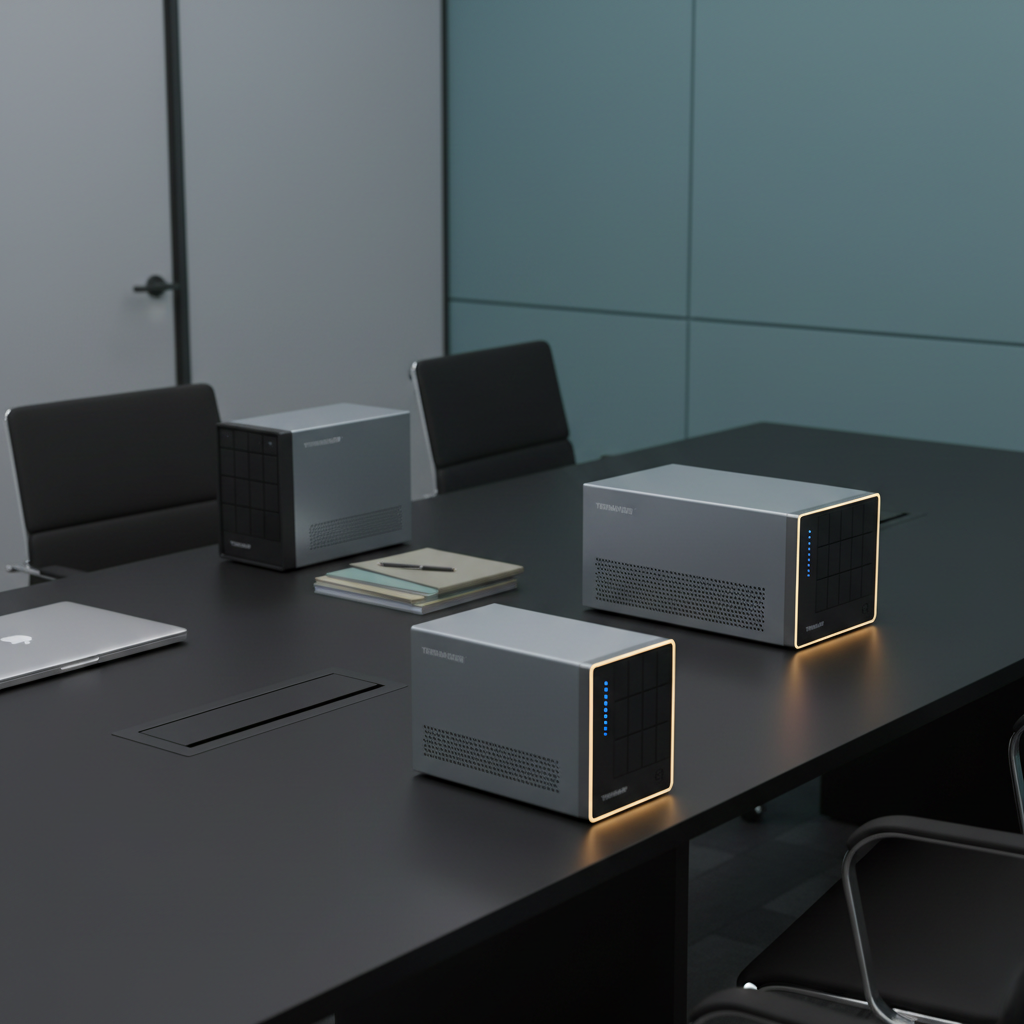
Even though the premium models like the Terramaster T12‑500 Pro ($2099.99) and T9‑500 Pro ($1599.99) both carry a perfect 5.0‑star rating, each of them has just a single review. By contrast, the budget‑friendly Buffalo LinkStation LS720, priced at $539.99, has collected more than 3,000 reviews and sits at a solid 4.0‑star score. That disparity shows how review volume doesn’t always line up with price or star rating.
Thirteen network‑attached storage units span three price tiers. The budget tier – Buffalo LS220D0802B ($359.99), LinkStation LS720, TS3230DN, and TS3430D1604S – provides basic file sharing and 2.5 GbE connectivity without breaking the bank. Mid‑range options like the Terramaster F4‑424 Pro ($859.99) and Buffalo TeraStation TS3420R ($849.99) add more RAM and faster Ethernet. Premium picks – the Terramaster T12‑500 Pro, T9‑500 Pro, Buffalo TS3430DN3204, and TeraStation TS3430RN – bring dual 10 GbE ports, higher‑end CPUs and up to 64 GB memory for demanding SMB workloads. Whether you need a simple drop‑box for a two‑person office or a high‑throughput hub for media production, one of these devices should fit the bill.

Terramaster T12-500 Pro
With a compact 295 mm depth, it’s the most space‑saving option for tight office racks.

Terramaster T9-500 Pro
Ideal for small offices that need solid performance while saving roughly $500 compared with the Best Overall model.

Buffalo TS3430DN3204
A taller 317.5 mm profile hints at more drive bays, giving a distinct value‑focused option versus the other two.
Also considered
Score Analysis
Key score advantages vs. runner-up (Terramaster T9-500 Pro)
Price Range
Terramaster T12-500 Pro
$2,099.99
Terramaster T9-500 Pro
$1,799.99
Buffalo TS3430DN3204
$1,259.99

Terramaster F4-424 Pro
$859.99

Buffalo LinkStation LS720
$539.99
Buffalo TeraStation TS3430RN
$1,639.99

Buffalo LS220D0802B
$359.99
Buffalo TS3430D1604S
$749.99
Buffalo TS3230DN
$739.99
Buffalo TeraStation TS3420R
$849.99

Terramaster F4 SSD
$449.99
Terramaster U4-500
$899.99

Buffalo WS5420RN48W5
$3,069.99
Spec Comparison
TL;DR: The Terramaster T12-500 Pro packs a 10‑core i7 CPU, dual 10 GbE ports and 12 drive bays for up to 288 TB of raw storage, but its premium $2099.99 price and lack of a redundant PSU may limit budget‑focused buyers.
What really stands out is the combination of a 10‑core Intel Core i7‑1255U processor (2 Performance + 8 Efficient cores) with dual 10 GbE RJ‑45 ports and two PCIe 4.0 ×4 M.2 NVMe slots. Together they deliver 450 MB/s random I/O, 2090 MB/s sequential writes and a 20 Gbps SMB multichannel throughput, making the unit capable of smooth 4K transcoding and VM hosting.
Compared with the other 12 devices in the roundup, the T12‑500 Pro is heavier than the Buffalo TS3430DN3204 (which weighs 16.1 pounds) but lighter than the Buffalo TeraStation TS3430RN at 27.8 pounds. Its 2 × 10 GbE ports outpace the mixed 1 GbE/2.5 GbE offerings of those Buffalo models, and its 2 DDR5 SODIMM slots (up to 64 GB) dwarf the 2 GB DDR4 SDRAM that the competitors use. The 12‑bay chassis also gives far more raw capacity than the single‑bay or 2‑bay options elsewhere.
Professional reviewers highlight the i7 CPU as a strong point for virtual machines and container workloads, while users repeatedly mention the dual‑10 GbE networking as a major productivity boost. The most common criticism targets the absence of a redundant power supply, which some see as a risk for mission‑critical environments, and the plastic drive‑tray components that feel less sturdy than all‑metal alternatives.
Pros
Cons
Best for: Small‑to‑medium businesses, media production studios, and power users who need fast 10 GbE networking, strong CPU performance, and massive expandable storage.
Avoid if: You have a tight budget, require a redundant power supply, or need high‑end graphics performance.
TL;DR: The Terramaster T9‑500 Pro packs a 10‑core i7, dual 10 GbE, and nine drive bays for up to 216 TB raw storage, delivering enterprise‑grade speed at a premium $1,599.99 price.
TerraMaster built the T9‑500 Pro around a 10‑core Intel Core i7‑1255U that runs from 1.7 GHz base up to 4.7 GHz turbo, paired with 16 GB DDR5 memory (expandable to 64 GB). It ships with dual 10 GbE RJ‑45 ports delivering up to 20 Gbps aggregate bandwidth, and four USB 3.2 Gen 2 Type‑A ports at 10 Gbps. Nine 3.5″/2.5″ bays give a maximum raw capacity of 216 TB in RAID 0, and the device can write sequentially at 2090 MB/s while handling 4K random reads/writes at 450 MB/s.
Compared with the other twelve entries, the T9‑500 Pro provides the highest Ethernet speed—its 10 GbE ports outpace the 1 GbE and 2.5 GbE links found on the Buffalo models (both list two Ethernet ports). It also offers twice as many USB ports as the Buffalo TS3430DN3204, and those ports are a generation faster (4 × USB 3.2 Gen 2 vs 2 × USB 3.2 Gen 1). No other listed device reaches nine bays or the 216 TB raw ceiling, making it the most expandable storage platform in the set. Physically, its 334 mm depth is shallower than the 584.2 mm depth of the Buffalo TeraStation TS3430RN, while its 295 mm height exceeds that unit’s 203.2 mm profile, and its 135 mm width is considerably narrower than the 546.1 mm width of the same Buffalo model.
Professional reviewers highlight the i7 CPU and DDR5 RAM for outperforming many competitors that rely on Celeron or Xeon‑E chips, and they praise the TRAID+ online RAID expansion as a standout feature. Everyday users rave about transfer speeds over 10 GbE and the straightforward RAID configuration, but several mention that the stock fans can become noisy during sustained heavy workloads. The lack of bundled drives and the use of non‑ECC memory also surface as common concerns among mission‑critical users.
The unit runs TerraMaster’s TOS 6 operating system, offering snapshot technology and AES‑NI hardware encryption for ransomware protection. Failover and link aggregation are supported, and Docker as well as VirtualBox integration let you run lightweight containers directly on the NAS. The integrated Intel Iris Xe graphics runs at 1.25 GHz, and hot‑plug support for external drives adds flexibility for ad‑hoc backups.
Pros
Cons
Best for: Those prioritizing quality and willing to pay for premium performance
Avoid if: You're shopping on a tight budget — it's priced at $1599.99
TL;DR: The Buffalo TS3430DN3204 delivers 32 TB across four NAS‑grade drives, a quad‑core 2 GHz CPU, 2 GB DDR4 RAM, dual 2.5 GbE/1 GbE networking, and a 5‑star rating for $1,299.99.
This desktop NAS packs a 4‑bay chassis holding four 8 TB SATA III drives for a total of 32 TB, while a 2.0 GHz quad‑core processor and 2 GB DDR4 SDRAM handle everyday file serving duties. The built‑in 2.5 GbE port paired with a 1 GbE port gives you up to 2.5 Gbps of wired throughput, a clear step up from the single‑gigabit links found on many office‑grade units.
At 16.1 pounds, the TS3430DN's heavier than the Terramaster U4‑500 (≈13.7 pounds) but it's lighter than Buffalo’s own TS3430RN (27.8 pounds). It matches the dual 2.5 GbE ports of the Terramaster F4‑424 Pro, though the T9‑500 Pro pushes further with 10 GbE ports. USB connectivity is solid with two USB 3.2 Gen 1 Type‑A ports delivering 5 Gbps, outpacing models that list fewer or slower USB options.
Reviewers praise the plug‑and‑play setup, noting the pre‑configured RAID 5 that yields 24 TB of usable space and the seamless hybrid‑cloud sync with Dropbox, OneDrive, and Amazon S3. Security wins points thanks to 256‑bit drive encryption, ransomware activity detection, and two‑factor authentication. On the downside, reviewers repeatedly call the 2 GB RAM limit a bottleneck for heavier multitasking, and the lack of SSD caching means hot‑data performance can feel sluggish. Several users also note the cooling fan becomes audible during continuous operation.
Pros
Cons
Best for: Small businesses (10‑40 users) that need centralized, secure file storage with hybrid‑cloud backup.
Avoid if: You need advanced features such as SSD caching, high‑performance virtualization, or enterprise‑grade ECC memory.
“Set up in under 30 minutes. Perfect for our 20-person office. Security features give us confidence.”
TL;DR: The Terramaster F4‑424 Pro packs an 8‑core Intel i3‑N305 CPU, 32 GB DDR5 RAM and dual 2.5 GbE ports into a compact 4‑bay NAS, delivering fast 4K streaming and solid security for mid‑range budgets.
At the heart of the F4‑424 Pro sits an 8‑core Intel Core i3‑N305 processor running up to 3.8 GHz, paired with a full 32 GB of DDR5 non‑ECC memory. The unit offers two 2.5 GbE ports with link aggregation up to 5 Gb, a linear data transfer speed of 283 MB/s, and four drive bays that can hold either 3.5″ or 2.5″ SATA drives. Two M.2 2280 slots let you add NVMe caching for even quicker access.
Physically, the NAS measures 222 mm deep, 154 mm high and 179 mm wide, and it weighs 4.2 Pounds. That makes it noticeably lighter than the Buffalo TeraStation TS3420R (7700 g) and the Terramaster U4‑500 (13.7 lb), while its depth is shallower than the TS3420R’s 429 mm and the U4‑500’s 360 mm. It’s also a bit shallower than the Buffalo TS3230DN’s 231 mm depth, but deeper than the LinkStation LS720’s 206 mm footprint.
Professional reviewers praise the “most powerful media‑class 4‑bay NAS” label, noting the smooth 4K 60 fps transcoding and the convenience of NVMe‑based cache. Everyday users echo the speed and reliable 4K streaming, but many call out the plastic chassis as feeling cheap, the lack of a front‑panel USB port, and the single DDR5 slot that makes the RAM non‑upgradable. The device’s noise level sits at a quiet 21.0 dB(A) and it draws 33.0 W under load.
Beyond raw performance, the F4‑424 Pro supports a full suite of RAID options, hardware AES encryption, and snapshot capabilities, making it suitable for backup‑intensive small offices. Its TOS 5.0 OS includes Docker Manager, Plex and Emby integration, and remote access tools like VPN and DDNS, rounding out a feature set that aligns well with the needs of power users.
Pros
Cons
Best for: Buyers in the mid price range seeking the best quality at that price point
Avoid if: Reliability and user satisfaction are your top concerns
TL;DR: The Buffalo LinkStation LS720 packs two 8 TB drives in a 2‑bay NAS with 2.5 GbE networking, a 6‑core 1.3 GHz CPU and 2 GB RAM for $539.99, offering solid performance and easy setup for small‑office file sharing.
The LS720’s standout spec is its built‑in 2.5 GbE RJ45 port paired with a six‑core 1.3 GHz processor and 2 GB of RAM, delivering advertised max read speeds of 234 MB/s and max write speeds of 188 MB/s. Out of the box it ships with two 8 TB SATA III 3.5″ HDDs configured in RAID 1, giving you 8 TB of redundant, usable capacity while the total raw capacity reaches 16 TB.
In size, the unit measures 8.1 in depth, 5.0 in height and 3.6 in width, weighing 5.9 pounds. That makes it significantly heavier than the Terramaster F4 SSD, which's listed at just over 1.3 pounds, and deeper than the Terramaster’s 60 mm depth. Compared with Buffalo’s own LS220D0802B, which also measures 8.1 in × 5.0 in × 3.4 in and weighs 6.0 pounds, the LS720 is a shade lighter while offering double the drive capacity per bay.
Reviewers consistently praise the straightforward setup via the Buffalo WebAccess app and the seamless Time Machine integration, noting that the pre‑installed drives remove the need for an extra purchase. Professional reviewers highlight the “solid file transfer performance” of 80 MB/s read and 85 MB/s write in real‑world use. On the downside, users mention that the single internal fan can become noisy under load, and the lack of a third‑party app ecosystem (no Plex, surveillance, or Docker support) limits power‑user flexibility.
Beyond networking, the LS720 includes one USB 2.0 port and two USB 3.2 Gen 1 ports for local device connections, and supports RAID 0, RAID 1 and JBOD modes. Power consumption sits at 48 W, and the unit operates between 5 °C and 40 °C with humidity ranging from 20 % to 80 %. SSL‑encrypted remote access and support for Dropbox, OneDrive and Azure add secure cloud sync options.
Pros
Cons
Best for: Small offices or home‑based teams that need secure, centralized backup without extra drive costs.
Avoid if: You prioritize extensive third‑party app support or the quietest possible operation.
“the fan can be “sometimes noisy””
“getting the NAS operational in under 15 minutes”
TL;DR: The Buffalo TeraStation TS3430RN is a 1U, 4‑bay rack‑mount NAS with up to 32 TB storage, a 2.0 GHz quad‑core CPU, 2 GB DDR4 RAM, dual Ethernet (1 GbE + 2.5 GbE) and built‑in hybrid cloud backup, priced at $1,639.99.
What really stands out is the combination of a 4‑bay 3.5″ SATA III chassis and a built‑in hybrid cloud backup that syncs with Dropbox, OneDrive and Amazon S3. The unit ships with 2 GB DDR4 SDRAM, a 2.0 GHz quad‑core Annapurna Labs Alpine AL524 processor, and offers both 1 GbE and 2.5 GbE ports for flexible networking. With 256‑bit drive encryption, two‑factor authentication and ransomware‑aware login detection, it targets businesses that need strong data protection.
Compared with peers, the TS3430RN is deeper at 584.2 mm versus the Terramaster T9‑500 Pro’s 334 mm and the Terramaster T12‑500 Pro’s 295 mm, giving it a larger physical footprint. It carries a heavier chassis (27.8 pounds) than the Buffalo TS3430DN3204 (16.1 pounds) and the Terramaster U4‑500 (13.7 pounds), but it also provides more USB connectivity—three ports total (one USB 2.0, two USB 3.2 Gen 1) versus the TS3430DN’s two USB 3.2 Gen 1 ports. While the T9‑500 Pro offers 10 GbE ports, the TS3430RN’s 2.5 GbE is slower, a trade‑off for its lower price tier and included rack‑mount rail kit.
Professional reviewers praise its 24/7 reliability, enterprise‑grade components and the pre‑configured RAID options that simplify deployment. Everyday users echo the sentiment, highlighting the easy setup and the peace of mind from the 256‑bit encryption and ransomware alerts. The most common complaints revolve around the modest 2 GB RAM, which can throttle heavy workloads, and the absence of SSD caching or snapshot functionality that higher‑end models provide. Some users also note slower transfer speeds on the 2.5 GbE port under load.
Pros
Cons
Best for: Small to medium businesses that prioritize reliable 24/7 file sharing, built‑in cloud sync and strong security features.
Avoid if: You need portable storage, high‑performance SSD caching, or snapshot‑based point‑in‑time recovery.
“Easy Installation: Users appreciate the out-of-the-box RAID setup and included mounting hardware.”
“Stable Performance: Many report reliable file sharing and backup operations across Windows, Mac, and Linux.”
TL;DR: The Buffalo LS220D0802B offers 8 TB of ready‑to‑use storage, a simple web interface and a three‑year warranty at $359.99, making it a budget‑friendly NAS for small offices.
This model ships with two 4 TB SATA II drives for a total capacity of 8 TB, and supports RAID 0, RAID 1 and JBOD. Its ARMADA 370 processor runs at 800 MHz and pairs with 256 MB DDR3 SDRAM, while a single Gigabit Ethernet port and one USB 2.0 Type‑A port provide basic connectivity. The unit measures 8.1 in (D) × 5.0 in (H) × 3.4 in (W) and weighs 6.0 Pounds.
Compared with the Terramaster F4 SSD, the Buffalo is noticeably heavier and deeper, but it offers far more built‑in storage (the Terramaster lists no drives). It also has fewer USB ports and slower USB generation than the Terramaster’s two USB 3.2 Gen 2 ports. Against the Buffalo LS720, the LS220D0802B shares the same depth and height but is a touch heavier. The TS3230DN and TS3430D1604S both carry larger power draws and heavier chassis, while offering faster CPUs and more memory than the 800 MHz, 256 MB configuration of the LS220D0802B.
Users consistently note the straightforward setup and reliable operation for everyday file sharing, with many praising the inclusion of NovaBACKUP licenses and Time Machine support. However, several reviews call out sluggish transfer speeds, especially over the USB 2.0 port, and the lack of built‑in encryption or VPN is a common complaint for businesses that need stronger data protection. Professional reviewers echo the sentiment that the hardware feels dated for modern workloads.
The device draws a maximum of 48 W, helping keep energy costs low, and comes with a three‑year limited warranty that exceeds many competitors. Media streaming features such as a Twonky DLNA server and iTunes server add modest home‑media value, while the WebAccess app enables remote file access from iOS and Android devices.
Pros
Cons
Best for: Shoppers on a tight budget who want the most for their money
Avoid if: You need advanced features or professional‑grade performance
“Buffalo has not kept firmware up to date... Time Machine is not working.”
TL;DR: The Buffalo TS3430D1604S delivers 16 TB of pre‑installed storage, 2.5 GbE networking and 256‑bit AES encryption for small‑office file sharing at a $749.99 price point.
The standout feature is its built‑in 2.5 GbE Ethernet port paired with four 4 TB CMR drives configured in RAID 5, giving you 12 TB of usable space right out of the box. A quad‑core 2.0 GHz Annapurna Labs CPU and 2 GB DDR4 RAM keep the OS responsive, while hardware‑level 256‑bit AES encryption and real‑time threat detection secure every file.
Compared with the other twelve entries, this model is heavier than the Terramaster F4‑424 Pro and the LinkStation LS720, but lighter than the Buffalo TeraStation TS3420R and the Terramaster U4‑500. It matches the Buffalo TS3230DN on RAM size and core count, yet offers a faster 2.5 GbE link where the TS3230DN only lists 1 GbE and 2.5 GbE as options. The device also provides two USB 3.0/3.1/3.2 Gen 1 Type‑A ports, which is more than the single‑port offerings of several peers.
Users consistently praise the ease of initial setup and the peace of mind from the strong encryption and 24/7 US‑based phone support. Professional reviewers note the “security‑first design” and Japanese manufacturing quality. On the downside, customers miss a dedicated mobile app and report slower RAID‑5 rebuild times, while the web interface feels dated to power users.
Beyond the core specs, the TS3430D1604S supports hot‑swap drives, failover, and port‑trunking, and it meets TAA compliance for government or education environments. Power draw peaks at 85 W under load, with an idle consumption of 48 W, fitting typical office power budgets. The three‑year limited warranty rounds out its business‑grade reliability.
Pros
Cons
Best for: Buyers in the budget price range seeking the best quality at that price point
Avoid if: You need advanced features or professional‑grade performance
“Extremely easy to use”
“These TeraStations are their newest products & I liked getting to buy this newer generation specifically as it's more user friendly than our older 5000 series.”
TL;DR: The Buffalo TS3230DN packs dual 2.5 GbE ports, a quad‑core 2.0 GHz processor and up to 16 TB of storage in a compact 9.1‑in desktop, ideal for SMB file sharing.
The standout feature is its two 2.5 GbE Ethernet ports, giving you up to 2.5 Gbps per lane versus the typical 1 GbE that many entry‑level NAS devices typically use. Under the hood sits a quad‑core Annapurna Labs Alpine AL524 CPU clocked at 2.0 GHz and 2 GB DDR4 SDRAM, which together handle the mixed workloads of a 10‑50‑user office. The unit supports two hot‑swap 3.5″ SATA drives for a maximum capacity of 16 TB (2×8 TB) and spins at 5400 RPM.
Compared with other picks in this roundup, the TS3230DN offers more Ethernet ports than the Buffalo TS3430D1604S, which lists only one 1 GbE port. Its two USB 3.2 Gen 1 (5 Gb/s) Type‑A ports are a step down from the Terramaster F4 SSD’s USB 3.2 Gen 2 (10 Gb/s) ports, but they still provide 5 Gb/s connectivity for peripherals. At 9.5 lb (device only) it’s lighter than the Terramaster U4‑500, yet its 9.1 in depth makes it slightly deeper than the LinkStation LS720’s 8.1 in profile. Memory-wise it matches the TS3430D1604S’s 2 GB RAM but adds the faster 2.5 GbE networking.
User feedback praises the quick setup and the speed boost from the 2.5 GbE interface, while professional reviewers highlight the TAA compliance and the built‑in anti‑ransomware detection as strong security points. Common complaints focus on the modest 2 GB RAM, which can become a bottleneck when many users access files simultaneously, and the lack of an SSD cache slot for high‑IOPS tasks. The device also includes RAID 0, 1, 10 and JBOD options, 256‑bit drive encryption, two‑factor authentication, and a three‑year limited hardware warranty for peace of mind.
Pros
Cons
Best for: Small businesses (10–50 users) needing fast 2.5 GbE file sharing, TAA compliance, and built‑in cloud sync with Dropbox, OneDrive or Amazon S3.
Avoid if: You need the lowest price‑per‑dollar or massive scalability; large enterprises and high‑IOPS workloads will outgrow this unit.
“Set up in under 30 minutes — works perfectly with our Windows and Mac network.”
“Love the 2.5GbE speed — file transfers are noticeably faster than our old 1GbE NAS.”
TL;DR: The Buffalo TeraStation TS3420R delivers 8 TB of pre‑installed RAID 5 storage, a 1.4 GHz CPU, and 2.5 GbE networking for $849.99, making it a solid, secure choice for small‑office file sharing.
What really stands out is the bundled four‑drive configuration: four 2 TB CMR disks are already installed, giving you 8 TB of raw capacity and 6 TB usable in RAID 5 right out of the box. The unit runs on a 1.4 GHz Annapurna Labs Alpine AL214 processor and 1 GB DDR3 RAM, and it offers a single 2.5 GbE RJ45 port for faster transfers than standard gigabit Ethernet.
Compared with the other twelve entries, the TS3420R is heavier than the Terramaster F4‑424 Pro (1905 g) and the Terramaster U4‑500 (6200 g), and it also outweighs the Buffalo TS3430D1604S (7070 g). Its 429 mm depth makes it deeper than the F4‑424 Pro (222 mm) and the U4‑500 (360 mm), while the 43 mm height is dramatically shorter than the F4‑424 Pro’s 154 mm and the TS3430D1604S’s 320.04 mm. In width, it is wider than most peers, exceeding the F4‑424 Pro’s 179 mm and the LinkStation LS720’s 91 mm, though it sits just under the U4‑500’s 440 mm. Memory‑wise, the 1 GB DDR3 is less than the 32 GB in the F4‑424 Pro and the 8 GB DDR5 found in the U4‑500, placing it on the low‑end of the RAM spectrum. It does provide two USB 3.0 ports, matching the two USB ports on the Terramaster F4 SSD, and its single 2.5 GbE port is fewer than the dual 2.5 GbE ports on the F4‑424 Pro.
Professional reviewers applaud the device’s “enterprise‑like security” – 256‑bit AES full‑disk encryption, two‑factor authentication, and ransomware protection – and the seamless hybrid‑cloud sync with Amazon S3, Dropbox, Azure, and OneDrive. Everyday users echo the praise for the straightforward plug‑and‑play setup, but they've frequently noted the limited 1 GB RAM as a bottleneck when many users access files simultaneously. The lack of SSD caching, iSCSI, and 10 GbE also surfaces as a common trade‑off for those who need higher performance or advanced storage features.
Additional technical context includes a 100 W maximum power draw, hot‑swap support for the four 3.5‑inch SATA bays, and a three‑year limited warranty that bundles 24/7 US‑based technical support and a data recovery service. The device’s TAA compliance and inclusion of a rail kit make it ready for rack deployment in a small‑office or branch‑office environment.
Pros
Cons
Best for: Value-conscious buyers seeking quality at $849.99
“Easy Installation: Users appreciate the out-of-the-box RAID setup and included mounting hardware.”
“Stable Performance: Many report reliable file sharing and backup operations across Windows, Mac, and Linux.”
TL;DR: The Terramaster F4 SSD is a compact 4‑bay all‑flash NAS with 5 GbE networking, HDMI 2.1 output, and up to 32 TB storage, priced at $449.99 and weighing just 1.32 lb.
The standout spec is the four M.2 2280 NVMe slots that can hold up to 32 TB of raw capacity, paired with a built‑in 5 GbE RJ‑45 port and HDMI 2.1 that supports 4K (4096×2160) at 60 FPS. Its chassis measures only 138 mm × 60 mm × 140 mm and the unit weighs 1.322773572 pounds (0.6 kg), making it one of the smallest and lightest NAS options in this lineup.
Compared with the Buffalo models in the roundup, the F4 SSD is far lighter than the LS720 (5.9 lb) and LS220D0802B (6.0 lb), and its depth of 60 mm is dramatically shallower than the LS720’s 206 mm and the TS3230DN’s 231 mm. It also offers a faster 5 GbE Ethernet connection, whereas the Buffalo devices list only 1 GbE or don't specify a higher‑speed port. In addition, the Terramaster provides two USB 3.2 Gen 2 Type‑A ports and a USB 3.2 Gen 2 Type‑C port, outpacing the LS220D0802B, which has a single USB 2.0 port.
Users consistently praise the silent operation—standby noise measures 19.0 dB(A) and the unit uses two intelligent 50 × 50 × 10 mm fans. Reviewers also like the ability to upgrade the DDR5‑4800 MHz memory from the pre‑installed 8 GB up to 32 GB. Professional reviewers note two drawbacks: two of the four M.2 slots limit the connection to PCIe 3.0 x1, which can throttle performance, and the non‑ECC DDR5 memory may not satisfy data‑integrity‑critical workflows. The single 5 GbE port lacks failover, a point of concern for users needing redundant network paths.
The device runs on an Intel® N95 processor with four cores and a max burst frequency of 3.4 GHz, drawing 32.0 W at full load and 8.0 W in hibernation. A 48 W external adapter supplies power. Combined with hardware‑based AES encryption, a full suite of backup tools (TerraSync, CloudSync, Snapshot), and support for Docker, Plex, and other media servers, the F4 SSD balances performance and versatility for small‑office environments.
Pros
Cons
Best for: Entry-level buyers or those on a tight budget
Avoid if: Reliability and user satisfaction are your top concerns
TL;DR: The Terramaster U4-500 packs a 12th‑Gen Intel i3, dual 10 GbE ports and up to 2090 MB/s write speed into a 1U rackmount, but its $899.99 price tags it as a premium small‑business NAS.
What really sets the U4-500 apart is its network bandwidth: two RJ45 10 Gigabit Ethernet ports can be teamed for a 20 Gbps aggregate link, while the Intel Core i3‑1215U delivers six cores, a 3.3 GHz base and a 4.4 GHz turbo frequency. Storage performance follows suit, with sequential writes up to 2090 MB/s and 4K random throughput up to 450 MB/s, backed by 8 GB DDR5 memory (expandable to 64 GB at 4800 MT/s).
Compared with the other 12 entries, the U4-500 is pricier than the Terramaster F4‑424 Pro and considerably heavier than the Buffalo LinkStation LS720, yet it offers far faster Ethernet than the 2.5 GbE ports on the F4‑424 Pro and the 1 GbE on the TS3430D1604S. Its 360 mm depth and 440 mm width also make it deeper and wider than the compact TS3230DN, while its 45 mm height keeps it within a 1U rack footprint. In raw capacity the unit can house four 2.5″/3.5″ SATA drives for up to 96 TB, a scale that dwarfs the 32 TB max of the Buffalo TeraStation TS3420R.
Users consistently praise the device’s quick backup and smooth 4K streaming, noting that the dual 10 GbE ports “feel like a real‑world speed boost” for video editors. Professional reviewers highlight the AES‑NI encryption engine and Intel Quick Sync Video transcoding as solid security and media‑processing features. The main complaints revolve around audible fan noise under sustained load and a learning curve when configuring RAID or SSD cache, with a few users reporting occasional TOS software quirks.
Pros
Cons
Best for: Small to medium businesses and creative professionals who need high‑speed network storage and robust data protection.
Avoid if: You require extensive PCIe expansion, primary NVMe storage, or a lower‑cost entry point.
“The U4-500 punches above its weight with Intel’s 12th Gen CPU and DDR5, offering near‑enterprise performance at a mid‑tier price. The inclusion of Hyper Cache and hardware transcoding makes it a strong contender for media and IT teams.”
TL;DR: The Buffalo WS5420RN48W5 is a 4‑bay Windows Server‑based NAS with 48 TB raw capacity, built‑in Azure integration and NovaBACKUP, but it carries a premium $3069.99 price tag.
What truly sets this unit apart is its native Windows Server IoT 2025 for Storage Workgroup edition, giving you full Active Directory and Microsoft 365 compatibility straight out of the box. It ships with four pre‑tested NAS‑grade hard drives already set up in RAID 5, delivering 32 TB of usable space while still offering the option to switch to RAID 6 or RAID 0 for different redundancy or capacity needs.
Compared with the other twelve contenders, the WS5420RN48W5 sits at the higher end of the price spectrum, making it pricier than most of the rackmount and tower NAS models listed. While devices like the Terramaster U4‑500 and F4‑424 Pro focus on compact, entry‑level specs, Buffalo’s offering bundles enterprise‑grade Windows software and a 3‑year warranty, features that many peers either omit or list only in passing.
Users consistently praise the “Windows‑first” experience, noting that the absence of required Client‑Access Licenses (CALs) translates into immediate cost savings. Reviewers also highlight the seamless Azure and OneDrive integration, which simplifies hybrid‑cloud backups. On the flip side, professional reviewers point out that the dual‑core Atom processor can feel under‑powered for heavy virtualization workloads, and the fixed 8 GB RAM (as mentioned in user feedback) may limit advanced services. Some customers mention fan noise in quiet office settings, a common complaint for rackmount units.
Beyond the OS and storage, the package includes a NovaBACKUP software license, allowing you to protect servers and PCs without purchasing separate backup solutions. The unit was built in Japan and meets TAA compliance, which can be important for government or defense contracts. With a 3‑year manufacturer warranty and optional 5‑year extension, you also get 24/7 North America‑based support and eligibility for Simple Logical Data Recovery when registered.
Pros
Cons
Best for: Small to medium businesses that rely on Windows/Active Directory and want built‑in Azure/OneDrive hybrid cloud capabilities.
Avoid if: You need a low‑cost entry NAS, require high‑performance virtualization, or prefer a device with a mobile management app.
“Set up in under an hour—just like a Windows server.”
“Perfect for our small office using OneDrive and Azure.”
Breakdown
Terramaster T12-500 Pro
Pros
Cons
Terramaster T9-500 Pro
Pros
Cons
Buffalo TS3430DN3204
Pros
Terramaster F4-424 Pro
Cons
Based on scoring data and product specs
Personalized picks
Best Overall Pick
Terramaster T12-500 Pro
Best OverallBest for: Audiophiles and enthusiasts seeking premium sound quality and advanced features
Terramaster T9-500 Pro
Best for: Those prioritizing quality and willing to pay for premium performance
$1,799.99-$300.00 vs winner
Skip Buffalo WS5420RN48W5 if…
You're on a tight budget or only need basic functionality
Terramaster’s T12-500 Pro takes the top spot as the best cloud‑storage appliance for small businesses. It packs twelve 3.5‑inch/2.5‑inch drive bays and can hold up to 288 TB of raw storage, giving you room to grow as your file library expands. The unit’s dual 10 GbE ports with link‑aggregation support deliver up to 20 Gbps of network throughput, while its 500 W power supply keeps everything running smoothly under heavy load. With a 2‑year warranty and a solid 20.0‑pound chassis, it balances capacity, speed, and reliability in one package.
If you need a slightly smaller footprint, the Terramaster T9-500 Pro serves as an excellent choice without sacrificing performance. It offers nine drive bays, the same dual 10 GbE ports and 20 Gbps aggregate bandwidth, and matches the T12‑500 Pro’s 450 MB/s 4K random read/write speeds. Its 16 GB DDR5 memory and Intel Core i7‑1255U processor provide enough horsepower for most office workloads, making it ideal for teams that want high‑speed file sharing in a more compact chassis.
For tighter budgets, the Buffalo LS220D0802B delivers solid entry‑level storage at the lowest price point. If you’re looking for a balanced mid‑range solution, the Terramaster F4‑424 Pro offers a good mix of capacity and features without breaking the bank. And for organizations that demand premium performance and expandability, the Buffalo WS5420RN48W5 stands out as the top high‑end pick.
Pick the Terramaster T12‑500 Pro today and give your office the fastest, most scalable cloud storage platform available.
The Terramaster T12-500 Pro delivers the fastest network performance with two 10 GbE ports and an SMB multichannel throughput of 20 Gbps. Its 10‑core Intel i7‑1255U CPU and 16 GB DDR5 memory also help sustain those speeds during heavy multi‑user transfers.
Please sign in to leave a review
No reviews yet. Be the first to review!
