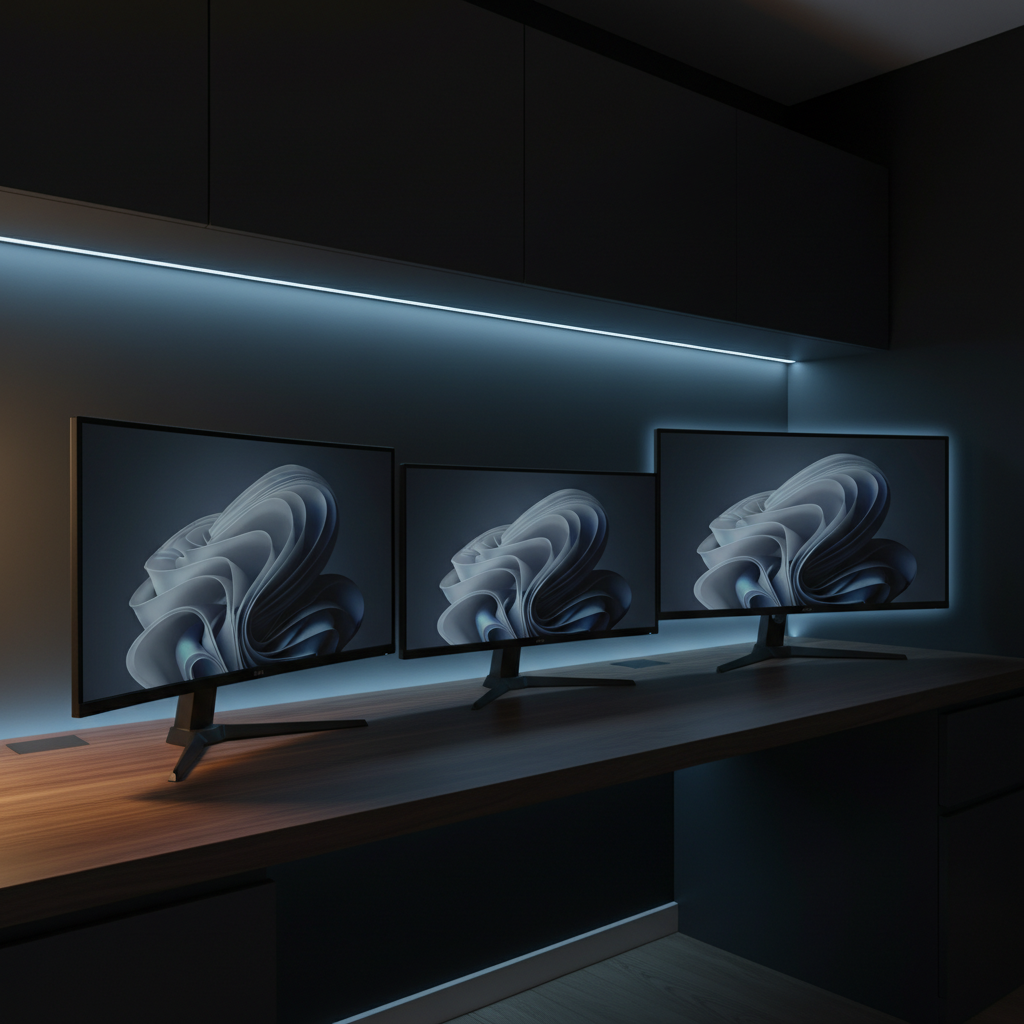
Among the 10 curved monitors we compared, the Sceptre C275W-1920RN stands out with a 4.6/5 rating earned from 14,483 reviews, and it’s priced at $109.97 – a sweet spot for a 27‑inch VA panel that delivers a 100 Hz refresh rate and 99% sRGB coverage. The roundup spans from the $89.98 Sansui ES‑G24C1L at the budget end to the $386.90 LG 34G600A‑B in the premium tier, giving you a clear view of what each price segment offers.
We’ve grouped the ten picks into three tiers: four budget‑friendly models (Sansui ES‑G24C1L, Sceptre C275W‑1920RN, Gawfolk GF270C, Sansui Curved 27‑inch), two mid‑range options (Samsung LS27D366GANXZA and Acer Nitro 27‑inch), and four premium contenders (LG 32GS60QC‑B, Philips 346E2CUAE, Alienware AW3425DWM, LG 34G600A‑B). Whether you need a compact 24‑inch screen for a desk‑top setup or an immersive ultrawide for gaming and multitasking, the upcoming sections will break down each model’s strengths, quirks, and ideal use‑cases. Stay tuned for the detailed look at each contender.

Sceptre C275W-1920RN
Depth: 383 mm keeps the footprint compact, delivering strong value at $109.97 while earning a 4.6‑star rating from over 14 k reviewers.

LG 34G600A-B
Ideal for multitasking professionals who need extra horizontal space, the LG 34G600A-B costs $386.90—about $277 more than the budget pick—offering a slimmer 249.1 mm depth with stand.

LG 32GS60QC-B
With a depth of 226.5 mm and tilt‑only adjustment, the LG 32GS60QC-B offers ergonomic flexibility at $250.06 while still earning a 4.5‑star rating from 13 k reviewers.
Also considered
Score Analysis
Key score advantages vs. runner-up (LG 34G600A-B)
Price Range
Sceptre C275W-1920RN
$99.97
LG 34G600A-B
$387.09
LG 32GS60QC-B
$248.31

Acer Nitro 27-inch
$139.99

Samsung LS27D366GANXZA
$161.49

Sansui ES-G24C1L
$89.99

Sansui Curved 27-inch
$119.99

Alienware AW3425DWM
$299.99

Philips 346E2CUAE
$279.99

Gawfolk GF270C
$109.99
Spec Comparison
TL;DR: The Sceptre C275W-1920RN offers a 27‑inch 1500R curved VA panel with a 100 Hz refresh rate, 99 % sRGB coverage, and built‑in speakers for just $109.97, earning a solid 4.6‑star rating.
This monitor’s most eye‑catching spec is its 100 Hz refresh rate on a 27‑inch VA panel, paired with a 1500R curvature that wraps the view for a more immersive feel. The panel delivers 280 cd/m² brightness, a dynamic contrast ratio of 1,000,000:1, and 99 % sRGB color gamut, which is respectable for a budget‑focused screen.
At 5.5 Pounds, the Sceptre is lighter than the Gawfolk GF270C, which weighs about 7.6 pounds, and considerably lighter than the Sansui Curved 27‑inch model at roughly 10 pounds. Its depth of 383 mm exceeds the 8.31‑inch depth listed for the Sansui Curved 27‑inch, while the Sansui ES‑G24C1L measures only 119 mm. Brightness‑wise, the Sceptre’s 280 cd/m² matches the Gawfolk’s 280 cd/m² but sits below the 300 cd/m² brightness of both Sansui models. Unlike the Gawfolk and Sansui ES‑G24C1L, the Sceptre doesn't include a DisplayPort, which some users note as a missing feature.
Reviewers consistently praise the smooth 100 Hz gameplay and the immersive 1500R curve, especially for casual gaming and office work. The built‑in 2 × 2 W speakers and eye‑comfort features like anti‑flicker and blue‑light shift add convenience for desk setups. However, users report a slow wake‑up time of 15–30 seconds and occasional shipments that lack the advertised DisplayPort, which can frustrate those who rely on that connection. The plastic chassis functions but feels less premium than metal‑build competitors.
Pros
Cons
Best for: Budget‑conscious buyers seeking a reliable entry‑level option
Avoid if: You need advanced features or professional‑grade performance
“Slow wake-up time: Users report 15–30 seconds to wake from sleep, causing issues with KVM switches and boot selection”
“Inconsistent model shipping: Some buyers received C275W-1920RND1 instead of ordered C275W-FW100T, lacking DisplayPort”
TL;DR: The LG 34G600A-B is a 34‑inch ultrawide curved VA monitor with 160 Hz refresh, HDR10 and 4000:1 contrast, but its $386.90 price and heavyweight design may deter budget‑focused buyers.
The standout feature is its 34‑inch 21:9 VA panel with an 1800R curvature, a 160 Hz refresh rate and HDR10 support. With a typical brightness of 300 cd/m² and a typical contrast ratio of 4000:1, the screen delivers deep blacks and vibrant highlights, while the 99% typical sRGB color gamut ensures rich color reproduction.
At 22.0 pounds, the LG monitor is heavier than every other model in this roundup – for example, the Alienware AW3425DWM tips the scales at 20.97 pounds and the Samsung LS27D366GANXZA weighs just 8.4 pounds. It also lacks any USB ports, whereas the Alienware and Philips models include multiple USB connections. The stand does offer height, tilt and swivel adjustments and supports a 100 × 100 mm VESA mount, matching the mounting options of several peers.
Reviewers consistently praise the immersive ultrawide experience and the buttery‑smooth 160 Hz gameplay, noting the VA panel’s deep blacks and its 4000:1 contrast ratio as a professional‑review highlight. However, users often mention the built‑in 5 W speakers sound thin, and the default color calibration can appear too warm or oversaturated at the edges. The monitor’s lack of a USB hub also shows up as a common complaint.
Pros
Cons
Best for: Buyers willing to invest in a proven, high-quality option
Avoid if: You're shopping on a tight budget — it's priced at $386.90
“Best Ultra Wide Curved Monitor”
TL;DR: The LG 32GS60QC‑B delivers a 31.5‑inch QHD VA panel with a 1000R curve, 180 Hz refresh and 1 ms response, offering immersive gaming at a solid $250 price.
This monitor packs a 31.5‑inch QHD (2560 × 1440) VA display that hits a 3000:1 static contrast ratio and HDR10 support, so dark scenes appear deep while bright areas stay vivid. The 1000R curvature wraps the screen around your field of view, and the 180 Hz maximum refresh combined with a 1 ms (GtG) response time keeps motion fluid for fast‑action titles.
At 13.0 pounds overall and 226.5 mm depth with the stand, the LG sits lighter than the Philips 346E2CUAE (which weighs 9.25 kg on‑stand) and the Alienware AW3425DWM, yet it’s heftier than most 27‑inch contenders like the Samsung LS27D366GANXZA (8.4 pounds). Its depth is more compact than the Philips’s 110 mm stand depth, giving it a tighter footprint on a desk.
Reviewers love the immersive curve and the deep blacks that the VA panel delivers, but they frequently point out ghosting and overshoot when the “Faster” overdrive mode is enabled. VRR flickering can also appear during intense scenes, and the stand only tilts (‑5° to +15°) with no height adjustment, which some users find limiting for ergonomic setups.
Beyond the core panel, the monitor includes AMD FreeSync Premium to sync frame rates up to 180 FPS, a Black Stabilizer for dark‑scene visibility, and on‑screen tools like a crosshair overlay and FPS counter. With 99% sRGB coverage and HDR10, it provides 99% sRGB coverage and HDR10 for color accuracy and dynamic range in gaming and media.
Pros
Cons
Best for: Casual and mid‑core gamers who want an immersive curved display with strong contrast and high refresh rates.
Avoid if: You need competitive‑grade motion clarity, height‑adjustable ergonomics, or professional‑level HDR performance.
TL;DR: The Acer Nitro 27‑inch delivers a 280 Hz refresh rate, 1 ms VRB response and a 1500R curve for ultra‑smooth gaming at $139.99, but its Full HD panel can appear soft on large text.
What really sets this monitor apart is the “up to 280 Hz” refresh rate paired with a 1 ms VRB response time, which professional reviewers cite as a standout for competitive play. The 1500R curvature adds immersion without the distortion you sometimes see on tighter curves, and the VA panel delivers deep blacks thanks to a dynamic contrast ratio of 100,000,000:1.
Compared with the other nine monitors in this roundup, the Nitro is heavier than the Samsung LS27D366GANXZA (8.4 pounds) and the Sansui Curved 27‑inch (≈10 pounds), but lighter than the Alienware AW3425DWM (≈20.97 pounds). Its brightness of 250 cd/m² sits between Samsung’s 200 cd/m² and Sansui’s 300 cd/m², while the built‑in 2 × 2W speakers are a modest addition that many budget rivals lack.
Gamers feel largely positive: they love the ultra‑smooth motion, the zero‑frame design for multi‑monitor setups, and the immersive curve. The most common complaints revolve around blurry text on the 27‑inch Full HD panel, limited HDR impact because of the 250 cd/m² brightness, and speakers that feel under‑powered.
Beyond the headline specs, the monitor includes AMD FreeSync Premium, HDR10 support, anti‑glare coating, height adjustment up to 100 mm, a swivel range of ±15°, and VESA‑mount compatibility (75 × 75 mm). These ergonomics and feature set round out a solid package for serious gamers.
Pros
Cons
Best for: Competitive gamers who need the highest refresh rates and low input lag, as well as casual gamers wanting an immersive curve.
Avoid if: You're shopping on a tight budget — it's priced at $139.99.
“Incredibly smooth gameplay — perfect for CS2 and Apex Legends.”
“The curve makes a huge difference in immersion.”
TL;DR: The Samsung LS27D366GANXZA delivers a 27‑inch 1800R curved VA panel with 100 Hz refresh, AMD FreeSync and TÜV‑certified eye comfort at a budget‑friendly $132.38.
The monitor’s standout feature is its 1800R curvature paired with a 27‑inch VA screen, which creates a gentle wrap that many users find more immersive than tighter curves. With a maximum refresh rate of 100 Hz and a 4 ms GTG response time, fast‑moving content feels smoother than the typical 60 Hz panel. Professional reviewers highlight the AMD FreeSync support as a solid advantage for casual gaming.
When placed beside the other nine contenders, Samsung’s curvature is milder than the Acer Nitro’s 1500R bend, while its stand depth of 233.68 mm is shallower than Acer’s 263 mm. At 8.4 pounds, it's lighter than the Acer Nitro but heavier than the Sceptre C275W‑1920RN, which tips the scales at 5.5 pounds. The single HDMI 1.4 port and one D‑Sub connector mean fewer connectivity options than the Sansui Curved model, which adds a USB‑C video port, but the Samsung still offers the essential HDMI link most users need.
Consumer feedback praises the monitor’s immersive curve and the TÜV‑certified eye‑comfort suite that reduces blue‑light fatigue during long work sessions. Reviewers also note the good color reproduction, covering 95% of the sRGB gamut, and a respectable 3000:1 contrast ratio that deepens blacks on the VA panel. On the downside, users repeatedly mention the lack of height, swivel or pivot adjustments—tilt is the only stand movement—and the absence of built‑in speakers, requiring external audio for multimedia.
Pros
Cons
Best for: Casual gamers, office workers, students, and budget‑conscious buyers who want an immersive curved monitor with solid performance.
Avoid if: You need extensive ergonomic adjustments, multiple video inputs, or higher‑resolution color‑critical work such as professional graphic design.
TL;DR: The Sansui ES‑G24C1L delivers a 24‑inch VA panel with 160 Hz refresh, 1 ms response, HDR10 and FreeSync at a budget‑friendly $89.98, earning a solid 4.4‑star rating.
This monitor’s most eye‑catching spec is the 160 Hz refresh rate paired with a 1 ms MPRT response time, which together promise fluid motion for fast‑paced games. The 1500R curvature adds an immersive feel, while HDR10 support and a 3000:1 contrast ratio make dark scenes pop.
At 3,515 g, the ES‑G24C1L is heavier than the Sceptre C275W‑1920RN (2,495 g) but lighter than the Gawfolk GF270C (7.605948039 lb) and the larger Sansui Curved 27‑inch model (10.00016820432 lb). Its 300 nits brightness outshines the Sceptre’s 280 cd/m², and the 110% sRGB color gamut matches the Sansui 27‑inch’s coverage while exceeding the Samsung LS27D366GANXZA’s minimum 200 cd/m².
Reviewers consistently praise the smooth gameplay and the effectiveness of FreeSync, noting that the high refresh rate and rapid response reduce motion blur. However, users also point out the lack of built‑in speakers and report that color accuracy can be inconsistent, which professional creators may find limiting.
Pros
Cons
Best for: Budget-conscious buyers seeking a reliable entry‑level option
Avoid if: You need precise color reproduction or high‑quality built‑in audio
“The smooth gameplay enabled by the high refresh rate and low input lag.”
“The lack of built-in speakers (on ES‑G24C1L) or poor audio quality (on ES‑G24C1) is a frequent drawback.”
TL;DR: The Sansui 27‑inch curved VA monitor delivers a 120 Hz refresh rate, USB‑C video‑plus‑PD and built‑in speakers for $112.99, making it a solid budget choice for casual work and gaming.
The standout spec is the 120 Hz refresh rate paired with a 1 ms MPRT response time, which promises smooth motion on a 27‑inch 1500R curved screen. Its VA panel offers a 4000:1 contrast ratio and 300 cd/m² brightness, while covering 110% of the sRGB color gamut and supporting HDR.
At 10.00016820432 pounds, the Sansui sits heavier than the Gawfolk GF270C (about 7.6 lb) and the Samsung LS27D366GANXZA (8.4 lb), but lighter than the Acer Nitro (around 13.8 lb) and the LG 32GS60QC‑B (13 lb). Unlike many rivals, it includes a USB‑C port that handles both video and power delivery, a feature only matched by the smaller Sansui ES‑G24C1L in this lineup. Most competitors rely on HDMI‑only connections, and only the Gawfolk lists a DisplayPort, which Sansui lacks.
Reviewers appreciate the sleek ultra‑thin bezel, the immersive 1500R curve, and the ease of plugging a laptop into the USB‑C port—especially with MacBook‑class devices. Users also note the monitor’s smooth 120 Hz gameplay and the convenience of built‑in 2 W speakers, though many describe the audio as “under‑powered.” Common complaints focus on the HDMI 1.4 limit that can restrict 120 Hz at full FHD resolution, the absence of height adjustment on the tilt‑only stand, and occasional HDR activation quirks.
Pros
Cons
Best for: Remote workers, office users, students, casual gamers, and MacBook/ultrabook owners who want a large, immersive display without breaking the bank.
Avoid if: You need a height‑adjustable stand, competitive‑level refresh rates above 144 Hz, or professional‑grade color accuracy for photo/video editing.
TL;DR: The Alienware AW3425DWM offers a 34‑inch 1500R curved VA panel with 180 Hz variable refresh, 1 ms GTG response and 95% DCI‑P3 coverage, but its $374.37 price places it at the premium end of the ultrawide market.
At the heart of the AW3425DWM is a 34‑inch VA screen that curves at 1500R and delivers a 3440 × 1440 resolution. The panel tops out at 180 Hz (48‑180 Hz variable) and can hit a 1 ms GTG response in Extreme Mode, while maintaining a static contrast ratio of 3000:1 and a peak HDR burst brightness of 500 cd/m². A 95% DCI‑P3 gamut and 10‑bit depth bolster color accuracy, and the monitor includes Adaptive Sync (FreeSync Premium, G‑Sync compatible) for tear‑free gaming.
In the context of its peers, the Alienware weighs 20.97 pounds, making it lighter than the LG 34G600A-B’s 22.0‑pound chassis but noticeably heavier than the Acer Nitro (≈13.78 pounds) and Samsung LS27D366GANXZA (8.4 pounds). Its stand‑depth of 132.5 mm is shallower than the LG 34G600A-B’s 249.1 mm and deeper than the Philips 346E2CUAE’s 110 mm, giving it a more compact footprint on a desk. Width‑with‑stand at 805.5 mm rivals the LG 34G600A-B’s 809 mm but exceeds the narrower 699.9 mm width of the LG 32GS60QC‑B. The monitor sits toward the premium side of the lineup, offering more features than many budget‑focused models.
Reviewers consistently praise the immersive curvature and vivid color pop, noting that the 3000:1 contrast delivers deep blacks that stand out in dark‑room gaming. Professional outlets highlight the near‑perfect color accuracy and the smooth 180 Hz experience, while everyday users love the ergonomic stand and the console‑mode preset for Xbox and PlayStation. The main complaints revolve around slight black‑smearing on fast dark transitions—a known characteristic of VA panels—and the absence of built‑in speakers, which some users miss.
The monitor also packs a solid connectivity suite: one DisplayPort 1.4, two HDMI 2.1 (FRL) ports, two USB 5 Gbps Type‑A downstream (one with BC 1.2) and a USB 5 Gbps Type‑B upstream. VESA‑mount compatibility is 100 × 100 mm, and the stand offers tilt, swivel, pivot and height adjustment (compressed 444.69 mm, extended 554.69 mm). Additional features include AlienFX RGB lighting, ComfortView Plus low‑blue‑light technology, picture‑by‑picture, picture‑in‑picture and a Kensington lock slot. Power consumption stays modest at 32 W average and 85 W maximum.
Pros
Cons
Best for: Those prioritizing quality and willing to pay for premium performance
Avoid if: You're shopping on a tight budget — it's priced at $374.37
TL;DR: The Philips 346E2CUAE offers a 34‑inch 1500R curved VA panel with 121.3% sRGB coverage, USB‑C docking and ergonomic adjustments, but its 4 ms response and $304 price may deter competitive gamers.
At the heart of this monitor is a 34‑inch VA screen with a 1500R curvature, delivering an immersive 21:9 WQHD experience. The panel reaches 121.3% sRGB coverage and a brightness of 300 cd/m², while the static contrast ratio of 3000:1 gives deep blacks. A USB‑C port supplies up to 65 W of power, video and data over a single cable, and the stand provides 100 mm of height adjustment plus a –5° to +20° tilt range.
Compared with the other nine monitors in this roundup, the Philips is notably slimmer: its 110 mm depth with the stand sits far shallower than the LG 32GS60QC‑B’s 226.5 mm depth and the Samsung LS27D366GANXZA’s 233.68 mm depth. It's also lighter than the Alienware AW3425DWM, which tips the scales at 20.97 pounds, but heavier than the Samsung’s 8.4 pounds. Its 9.25 kg weight with the stand sits between the LG 34G600A‑B’s 22.0 pounds and the LG 32GS60QC‑B’s 13.0 pounds.
Users consistently praise the monitor’s color accuracy and the convenience of a single USB‑C cable for video, data and power, calling it a “productivity booster.” However, reviewers note that the 4 ms gray‑to‑gray response can introduce motion blur in fast‑paced games, and the DisplayHDR 400 implementation falls short of true HDR brightness. The matte coating, while reducing glare, tends to attract fingerprints, and the stand’s footprint can dominate a smaller desk.
From a technical standpoint, the VA panel’s 110 PPI pixel density and 0.23175 mm pixel pitch contribute to crisp text and detailed visuals. The monitor supports AMD FreeSync Premium, helping to smooth gameplay despite the modest 48‑100 Hz refresh range. Built‑in KVM functionality lets you switch between two PCs with a single keyboard and mouse, adding to its multitasking appeal.
Pros
Cons
Best for: Professionals, multitaskers and content creators who value color accuracy, a large curved workspace and single‑cable connectivity.
Avoid if: You need ultra‑fast response for competitive gaming or require built‑in webcam and microphone for video calls.
“Perfect for coding and multitasking – I run four IDEs side by side.”
“Colors are stunning – great for photo editing and streaming.”
TL;DR: The Gawfolk GF270C delivers a 27‑inch 1800R curved VA panel with a 180 Hz DisplayPort refresh and 1 ms response at a budget‑friendly $109.99, though some users encounter dead pixels.
This monitor’s headline spec features a 180 Hz refresh rate over DisplayPort paired with a 1 ms (GTG) response time, delivering motion‑clear gaming on a 27‑inch screen. The VA panel curves at 1800R and covers 98% of the sRGB color space, while a 3000:1 contrast ratio and 280 cd/m² brightness keep images punchy.
At 7.605948039 lb, the GF270C weighs more than the 5.5 lb Sceptre C275W‑1920RN but less than the 10.00 lb Sansui Curved 27‑inch and far less than the 13.78 lb Acer Nitro 27‑inch. Its brightness matches the Sceptre’s 280 cd/m² but falls below the 300 cd/m² of the Sansui models. The 180 Hz refresh far outpaces the Sceptre’s 100 Hz, while its 98% sRGB coverage sits just shy of the Sceptre’s 99% and well under the 110% sRGB of the Sansui units.
Reviewers praise the smooth, high‑refresh gaming experience and note AMD FreeSync helps keep tearing at bay. Users also like the frameless bezel and VESA‑mount flexibility. However, a recurring complaint is early‑life dead pixels and occasional screen flicker, and the monitor doesn’t have built‑in speakers.
Pros
Cons
Best for: Entry-level buyers or those on a tight budget
Avoid if: You need powerful performance or professional‑grade features
“smooth gaming experience at high refresh rates”
“dead pixels within the first week”
Breakdown
Sceptre C275W-1920RN
Pros
LG 34G600A-B
Pros
Cons
LG 32GS60QC-B
Pros
Acer Nitro 27-inch
Pros
Cons
Based on scoring data and product specs
Personalized picks
Best Overall Pick
Sceptre C275W-1920RN
Best Budget PickBest for: Budget-conscious buyers seeking a reliable entry-level option
LG 34G600A-B
Best for: Buyers willing to invest in a proven, high-quality option
$387.09+$287.12 vs winner
Skip Gawfolk GF270C if…
You need powerful performance or professional-grade features
The Sceptre C275W‑1920RN takes the top spot as the best‑value curved monitor. At $109.97 it’s the most affordable option, yet it carries a strong 4.6 / 5 rating from 14,483 reviewers. Its 27‑inch VA panel delivers a smooth 100 Hz refresh rate and a comfortable 1500R curvature, while the built‑in 2 × 2 W speakers and 5 ms (G‑to‑G) response time keep everyday use and casual gaming fluid.
The LG 34G600A‑B lands as the runner‑up, perfect if you need an ultra‑wide canvas for immersive gaming or multitasking. Its 34‑inch screen with a 3440 × 1440 resolution and 160 Hz refresh rate provides crisp detail, and HDR10 support adds extra punch for movies and bright scenes. The 1800R curvature and VA panel give a wide field of view without sacrificing color accuracy.
For those looking beyond the winner, the mid‑range Samsung LS27D366GANXZA stands out at $132.38, offering a solid VA panel at a modest price. The premium tier still gets strong support from the LG 34G600A‑B, whose expansive 34‑inch display, high refresh rate, and HDR10 make it an excellent choice for serious gamers and content creators.
Choose the Sceptre C275W‑1920RN today for the best blend of price, performance, and user satisfaction.
At $109.97, the Sceptre model is about $277 cheaper than the LG 34G600A-B, which costs $386.90. It still offers a 27‑inch VA panel, 100 Hz refresh rate and Adaptive Sync, making it a strong value proposition for budget‑focused buyers.
Please sign in to leave a review
No reviews yet. Be the first to review!
