
Choosing a monitor that can keep up with fast‑paced games means hunting for a high refresh‑rate panel without sacrificing picture quality or breaking the bank. In this roundup we’ve compared 13 desktop displays that all push 120 Hz or higher, and they fall neatly into three price buckets. The budget corner starts at $73.79 with the AOC 22B35HM23, while the mid‑range segment features the Acer KB272 at $99.99. Premium options like the BenQ EX240N ($149.99) and the AOC 27G4H ($139.99) deliver extra features such as 165 Hz and 200 Hz refresh rates respectively.
High refresh rates are only part of the story; you’ll also want solid ratings and useful specs. The BenQ EX240N leads the pack with a 4.7/5 rating from 1,991 reviews and a 165 Hz VA panel that provides deep blacks, whereas the AOC 27G4H has a 4.6/5 score from 9,018 reviewers and a rapid 200 Hz IPS panel. On the tighter end, the budget‑friendly Sansui ES-22X3AH offers 120 Hz at $79.55 and a full 100 % sRGB color gamut, making it a decent choice for casual gamers and office work alike.
Below we’ll walk through each model, highlight where they shine, and help you match the right refresh‑rate monitor to your setup.

BenQ EX240N
Its built‑in 2.5 W speakers per channel provide solid audio without extra gear, reinforcing its high rating and value that earned it Best Overall.

AOC 27G4H
It’s ideal for mainstream gamers who want a reliable 27‑inch monitor, and it’s $10 cheaper than the BenQ EX240N.

MSI MAG 274CXF 27-inch Curved
With 88.3% Adobe RGB coverage, it delivers richer colors for creators who need more than the standard gamut of the BenQ and AOC models.
Score Analysis
Key score advantages vs. runner-up (AOC 27G4H)
Price Range
TL;DR: The BenQ EX240N delivers a 165 Hz VA panel with AMD FreeSync Premium, HDR10 support, and dual 2.5 W speakers at $149.99, earning 4.7‑star ratings from nearly 2,000 reviewers.
The standout spec is the 165 Hz refresh rate paired with a 3000:1 static contrast ratio and HDR10 capability, all on a 23.8‑inch VA panel. Its 250 nits brightness and 72% NTSC color gamut provide adequate visual punch for the price, while the built‑in dual 2.5 W speakers add audio without extra gear.
At 12.2 pounds, the EX240N is lighter than the MSI MAG 274CXF’s 13.4‑pound chassis but noticeably heavier than the ASUS VA249QG’s 6.7‑pound unit. Its depth of 540 mm makes it considerably deeper than the AOC 27G4H’s 227.6 mm profile, which some desk setups may find bulkier. BenQ offers HDMI 2.0 connectivity, whereas the AOC model lists a single HDMI 2.0 port, giving you comparable video input options without a USB hub.
Reviewers praise the monitor’s buttery‑smooth 165 Hz gameplay and the tear‑free experience from FreeSync Premium. Everyday users love the deep blacks from the 3000:1 contrast, but many note that the 250 nits peak brightness curtails HDR impact, and the VA panel’s 4 ms GTG response makes text look fuzzy in desktop apps. Professional reviewers highlight the high refresh rate and FreeSync as the primary strengths for competitive gaming.
Additional technical details list a 93 PPI pixel density, anti‑glare finish, and eye‑care features such as Brightness Intelligence Plus, low‑blue‑light certification, and flicker‑free technology. Power consumption peaks at 40 W, with a typical draw of 20 W, keeping energy use modest for a high‑refresh display.
Pros
Cons
Best for: Competitive gamers who prioritize high refresh rates and low input lag.
Avoid if: You need accurate color reproduction for content creation, demand bright HDR performance, or require extensive connectivity.
“Perfect for CS2 and Valorant—super smooth at 165 Hz.”
“Love the deep blacks and contrast; great for night gaming.”
TL;DR: The AOC 27G4H delivers a 200 Hz refresh rate, 1 ms response and a 27‑inch Fast IPS panel for $139.99, earning a 4.6‑star rating from over 9 k reviewers.
The monitor packs a 200 Hz refresh rate and a 1 ms gray‑to‑gray response time, with a 0.3 ms MPRT for ultra‑low motion blur. These specs sit on a 27‑inch Fast IPS panel that delivers 300 cd/m² brightness and a static contrast ratio of 1000:1. The panel lists color accuracy as ΔE < 2, covering 92 % of the DCI‑P3 gamut and 120–121 % of the sRGB space, while NTSC coverage hits 100 %.
At 18.0007436923 pounds, the monitor weighs more than the MSI MAG 274CXF (13.4 pounds) and the BenQ EX240N (12.20038157908 pounds), which some users note makes desk mounting a bit more demanding. It also offers only a single HDMI 2.0 port, whereas several of the other lineup models provide multiple HDMI connections. Priced at $139.99, it sits above the budget‑oriented Acer KB272 and ASUS VA249QG, but the higher refresh rate and adaptive‑sync support give it a performance edge over those lower‑refresh competitors.
Reviewers consistently applaud the ultra‑smooth motion from the 200 Hz panel and the low input lag that comes with the 1 ms response, calling it a standout for competitive gamers on a budget. Many also highlight the ergonomic stand – 130 mm of height adjustment, a –90° to +90° pivot and –30° to +30° swivel – as a convenient way to dial in a comfortable viewing angle. Common complaints focus on the lack of built‑in speakers and the glossy finish, which cause reflections in bright rooms, as well as the Full HD resolution on a 27‑inch screen that yields a lower pixel density compared with higher‑resolution panels.
Professional reviewers note that the 300 cd/m² brightness limits HDR10 support, so the HDR effect is modest. The monitor also includes AMD FreeSync Premium and works with NVIDIA G‑Sync, helping to eliminate tearing at the high refresh rates. The Zero‑Bright‑Dot guarantee and a three‑year warranty add confidence for long‑term use.
Pros
Cons
Best for: Competitive gamers who need ultra‑smooth motion and low input lag, plus anyone wanting a well‑reviewed mainstream monitor with strong ergonomics.
Avoid if: You're shopping on a tight budget — it's priced at $139.99.
“perfect price and quality. can't beat this deal.”
TL;DR: The MSI MAG 274CXF delivers a 27‑inch curved VA panel with a blistering 280 Hz refresh rate and 0.5 ms response, making fast‑paced gaming smooth while staying reasonably lightweight at 13.4 lb.
What really stands out is the 280 Hz maximum refresh rate via DisplayPort, paired with a 0.5 ms gray‑to‑gray response time. Coupled with a 1500R curvature, the 27‑inch screen feels immersive, and the Rapid VA panel covers 92.2% of the DCI‑P3 gamut and 123.3% of sRGB, delivering vivid colors for competitive play.
Compared with peers, the MAG 274CXF is lighter than the AOC 27G4H, which weighs about 18 pounds, yet heavier than the KOORUI 24E6CA at roughly 6.8 pounds. It also ships with a 3.5 mm headphone jack and two HDMI 2.0b ports, matching the connectivity of many rivals while adding a DisplayPort 1.2a for that top‑tier 280 Hz mode. The monitor lacks height and swivel adjustments, a shortfall that some competitors address.
Reviewers consistently praise the ultra‑high refresh rate and the “instant‑feel” of the 0.5 ms response, calling the experience “immersion on steroids.” Professional reviewers note the HDR Ready status with 300 cd/m² brightness, but also point out that it's short of full HDR10 performance. Users mention occasional UI quirks and early hardware failures, and NVIDIA owners miss native G‑Sync support.
Pros
Cons
Best for: Competitive esports gamers and fast‑paced FPS/RTS players who crave ultra‑high refresh rates and low latency.
Avoid if: You need extensive ergonomic adjustments, true HDR10 performance, or native NVIDIA G‑Sync support.
“Best monitor ever even for a crumbed one”
TL;DR: The AOC 22B35HM23 packs a 22‑inch VA panel, 120 Hz refresh and FreeSync/G‑Sync compatibility into a budget‑friendly $73.79 package, though its stand is limited and ports are sparse.
The standout spec is the 120 Hz refresh rate paired with Adaptive Sync (FreeSync & G‑Sync compatible), which promises smoother motion for casual gaming without a premium price tag. A VA panel delivers a static contrast ratio of 3000:1 and covers 100.1% of the sRGB color gamut, giving deep blacks and fairly accurate colors on a 22‑inch (21.5‑inch viewable) Full HD screen. The monitor also includes eye‑comfort technologies—Flicker‑Free and Low Blue Light—while drawing just 13 W in Eco Mode.
Compared with its peers, the AOC is heavier than the Sansui ES-22X3AH (6.64914182192pounds) and the ASUS VA249QG (6.7pounds), but lighter than the KOORUI MB24V29F (8.09978350588pounds). It shares the 120 Hz refresh rate of the Sansui model, yet the Sansui offers two HDMI 1.4 ports while the AOC provides only one HDMI 1.4 and a single VGA port. The KOORUI E2411K pushes a higher 144 Hz refresh but weighs just 3.0Kilograms, making it lighter than the AOC’s 8.34890586194Pounds. In terms of ergonomics, the AOC only tilts –5° to 20° and lacks height, swivel or pivot adjustments, a limitation that several competitors echo with more flexible stands.
Users consistently praise the bright, vivid image and the noticeable reduction in screen tearing thanks to Adaptive Sync. Reviewers also note the glossy finish looks sleek but can cause reflections in well‑lit rooms. Common complaints focus on the single HDMI port, the absence of built‑in speakers, and the limited stand adjustments, which can be a drawback for those who need a fully ergonomic setup. Professional reviewers highlight the solid 120 Hz performance and the full eye‑comfort suite as strong points for the price.
Additional technical context includes a 4 ms (GTG) response time, a 100 x 100 mm VESA‑mount pattern for wall‑mounting, and a tilt range of –5° to 20°. The monitor’s dimensions are 493 mm wide, 368 mm high and 218 mm deep, and it weighs 3787 g without the stand. Its eco‑friendly design and low power draw make it a sensible choice for energy‑conscious users.
Pros
Cons
Best for: Budget‑conscious buyers seeking a reliable entry‑level option
Avoid if: You need extensive ergonomics, a matte display for bright rooms, or color‑critical accuracy for professional photography or video editing
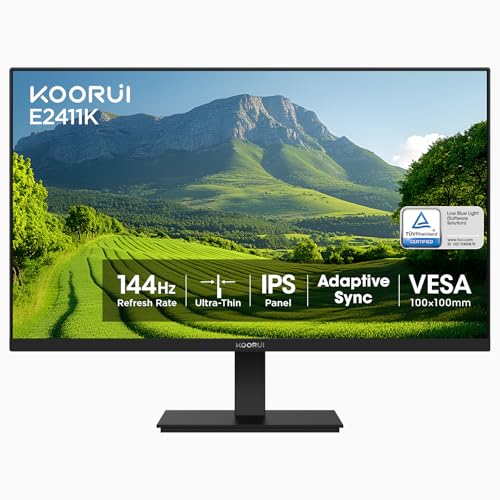
TL;DR: The KOORUI E2411K delivers a 144 Hz IPS panel with 99% sRGB coverage, eye‑care features and VESA‑mount flexibility at a budget‑friendly $89.99 price.
This 24‑inch monitor’s standout spec is its 144 Hz refresh rate paired with a 5 ms (GTG) response time, giving motion‑clear gameplay that many larger‑priced rivals only match on paper. The IPS panel also provides 99% sRGB color gamut and a static contrast ratio of 3000:1, so colors stay vivid from virtually any angle.
Compared with its peers, the E2411K's lighter than the ASUS VA249QG’s 6.7 lb frame, yet it offers a higher refresh rate than the 120 Hz panels that ASUS and Sansui use. It shares the same 250 cd/m² brightness as the KOORUI MB24V29F and AOC 22B35HM23, but it adds FreeSync compatibility that the Acer KB272 and AOC units lack. While the Acer includes built‑in speakers, the KOORUI relies on a single 3.5 mm audio out jack, keeping the spec list slimmer than some competitors.
Users consistently praise the smooth 144 Hz experience and the flicker‑free backlight with a blue‑light filter, noting less eye strain during long sessions. Professional reviewers highlight the thin three‑sided bezel and the ease of mounting thanks to the 100 × 100 mm VESA pattern. However, a recurring complaint is the tilt mechanism, which some find limited or occasionally non‑functional, and a few owners have reported units arriving with minor physical damage.
Pros
Cons
Best for: Casual and competitive gamers on a budget, remote workers, or students who want smooth 144 Hz performance without breaking the bank.
Avoid if: You need professional‑grade color accuracy, extensive connectivity like DisplayPort, or a monitor with built‑in speakers for multimedia.
“Out of the box, there was noticeable ghosting... until I turned OD on!”
“No USB attachments — couldn’t plug my mouse in, which was inconvenient.”
TL;DR: The KOORUI 24E6CA delivers a 180 Hz refresh rate, 1 ms response and a 1500R curve on a 24‑inch VA panel for under $120, making fast, immersive gaming affordable.
The standout spec is the 180 Hz refresh rate paired with a 1 ms MPRT response time, which far exceeds the 120 Hz panel of the ASUS VA249QG in the same roundup. Its 24‑inch screen is curved at 1500R, giving a noticeably immersive feel while the VA panel provides a static contrast ratio of 3000:1 and 99% sRGB coverage for vivid colors.
At 6.8 lb, the KOORUI sits just above the ASUS VA249QG’s 6.7 lb but is considerably lighter than the Acer KB272’s roughly 11 lb and far lighter than the AOC 27G4H’s about 18 lb. Its width of 536.8 mm is a touch narrower than the ASUS’s 541 mm, while the height of 417.8 mm makes it a bit taller than the ASUS’s 406.4 mm. Depth‑wise, the KOORUI’s 229.1 mm chassis is deeper than the ASUS’s 188.2 mm stand depth, yet still comparable to the AOC’s 227.6 mm depth. The monitor also offers two HDMI 2.0 ports—twice the single HDMI 2.0 port that the AOC 27G4H and MSI MAG 274CXF provide—and includes a DisplayPort 1.2 input.
Reviewers consistently praise the buttery‑smooth gameplay and the curve’s ability to reduce eye strain during long sessions. Professional reviewers highlight the combination of FreeSync Premium and G‑Sync compatibility as a strong point for GPU flexibility. The most common complaints focus on the VA panel’s tendency to exhibit ghosting in fast dark scenes and the modest HDR10 brightness, which falls short of true HDR performance. The stand only tilts – –5° to +15° – and offers no height or swivel adjustments.
Pros
Cons
Best for: Competitive and casual gamers who need high refresh rates and low motion blur on a budget.
Avoid if: Precise color accuracy for photo/video work or extensive ergonomic adjustments are top priorities.
“incredibly smooth gameplay”
“engaging”
TL;DR: The Sansui ES‑22X3AH is a 22‑inch Full HD VA monitor with 120 Hz refresh, 100 % sRGB coverage and FreeSync, all at a budget‑friendly $79.55 price.
What really stands out is the 120 Hz refresh rate paired with a full 100 % sRGB color gamut on a 22‑inch panel. The VA technology delivers a 4000:1 static contrast ratio, while Adaptive Sync (AMD FreeSync) helps keep motion smooth without tearing. The monitor lists brightness at 250 cd/m² and the screen surface is matte, which reduces glare in bright rooms.
At 6.64914182192 pounds, this monitor is lighter than the AOC 22B35HM23, which tips the scales at about 8.35 pounds, and its 210 mm depth is comparable to the AOC’s 218 mm. Like several peers, it offers a 120 Hz panel, but it falls short of the KOORUI E2411K’s 144 Hz refresh rate. Unlike the KOORUI MB24V29F and KOORUI 24E6CA, the Sansui lacks a DisplayPort, so connectivity is limited to its two HDMI 1.4 ports.
Customers often mention the monitor’s smooth, responsive feel for casual gaming and everyday tasks, and they appreciate the plug‑and‑play setup backed by a 30‑day money‑back guarantee and lifetime technical support. A recurring complaint is visible corner clouding in dark scenes, and the absence of built‑in speakers means you’ll need external audio for media.
Additional technical notes: the stand offers a tilt range from –5° to +22°, and a 75 × 75 mm VESA‑mount pattern lets you mount it on a wall or arm. HDR mode's present but not HDR10 certified, so the HDR experience's limited compared to true HDR panels.
Pros
Cons
Best for: Budget‑conscious buyers seeking a reliable entry‑level option
Avoid if: You need professional color‑critical editing or true HDR10 performance
“Smooth visuals and sharp colors”
“Great value for the performance”
TL;DR: The ASUS VA249QG offers a 23.8‑inch IPS panel with 120 Hz refresh, 1 ms MPRT, 99% sRGB coverage and eye‑care features at $99, making it a solid budget choice for office and casual gaming.
At the heart of the VA249QG is a 23.8‑inch IPS screen that delivers Full HD resolution and a static contrast ratio of 3000:1. The panel runs at a native 120 Hz refresh rate and a 1 ms MPRT response time, which is rare for a monitor in this price bracket.
Weighing 6.7 pounds, it sits between the heavier Acer KB272 at 11.0010668738 pounds and the lighter KOORUI E2411K listed at 3.0 Kilograms. Its depth of 188.2 mm is shallower than Acer’s 233.93 mm and close to the 185 mm depth of the KOORUI MB24V29F, while its height of 406.4 mm is lower than Acer’s 519.94 mm but taller than the 359 mm height of the Sansui ES‑22X3AH. The 541 mm width matches the width of the KOORUI MB24V29F and exceeds the 492 mm width of the Sansui model.
Reviewers consistently praise the eye‑care suite—Flicker‑Free and TÜV‑Rheinland Low Blue Light certification—saying it eases strain during long work sessions. People often call the built‑in stereo speakers underpowered, and users frequently complain about the stand’s wobble and the lack of height, swivel, or pivot adjustments. The monitor also includes Adaptive‑Sync (AMD FreeSync compatible), a typical brightness of 300 cd/m², and an anti‑glare coating, which professionals say provide accurate colors for everyday tasks. It offers one HDMI 1.4, one DisplayPort 1.2, a VGA port, and a 3.5 mm audio jack.
Pros
Cons
Best for: Budget‑conscious buyers seeking a reliable entry‑level option
Avoid if: You want the best value‑per‑dollar in its price range
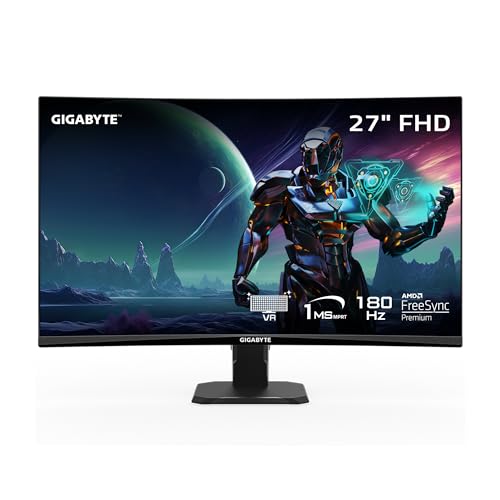
TL;DR: The Gigabyte GS27FC packs a native 180 Hz refresh rate, 1 ms MPRT response and a 4000:1 real‑world contrast ratio into a 27‑inch VA panel for under $160.
The standout spec is the 180 Hz refresh rate paired with a 1 ms MPRT response time, which lets fast‑paced games feel buttery smooth without any overclocking tricks. Its VA panel delivers a real‑world contrast ratio of 4000:1, giving you deep blacks that most 1080p monitors in this price range can’t match.
At 9.98 pounds, the GS27FC is lighter than the AOC 27G4H’s 18 pounds but heavier than the KOORUI 24E6CA’s 6.8 pounds. Its 250 cd/m² brightness lines up with the BenQ EX240N’s 250‑nits panel, yet it outpaces the ASUS VA249QG’s 120 Hz refresh rate. Unlike several peers that list height adjustment, the GS27FC offers only tilt (‑5° to +20°) and a VESA‑compatible mount, so its ergonomics are more limited.
Reviewers consistently praise the monitor’s “high contrast ratio” and “low input lag,” which make competitive FPS titles feel responsive. Some reviewers note the “weak overdrive” that can leave a faint white trailing on fast motion, and the Aim Stabilizer backlight strobe cuts brightness by about 20 % while adding a subtle phasing effect. Users also mention the OSD feels unintuitive at first, but most appreciate the plug‑and‑play setup with HDMI and DisplayPort 1.4 connections already in the box.
Beyond speed, the GS27FC sports a 1500R curvature for an immersive feel, a VA panel that covers 108% of the sRGB color gamut and advertises HDR10 readiness. Adaptive Sync support includes AMD FreeSync Premium and G‑Sync compatibility, so you’ll get tear‑free gameplay on a range of graphics cards.
Pros
Cons
Best for: Budget‑focused gamers and competitive FPS players who need low input lag and a high refresh rate.
Avoid if: You require extensive ergonomic tweaks, a wider color gamut for content creation, or a very bright panel for bright‑room use.
“Plug and play”
“Great price for a person on a budget with great features”
TL;DR: The Acer KB272 offers a 27‑inch IPS panel with 120 Hz refresh, 1 ms response and 99 % sRGB coverage at a $99.99 price, making it a solid mid‑range choice for everyday work and casual gaming.
The standout spec is the 27 in IPS display that runs up to 120 Hz and features a 1 ms (VRB) response time, 99 % sRGB color gamut and 250 cd/m² brightness, all backed by a static contrast ratio of 1000:1. Those numbers give a crisp Full HD picture with smooth motion and 250 cd/m² brightness for a budget monitor.
Weighing 11.0010668738 pounds, it exceeds the 6.7‑pound ASUS unit, the 6.649‑pound Sansui, and the 8.348‑pound AOC, yet remains lighter than any other listed monitor. It also includes built‑in 2 W × 2 speakers and a supplied HDMI cable, features not mentioned for most rivals.
Users praise the eye‑comfort suite—flicker‑less backlight and low‑blue‑light VisionCare—alongside the FreeSync‑enabled smoothness in casual gaming. However, reviewers note the lack of height or swivel adjustment, a single HDMI 1.4 port that can feel loose, and a stand that may wobble on uneven desks. Color accuracy is good out of the box but some users calibrate further for precise work.
The monitor’s VESA‑mount pattern (100 × 100 mm) and 178° horizontal/vertical viewing angles make it flexible for multi‑monitor setups, while the anti‑glare coating helps in bright rooms.
Pros
Cons
Best for: Most users looking for a well‑reviewed, reliable mainstream option
Avoid if: You need advanced features or professional‑grade performance
TL;DR: The Dell S2725QS delivers a crisp 27‑inch 4K panel with a 120 Hz variable refresh rate, strong color coverage and ergonomic tweaks, but its price and lack of USB‑C keep it in the premium niche.
The standout spec is its 27‑inch 3840 × 2160 IPS display that can run anywhere from 48 Hz up to 120 Hz, paired with AMD FreeSync Premium and HDR support. Factory‑calibrated 99% sRGB coverage and a 10‑bit (1.07 billion colors) depth give vivid, accurate visuals, while the 350 cd/m² typical brightness and 1500:1 static contrast keep images punchy. Integrated speakers total 10 W (2 × 5 W), so you get usable audio without a separate soundbar.
Compared with the other 12 monitors in this roundup, the S2725QS is heavier at 14.26 lb, out‑weighing the Gigabyte GS27FC (9.98 lb) and BenQ EX240N (≈12.2 lb) but lighter than the AOC 27G4H (≈18 lb). Its 350 cd/m² brightness also tops the 250 cd/m² figures listed for those two rivals, giving a brighter desktop for HDR content. While the price sits at $239.99, it’s pricier than many budget‑oriented options, reflecting the premium 4K‑120 Hz combo.
Reviewers consistently applaud the monitor’s sharp 4K detail and fluid 120 Hz motion, noting that long‑hour sessions feel comfortable thanks to Dell’s ComfortView Plus hardware that cuts blue‑light emissions to ≤35% and the TÜV Rheinland 4‑star eye‑comfort rating. Professional reviewers highlight the rare pairing of 4K resolution with a 120 Hz refresh in a 27‑inch chassis, calling it a solid choice for designers and casual gamers. The main complaints focus on the missing USB‑C port, limited cable‑management features, and the need for a FRL‑compatible source to hit 120 Hz over HDMI 2.1.
Beyond the display, the stand offers 130 mm of height adjustment, ±90° pivot, –30° to +30° swivel and –5° to +21° tilt, plus a 100 × 100 mm VESA mount for flexible setups. Power draw stays modest at a typical 25.2 W operating consumption, with off‑mode usage under 0.3 W. The monitor also carries ENERGY STAR 8.0 and RoHS compliance, underscoring its eco‑friendly build.
Pros
Cons
Best for: Graphic designers, content creators, and casual gamers who want 4K clarity at 120 Hz and appreciate extensive ergonomic tweaks.
Avoid if: You need native USB‑C connectivity, a tighter budget, or a wider color gamut than sRGB for professional video work.
“sharp image quality”
“smooth 120 Hz performance”
TL;DR: The KOORUI MB24V29F offers a 24‑inch IPS panel with 144 Hz refresh, 99% sRGB coverage and AMD FreeSync at a budget‑friendly $89.99, though its ergonomics are limited.
The monitor’s standout spec is the 144 Hz refresh rate paired with an IPS panel that reaches 99% of the sRGB color gamut and a static contrast ratio of 1000:1. At 21.34 inches wide, 16.72 inches tall and 7.29 inches deep, it fits comfortably on a desk while delivering a Full HD 1920 × 1080 image. The inclusion of a 3.5 mm headphone jack, one HDMI 2.0 port and a VGA port gives you basic connectivity without extra adapters.
At 8.10 lbs, the MB24V29F is heavier than the KOORUI E2411K, which lists its weight in kilograms, and also heavier than the ASUS VA249QG at 6.7 pounds, but it is lighter than the Acer KB272 that tips the scales at over 11 pounds. Its 250 cd/m² brightness matches the Sansui ES‑22X3AH and the AOC 22B35HM23, yet falls short of the ASUS VA249QG’s 300 cd/m². The 144 Hz refresh matches the KOORUI E2411K and exceeds the 120 Hz panels found in the Sansui, AOC and KOORUI 24E6CA models, placing it near the top of the lineup for motion‑smooth gaming.
Users repeatedly praise the monitor’s affordability and the IPS panel’s vivid colors, noting that setup feels straightforward thanks to the included HDMI and VGA cables. Reviewers also highlight that AMD FreeSync enables smooth gameplay and adds NVIDIA G‑Sync compatibility. On the downside, several owners mention that the tilt‑only stand can feel flimsy and that the lack of built‑in speakers forces a separate audio solution. A few reports of cracked screens on arrival suggest a need for careful handling.
Beyond the refresh rate, the display supports adaptive sync via AMD FreeSync, which most reviewers say eliminates tearing on compatible GPUs. The 178° horizontal and vertical viewing angles typical of IPS panels ensure consistent color when viewed from the side, and the 99% sRGB coverage makes it suitable for casual content creation and console gaming.
Pros
Cons
Best for: Budget‑conscious buyers seeking a reliable entry‑level option
Avoid if: You need advanced ergonomics, built‑in audio or professional‑grade color accuracy
“Great Value for Money!”
“Love it!”
TL;DR: At $279.99, the Gigabyte M27Q scores 4.4/5 from over 2,200 reviewers, praised for its vibrant colors and KVM convenience but criticized for inconsistent panel quality and a bulky external power brick.
Gigabyte’s 27‑inch offering in this high‑refresh lineup costs $279.99 and holds a 4.4‑star rating among the 13 competitors. It lands near the bottom of the ranking with a score of 27, indicating it’s not the top‑scoring choice but still holds a respectable place in the group.
Reviewers consistently highlight the monitor’s lively color reproduction and the handy built‑in KVM that lets you switch between two PCs with a single keyboard and mouse. Many users appreciate the ergonomic stand and the range of gaming‑focused OSD features. On the downside, a notable number of owners report uneven panel quality, such as backlight bleed or dead pixels, and they find the external power brick adds unwanted cable clutter. Reviewers describe HDR impact as modest, and the lack of swivel or pivot limits flexibility.
Given its price and solid rating, the M27Q sits in the mid‑range of the roundup. It offers more premium features than the budget‑oriented models but doesn’t quite match the top‑ranked options that score higher on the overall evaluation.
Pros
Cons
Best for: Buyers willing to invest in a proven, high‑quality option
“Great value for the performance”
“KVM functionality is a game-changer”
Breakdown
BenQ EX240N
Pros
AOC 27G4H
Pros
Cons
MSI MAG 274CXF 27-inch Curved
Pros

AOC 22B35HM23
Pros
Based on scoring data and product specs
Personalized picks
Best Overall Pick
BenQ EX240N
Best OverallBest for: Buyers willing to invest in a proven, high-quality option
AOC 27G4H
Best for: Most users looking for a well-reviewed, reliable mainstream option
$139.99-$10.00 vs winner
Skip Gigabyte M27Q 27-inch if…
Reliability and user satisfaction are your top concerns
The BenQ EX240N takes the top spot thanks to its 165 Hz VA panel, AMD FreeSync Premium support and HDR10 capability, delivering smooth motion and richer contrast at a solid 3000:1 ratio. Its anti‑glare finish and 4 ms (GTG) response keep fast‑paced games clear, while the built‑in 2.5 W speakers add convenience—all for $149.99 and a 4.7/5 rating from 1,991 reviewers.
The AOC 27G4H lands as the runner‑up, ideal if you need a larger 27‑inch screen with a blistering 200 Hz refresh and 1 ms (GTG) response for competitive shooters. Its Fast IPS panel covers 92% DCI‑P3 and 100% NTSC, and it supports both AMD FreeSync Premium and NVIDIA G‑Sync Compatible, making it a versatile choice for mixed‑GPU setups at $139.99 and a 4.6/5 rating from 9,018 users.
For tighter budgets, the AOC 22B35HM23 offers decent 1080p performance at just $73.79, making it the best budget pick. The AOC 27G4H also serves as the strongest mid‑range option, balancing size, refresh rate and color coverage for $139.99. If you crave top‑tier features, the Gigabyte M27Q stands out as the premium alternative at $279.99, offering advanced specs for enthusiasts willing to invest more.
Pick the BenQ EX240N now for the most balanced high‑refresh desktop experience.
The BenQ EX240N, priced at $149.99, combines a 165 Hz VA panel, AMD FreeSync Premium and dual 2.5 W built‑in speakers, delivering strong performance without a premium price tag. Its feature set gives more bang for the buck compared with higher‑priced alternatives.
Please sign in to leave a review
No reviews yet. Be the first to review!
Also considered
BenQ EX240N
$149.99
AOC 27G4H
$139.99
MSI MAG 274CXF 27-inch Curved
$141.95
AOC 22B35HM23
$64.99
KOORUI E2411K
$89.99

KOORUI 24E6CA
$115.99

Sansui ES-22X3AH
$81.99

ASUS VA249QG
$99.00
Gigabyte GS27FC
$159.99

Acer KB272 27-inch
$99.99

Dell S2725QS
$278.26

KOORUI MB24V29F
$89.98

Gigabyte M27Q 27-inch
$279.99
Spec Comparison
