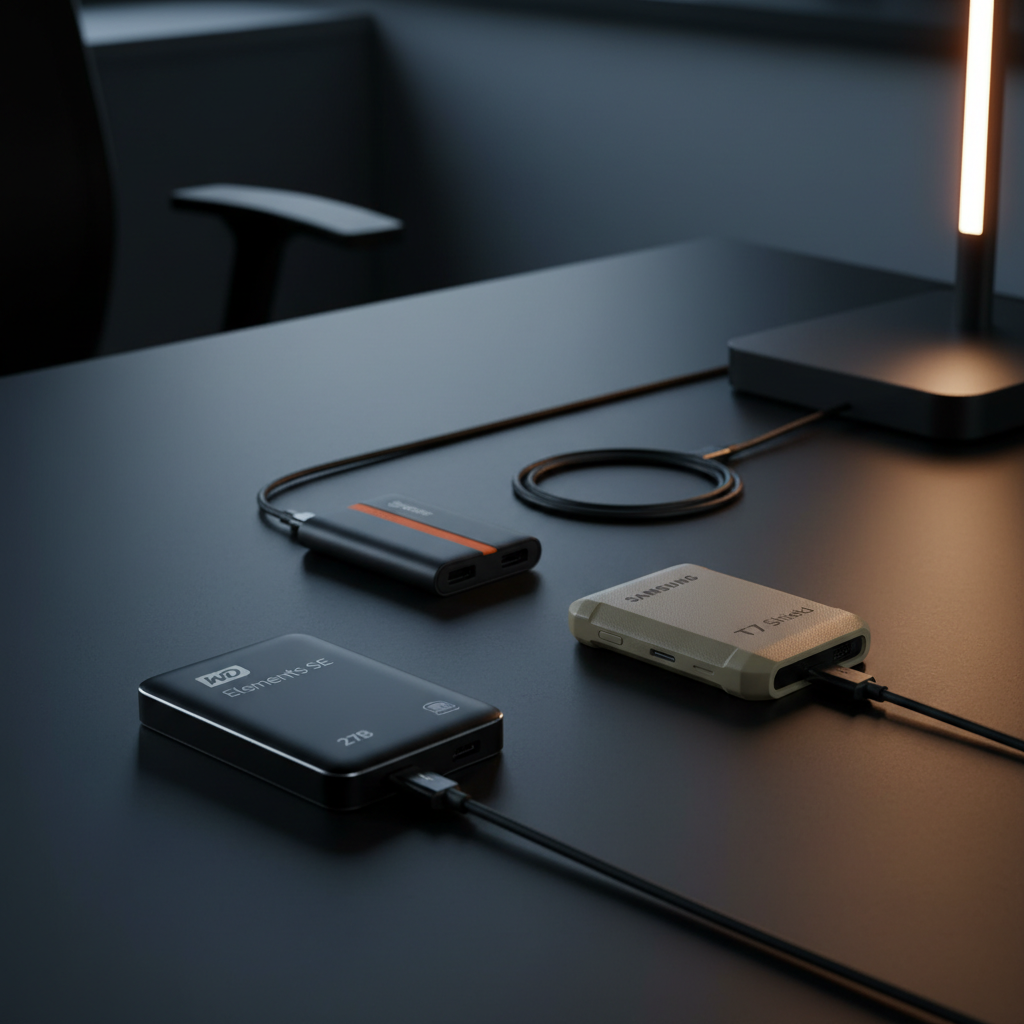
It might surprise you that the cheapest drive in our line‑up – the Crucial X9 1TB at $148.65 – still earns a solid 4.5‑star rating from more than 6,700 reviewers. That rating sits just a whisker below the top‑scoring Samsung T7 Shield and WD Elements SE 2TB, which both sit at 4.7, showing you don’t have to splurge for a respectable review score.
Eight external portable SSDs span three price tiers. The budget bucket includes the Crucial X9 1TB, SanDisk Dragon Portable SSD 1TB, and both WD Elements SE models, all priced under $170 and offering drop resistance and speeds around 400 MB/s to 800 MB/s. Mid‑range options – the WD Elements SE 2TB and Seagate One Touch 2TB – sit near $170–$175 and push read/write performance up to roughly 1,030 MB/s. Premium picks like the Samsung T7 Shield 1TB, Crucial X9 2TB, and Kingston XS1000R 1TB break the $180 mark and deliver up to 1,050 MB/s with added features such as hardware encryption or longer warranties.
Below is a breakdown of each model’s strengths, size, speed and durability, helping you match the right SSD to your workflow—backing up class projects, editing 4K footage on the road, or expanding a console library.

WD Elements SE 2TB
Its ultra‑slim 8.6 mm height keeps the drive pocket‑friendly, delivering solid value and reliability for everyday storage.

Seagate One Touch 2TB
Home and office users who appreciate a familiar brand and a 14 cm cable will see it costs just $5 more than the WD Elements.

Samsung T7 Shield 1TB Beige
Features a USB 3.2 Gen 2 (10 Gbps) interface for faster transfers, differentiating it from the other two, though its 12.5 mm height and 1 TB size command a higher price.
Also considered
Score Analysis
Key score advantages vs. runner-up (Seagate One Touch)
Price Range
WD Elements SE 2TB
$251.09
Seagate One Touch 2TB
$599.00
Samsung T7 Shield 1TB Beige
$224.99

Crucial X9 2TB
$195.99
Crucial X9 1TB
$125.47

Kingston XS1000R 1TB
$199.99

SanDisk Dragon Portable SSD 1TB
$159.99

WD Elements SE 1TB
$166.19
Spec Comparison
TL;DR: The WD Elements SE 2TB packs a full 2 TB of SSD storage into an 8.6 mm‑thin, 27 g case with 2‑meter drop resistance, making it a sturdy, pocket‑sized option for everyday backup.
The drive’s standout spec combines 2 TB capacity with a razor‑thin 8.6 mm profile and a feather‑light 27 g weight, letting you slip it into a small bag or even a pocket. It also survives drops from up to 2 meters, thanks to its matte‑black plastic enclosure.
Compared with the other seven SSDs in this roundup, the Elements SE is slimmer than the Seagate One Touch (10 mm), SanDisk Dragon (9.91 mm) and Crucial X9 (10 mm), and considerably lighter than those same models (Seagate 45 g, SanDisk 40.82 g, Crucial 32 g). Its 400 MB/s read and write speeds match the WD Elements SE 1TB sibling but fall short of the 1,030 MB/s read of the Seagate One Touch and the 1,050 MB/s reads of the Crucial X9, Kingston XS1000R, and Samsung T7 Shield. Pricing matches the 1TB version and generally undercuts the faster‑speed competitors.
Users consistently praise the drive’s ultra‑compact size and the confidence a 3‑year warranty provides. Everyday owners love the plug‑and‑play bus‑powered design that needs no external adapter. The most common complaints focus on the legacy Micro‑USB B port, which can require an adapter for newer USB‑C laptops, and the fact that the included Micro‑USB‑to‑USB‑A cable is easy to misplace. Professional reviewers note that the 400 MB/s ceiling makes it unsuitable for high‑throughput video editing, but it’s more than adequate for casual file transfers and backups.
Additional technical notes: the SSD ships pre‑formatted in exFAT for instant use on Windows and macOS, runs on a USB 3.0 (Micro‑B) interface, and draws power directly from the host port, eliminating the need for a power brick.
Pros
Cons
Best for: Casual users, students, travelers, and lightweight content creators who need a pocket‑sized backup solution.
Avoid if: You rely on USB‑C‑only devices, need high‑speed video editing performance, or require hardware encryption for secure storage.
“Works right out of the box with both Mac and PC.”
“Reliability and value are top‑notch.”
TL;DR: The Seagate One Touch 2TB delivers up to 1030 MB/s transfer speeds in a pocket‑sized, shock‑resistant case, but its 14 cm cable and lack of a protective pouch may limit desktop convenience.
The standout spec is the “up to 1030 MB/s” maximum read/write speed, which places this drive in the high‑performance tier for portable SSDs. Coupled with a nominal 2 TB capacity (about 1.95 TB usable) and a slim 10 mm height, 70 mm length, and 50 mm width, it fits easily into a laptop bag.
Compared with the WD Elements SE 2TB, the One Touch is heavier (45 g vs. 27 g) and a bit larger (10 mm tall vs. 8.6 mm, 70 mm long vs. 64.5 mm), but it offers a much higher speed ceiling than the Elements’ 400 MB/s maximum. Against the Crucial X9 2TB, the One Touch matches the X9’s 10 mm height and 50 mm width but weighs more (45 g vs. 32 g) and is slightly longer (70 mm vs. 65 mm). Its 1030 MB/s top speed sits just below the X9’s listed 1,050 MB/s read speed, still delivering fast performance for most mobile workflows.
Reviewers consistently praise the drive’s speed and the seamless Android backup experience provided by the bundled Seagate Toolkit. Users also note the shock‑resistant aluminum‑top, fabric‑sided design and the hardware‑based encryption as confidence‑boosting features. The most common complaints focus on the very short 14 cm USB‑C cable, which can be inconvenient for stationary use, and the absence of an included protective pouch or case. A few users found the small white activity LED difficult to see during low‑light sessions.
Pros
Cons
Best for: Photographers, videographers, and mobile professionals who need fast, secure, on‑the‑go storage.
Avoid if: You're shopping on a tight budget — it's priced at $174.99
“18GB of data in no time flat.”
“Backed up 4,000+ photos from an Android phone with ease.”
TL;DR: The Samsung T7 Shield 1TB offers IP65‑rated ruggedness, 3 m drop resistance, and up to 1,050 MB/s read/1,000 MB/s write speeds, but its $224.99 price places it in the premium tier.
The standout feature of the T7 Shield is its durability: it carries an IP65 rating for dust and water‑jet protection and can survive drops from up to 3 meters. On the performance side, Samsung lists sequential read speeds of up to 1,050 MB/s and sequential write speeds of up to 1,000 MB/s, and Samsung delivers them over a USB 3.2 Gen 2 (10 Gbps) interface.
Compared with the seven other drives in this roundup, the T7 Shield is larger and heavier than the Kingston XS1000R (which weighs 0.09 pounds and measures 69.54 mm in length), but it offers a higher drop‑resistance rating than both the Crucial X9 2TB (2.3 m) and the SanDisk Dragon Portable SSD (2 m). Its 1,050 MB/s read and 1,000 MB/s write figures match Kingston’s top speeds and exceed the Seagate One Touch (up to 1,030 MB/s) as well as the WD Elements models (400 MB/s). None of the peer specs list an IP rating, so the T7 Shield’s IP65 rating stands alone in this group.
Users consistently praise the drive’s “rock‑solid” feel and the confidence that the AES‑256‑bit hardware encryption provides for sensitive files. Professional reviewers highlight the Dynamic Thermal Guard technology that helps keep temperatures in check during long transfers. A recurring complaint is that the rubberized exterior can become sticky after heavy use, and a few owners note the lack of immersion protection (IP68) or a fingerprint sensor for biometric security.
Pros
Cons
Best for: Buyers willing to invest in a proven, high‑quality option
Avoid if: You're shopping on a tight budget — it's priced at $224.99
“freed up needed space on my computer while delivering super fast project loading.”
“a durable and secure choice for outdoor workers and travelers.”
TL;DR: The Crucial X9 2TB SSD offers 1,050 MB/s reads, 960 MB/s writes, a feather‑light 32 g body, and solid 7.5 ft drop resistance for $181, making it a strong value for portable storage.
The X9’s standout spec is its 1,050 MB/s sequential read speed paired with a 960 MB/s write speed, delivered over a USB‑C 10 Gbps (USB 3.2 Gen 2) interface. Its 2.3 m (7.5 ft) drop resistance and ultra‑compact 65 × 50 × 10 mm chassis keep it both rugged and pocket‑friendly, while the 30 cm USB‑C to USB‑C cable lets you power it directly from a laptop or console.
Compared with the other seven SSDs in the roundup, the X9 is lighter than the Seagate One Touch 2TB and Kingston XS1000R, yet a touch heavier than the WD Elements SE 2TB. Its 10 mm height matches the Seagate model but is slimmer than the Kingston and Samsung T7 Shield. In terms of durability, its 2.3 m drop rating lines up with WD Elements SE 2TB and SanDisk Dragon, though it falls short of the Samsung T7 Shield’s 3 m claim. Speed‑wise, the X9 outpaces the SanDisk Dragon and matches the read performance of the Kingston XS1000R and Samsung T7 Shield, while its write speed exceeds the Seagate One Touch’s sustained 864 MB/s.
Reviewers consistently praise the X9 for lightning‑fast file transfers and its convenience as a game‑drive for PS5 or Xbox Series X|S. Users also note the included Mylio Photos Plus and Acronis True Image trial as handy bonuses. The most common criticisms focus on the lack of an IP rating, the absence of hardware‑based encryption, and occasional slowdowns during very long write sessions.
Because the drive is bus‑powered, you don’t need an external adapter, and it comes with a 30 cm USB‑C cable and three months of bonus software. Made of polycarbonate plastic, it feels less premium than metal‑cased rivals but keeps the weight down to 32 g. Crucial backs it with a three‑year limited warranty.
Pros
Cons
Best for: Gamers expanding console storage, content creators needing fast portable backup of RAW photos or 4K video, and anyone who values a lightweight, high‑speed SSD.
Avoid if: You require waterproofing, built‑in hardware encryption, or the absolute fastest USB4‑class interface.
“Lightning-fast transfers”
“games aren’t performing great anymore”
TL;DR: The Crucial X9 1TB delivers 1050 MB/s read/write speeds in a pocket‑sized, IP55‑rated case for $148.65, making it a fast yet affordable portable SSD.
At the heart of the X9 is its NVMe‑based USB 3.2 Gen 2 interface, which the specs list as offering up to 1050 MB/s sequential read and up to 1050 MB/s sequential write performance, with a sustained write speed of up to 975 MB/s. The drive fits in a 0.3937 in × 2.55905 in × 1.9685 in (10 mm × 65 mm × 50 mm) chassis and weighs approximately 38 g, while the anodized aluminum enclosure carries an IP55 rating for water, dust and sand resistance.
Compared with the other seven SSDs in this roundup, the X9 is lighter than the SanDisk Dragon Portable SSD (40.82 g) and Kingston XS1000R (40.8 g), yet a touch heavier than the WD Elements SE 1TB (about 27 g). Its 7.5 ft (2.3 m) drop resistance exceeds the SanDisk Dragon’s 2 m protection and the WD Elements SE’s 2 m rating, though it falls short of Samsung’s 3 m claim. The X9’s 1050 MB/s sequential rate outpaces the SanDisk Dragon’s 800 MB/s and the WD Elements’ 400 MB/s, matches Kingston’s 1050 MB/s, and nudges ahead of Seagate One Touch’s 1030 MB/s.
Professional reviewers praise the compact, credit‑card‑sized form factor and the 256‑bit AES hardware encryption that protects your files out of the box. Everyday users echo the speed compliments, noting rapid transfers of large media files and the convenience of a bus‑powered, no‑brick design. However, a recurring theme in consumer feedback is occasional units delivering dramatically slower speeds (some reporting as low as 39 MB/s) and isolated reports of SSD corruption after roughly a year of use. The included 9‑in (229 mm) USB‑C to USB‑C cable is also mentioned as shorter than many users would like.
Pros
Cons
Best for: Budget-conscious buyers seeking a reliable entry-level option
Avoid if: Reliability and user satisfaction are your top concerns
“Lightning-fast transfers”
“games aren’t performing great anymore”
TL;DR: The Kingston XS1000R 1TB SSD packs a Red Dot‑award‑winning metal‑plastic shell, 1050 MB/s read and 1000 MB/s write speeds, and a feather‑light 40.8 g profile for fast, portable storage at $199.99.
What really sets this drive apart is its USB 3.2 Gen 2 interface that delivers a maximum read speed of 1050 MB/s and a maximum write speed of 1000 MB/s, hitting the upper end of the 10 Gbps standard. At 13.5 mm tall, 69.54 mm long and 32.58 mm wide, it’s one of the smallest SSDs in the lineup, and the 40.8 g weight makes it lighter than the Samsung T7 Shield but a touch heavier than the ultra‑light WD Elements SE models (around 27 g).
Compared with the seven other contenders, the XS1000R sits in the premium tier price‑wise while offering a full 1 TB of space—more than the 2 TB drives that sacrifice speed for capacity. It’s pricier than the WD Elements SE series and the Crucial X9 1TB, yet lighter than the Seagate One Touch 2TB (45 g) and comparable in heft to the SanDisk Dragon Portable (≈40.8 g). Its metal‑plastic chassis earns a 2024 Red Dot Design Award, a visual cue that the build quality feels more refined than the purely plastic shells of some rivals.
Professional reviewers highlight the drive’s “great portability” and consistent performance, noting that users love the vivid red finish and the hassle‑free plug‑and‑play experience across Windows, macOS and Linux. Consumer sentiment echoes this, with many praising its usefulness for quick 4K video transfers and game library extensions. The main trade‑off is the lack of hardware encryption and a non‑rugged casing, which some users see as a security and durability drawback, especially when compared to the armored Samsung T7 Shield.
Pros
Cons
Best for: Buyers willing to invest in a proven, high‑quality option
Avoid if: You need advanced features or professional‑grade performance
“Fits in my pocket and transfers 4K video files in seconds.”
“Love the red color — easy to spot on my desk.”
TL;DR: The SanDisk Dragon Portable SSD 1TB delivers 800 MB/s read speeds in a rugged, lightweight 40.82 g package with a distinctive dragon design, making it a solid choice for on‑the‑go creators.
SanDisk’s Dragon Edition packs a 1 TB capacity into a sleek shell that measures 9.91 mm × 46.99 mm × 96.77 mm and weighs just 40.82 g (0.2314853751 Pounds). It offers up to 800 MB/s read speed via a USB 3.2 Gen 2 (10 Gbps) Type‑C interface, while write performance sits around 400 MB/s. The rubberized exterior and integrated hook give it drop protection up to 2 meters, adding confidence for travel or field work.
When you line it up against the other seven drives, the Dragon’s read speed sits between the slower 400 MB/s of the WD Elements SE 1TB and the faster 1,050 MB/s of the Crucial X9 1TB, Kingston XS1000R 1TB, and Samsung T7 Shield 1TB. In terms of weight, it is heavier than the WD Elements SE 1TB (0.05952481074 Pounds) but lighter than the Kingston XS1000R (0.09 Pounds). Its 2‑meter drop protection matches the WD Elements SE’s claim but falls short of the Samsung T7 Shield’s 3‑meter rating.
Users consistently praise the SSD’s quick file transfers and eye‑catching dragon graphics, noting how fast it backs up photos and videos on the road. Reviewers highlight the rubber hook as a handy feature for attaching the drive to bags or belts. The most common complaints revolve around the thin USB‑C to USB‑A cable that feels flimsy and the write speed, which trails the read speed and is only listed as approx 400 MB/s. The drive also lacks an official IP rating, so it isn’t marketed as water‑ or dust‑proof.
Pros
Cons
Best for: Photographers, videographers, students, travelers, and content creators who need a fast, lightweight portable SSD.
Avoid if: You need top‑tier write performance, water/dust‑proof protection, or a USB‑C‑to‑USB‑C cable.
“Fast and easy to use”
“Cable is flimsy”
TL;DR: The WD Elements SE 1TB delivers 1 TB of storage in a 0.34‑inch‑high, 0.0595 lb package with up to 400 MB/s read/write speeds, making it a lightweight, budget‑friendly SSD despite its older Micro‑USB interface.
The drive’s standout spec is its ultra‑compact size—just 0.34 in tall, 2.54 in long and 2.54 in wide—and a featherlight weight of 0.0595 lb. It offers 1 TB of solid‑state storage and up to 400 MB/s read and write speeds via a Micro‑USB 3.1 Gen 1 (USB 3.0) connection, and it ships pre‑formatted in exFAT for instant use on Windows 10+ and macOS 11+.
Compared with the seven other SSDs in this roundup, the Elements SE is the lightest option; its 0.0595 lb chassis is far lighter than the SanDisk Dragon Portable’s 0.2315 lb, the Seagate One Touch’s 0.0992 lb, and the Samsung T7 Shield’s 0.2138 lb. However, its 400 MB/s transfer ceiling trails the SanDisk’s 800 MB/s read speed and the Crucial X9 series’ 1,050 MB/s read/write performance. Drop resistance matches the WD Elements SE 2TB’s 6.5 ft (2 m) rating and the 2‑meter protection listed for the SanDisk Dragon.
User sentiment highlights the SSD’s speed and pocket‑sized form factor as major wins for quick file transfers and on‑the‑go backups. Reviewers from B&H and Best Buy note the dependable performance for the price, while many everyday users appreciate the plug‑and‑play experience. Common complaints revolve around the legacy Micro‑USB connector, occasional overheating during long transfers, and a plastic enclosure that feels less premium than metal‑cased rivals.
Technically, the drive is bus‑powered, requiring no external power brick, and it comes with a USB 3.1 Gen 1 Micro‑B to USB‑A cable plus a safety guide. Western Digital backs it with a three‑year limited warranty, but there’s no hardware or software encryption, and the enclosure lacks any water‑resistance rating.
Pros
Cons
Best for: Budget-conscious buyers seeking a reliable entry‑level option
Avoid if: You need advanced features or professional‑grade performance
“Works right out of the box with both Mac and PC.”
“Reliability and value are top‑notch.”
Breakdown
WD Elements SE 2TB
Pros
Seagate One Touch 2TB
Pros
Cons
Samsung T7 Shield 1TB Beige
Pros
Cons
Crucial X9 2TB
Pros
Cons
Based on scoring data and product specs
Personalized picks
Best Overall Pick
WD Elements SE 2TB
Best OverallBest for: Home and office users seeking a balance of features and value
Seagate One Touch 2TB
Best for: Home and office users seeking a balance of features and value
$599.00+$347.91 vs winner
Skip WD Elements SE 1TB if…
You need advanced features or professional-grade performance
The WD Elements SE 2TB takes the top spot in our portable SSD roundup. It carries a 4.7‑star rating from 22,203 reviewers, a listed maximum read and write speed of 400 MB/s, and a 2‑meter drop‑resistance rating, all inside a matte‑black plastic case that weighs just 27 g. At $169.99 it also comes with a solid three‑year limited warranty.
The Seagate One Touch 2TB lands as the runner‑up, especially if you need ultra‑fast transfers and built‑in encryption for creative workflows. It advertises up to 1030 MB/s read/write speeds, hardware‑based encryption, and a shock‑resistant aluminum top with fabric sides. Included USB‑C to USB‑C and USB‑C to USB‑A cables let you connect straight to modern laptops, and the unit prices at $174.99.
For tighter budgets, the Crucial X9 1TB is the best value at $148.65, giving you a full terabyte without the premium price tag. If you’re willing to spend more for extra durability and brand cache, the Samsung T7 Shield 1TB Beige sits at $224.99 and positions itself as the premium choice.
Go with the WD Elements SE 2TB for reliable, high‑capacity storage that won’t break the bank.
The Samsung T7 Shield stands out with a 3‑meter drop resistance and an IP65 rating, meaning it’s protected against dust and water jets. Its metal‑glass construction and dynamic thermal guard also add to its durability, making it the best choice for rugged use.
Please sign in to leave a review
No reviews yet. Be the first to review!
