We’ve lined up 14 Wi‑Fi 7 gaming laptops to help you pick the right balance of power, portability, and price. The premium end’s standout is the Eluktronics HYDROC 16, listed at $5,499.00 and carrying a 4.7/5 rating from nine reviewers, plus a blinding 1000‑nit Mini‑LED display and a 300 Hz refresh panel. If you’re after a strong value without breaking the bank, the ASUS ROG Strix G16 i7 starts at $1,399.99, earns a 4.4/5 score from 535 reviews, and delivers 240 Hz performance in a 16‑inch chassis.
Our budget tier groups the ASUS ROG Strix G16 i7 with the IST Computers Aurora 16 32 GB and Aurora 16 White models, all of which sit under $1,500 and aim at gamers who need solid performance in a lighter package. The mid‑range slot features the Lenovo Legion 5 15AHP10 and Dell Aurora 16 2TB, offering a step up in GPU muscle and display fidelity while staying in a more moderate price bracket. Premium choices complete the list with the MSI Vector 16 HX AI, Dell Area‑51 18, and the flagship Eluktronics HYDROC 16, each packing top‑tier specs for enthusiasts willing to invest.
Read on to see how each model stacks up in display quality, battery life, and Wi‑Fi 7 connectivity, so you can zero in on the laptop that fits your gaming setup.
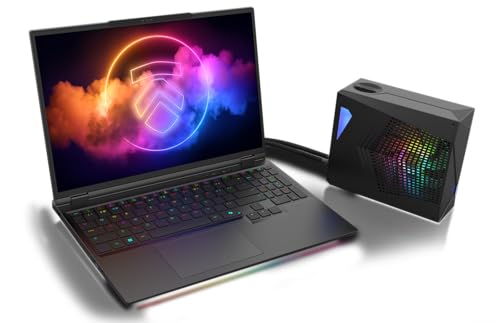
Eluktronics HYDROC 16
Its 99 Whr battery capacity gives you extended gaming sessions without hunting for an outlet, supporting the premium performance you've come to expect from a best‑value laptop.

Lenovo Legion 5 15IRX10
Ideal for users with niche technical or compatibility needs, this model’s 80 Whr battery promises about 9 hours of 1080p video, and its unlisted price suggests a cheaper alternative to the $5499.00 HYDROC 16.
MSI Vector 16 HX AI
Stands out with 2×2 W speakers and a 90 Whr 4‑cell battery, delivering richer audio and solid endurance at $2491.47—roughly half the cost of the HYDROC 16 while keeping premium performance.
Also considered
Score Analysis
Key score advantages vs. runner-up (Lenovo Legion 5)
Price Range
Eluktronics HYDROC 16
$5,499.00
Lenovo Legion 5 15IRX10
$1,799.00
MSI Vector 16 HX AI
$2,726.29
IST Computers Aurora 16 32GB
$1,449.99

ASUS ROG Strix G16 i7
$1,259.99

IST Computers Aurora 16 White
$1,449.99
Dell Area-51 18
$4,049.99

Lenovo Legion 5 RTX 5060
$1,471.74
Lenovo Legion 5 15AHP10
$1,549.00
Dell Aurora 16 2TB
$1,889.00
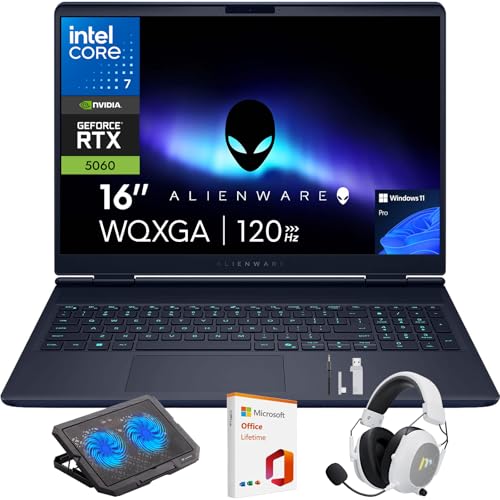
Dell Aurora 16 Pro Blue
$1,598.00

Lenovo Legion 7i RTX 5070
$0.00

Alienware Aurora 16 AI
$1,459.99
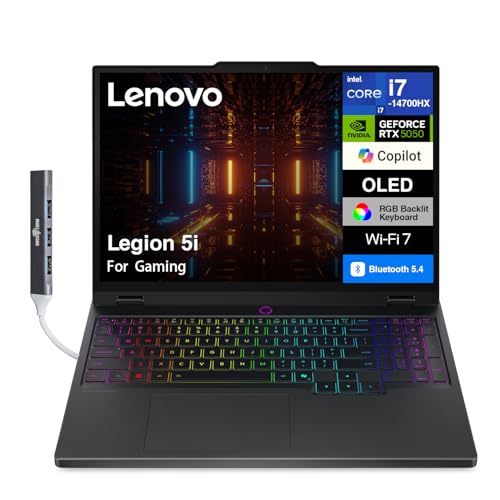
Lenovo Legion 5i
$1,549.99
Spec Comparison
TL;DR: The Eluktronics HYDROC 16 packs a desktop‑class RTX 5090 GPU at 175 W, a 1,000‑nit Mini‑LED 16‑inch 300 Hz display, Wi‑Fi 7 and a 99 Whr battery for premium‑tier gaming power.
The standout spec is the NVIDIA GeForce RTX 5090 Mobile GPU running at a 175 W MAX‑P TGP with 24 GB GDDR7 VRAM, paired with a 16.0‑inch 2560 × 1600 IPS‑type panel that reaches 1,000 nits (Mini‑LED) and refreshes at 300 Hz. The laptop also ships with Wi‑Fi 7 (802.11be) and Bluetooth 5.4, a 99 Whr battery, and a 2,530 g CNC‑machined aluminum chassis.
Compared with the other 13 contenders, the HYDROC 16 is heavier than the Lenovo Legion 5 (4.1 lb) and Dell Aurora 16 Pro Blue (5.0 lb) but lighter than the Dell Area‑51 18 (9.56 lb) and the MSI Vector 16 HX AI (5.95 lb). Its 99 Whr battery outpaces the 80 Whr cells in the Lenovo Legion series and the 90 Whr cell in the MSI Vector, while matching the 96 Whr capacity of the Dell Area‑51 18. Only the Dell Aurora 16 Pro Blue lists Wi‑Fi 7, so the HYDROC 16 shares that cutting‑edge connectivity while many peers lack it entirely. The 300 Hz refresh rate also tops the MSI Vector’s 240 Hz panel, and the 1,000‑nit Mini‑LED brightness exceeds the 500‑nit SDR screens of the Lenovo Legion models.
Reviewers praise the dual‑stage liquid cooling system – an internal hydraulic chamber plus an optional external LPP G2 connector – for keeping the RTX 5090 at full 175 W without throttling. Professional reviewers also highlight the 1,000‑nit Mini‑LED panel, which enables HDR at 1,000 nits and improves outdoor visibility. Users, however, note the 2,530 g weight makes the laptop less portable, and the 99 Whr battery drains quickly under sustained GPU load, limiting on‑the‑go gaming sessions. The lack of an OLED display option is another frequent comment.
Pros
Cons
Best for: Those prioritizing quality and willing to pay for premium performance
Avoid if: You're on a tight budget or only need basic functionality
TL;DR: The Lenovo Legion 5 15IRX10 packs a 15.1″ OLED 1000‑nit display, an RTX 5070 GPU and a 24‑core i9 HX processor, delivering flagship gaming power with Wi‑Fi 7 and fast‑charge capability.
What really stands out is the 15.1‑inch OLED panel with a 2560 × 1600 resolution, 165 Hz refresh rate, 1000 nits HDR peak brightness and a 90 % screen‑to‑body ratio. Coupled with Dolby Vision and DisplayHDR True Black 600, the visual experience is vivid and smooth, while the 8 GB GDDR7 RTX 5070 GPU (115 W TGP, 2347 MHz boost) adds serious rasterisation and AI performance (798 AI TOPS).
Against the other 13 laptops in this Wi‑Fi 7 roundup, the Legion 5 15IRX10 matches the 80 Wh battery capacity of the Lenovo Legion 5 RTX 5060, but it pushes far beyond that model’s RTX 5060 graphics. Its Wi‑Fi 7 (2x2 MIMO) steps ahead of peers that haven’t listed wireless specs. At a depth of 255.35 mm, it’s slimmer than the 265.43 mm depth of the IST Computers Aurora 16 series, and it’s lighter than the ASUS ROG Strix G16’s 5.84 lb (≈2.65 kg) chassis, weighing just 1.9 kg.
Reviewers note the laptop feels premium in the hand and praise the OLED screen’s colour accuracy and the Super Rapid Charge that gets the battery from 0 % to 70 % in 30 minutes (full charge in 80 minutes). The 9‑hour 1080p video battery life is solid, though the MobileMark 30 test drops to 4.2 hours, which some users flag as a limitation for long‑haul work sessions. The absence of a public rating leaves the satisfaction level unclear.
Pros
Cons
Best for: Users who need flagship GPU performance, AI‑enhanced processing and advanced Wi‑Fi 7 connectivity in a compact 15‑inch gaming laptop.
TL;DR: The MSI Vector 16 HX AI costs $2491.47, packs a 1334 AI TOPS RTX 5080, a 240 Hz QHD+ 16‑inch 100% DCI‑P3 screen, but its 90 Whr battery and 5.95‑lb chassis limit long‑run portability.
What really sets this laptop apart is the AI‑focused GPU – the RTX 5080 delivers 1334 AI TOPS and a boost clock of 2287 MHz, paired with a 240 W CPU‑GPU over‑boost envelope. Coupled with a 16‑inch QHD+ (2560 × 1600) panel that refreshes at 240 Hz and covers 100% of the DCI‑P3 color gamut, it offers both raw compute and visual fidelity for demanding games and AI‑heavy workflows.
At 5.95 pounds, the Vector is heavier than the Dell Aurora 16 Pro Blue (5.0 lb) and the Lenovo Legion 5i (4.2 lb), but only a shade above the Dell Aurora 16 2TB (5.49 lb). Its 90 Whr battery outstrips the Dell Aurora 16 2TB’s 60 Wh pack yet falls short of the Dell Aurora 16 Pro Blue’s 96 Wh option. Wi‑Fi 7 (Killer BE1750) matches the Dell Aurora 16 Pro Blue, while Thunderbolt 5 and HDMI 2.1 (8K@60 Hz) aren't listed among the other 13 laptops.
Professional reviewers praise the “massive AI performance” that lets the laptop act like a mobile AI workstation, and users rave about the vibrant 240 Hz display and the smooth 8K output via Thunderbolt 5. The same reviews note that under heavy load the 90 Whr battery drains quickly, and the cooling fans become audible during long sessions. The chassis feels solid but the near‑6‑lb weight makes frequent travel less comfortable.
Under the hood, you’ll find an Intel Core Ultra 9 275HX with 24 cores (8 P + 16 E) and 24 threads, 32 GB DDR5 memory running at 5600 MHz, and a 2 TB NVMe PCIe Gen4 SSD. Connectivity includes 2.5 Gbps Ethernet, two Thunderbolt 5 ports, two USB 3.2 Gen 2 Type‑A ports, and a 2 × 2 W Dynaudio‑tuned speaker system. The IR FHD 1080p webcam comes with a physical privacy shutter, though the manufacturer doesn’t list its megapixel count.
Pros
Cons
Best for: Enthusiast gamers, video editors, 3D artists, and AI/ML researchers who need top‑tier GPU compute and a high‑refresh, color‑accurate display.
Avoid if: You prioritize long battery life, ultra‑light portability, or premium HDR technologies like Mini‑LED.
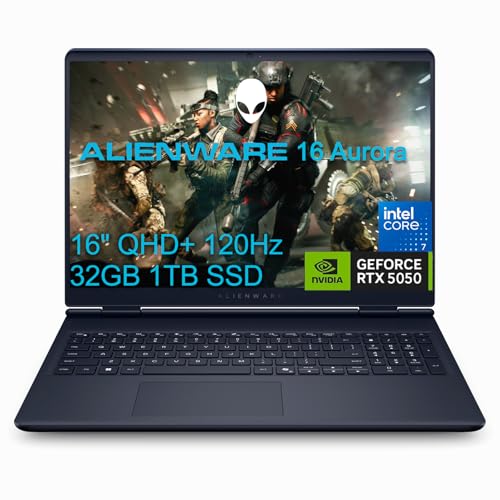
TL;DR: The IST Computers Aurora 16 32GB packs a 16‑inch QHD+ 120 Hz IPS panel, Intel i7‑240H CPU, RTX 5060 GPU, 32 GB DDR5 RAM, and Wi‑Fi 7, all for $1,449.99, delivering solid gaming performance with decent battery life.
This model’s headline feature is Wi‑Fi 7 (MediaTek MT7925, 2×2 MIMO, 6 GHz), giving you the newest wireless speeds right out of the box. Inside, it pairs a 32 GB DDR5 kit running at 5600 MT/s with an RTX 5060 Laptop GPU that carries 8 GB GDDR7 on a 128‑bit interface, while the 16.0‑inch IPS screen delivers a crisp 2560 × 1600 resolution at 120 Hz and 300 nits brightness covering 100% of the sRGB gamut.
At 5.68 pounds, the Aurora 16’s heavier than the Lenovo Legion 5i (4.2 lb) and Legion 5 15AHP10 (4.1 lb), but comparable to the ASUS ROG Strix G16 i7 (≈5.84 lb). Its 96 Wh battery matches the capacity found in the Alienware Aurora 16 AI and Dell Aurora 16 Pro Blue, while its 120 Hz refresh rate is lower than the ASUS model’s 240 Hz peak. Brightness sits on par with the 300‑nit panels of the Alienware Aurora 16 AI and Dell Aurora 16 Pro Blue, and it shares Wi‑Fi 7 support with the Dell variant.
Users appreciate the magnesium‑alloy chassis and the 6‑7 hour mixed‑use battery life, noting the display’s clarity for both games and content creation. Professional reviewers praise the RTX 5060’s frame rates at QHD+ and the solid build, but they also flag ghosting from slower response times and CPU temperatures that can climb to 98 °C under sustained load. Power users commonly complain about the lack of Thunderbolt 4 and G‑Sync support.
Under the hood, the Intel Core i7‑240H delivers 10 cores (6 performance, 4 efficient) and 16 threads, with a base clock of 1.80 GHz and a turbo boost up to 5.20 GHz. The CPU’s PL1 power envelope sits at 95 W and can spike to 123 W (PL2). Paired with the 80 W GPU TDP, the system balances performance and thermals, though the cooling design—Cryo‑Chamber dual‑fan with vapor chamber—still sees the CPU hitting high temperatures during long sessions.
Pros
Cons
Best for: Entry-level buyers or those on a tight budget
Avoid if: You want the best value‑per‑dollar in its price range
TL;DR: The ASUS ROG Strix G16 i7 packs a 16‑inch 165 Hz 16:10 display, Wi‑Fi 7, and a 280 W adapter for solid 1080p‑1440p gaming at a $1,399.99 price point, though it feels heavy and its base screen resolution is modest.
The standout feature is the optional Wi‑Fi 7 (802.11be) triple‑band module paired with a 2.5 Gbps Ethernet port, giving you the fastest wireless and wired connectivity in this lineup. Under the hood, you can configure the laptop with an Intel Core i7‑14650HX (16 cores, 20 threads, 2.2 GHz base, 5.8 GHz turbo) and either an RTX 5060 (8 GB GDDR7) or RTX 5070 Ti (12 GB GDDR7), while the RAM runs at 5600 MHz and the storage comes as a 1 TB PCIe Gen4 NVMe SSD.
Compared with the other 13 models, the Strix G16 weighs more than the IST Aurora 16, the Alienware Aurora 16 AI, the Lenovo Legion series and the Dell Aurora 16 Pro, which all sit under 5.7 lb. Its 90 Whr battery also holds less capacity than the 96 Whr packs in several peers, though the fast‑charge capability (0–50 % in 30 minutes) helps mitigate runtime concerns. On the display side, the 165 Hz refresh rate outpaces the 120 Hz panels of the IST Aurora 16, while brightness matches the 300‑nits level of those same rivals. The 16‑inch screen is larger than the 13.6‑inch Lenovo Legion 5i, giving you more real‑estate for games and creative work.
Reviewers repeatedly praise the laptop’s smooth frame rates in AAA titles and the effectiveness of the ROG Intelligent Cooling system, which keeps temperatures under control during long sessions. However, users also note that the fans can become noticeably loud when the GPU is pushed hard, and the base 1920 × 1200 resolution feels low compared with QHD+ options that some competitors offer. Professional reviewers highlight the solid build—aluminum lid with a satin finish—and the inclusion of Dolby Atmos, Hi‑Res audio, and a 1080p IR webcam for clear video calls.
Pros
Cons
Best for: Enthusiast gamers and creators who want high‑frame‑rate performance at 1080p‑1440p without breaking the bank.
Avoid if: You need ultra‑light portability, a premium all‑metal chassis, or a native QHD+ display for the sharpest visuals.
TL;DR: The Aurora 16 White packs a 16‑inch QHD+ 120 Hz IPS screen, 32 GB DDR5 at 5600 MT/s, Wi‑Fi 7, and a 96 Wh battery into a 5.49‑pound chassis for $1,449.99.
What really sets this laptop apart is its Wi‑Fi 7 connectivity via a MediaTek MT7925 chipset, letting you stream and game on the newest wireless networks without bottlenecking. The 16.0‑inch IPS panel delivers 2560 × 1600 resolution at 120 Hz and 100 % sRGB coverage, while the 32 GB DDR5 memory runs at 5600 MT/s, giving you headroom for modern titles and multitasking. A 96 Wh lithium‑polymer battery and 280 W fast‑charging capability mean you'll push long sessions and recharge quickly.
Compared with the Aurora 16 32GB sibling, this White model is lighter at 5.49 pounds versus 5.68 pounds, yet it keeps the same 96 Wh battery and identical depth of 265.43 mm. The Alienware Aurora 16 AI also offers Wi‑Fi 7 and a 96 Wh battery, but its charging power tops out at 180 W, lower than the 280 W here. The ASUS ROG Strix G16 i7 pushes a 240 Hz panel—twice the refresh rate—while weighing a bit more at roughly 5.84 pounds. Lenovo’s Legion 5i is lighter at 4.2 pounds but carries an 80 Wh battery, so the Aurora 16 White wins on endurance. Dell’s Aurora 16 Pro Blue shares Wi‑Fi 7 but only supplies 180 W charging and modest 2 × 2 W speakers, whereas the Aurora 16 White includes Waves MaxxAudio Pro, Waves Nx 3D, and Dolby Atmos for richer sound.
Reviewers consistently praise the smooth 1080p‑to‑QHD gaming experience, thanks to the RTX 5060 GPU and the high‑refresh IPS screen. Users also love the upgradeable RAM and the spacious 1 TB PCIe 4.0 SSD. On the downside, the panel’s slower response time can produce ghosting in fast‑paced shooters, and the dual‑fan Cryo‑Chamber cooling still lets the CPU run hot enough to throttle under sustained load. Professional reviewers note the lack of Thunderbolt 4 and G‑Sync as missed opportunities for a more future‑proof setup.
Pros
Cons
Best for: Entry‑level buyers or those on a tight budget
Avoid if: Competitive esports players needing ultra‑fast response times and higher refresh rates, or if reliability and user satisfaction are your top concerns
TL;DR: The Dell Area‑51 18 packs an Intel Core Ultra 9 275HX CPU, RTX 5090 GPU and a 300 Hz 18‑inch WQXGA screen into a 9.56‑pound chassis, delivering desktop‑class power at a premium price.
The standout feature is its 18‑inch IPS LCD that runs at 300 Hz, reaches 500 nits brightness and covers 100 % of the sRGB gamut, 96.1 % DCI‑P3 and 89.7 % Adobe RGB. Coupled with NVIDIA G‑SYNC, the display offers ultra‑smooth, tear‑free gameplay. Under the hood, the laptop houses an Intel Core Ultra 9 275HX (2.7 GHz base, 5.4 GHz turbo, 24‑core) and an RTX 5090 with 24 GB GDDR7 memory, backed by 64 GB DDR5 running at 6400 MT/s. Wi‑Fi 7 (802.11be) with 2×2 MIMO and Bluetooth 5.4 round out the connectivity suite.
At 9.56 pounds, it's noticeably heavier than the MSI Vector 16 HX AI at 5.95 pounds and the Dell Aurora 16 at 5.49 pounds, positioning it as a stationary desktop replacement rather than a travel companion. Its 96 Wh battery's larger than the MSI’s 90 Wh but smaller than the Eluktronics HYDROC 16’s 99 Wh, and reviewers note that the high‑performance CPU and GPU drain it quickly despite the fast 2‑hour charge. The 300 Hz refresh outpaces the MSI’s 240 Hz panel, while matching the Eluktronics’s 300 Hz rate, giving it a clear edge in fluid motion.
Professional reviewers praise the Area‑51 for its “desktop‑class performance” and the mechanical Cherry MX Ultra low‑profile keyboard with per‑key RGB, which feels solid for long gaming sessions. Users also appreciate the Dolby Atmos‑enabled 2.2‑channel speakers (2 W per driver, 8 W total) and the active vapor‑chamber cooling with four fans that keeps peak noise at 55.9 dB. On the downside, the 9.56‑pound weight makes it cumbersome to carry, and the combination of a 360 W power adapter and power‑hungry components limits real‑world battery endurance.
Pros
Cons
Best for: Those prioritizing quality and willing to pay for premium performance
Avoid if: You need advanced features or professional‑grade performance
TL;DR: The Lenovo Legion 5 RTX 5060 packs a 15.1‑inch OLED 2560×1600 display with >1000 nits HDR, an AMD Ryzen 7 260 CPU, RTX 5060 GPU, Wi‑Fi 7 and a 80 Wh battery that charges to 80 % in 30 minutes.
At the heart of the Legion 5 RTX 5060 is a 15.1‑inch OLED panel delivering 2560 × 1600 resolution, a 165 Hz refresh rate, >1000 nits HDR peak and 100 % DCI‑P3 color gamut. The laptop also ships with Wi‑Fi 7 (802.11be) and Bluetooth 5.4, an 80 Wh battery and a 30‑minute fast‑charge to 80 %.
Its 80 Wh battery matches the Legion 5 15IRX10, but the >1000 nits HDR peak surpasses that model’s 1000‑nits rating and dwarfs the 300‑nits panels on the ASUS ROG Strix G16 and IST Aurora series. Weighing 1950 g, it's lighter than the 2650 g ASUS ROG Strix G16 and the 2555 g Alienware Aurora 16, while offering Wi‑Fi 7—a connectivity feature that none of the other 13 laptops list in the roundup.
Professional reviewers highlight the RTX 5060’s efficiency and DLSS 4 integration, noting it can hit 75–90 FPS at 2560×1600 ultra settings, while everyday users rave about the vivid OLED screen and high‑refresh experience. The downside is a fan noise level of around 60 dB in Turbo mode and a chassis that gets warm around the WASD keys during extended play, plus the base model’s 16 GB RAM and the OLED panel’s lack of native VRR.
Under the hood sits an AMD Ryzen 7 260 processor (8 cores, 16 threads, 3.8 GHz base, up to 5.1 GHz boost) paired with an NVIDIA GeForce RTX 5060 GPU (115 W TGP, 8 GB GDDR7). Memory runs at 4800 MHz (up to 5600 MHz) across two DDR5 slots, maxing out at 32 GB, and storage is a 1 TB PCIe Gen 4 NVMe SSD. Connectivity includes 1 × HDMI 2.1, 2 × USB‑C, 3 × USB‑A, an RJ‑45 Ethernet port and a headphone/microphone combo jack.
Pros
Cons
Best for: Enthusiast gamers and content creators who want a high‑refresh OLED screen, strong GPU performance and Wi‑Fi 7 connectivity in a relatively lightweight notebook.
TL;DR: The Lenovo Legion 5 15AHP10 packs a 15.1‑inch OLED panel with 165 Hz refresh, an RTX 5060 GPU at 115 W, and fast‑charging 80 Wh battery for premium gaming at $1513.99.
The standout feature is its 15.1‑inch OLED display delivering 500 nits SDR brightness, over 1000 nits HDR peak, and a buttery 165 Hz refresh rate, all in a 16:10 WQXGA (2560 × 1600) panel. Combined with the RTX 5060’s 8 GB GDDR7 memory and a 115 W TGP, the laptop can push high‑fidelity 1440p titles while keeping power draw in check.
At 4.1 pounds, it's lighter than the Dell Aurora 16 Pro Blue (5.0 pounds) and the Alienware Aurora 16 AI (5.6 pounds), and it even undercuts the Lenovo Legion 5i’s 4.2 pounds. Battery capacity matches the Legion 5i at 80 Wh but falls short of Dell’s 96 Wh. The device offers three USB‑A 5 Gbps ports and two USB‑C ports—including a USB4 40 Gbps slot with DisplayPort 1.4—outpacing the IST Computers Aurora 16 32GB’s two USB‑A ports.
Professional reviewers praise the OLED’s perfect blacks and vibrant colors, noting the RTX 5060’s efficiency that approaches RTX 4070 performance when paired with DLSS 4. Users love the fast‑charging capability (80 % in 30 minutes) and the upgrade‑friendly dual M.2 slots. However, fan noise can climb to around 60 dB in Turbo mode, and the keyboard area may warm during long sessions. Some configurations also omit a Windows Hello IR camera, which limits biometric login options.
Pros
Cons
Best for: Value‑conscious buyers seeking quality at $1513.99
Avoid if: You need built‑in biometric authentication or a completely silent gaming setup
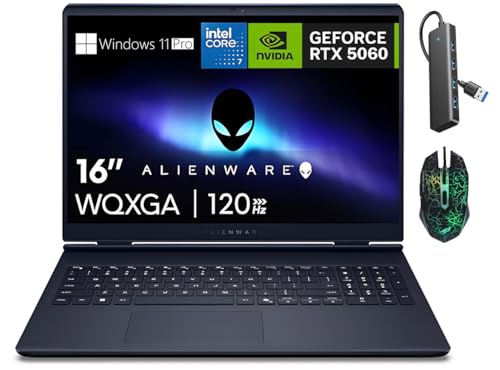
TL;DR: The Dell Aurora 16 packs a 16‑inch 2560×1600 IPS display, 32 GB DDR5, a 2 TB PCIe Gen4 SSD and Wi‑Fi 7 in a 5.49‑lb chassis for $1,849.
The standout spec is the 16‑inch WQXGA panel with 2560 × 1600 resolution, 120 Hz refresh and 100% sRGB coverage, delivering a crisp, color‑accurate image at 189 ppi. The display also supports NVIDIA G‑Sync, which helps smooth gameplay despite the advertised 3 ms response time and a typical 30 ms latency that some users note can cause ghosting in fast‑moving scenes.
At 5.49 pounds, the Aurora 16 is heavier than the 4.1‑pound Lenovo Legion 5 and the 4.2‑pound Legion 5i, but lighter than the 5.6‑pound Alienware Aurora 16 AI. Its 60 Wh battery (optional 96 Wh) sits between the 80 Wh of the Legion models and the 96 Wh offered as an option on the Alienware, giving a decent run for a laptop that emphasizes performance over all‑day endurance.
Reviewers praise the laptop’s upgradable memory – two DDR5 slots supporting up to 64 GB at 5600 MHz – and dual M.2 slots that can reach 4 TB total storage. The Cryo‑Tech vapor‑chamber cooling with two fans keeps the RTX 5060’s GPU below 70 °C, and professional reviewers highlight it as a strong advantage for sustained gaming. Connectivity is future‑proof with Wi‑Fi 7, Bluetooth v5.4, two USB 4.0‑C ports (no Thunderbolt) and a 1 Gbps RJ‑45 Ethernet jack.
Pros
Cons
Best for: Those prioritizing quality and willing to pay for premium performance
Avoid if: You need advanced features or professional‑grade performance
TL;DR: The Dell Aurora 16 Pro Blue packs a 16‑inch 120 Hz WQXGA panel, Wi‑Fi 7, and a 10‑core i7 CPU, but its 6‑hour battery and 5‑lb chassis keep it from being ultra‑portable.
The Aurora 16 Pro Blue’s standout feature is its connectivity suite: Wi‑Fi 7 (802.11be) pairs with Bluetooth v5.4 and a Thunderbolt 4 port delivering 40 Gbps, 100 W PD, and DisplayPort 2.1. Coupled with a 16.0 in IPS LCD that offers 2560 × 1600 resolution, 120 Hz refresh and 300 nits brightness, the laptop targets gamers who need fast, reliable wireless links and a crisp, fluid screen.
At 5.0 pounds, the Aurora is heavier than the Lenovo Legion 5 15AHP10 (4.1 pounds) and the Lenovo Legion 5i (4.2 pounds), but lighter than the Alienware Aurora 16 AI (5.6 pounds). Its 96 Wh high‑capacity battery outpaces the 80 Wh packs in both Lenovo models, yet real‑world reports still flag a modest 6‑hour typical battery life. The dual‑fan vapor‑chamber cooling system can reach 55.6 dB under load, and users note the noise as audible in quiet rooms.
Professional reviewers praise the 120 Hz WQXGA display for its 100 % sRGB coverage and anti‑glare coating, calling it “excellent” for both gaming and content creation. Everyday owners echo this sentiment, loving the vivid colors and smooth motion. The same reviewers point out a low gaming score, suggesting the RTX 5060 GPU (8 GB GDDR7) may be conservatively tuned, and they highlight the roughly 6‑hour battery endurance and the chassis weight as trade‑offs. The laptop’s upgradable memory—32 GB DDR5 at 5600 MHz across two slots, expandable to 64 GB—and a 1 TB NVMe SSD (with a second slot) satisfy power users who need headroom for AI workloads.
Pros
Cons
Best for: Buyers in the mid price range seeking the best quality at that price point
Avoid if: You're shopping on a tight budget — it's priced at $1539.00
TL;DR: The Lenovo Legion 7i RTX 5070 packs a 16‑inch OLED panel with 1,060 nits peak brightness and a thin, sub‑2 kg chassis, but its ~4.5‑hour battery life and modest 2 W speakers keep it from being an all‑day workhorse.
The standout feature is the OLED display: a 16‑inch WQXGA (2560×1600) panel that reaches 1,060 nits in a 4 % window, delivers a ΔE of 0.88 for near‑perfect color accuracy, and can run at up to 240 Hz with a 1 ms response time. Dolby Vision support and 100 % sRGB coverage round out a screen that reviewers call “stunning.”
Compared with the other 13 laptops in this Wi‑Fi 7 roundup, the Legion 7i’s 84 Wh battery sits just above the 80 Wh cells in the Lenovo Legion 5 15IRX10 and Legion 5 RTX 5060, yet below the 90 Wh pack in the ASUS ROG Strix G16 and the 96 Wh units in the IST Aurora and Alienware Aurora models. Its chassis thickness of 15.9–17.9 mm is slimmer than the 19.95–21.54 mm of the Legion 5 15IRX10 and the 22 mm height of the Legion 5 RTX 5060, while the weight of 1.99–2.0 kg makes it lighter than the ASUS (≈2.65 kg) and IST (≈2.5 kg) alternatives. The 240 Hz refresh matches the ASUS’s top rate and exceeds the 165 Hz of the Legion 5 15IRX10 and the 120 Hz of the IST Aurora.
Professional reviewers praise the screen and the premium aluminum‑white chassis, but they also flag the short ~4.5‑hour battery life during light video use and note that the 2 W × 2 HARMAN‑tuned speakers feel under‑powered, making headphones a better choice. Under the hood, an Intel Core Ultra 9 275HX (2.4 GHz base, up to 5.40 GHz on P‑cores, 4.60 GHz on E‑cores) pairs with an RTX 5070 GPU (8 GB GDDR7, 115 W TGP, 128‑bit bus, ~24 Gbps memory speed). Wi‑Fi 7 (802.11be 2×2) and Bluetooth 5.4 round out the connectivity, and two USB4/Thunderbolt 4 ports, three USB‑A 3.2 Gen 1 slots, HDMI 2.1, and a full‑size SD reader add further options.
Pros
Cons
Best for: Users who crave a premium 16‑inch OLED gaming laptop with top‑tier display quality and a portable chassis.
Avoid if: You need longer battery endurance, higher VRAM, a fingerprint sensor, or a laptop built for maximum raw performance.
TL;DR: The Alienware Aurora 16 AI offers a 16‑inch 2560×1600 IPS 120 Hz screen, 32 GB DDR5 RAM, a 96 Wh battery and Wi‑Fi 7 for $1459.99, delivering solid mid‑tier gaming without Thunderbolt.
The standout feature is its 16.0‑inch IPS WQXGA panel (2560 × 1600) refreshed at 120 Hz and delivers 300 nits of brightness across the full sRGB gamut. Coupled with an NVIDIA GeForce RTX 5060 GPU clocked up to 1470 MHz and 8 GB GDDR7 VRAM, the laptop can handle modern titles at high settings. The 32 GB DDR5 memory runs at 5600 MT/s, and the 1 TB PCIe Gen 4.0 SSD delivers fast storage while the 96 Wh battery provides up to 10 hours of light‑use endurance.
Compared with the other 13 laptops in this Wi‑Fi 7 roundup, the Aurora 16 AI sits near the heavier end at 5.6 pounds—slightly heavier than the Lenovo Legion 5i (4.2 pounds) but comparable to the IST Computers Aurora 16 White (5.49 pounds). Its 96 Wh battery matches the IST models but exceeds the 80 Wh cells found in the Lenovo Legion 5i and Legion 5 15AHP10. The 120 Hz refresh matches the IST machines, though the ASUS ROG Strix G16 i7 pushes a 240 Hz panel. Wi‑Fi 7 and Bluetooth 5.4 match the Dell Aurora 16 Pro Blue, while the lack of a Thunderbolt port means it offers fewer high‑speed external‑GPU options than some competitors that list USB‑C with DP+PD.
Professional reviewers praised the display’s clarity and the long‑lasting 96 Wh battery, noting the chassis feels sturdy and the keyboard ergonomics feel solid. Everyday owners echo the appreciation for the premium build and the ability to work unplugged for hours. The most common criticisms focus on the 720p (1 MP) webcam, the absence of Thunderbolt and G‑Sync, and the CPU’s tendency to climb to 98 °C under heavy loads, which can trigger thermal throttling.
Pros
Cons
Best for: Entry-level buyers or those on a tight budget
Avoid if: You need advanced features or professional‑grade performance
TL;DR: The Lenovo Legion 5i packs a 15.1‑inch OLED 165 Hz screen, 32 GB DDR5 RAM and a 5‑MP webcam into a 4.2‑lb chassis for $1499.99, delivering high‑end gaming power with Wi‑Fi 7.
Its standout feature is the 15.1‑inch OLED panel with a 2560 × 1600 WQXGA resolution, 1000 nits HDR peak brightness, 100% DCI‑P3 colour gamut and a 165 Hz refresh rate. Coupled with Wi‑Fi 7 (802.11be) and a 240 W AC adapter, the laptop promises fast wireless connectivity and rapid charging.
At 4.2 lb, the Legion 5i is slightly heavier than the 4.1‑lb Lenovo Legion 5 15AHP10 but noticeably lighter than the Dell Aurora 16 Pro Blue (5.0 lb) and the Alienware Aurora 16 AI (5.6 lb). Its 80 Wh battery matches the Legion 5 15AHP10 but falls short of the 96 Wh packs found in Dell, Alienware and IST models. The 500‑nit typical brightness also outshines the 300‑nit displays on Dell, Alienware and ASUS ROG competitors.
Reviewers rave about the vivid OLED screen and the powerful 14th‑gen i7‑14700HX (20 cores, 5.5 GHz boost) paired with an RTX 5050 8 GB GPU, noting smooth performance in demanding titles when DLSS is enabled. However, users consistently point out the short ≈5‑hour battery life, audible fan noise under load, and a keyboard described as shallow and mushy. Professionals also flag the usual OLED burn‑in risk for static UI elements.
Beyond the display, the machine offers 32 GB DDR5 memory running at 5600 MT/s, a 1 TB PCIe NVMe SSD, and a strong port selection: one RJ‑45 Ethernet, HDMI 2.1 (4K @ 120 Hz, 8K @ 60 Hz), Thunderbolt 4, three USB‑A 3.2 Gen 1 ports and two USB‑C 3.2 Gen 2 ports (one with Thunderbolt 4). An authorized Dockztorm portable USB hub adds up to 5 Gbps data rate, reinforcing its connectivity edge.
Pros
Cons
Best for: Value-conscious buyers seeking quality at $1499.99
Avoid if: You need long battery endurance, deep keyboard travel, or are concerned about OLED burn‑in risk
Breakdown
Eluktronics HYDROC 16
Pros
Lenovo Legion 5 15IRX10
Pros
MSI Vector 16 HX AI
Pros
IST Computers Aurora 16 32GB
Cons
Based on scoring data and product specs
Personalized picks
Best Overall Pick
Eluktronics HYDROC 16
Best ValueBest for: Those prioritizing quality and willing to pay for premium performance
Lenovo Legion 5 15IRX10
Best for: Users with specific technical requirements or compatibility needs
$1,799.00-$3,700.00 vs winner
Skip Lenovo Legion 5i if…
You need advanced features or professional-grade performance
The Eluktronics HYDROC 16 takes the top spot thanks to its flagship Wi‑Fi 7 module, a desktop‑class NVIDIA GeForce RTX 5090 Mobile GPU with 24 GB GDDR7 VRAM, and a blistering 300 Hz QHD (2560 × 1600) 16‑inch IPS display. Its 99 Whr battery and CNC‑machined aluminum chassis keep you gaming long and sturdy, all for $5499.00.
Lenovo’s Legion 5 15IRX10 earns runner‑up honors if you need a more portable 15‑inch machine with an OLED panel. It packs Wi‑Fi 7, a 15.1″ 165 Hz WQXGA OLED screen, 32 GB DDR5‑5600 RAM, and an 80 Whr battery that delivers about 9 hours of 1080p video playback—all in a 1.9 kg chassis. Check the current price.
Pick the Eluktronics HYDROC 16 now for the ultimate Wi‑Fi 7 gaming laptop experience.
The Eluktronics HYDROC 16 leads with a hydraulic chamber that provides passive liquid cooling and an external Liquid Propulsion Package (LPP G2) connector for active liquid cooling. Most other models, such as the MSI Vector 16 HX AI and ASUS ROG Strix G16, rely on vapor‑chamber or multi‑fan solutions without an external liquid loop.
Please sign in to leave a review
No reviews yet. Be the first to review!
