Finding an HDR gaming monitor that fits your budget and performance needs can feel like a maze, but our hands‑free comparison of 13 models cuts through the clutter. We’ve grouped the picks into the three price tiers the market offers – budget options like the $89.99 Sansui ES‑G24F4L, mid‑range contenders such as the $279.99 Samsung Odyssey G55C, and premium powerhouses including the $719.00 Alienware AW3423DW – so you can see at a glance where each price point lands.
For the tight‑budget gamer, the Sansui ES‑G24F4L stands out with a 4.3/5 rating from 5,574 reviews and a 200 Hz refresh rate that punches well above its $89.99 price tag. In the mid‑range camp, the Samsung Odyssey G55C offers a 32‑inch curved VA panel, 165 Hz refresh and a solid 4.4/5 rating from 1,559 reviewers for $279.99. The premium crown goes to the Asus XG279CNS, which commands a $329.00 price, a 4.4/5 score from 1,488 users, and a fast 380 Hz refresh that delivers buttery HDR performance for serious esports fans.
We then break down each category and reveal which monitor takes the crown for your HDR gaming needs.

Asus XG279CNS
Features a 3.5 mm audio jack and DisplayPort 1.4, giving you reliable sound output and high‑bandwidth video in a single connection.

Samsung Odyssey G50D
Ideal for gamers seeking solid HDR performance on a tighter budget, it’s $309.99—about $19 less than the Asus XG279CNS.

Samsung Odyssey G55C
Stands out with a 165 Hz refresh rate and 300 cd/m² brightness, delivering smoother motion and brighter HDR compared to the pricier options.
Also considered
Score Analysis
Key score advantages vs. runner-up (Samsung Odyssey G50D)
Price Range
Asus XG279CNS
$329.00
Samsung Odyssey G50D
$326.75
Samsung Odyssey G55C
$286.00

BenQ EX240N
$149.99

Alienware AW3423DW
$750.28

Alienware AW2723DF
$457.99

Samsung Odyssey G9
$1,124.75
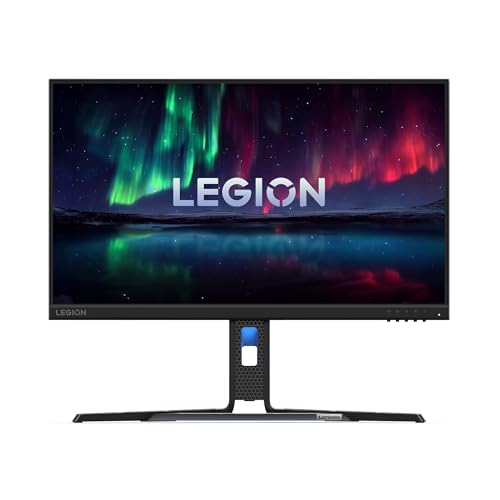
Lenovo Legion R24e
$138.68

Sansui ES-G24F4L
$89.99
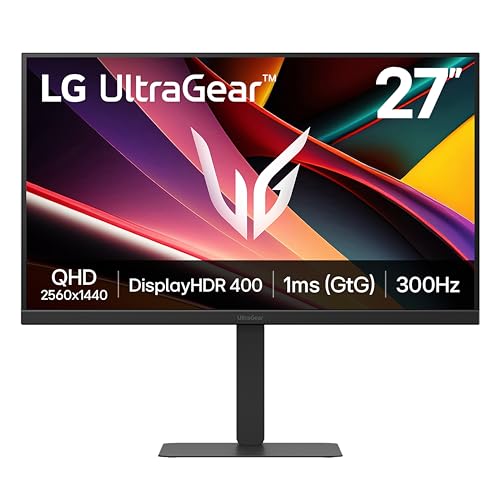
LG 27G640A-B
$296.99

Innocn 15.6-inch Portable
$199.99

LG 24G411A-B
$99.99

Xiaomi G27i-US
$149.99
Spec Comparison
TL;DR: The Asus XG279CNS offers a blistering 380 Hz refresh rate, 0.3 ms GTG response, and VESA DisplayHDR 400 in a 27‑inch Fast IPS panel for competitive gamers.
What really sets the XG279CNS apart is its 380 Hz maximum refresh rate paired with a 0.3 ms gray‑to‑gray response time. Those figures translate to ultra‑smooth motion and virtually no ghosting, which professional reviewers highlight as ideal for fast‑paced FPS titles. The panel also supports VESA DisplayHDR 400 at a peak brightness of 400 cd/m², delivering a modest HDR boost over standard SDR.
Compared with other monitors in this roundup, the XG279CNS is lighter than the Samsung Odyssey G50D (16.3 Pounds) but heavier than the LG 27G640A‑B (12.1 Pounds). Its 400 cd/m² brightness outshines the Samsung Odyssey G55C’s 300 cd/m² and the BenQ EX240N’s 250 nits. The 380 Hz refresh rate eclipses the 180 Hz of the G50D, the 165 Hz of the G55C, and the 300 Hz of the LG 27G640A‑B, giving it the highest motion performance among the peers. Color gamut coverage of 110% sRGB also exceeds the 99% sRGB of the G50D.
Users consistently applaud the monitor’s buttery‑smooth gameplay and the convenience of a USB‑C port that supplies 7.5 W Power Delivery, making laptop hookups a breeze. However, reviewers frequently call out the 27‑inch 1080p panel for low pixel density, leading to visible pixelation at close range. Reviewers also note that HDR limits the display to DisplayHDR 400, which falls short of true HDR experiences, and the lack of built‑in speakers means you’ll need external audio.
Beyond speed, the XG279CNS features a Fast IPS panel with 110% sRGB coverage, a 1000:1 contrast ratio, and ergonomic adjustments—including a 0–120 mm height range, +90° to –90° pivot, +45° to –45° swivel, and +20° to –5° tilt. Connectivity includes one HDMI 2.1, one DisplayPort 1.4, a USB‑C (DP Alt Mode, 7.5 W PD), a USB 3.2 Gen 1 downstream port, and a 3.5 mm audio jack, all backed by AMD FreeSync Premium and NVIDIA G‑SYNC compatibility.
Pros
Cons
Best for: Competitive esports and fast‑paced FPS gamers who prioritize ultra‑high refresh rates and low input lag.
Avoid if: You need professional‑grade color accuracy, true HDR performance, or built‑in audio.
“Incredibly smooth gameplay—perfect for CS2 and Valorant”
“The 380 Hz makes a noticeable difference in fast‑paced games”
TL;DR: The Samsung Odyssey G50D offers a 32‑inch QHD Fast IPS panel with 180 Hz refresh, 1 ms response, and solid ergonomics for $309.99, making it a strong mid‑range HDR‑400 gaming monitor.
The standout spec is the 180 Hz refresh rate paired with a 1 ms gray‑to‑gray response time, which together promise ultra‑smooth motion on its 32‑inch flat QHD screen. Its Fast IPS panel reaches a peak brightness of 350 cd/m² and supports VESA DisplayHDR 400, delivering decent HDR punch for the price.
Weighing 16.3 Pounds, the G50D's heavier than the Asus XG279CNS (14.3 Pounds) and noticeably heftier than the Samsung G55C (11.5 Pounds). Priced at $309.99, it sits above the G55C’s $279.99 tag but below the Asus’s $329.00 price point, positioning it in the middle of the pack for value.
Users consistently praise the monitor’s buttery‑smooth gameplay and the fully adjustable stand that offers height, tilt, swivel and pivot adjustments—features rarely seen at this tier. Complaints focus on the limited connectivity (one HDMI 2.0 and one DisplayPort 1.2) and the entry‑level HDR 400 implementation, which doesn’t match higher‑tier HDR standards.
Additional technical notes: the panel covers 99% of the sRGB color gamut, offers 178° horizontal and vertical viewing angles, and includes a 100 × 100 mm VESA mount. Eye‑comfort technologies such as Flicker‑free and Low Blue Light round out the feature set.
Pros
Cons
Best for: Mid‑tier PC gamers who want high refresh rates and QHD resolution without paying premium prices.
Avoid if: You need advanced HDR performance, multiple HDMI/USB ports, or built‑in speakers for a streamlined setup.
“amazing budget monitor”
“the "register your product" pop-up persists even after registration”
TL;DR: The Samsung Odyssey G55C offers a 32‑inch 1000R curved VA panel with 165 Hz refresh, HDR10 support, and deep 2500:1 contrast at a competitive $279.99 price.
The standout feature is its 1000R curvature combined with a 32‑inch screen, delivering a truly immersive field of view while the VA panel provides a static contrast ratio of 2500:1 for deep blacks. Samsung pairs this with a 165 Hz refresh rate and a 1 ms MPRT response time, which most reviewers note keeps motion smooth for typical gaming workloads.
At 11.5 pounds, the G55C is lighter than the Samsung Odyssey G50D and the Asus XG279CNS, yet it feels sturdier than ultra‑light options like the Xiaomi G27i-US. Its depth with stand measures 271.8 mm and it sits 533.7 mm tall, fitting comfortably on most desks without overwhelming the workspace.
Many users rave about the cinematic curve and the monitor’s ability to display deep blacks, and professional reviewers echo this point and highlight the high contrast and immersive curvature. The most common complaints involve noticeable motion blur and ghosting in fast‑action titles, as well as occasional flickering when variable refresh rate (FreeSync) is active. HDR10 support delivers up to 320 cd/m² peak brightness, which reviewers describe as modest but it's still a welcome boost over SDR.
Pros
Cons
Best for: Casual and mid‑core gamers who value immersion, strong contrast, and a solid HDR experience without breaking the bank.
Avoid if: You need ultra‑fast pixel response for competitive esports or demand high peak HDR brightness and advanced ergonomics.
“amazing budget monitor”
“the "register your product" pop-up persists even after registration”
TL;DR: The BenQ EX240N delivers a 23.8‑inch VA panel with 165 Hz refresh, HDR10 support and dual 2.5 W speakers at a budget‑friendly price, though its 250‑nit brightness curtails HDR impact.
The monitor’s headline spec is a 165 Hz refresh rate paired with AMD FreeSync Premium, which promises smooth motion in fast‑paced titles. It also includes HDR10 and HDRi support, a 23.8‑inch VA screen, and dual 2.5 W built‑in speakers that let you game without external audio gear.
Compared with the other monitors in this roundup, the EX240N shares the 165 Hz refresh rate of the Xiaomi G27i‑US, but its depth of 540 mm is considerably deeper than the Xiaomi’s 37 mm profile and the Sansui ES‑G24F4L’s 202 mm depth. At 12.20038157908 pounds, it is heavier than the Xiaomi (7.936641432 pounds) and Sansui (8.99926953484 pounds) models, yet close to the LG 27G640A‑B’s 12.1 pounds. Its contrast ratio of 3000:1 and 72% NTSC color gamut sit between the high‑color coverage of the Xiaomi (99% sRGB) and the more modest coverage of the LG 24G411A‑B.
Reviewers consistently praise the monitor’s fluid 165 Hz gameplay and the deep blacks the VA panel’s 3000:1 contrast provides. People often call the built‑in speakers a convenient plus. However, users note that the 250‑nit peak brightness makes HDR look modest, and the 4 ms GTG response can leave text looking fuzzy on the desktop. People describe the OSD menu as cluttered, and the lack of any USB ports limits peripheral connections.
Pros
Cons
Best for: Budget‑conscious gamers who want high refresh rates and basic built‑in audio without breaking the bank.
Avoid if: You need strong HDR performance, professional‑grade color accuracy, or a monitor with extensive connectivity options.
“Perfect for CS2 and Valorant—super smooth at 165 Hz.”
“Love the deep blacks and contrast; great for night gaming.”
TL;DR: The Alienware AW3423DW delivers a 34‑inch QD‑OLED panel with infinite contrast, 1000‑nit HDR peak, 0.1 ms response and 175 Hz refresh, but its $719 price and glossy finish may limit budget‑conscious or bright‑room users.
This monitor’s standout spec is its Quantum Dot OLED panel, which provides an “Infinite” contrast ratio and a HDR10/HDR1000 peak brightness of 1000 nits. Coupled with a 0.1 ms GTG response time and a maximum 175 Hz refresh rate, it promises ultra‑smooth motion and deep, true blacks that few LCDs can match.
Compared with the other twelve entries in the roundup, the AW3423DW sits toward the premium end of the price spectrum and is heavier than the Asus XG279CNS and LG 27G640A‑B, yet lighter than the Samsung Odyssey G9. Its 34.18‑inch ultrawide format and 1800R curvature also give it a broader field of view than the 27‑inch and 32‑inch models, while its ergonomic range—4.3 inches of height adjustment, ±20° swivel and –5° to +21° tilt—offers more flexibility than many rivals.
Everyday owners rave about the monitor’s eye‑comfort, immersive curve and vivid color reproduction, noting that the 99.3–108 % DCI‑P3 coverage feels “ready‑out‑of‑the‑box.” Professional reviewers call the image quality “stunning” and the motion processing comparable to higher‑refresh LCDs. The most common complaints involve fuzzy text at the native 3440 × 1440 resolution, occasional pixel‑refresh prompts that guard against OLED burn‑in, and the glossy screen reflecting ambient light in bright rooms.
Beyond the display, the AW3423DW packs AlienFX RGB lighting, a joystick control hub, and a 3‑year Advanced Exchange Service. Connectivity includes a DisplayPort 1.4 that supports the full 175 Hz, two HDMI 2.0 ports that run up to 100 Hz, and four USB 3.2 downstream ports, giving you plenty of options for a high‑end gaming rig.
Pros
Cons
Best for: Buyers willing to invest in a proven, high‑quality option
Avoid if: You're shopping on a tight budget — it's priced at $719.00
“I feel my eyestrain getting better.”
“Quality remains after the sting of high price wears off.”
TL;DR: The Alienware AW2723DF delivers a 27‑inch QHD panel with a 280 Hz overclocked refresh, HDR600 peak brightness, and premium ergonomics, but its $477.73 price and modest contrast may limit appeal for budget‑focused or cinema‑oriented users.
The monitor’s headline spec delivers an overclocked 280 Hz refresh rate via DisplayPort, backed by a 600 cd/m² HDR600 peak brightness and a 10‑bit Fast IPS Nano Color panel that covers 100 % sRGB and 95 % DCI‑P3. Combined with a 1 ms gray‑to‑gray response, the display delivers ultra‑smooth competitive play.
At 19.63 lb, it’s heavier than the Asus XG279CNS (14.3 lb) and Samsung Odyssey G55C (11.5 lb) but lighter than the larger Alienware AW3423DW (21.8 lb). Its 27‑inch screen is more compact than the 32‑inch Samsung Odyssey G50D and G55C, yet it offers two HDMI 2.0 ports versus the single HDMI on those Samsung models and the Asus’s lone HDMI 2.1. USB connectivity is also richer, with four downstream USB‑A ports and one upstream USB‑B, compared with just one downstream USB‑A and a USB‑C on the Asus.
In practice, everyday gamers rave about the buttery‑smooth high‑refresh experience and the vivid color accuracy that reviewers note as factory‑calibrated. However, the 1000:1 contrast ratio can feel flat for deep blacks, and the edge‑lit 16‑zone local dimming delivers only modest HDR impact, a point some users flag as a disappointment.
Beyond speed, the AW2723DF packs ergonomic flexibility: a 4.3‑in height‑adjustment travel, ±40° swivel, –5° to +21° tilt, and a full 180° pivot for portrait mode. The built‑in cable‑management system, side‑mounted headphone stand, and customizable AlienFX RGB lighting round out a premium desktop package, while the 3‑Year Advanced Exchange Service adds confidence.
Pros
Cons
Best for: Competitive gamers and esports enthusiasts who demand the highest refresh rates and accurate colors, and who value strong ergonomics.
Avoid if: You need deep black levels and top‑tier HDR for movies, or have limited desk space and a tighter budget.
TL;DR: The Samsung Odyssey G9 delivers a 49‑inch 1000R curved VA panel with 240 Hz refresh, 1 ms response and HDR1000, but its premium $854.38 price and large footprint suit dedicated gamers with space.
The standout spec is the 49‑inch 32:9 ultrawide screen wrapped in a 1000R curvature, which Samsung says creates an immersive field of view. Quantum Dot technology boosts the VA panel, which offers 10‑bit color depth (1.07 billion colors) and hits an HDR peak of 1000 nits. Gamers benefit from a 240 Hz refresh rate and a 1 ms GTG response time, while the static contrast ratio of 2500:1 maintains deep blacks in dark scenes.
At $854.38, the Odyssey G9 is pricier than the Alienware AW3423DW ($719) and heavier than both the Alienware AW2723DF (19.63 pounds) and the Asus XG279CNS (14.3 pounds). However, its 49‑inch diagonal far exceeds the 34‑inch screen of the Alienware AW3423DW and the 27‑inch panel of the LG 27G640A‑B, giving you roughly double the horizontal real‑estate for multitasking and simulation gaming.
Reviewers consistently praise the monitor’s immersive experience, noting the “most immersive” HDR performance and vivid color reproduction across its 92 % Adobe RGB and 92 % DCI‑P3 coverage, plus 125 % sRGB coverage. Users also appreciate the solid build, built‑in speakers, and Picture‑by‑Picture mode for dual‑screen workflows. Common complaints focus on the glossy surface, which can cause reflections in bright rooms, and the VA panel’s tendency toward smearing in very dark transitions.
The Odyssey G9’s VA panel with Quantum Dot delivers a minimum brightness of 360 cd/m² and a typical brightness of 450 cd/m², while its HDR10+ and VESA DisplayHDR 1000 certification ensure bright highlights. Power draw averages 108 W and can peak at 180 W, fitting a typical desktop power budget. The monitor includes two DisplayPort 1.4 and two HDMI 2.1 ports, a 3.5 mm audio combo jack, Bluetooth, Wi‑Fi, and a 100 × 100 mm VESA mount for flexible placement.
Pros
Cons
Best for: Hardcore gamers and multitaskers who prioritize immersive visuals, high refresh rates and wide color coverage, and have room for a large curved display.
Avoid if: You're shopping on a tight budget — it's priced at $854.38 and its size may not fit smaller workspaces.
“amazing budget monitor”
“the "register your product" pop-up persists even after registration”
TL;DR: The Lenovo Legion R24e delivers a 23.8‑inch IPS panel with a blistering 180 Hz refresh rate, 0.5 ms MPRT response and AMD FreeSync for smooth gaming at a budget‑friendly $129.99.
The standout spec is the 180 Hz maximum refresh rate paired with a 0.5 ms MPRT response time, which the manufacturer highlights as ideal for fast‑paced titles. Combined with a true 8‑bit IPS panel that covers 99% of the sRGB colour space, the monitor promises vivid, flicker‑free visuals without dithering.
At 10.6 pounds, the Legion R24e sits lighter than the BenQ EX240N (≈12.2 pounds) but heavier than the LG 24G411A‑B (≈7.3 pounds). Its single HDMI 2.1 port and lack of USB hubs place it behind some rivals that offer more connectivity options, while its ergonomic stand—offering up to 135 mm of height adjustment, ±30° swivel, and –90° to +90° pivot—outmatches many budget models that provide only tilt.
User reviews frequently praise the fluid motion created by the high refresh rate and the ergonomic flexibility that eases long sessions. Professional reviewers note the accurate colour reproduction from the 99% sRGB coverage and the effectiveness of AMD FreeSync in eliminating tearing. Common complaints focus on the absence of built‑in speakers, the single HDMI input limiting multi‑device setups, and the modest 300 cd/m² peak brightness that curtails HDR performance.
Beyond the gaming‑centric specs, the monitor includes a 3,000,000:1 dynamic contrast ratio, a static 1000:1 contrast, and a 300 cd/m² typical brightness, all driven by a W‑LED backlight. Energy consumption stays low at a typical 16.6 W, with a maximum draw of 24 W, aligning with its Class E EU energy label.
Pros
Cons
Best for: Entry‑level buyers or those on a tight budget
Avoid if: You want the best value‑per‑dollar in its price range
“Smooth gameplay with no ghosting or tearing.”
TL;DR: The Sansui ES‑G24F4L delivers a 24‑inch Full HD VA panel with a 200 Hz DisplayPort refresh, 1 ms MPRT response and HDR10‑equivalent colour at a budget‑friendly $89.99.
The headline spec is the 200 Hz refresh rate over DisplayPort, paired with a 1 ms MPRT response time. This combination lets fast‑paced shooters and racing titles feel ultra‑smooth, while the 300 cd/m² brightness and 4000:1 contrast ratio give decent HDR10‑equivalent punch for a monitor in this price range.
Compared with peers, the Sansui sits at a lower price point than most of the 13‑item lineup. It's heavier than the LG 24G411A‑B, which weighs about 7.3 pounds, but lighter than the Lenovo Legion R24e at roughly 10.6 pounds. Its 300 cd/m² brightness outshines the 250 cd/m² typical output of the LG and BenQ models, matching the Lenovo’s 300 cd/m². The 200 Hz refresh also exceeds the 120‑144 Hz range of the LG 24G411A‑B, giving it a clear edge for competitive gamers.
Users consistently praise the monitor for “buttery‑smooth” gameplay and its 110 % sRGB coverage and 80 % DCI‑P3 gamut delivering vibrant colours. Professional reviewers note the rare combination of FreeSync, HDR10‑equivalent support and ultra‑high refresh at this price. The downsides that surface in feedback include the lack of height adjustment, a tilt‑only stand that can feel wobbly, and reports that HDMI 2.1 may not sustain the full 200 Hz, limiting ultra‑high‑frame‑rate use to DisplayPort.
Pros
Cons
Best for: Competitive FPS, RTS and racing gamers who need ultra‑high refresh rates without breaking the bank.
Avoid if: You need extensive ergonomic adjustments, professional‑grade colour accuracy, or guaranteed 200 Hz over HDMI.
“great budget 200Hz monitor”
“no noticeable input lag”
TL;DR: The LG 27G640A-B pairs a 27‑inch QHD IPS panel with a blistering 300 Hz refresh rate, 1 ms response time and HDR400, offering competitive‑grade smoothness at a $226.99 price point.
This monitor’s headline spec is the 300 Hz refresh rate combined with a 1 ms response time, which promises ultra‑smooth motion on a 27‑inch QHD (2560 × 1440) IPS display. The panel can reach 400 cd/m² brightness and carries VESA DisplayHDR 400 and HDR10 support, while covering 95% of DCI‑P3 and 99% of sRGB for vivid colour reproduction.
At 12.1 pounds, the LG sits much heavier than the 1.6‑pound Innocn portable, yet it’s only a touch heavier than the Samsung Odyssey G55C’s 11.5 pounds and noticeably lighter than the Samsung Odyssey G50D’s 16.3 pounds. Its 300 Hz refresh outstrips the 165 Hz of both the Samsung Odyssey G55C and the Xiaomi G27i‑US, and dwarfs the 60 Hz of the Innocn portable. Brightness‑wise, the LG’s 400 cd/m² tops the 250 nits of the BenQ EX240N, giving it a clear advantage in well‑lit rooms.
Reviewers repeatedly praise the monitor’s fluid gameplay and the fully adjustable stand – you can raise the height up to 130 mm, with tilt, swivel and a 90° pivot for ergonomic comfort. Professional testers also highlight the handy USB‑C 3.2 Gen 1 port with 15 W Power Delivery, a rarity in this segment. Users love the vibrant colours but note that HDR performance feels modest because the peak brightness is limited to 400 nits and there’s no local dimming. Dust collects under the panel, and console gamers point out that HDMI 2.1 caps at 1440p @ 120 Hz, restricting 4K gaming.
Pros
Cons
Best for: Competitive gamers and creators who want a high refresh rate and accurate IPS colours.
Avoid if: You need premium HDR performance or full 4K @ 120 Hz support for console gaming.
“insanely fluid”
“best‑in‑class”
TL;DR: The Innocn 15.6‑inch Portable offers an OLED panel with 100,000:1 contrast, 400 cd/m² brightness and a full‑color gamut at a $199.99 price, but its glossy screen and lack of calibration may limit color‑critical work.
The standout feature is its OLED display, which provides an infinite contrast ratio of 100,000:1 and HDR support, paired with a rapid 1 ms response time. Brightness hits 400 cd/m², and the panel covers 100% sRGB, 100% DCI‑P3 and roughly 98% Adobe RGB, delivering vivid colors and deep blacks on a 15.6‑inch screen.
At 1.6 pounds, the monitor is dramatically lighter than the 12.1‑pound LG 27G640A‑B and the 12.2‑pound BenQ EX240N, and it's one of the most portable options in this HDR gaming roundup. Its 400 cd/m² brightness matches the LG’s typical brightness, but the 60 Hz refresh rate is slower than the 300 Hz of the LG 27G640A‑B or the 165 Hz seen on the Xiaomi G27i‑US.
In practice, reviewers praise the aluminum rear chassis with edge‑to‑edge glass and the magnetic detachable stand for stability and ergonomics. Users love the eye‑catching colors for coding or media consumption, yet many note the glossy coating creates noticeable glare in bright rooms, and the lack of factory calibration (ΔE ≈ 4.11) makes it less suitable for professional color work. The monitor relies on external USB‑C power (45 W) and has no built‑in battery, so true on‑the‑go use stays limited.
Pros
Cons
Best for: Value‑conscious buyers seeking quality at $199.99
Avoid if: Professional photo/video editors needing precise color accuracy, or users who require bright‑room visibility and built‑in battery.
TL;DR: The LG 24G411A-B delivers a 23.8‑inch IPS panel with 120 Hz native refresh (up to 144 Hz), HDR10 and FreeSync/G‑Sync compatibility for $99.99, making it a solid budget gaming monitor.
What really stands out is the 120 Hz native refresh rate, which overclocks to 144 Hz, paired with a 1 ms motion‑blur reduction (MBR) and 5 ms GTG response. Combined with HDR10 support and 99% sRGB coverage, the monitor offers smooth, colorful gameplay without breaking the bank.
At 7.3 pounds, the LG is lighter than the Sansui ES‑G24F4L (8.99926953484 pounds) and considerably lighter than the Lenovo Legion R24e (10.6 pounds) or the BenQ EX240N (12.20038157908 pounds). Its HDMI 2.1 and DisplayPort 1.4 inputs match those peers' connectivity, while the built‑in 3.5 mm headphone jack adds a convenient audio option that the others don’t always list.
Users rate the monitor 4.5 / 5 stars across 166 reviews, praising the crisp IPS colors, the helpful Black Stabilizer and the fluid performance in fast‑paced titles. Professional reviewers note the strong value proposition and the effective adaptive‑sync implementation, yet they also point out that the 250 cd/m² typical brightness limits HDR impact and that the tilt‑only stand restricts ergonomic adjustments.
Pros
Cons
Best for: Entry‑level buyers or those on a tight budget
Avoid if: You need advanced features or professional‑grade performance
TL;DR: The Xiaomi G27i‑US delivers a 27‑inch Fast IPS panel with 165 Hz refresh, 1 ms GTG response, HDR10 and FreeSync Premium at $149.99, making it a solid budget HDR gaming monitor.
The standout spec is its 165 Hz refresh rate paired with a 1 ms GTG response time, which promises ultra‑smooth motion for fast‑paced titles. It also supports HDR10 at a peak brightness of 250 cd/m² and offers factory‑calibrated colors with ΔE < 2 and 99 % sRGB coverage.
At 7.936641432 pounds, it's lighter than the BenQ EX240N (12.20038157908 pounds) and the Lenovo Legion R24e (10.6 pounds), yet only a shade heavier than the LG 24G411A‑B (7.3 pounds). Its 250 cd/m² brightness matches the BenQ and LG units but falls short of the Lenovo’s 300 cd/m². The monitor’s 99 % sRGB gamut equals Lenovo’s and surpasses BenQ’s 72 % NTSC, while its 165 Hz refresh tops the LG’s 144 Hz over‑clocked rate. The G27i lists HDR10, whereas the peer specs don't mention HDR support.
Users consistently award the G27i a 4.5‑star rating across 240 reviews, praising the buttery‑smooth gameplay, accurate out‑of‑the‑box colors and the TÜV‑certified low‑blue‑light mode. Common complaints focus on the lack of height, swivel or pivot adjustments and the modest port selection—only one HDMI 2.0 and one DisplayPort 1.4. Professional reviewers also note that the 250 cd/m² brightness limits the HDR experience.
Pros
Cons
Best for: Entry-level buyers or those on a tight budget
Avoid if: You need advanced features or professional‑grade performance
“Users frequently commend the sharp image quality and smooth gameplay at 165Hz.”
“The TÜV-certified low blue light mode is appreciated for reducing eye strain during extended use.”
Breakdown
Asus XG279CNS
Pros
Samsung Odyssey G50D
Pros
Samsung Odyssey G55C
Pros
BenQ EX240N
Pros
Cons
Based on scoring data and product specs
Personalized picks
Best Overall Pick
Asus XG279CNS
Best ValueBest for: Buyers willing to invest in a proven, high-quality option
Samsung Odyssey G50D
Best for: Buyers willing to invest in a proven, high-quality option
$326.75-$2.25 vs winner
Skip Xiaomi G27i-US if…
You need advanced features or professional-grade performance
The Asus XG279CNS takes the Best Value title with its $329.00 price tag, a solid 4.4/5 rating from 1,488 reviews, and a 27‑inch Fast IPS panel that supports VESA DisplayHDR 400. Its 380 Hz maximum refresh rate and 0.3 ms GTG response give ultra‑smooth motion, while AMD FreeSync Premium and NVIDIA G‑SYNC compatibility keep tearing at bay. At 14.3 Pounds, it’s sturdy enough for a dedicated gaming desk yet still manageable.
Runner‑up Samsung Odyssey G50D shines if you need a larger 32‑inch 1440p screen for immersive sessions without stretching the budget. It retails for $309.99, offers a 2560 × 1440 resolution, and a 180 Hz refresh rate that feels fluid for fast shooters. The monitor also carries a 4.4/5 rating from 711 reviewers, VESA DisplayHDR 400 support, 350 cd/m² peak brightness, and eye‑comfort features like flicker‑free and low blue light.
Go with the Asus XG279CNS for the best HDR gaming value today.
The Asus XG279CNS stands out with a minimum 0.3 ms gray‑to‑gray response and a 380 Hz refresh rate, plus ASUS ELMB SYNC to eliminate motion blur. Its combination of speed and adaptive‑sync support makes it the top choice for fast‑paced FPS titles.
Please sign in to leave a review
No reviews yet. Be the first to review!
