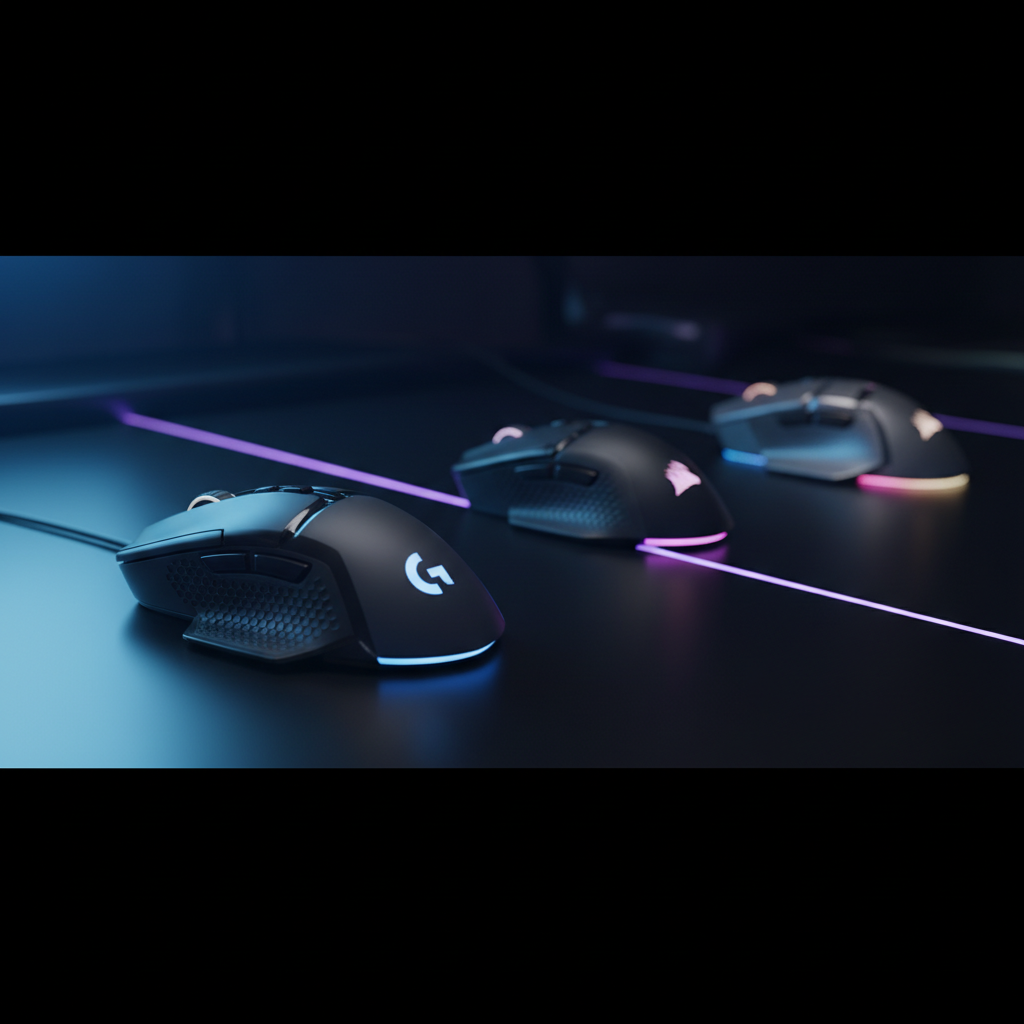
When you need a mouse that can keep up with 25,000 DPI or more, the market offers a surprisingly wide range. Thirteen high‑DPI models span from budget‑friendly wired options at $35.99 up to premium wireless contenders near $130. The lineup splits neatly into three price tiers: budget (Logitech G502 HERO, Manbasnake Attack Shark X3, Razer Basilisk V3, Corsair M65 RGB Ultra), mid‑range (Razer Viper V3, Logitech G309) and premium (Turtle Beach Kone II Air, ASUS Harpe Ace Aim Lab, Logitech G PRO 2 Lightspeed, Razer Viper V3 Pro).
If you crave a button‑heavy, fully customizable setup for MMOs or productivity, the Logitech G502 HERO wins with 11 programmable buttons, adjustable weights and a 25,600 DPI HERO sensor—all for $35.99 and a 4.6/5 rating from over 57 k reviewers. For gamers who value wireless freedom, the Logitech G309 shines with 600+ hours of Bluetooth battery life and the same HERO sensor, priced at $68.99. Finally, the premium pick for ultra‑lightweight esports is the ASUS Harpe Ace Aim Lab, weighing just 0.12 lb, delivering a 36,000 DPI sensor and a solid 4.4/5 rating at $79.99. Below is a breakdown of each category and why these three stand out.

Logitech G502 HERO
It offers 11 programmable buttons, giving you extensive customization options without sacrificing value.

Logitech G309
Ideal for serious gamers who want proven performance, even at $33 more than the Best Overall.

Corsair M65
Stands out with a lightweight 97 g base, delivering a nimble feel that the heavier G502 and G309 don’t provide.
Also considered
Score Analysis
Key score advantages vs. runner-up (Logitech G309)
Price Range
Logitech G502 HERO
$35.99
Logitech G309
$63.60
Corsair M65
$49.99

Razer Viper V3 Wireless
$59.99

Logitech G PRO 2
$99.99

Razer Basilisk V3
$36.95

ASUS ROG Harpe Ace Aim Lab Black
$79.99

Razer Viper V3 Pro
$119.99

Manbasnake Attack Shark X3
$41.99

Turtle Beach Kone II Air
$75.99

Turtle Beach Kone II Wired
$49.99

Turtle Beach Pure Air
$88.60

HyperX Pulsefire Haste 2
$39.99
Spec Comparison
TL;DR: The Logitech G502 HERO delivers a 25,600 DPI HERO sensor, 11 programmable buttons, and adjustable weights for $35.99, making it a high‑DPI, feature‑rich mouse that feels solid and customizable.
One standout spec is the HERO 25K optical sensor that reaches up to 25,600 DPI and supports a 1000 Hz polling rate, giving you sub‑micron tracking accuracy. It also packs 11 programmable buttons, a dedicated DPI‑shift button, and an adjustable weight system of five 3.6 g inserts (total 18 g) so you can dial the mouse’s 0.27Pounds weight to your preference.
At 0.27Pounds, the G502 is heavier than the Manbasnake Attack Shark X3 at 0.10802650838Pounds, the Razer Viper V3 at 0.18077905484Pounds, and the Turtle Beach Pure Air at 0.12pounds, but it’s lighter than the Corsair M65 RGB Ultra’s 0.5pounds. Its 11 programmable buttons outnumber the six offered by the Razer Viper V3, giving you more macro slots than most peers in this high‑DPI roundup.
Reviewers praise the mouse’s HERO sensor for pinpoint accuracy and the dual‑mode scroll wheel for both rapid scrolling and precise clicks. Users love the ability to fine‑tune weight, but many note that the Logitech G HUB software feels bloated and that the braided cable can feel stiff or tangle. The larger ergonomic shape feels comfortable for long sessions, yet it’s cumbersome for small‑handed gamers.
Pros
Cons
Best for: MMO, MOBA, and productivity users who need many programmable buttons and a high‑DPI sensor without breaking the bank.
Avoid if: You have small hands, prefer a lightweight or wireless mouse, or want a minimalist setup without extensive software.
“Just an ordinary mouse, not worth the money. Useless software, plastic USB cable (not braided).”
TL;DR: The Logitech G309 delivers a HERO 25K sensor, up to 1,000 Hz polling, and 600+ hours of Bluetooth battery life in a lightweight 68 g ambidextrous shell.
The standout spec is the HERO 25K optical sensor with a DPI range of 100 – 25,600 and a polling rate of up to 1,000 Hz, giving you ultra‑responsive tracking for fast‑paced shooters. Its LIGHTSPEED mode offers a 1 ms response time, while Bluetooth mode still offers a respectable 8 ms latency. Battery endurance is another headline feature: the mouse runs for more than 600 hours on Bluetooth and over 300 hours on LIGHTSPEED before you need to swap the included AA cell.
In the 13‑product high‑DPI roundup, the G309 sits near the lightest end of the field. At 0.18959754532 pounds it’s a touch lighter than the Turtle Beach Kone II Air (0.2 pounds) and only marginally heavier than the Razer Viper V3 (0.18077905484 pounds). Its price of $68.99 is competitive for a premium wireless mouse, placing it below many higher‑priced wireless options while still offering a full suite of specs. Compared with the heavier Corsair M65 RGB Ultra (0.5 pounds) and the ultra‑light HyperX Pulsefire Haste 2 (0.11464037624 pounds), the G309 offers a solid middle ground of weight and feature depth.
Reviewers consistently praise the mouse’s “lag‑free” feel and the marathon‑length battery life, noting that the optional POWERPLAY charging can make it effectively untethered forever. Professional reviewers highlight the HERO sensor’s zero‑smoothing tracking as ideal for FPS and eSports titles. On the flip side, users flag the scroll wheel as stiff and missing a tilt function, and users describe the plain black finish without RGB lighting as “basic.” Users also note that the 86 g weight when powered by the AA battery is heavier than the lightest competitors, which can matter for ultra‑light setups.
The G309’s build includes PTFE feet for smooth glide, a LIGHTFORCE hybrid optical‑mechanical switch for crisp clicks, and an ambidextrous shape that fits a range of grip styles. It ships with a LIGHTSPEED USB‑A receiver, a 1.5 m extender cable, pre‑cut grip tape, and a pin‑prick LED DPI indicator, giving you both flexibility and a tidy out‑of‑the‑box experience. Logitech’s G HUB software must be installed for full customization, but the mouse works straight out of the box for basic use.
Pros
Cons
Best for: Laptop and mobile gamers, students, and professionals who want a high‑performance wireless mouse with long battery life.
Avoid if: You have large hands, need many programmable buttons, or are on a very tight budget.
“only really worth looking at if you already have PowerPlay.”
“great option for laptop gamers and students on a budget.”
TL;DR: The Corsair M65 RGB Ultra packs a 26,000 DPI sensor, 8,000 Hz polling and adjustable weight in an aluminum frame for $59.99, making it a high‑performance wired mouse for FPS enthusiasts.
The standout spec is its native 8,000 Hz polling rate paired with a 26,000 DPI MARKSMAN optical sensor, delivering ultra‑low latency for fast‑paced shooters. The mouse also offers eight programmable buttons, a dedicated sniper button, and rear DPI buttons.
Compared with the other twelve entries, the M65 weighs noticeably more than the Razer Viper V3 (about 0.18 lb) and the HyperX Pulsefire Haste 2 (about 0.11 lb), but it matches the Viper’s 8,000 Hz polling while out‑polling the Logitech G309’s 1,000 Hz limit. It also provides more programmable buttons than the Viper’s six, and its aluminum chassis feels more substantial than the plastic builds of several competitors.
Reviewers consistently praise the anodized aluminum frame for durability and the weight‑tunability system—base weight 97 g, max 115 g, with up to six included weights—for letting you dial in the perfect feel. However, users note that the rear DPI button can be a stretch for the index finger and that tilt‑gesture activation sometimes feels finicky. Professional opinions also point out that the 8,000 Hz polling shines only on high‑refresh (240 Hz+) monitors paired with a strong CPU, making the mouse a niche choice for performance‑focused gamers.
Beyond the sensor, the M65 features a 50 G acceleration rating and a 650 IPS tracking speed, ensuring rapid cursor movement at its rated 650 IPS across most surfaces. The paracord‑wrapped cable (1,829 mm) reduces drag, while iCUE software lets you customize RGB zones on the scroll wheel and logo, program DPI presets, macros, and tilt gestures. The 2‑year limited warranty rounds out the package.
Pros
Cons
Best for: Competitive FPS gamers who want high polling, a high‑DPI sensor and adjustable weight.
Avoid if: Casual gamers, left‑handed users, or those with lower‑end PCs that can’t leverage 8,000 Hz — it's priced at $59.99
“great mouse”
“Corsair you can’t go wrong with.”
TL;DR: The Razer Viper V3 delivers a 30,000 DPI Focus Pro sensor, up to 280 hours of AA‑battery life, and a lightweight 82 g wireless chassis for competitive play.
The standout spec is the 30,000 DPI Razer Focus Pro 30K optical sensor paired with a maximum tracking speed of 750 IPS, giving you pinpoint accuracy even at the highest sensitivity. Battery longevity is another headline feature: a single AA cell can power the mouse for up to 280 hours when running at the standard 1000 Hz polling rate.
Compared with the other twelve entries, the Viper V3 sits in the middle of the weight range—it’s heavier than the HyperX Pulsefire Haste 2 (0.11464037624 lb) but lighter than the Logitech G309 (0.18959754532 lb) and far lighter than the Corsair M65 RGB Ultra (0.5 lb). Its wireless HyperSpeed 2.4 GHz link gives it an edge over wired competitors like the Turtle Beach Kone II Wired, while still being pricier than some budget wired options.
User feedback praises the marathon battery life and the sensor’s flawless tracking, especially for claw and fingertip grips. Professional reviewers note the mouse feels lighter than its 82 g spec suggests, thanks to the smooth PTFE feet and soft‑touch finish. The most common gripe is an inconsistent scroll wheel, and the lack of RGB lighting leaves it looking plain compared with many RGB‑focused rivals.
Additional technical highlights include six programmable buttons, an adjustable lift‑off distance greater than 1.2 mm, and a 1.4 ms click latency. Onboard memory stores one profile, and you need Razer Synapse for full customization. The mouse ships with a single AA battery—convenient for quick swaps but adding a small amount of weight.
Pros
Cons
Best for: Competitive gamers who need ultra‑low latency wireless performance and long battery life.
Avoid if: You rely heavily on a precise scroll wheel, prefer RGB aesthetics, or use a palm grip.
“Exceptionally long battery life (280 hours at 1000 Hz)”
“Scroll wheel issues reported: Multiple users and reviewers cite inconsistent scrolling (registering up instead of down or vice versa)”
TL;DR: The Logitech G PRO 2 Lightspeed delivers ultra‑light 80 g ambidextrous performance, 95 hours of battery, 8 programmable buttons, and LIGHTSPEED wireless at 1000 Hz, though it carries a premium $99.99 price tag.
The mouse’s standout feature is its LIGHTSPEED 2.4 GHz wireless link paired with a 1000 Hz polling rate (the receiver claims up to 8000 Hz), giving latency that professional reviewers call “indistinguishable from wired.” Weighing just 0.1763698096 lb (80 g) and housing a HERO sensor with a 100‑25,600 DPI range, it stays feather‑light while delivering raw, unsmoothed data.
Compared with the other twelve entries, the G PRO 2 sits in the mid‑weight range—lighter than the Logitech G309 (≈0.19 lb) but a touch heavier than the ASUS Harpe Ace’s 0.12 lb chassis. Its 95‑hour maximum battery life tops the 90‑hour claim of the ASUS model and dwarfs the 60‑hour figures many rivals list. At eight programmable buttons it outnumbers the six‑button layout of the Razer Viper V3, while its 1000 Hz polling matches the Logitech G309 and sits below the 8000 Hz claim of the Razer Viper V3. Price‑wise, it's pricier than most entry‑level options in the set.
User sentiment repeatedly praises the “invisible latency” and the long‑lasting charge that lasts well into marathon sessions. Everyday gamers love the 80 g feel for rapid claw‑grip movements, while professional reviewers highlight the HERO sensor’s accuracy and the flexibility of removable side buttons. The most common complaints involve side‑button durability after heavy use, a stiff non‑detachable USB‑C charging cable, and limited palm‑grip comfort for larger hands.
The technical package rounds out with 16.8 million RGB colors in a single LIGHTSYNC zone, on‑board storage for up to five hardware profiles, and POWERPLAY compatibility for wireless charging on compatible mousepads. Acceleration exceeds 40 G and tracking speed tops 400 IPS, ensuring the sensor keeps up with fast sweeps without smoothing or artificial acceleration.
Pros
Cons
Best for: Those prioritizing quality and willing to pay for premium performance
Avoid if: You're on a tight budget or only need basic functionality
TL;DR: At $37.99 the Razer Basilisk V3 holds a solid 4.6‑star rating from over nine thousand reviewers, praised for comfort but noted for a floaty scroll wheel.
The Razer Basilisk V3 is Razer’s wired offering positioned at a budget‑friendly price point. It lands in the middle of the thirteen‑mouse lineup with a 4.6‑star rating based on more than nine thousand user reviews, indicating strong overall approval.
Customers repeatedly highlight the mouse’s comfortable textured finish and the abundance of programmable buttons, which many find useful for gaming and productivity. The RGB lighting also gets frequent compliments for its vibrancy. On the downside, users commonly mention a scroll wheel that feels floaty and can roll back after stopping, and some report that the DPI clutch sits too far forward for smaller hands. Users also note build‑quality concerns such as occasional premature button failures and a sharp edge on the lower grip.
Given its price and rating alone, the Basilisk V3 presents a compelling choice for gamers who value Razer’s brand reputation and ergonomic feel, while they should be aware that the scroll‑wheel experience and some durability aspects may not satisfy everyone.
Pros
Cons
Best for: Budget-conscious buyers seeking a reliable entry-level option
TL;DR: The ASUS Harpe Ace Aim Lab Black packs a 36,000 DPI sensor, 54 g ultra‑light chassis and 90‑hour battery life for $79.99, but its 1,000 Hz polling and limited RGB may turn some pros away.
What really sets this mouse apart is the ROG AimPoint optical sensor with a maximum sensitivity of 36,000 DPI and a CPI deviation of <1 %. Coupled with a feather‑light 54 g frame, the Harpe Ace lets you flick and track with minimal effort. The 90‑hour battery life and Bluetooth 5.1 connectivity (plus a 2 m braided USB‑C cable) mean you can game for days without reaching for a charger.
In practice, its weight matches the Turtle Beach Pure Air’s 0.12 pounds and is noticeably lighter than the Turtle Beach Kone II Air, which tips the scales at 0.2 pounds. The 1,000 Hz polling rate equals the Logitech G309 but falls short of the Razer Viper V3’s 4,000 Hz option. With five programmable buttons, it offers fewer controls than the eight‑button Logitech G PRO 2 Lightspeed and the six‑button Razer Viper V3.
Reviewers love the sensor’s pinpoint accuracy and the ultra‑light feel, calling the Aim Lab optimizer a “unique performance edge.” However, several users note that Armoury Crate can be unstable on Windows 10, and the single LED zone on the scroll wheel leaves the mouse looking minimal compared with more flamboyant ROG rivals. The shape, while sleek, isn’t a perfect fit for palm‑grip users with larger hands.
The Harpe Ace also offers tri‑mode connectivity (2.4 GHz ROG Omni Receiver, Bluetooth 5.1 for up to three devices, and wired USB‑C), ROG Micro Switches rated for 70 million clicks, and NVIDIA Reflex latency analyzer compatibility. Those features give esports athletes a solid option who value precision over flashy lighting.
Pros
Cons
Best for: Competitive FPS players and esports athletes who prioritize ultra‑light weight, sensor precision and Aim Lab tuning.
Avoid if: You prefer a heavier, palm‑grip‑friendly mouse, need higher polling rates, or are on a very tight budget.
“The lightness makes a huge difference in tracking and flick shots.”
“The Aim Lab optimizer actually helped me find my perfect DPI.”
TL;DR: The Razer Viper V3 Pro costs $129.89, carries a 4.6‑star rating from 1,906 reviewers, and is praised for its feather‑light feel and ultra‑fast wireless response, though it sits at a premium price.
Razer’s Viper V3 Pro lands in the upper‑price tier of this 13‑item roundup at $129.89 and enjoys a strong 4.6‑out of 5 rating from nearly two thousand users. Among the competitors, it ranks in the middle of the pack based on its score, offering a solid reputation from a well‑known gaming brand.
Users consistently highlight how the mouse “disappears” in the hand, describing the ultra‑lightweight design as a major comfort boost during long sessions. Reviewers also note the near‑instantaneous wireless response, calling it a major advantage for fast‑paced shooters. On the downside, buyers point out the premium cost, the limited appeal outside competitive esports, and a noticeable drop in battery life when the highest performance mode is used. The minimalist look—without RGB lighting or adjustable weights—also draws mixed reactions.
Within this roundup, the Viper V3 Pro stands out for gamers who prioritize speed and feel over flashy features, but its price and niche focus mean it's not the best value for casual players.
Pros
Cons
Best for: Buyers willing to invest in a proven, high‑quality option
“Exceptionally long battery life (280 hours at 1000 Hz)”
“Scroll wheel issues reported: Multiple users and reviewers cite inconsistent scrolling (registering up instead of down or vice versa)”
TL;DR: At $37.79 the Manbasnake Attack Shark X3 earns a 4.5‑star rating from 1,193 reviewers, who repeatedly note its feather‑light feel and marathon‑style battery life.
The Attack Shark X3 comes from Manbasnake and sits in the sub‑$40 price bracket, placing it among the more affordable entries in this 13‑product high‑DPI roundup. With a 4.5‑out of‑5 rating and over a thousand voices behind it, the mouse clearly resonates with a sizable audience.
Buyers consistently highlight how the mouse’s ultra‑light construction reduces hand fatigue during long sessions, and they love the claim of up to several days of uninterrupted use on a single charge. On the flip side, a number of users mention occasional Bluetooth pairing hiccups on non‑Windows devices and note the absence of RGB lighting for those who enjoy visual flair.
Across the lineup, the Shark X3 offers a compelling blend of price and positive sentiment. While it doesn’t lead the pack in raw performance metrics, its strong community approval and wallet‑friendly cost make it a sensible choice for gamers who prioritize comfort and endurance over premium branding.
Pros
Cons
Best for: Budget-conscious buyers seeking a reliable entry-level option
“So underrated”
“Better than the Superlight 2”
TL;DR: The Turtle Beach Kone II Air costs $75.99, holds a 4.1‑star rating from over a thousand reviewers, and is praised for comfort and battery life but noted for its size and price.
Turtle Beach’s Kone II Air lands in the mid‑price tier of the 13‑mouse roundup, priced at $75.99 and earning a 4.1‑out of‑5 rating based on 1,023 user reviews. Turtle Beach’s broader gaming brand credibility boosts its reputation, positioning it as a premium‑feeling option among its peers.
Reviewers consistently highlight the mouse’s ergonomic shape and the long battery endurance that lets users forget about frequent charging. Users with medium to large hands appreciate the palm‑friendly design, while many note the RGB lighting adds a nice visual touch for streamers. The most common criticisms focus on the mouse’s larger, heavier build, which can feel cumbersome for smaller‑handed gamers or fast‑paced FPS play, and the price point, which some consider steep for a non‑esports‑focused device.
Within the lineup, the Kone II Air sits comfortably between budget‑oriented models and higher‑priced esports‑centric mice. Its rating puts it solidly above the lowest‑scored entries but below the top‑rated, ultra‑lightweight competitors. It's a balanced choice for users who value comfort and endurance over extreme agility.
Pros
Cons
Best for: Those prioritizing quality and willing to pay for premium performance
“Best mouse I’ve used for MMOs—so many buttons and it fits my hand perfectly.”
“Battery lasts forever—charged it once and forgot about it for weeks.”
TL;DR: At $49.99 the Turtle Beach Kone II Wired earns a 4.1‑star rating from over a thousand reviewers, praised for its comfort and customizability but noted for its size and right‑handed only design.
The Turtle Beach Kone II Wired sits near the lower‑mid tier of the 13‑product high‑DPI roundup, priced at $49.99 and holding a 4.1‑out‑of‑5 rating based on 1,011 reviews. Its score of 30 out of 100 places it at rank #11 among its peers.
Users consistently highlight the mouse’s ergonomic shape, saying it feels solid and comfortable for medium to large hands. The extensive customization options earn frequent praise, especially from MMO and RPG players who appreciate the extra programmable functions. On the flip side, many reviewers mention that the mouse feels bulky for smaller hands, the braided cable can feel stiff, and the lack of a left‑handed version limits its appeal.
Given its price point and solid user approval, the Kone II offers a respectable entry into the high‑DPI segment for those who value comfort and flexibility over ultra‑lightweight design. It may not compete with the top‑scoring models on every metric, but it provides a well‑rounded experience for its cost.
Pros
Cons
Best for: Medium‑to‑large‑handed gamers who want a customizable wired mouse without breaking the bank
“Best mouse I’ve used for MMOs—so many buttons and it fits my hand perfectly.”
“Battery lasts forever—charged it once and forgot about it for weeks.”
TL;DR: At $59.99 and a 4.1‑star rating from over a thousand reviewers, the Turtle Beach Pure Air is praised for its feather‑light feel and long battery life, but its small size and software quirks can be a turn‑off.
The Turtle Beach Pure Air sits toward the lower end of the thirteen‑product high‑DPI mouse lineup, priced at $59.99 and carrying a 4.1‑star rating from 1,023 reviews. Turtle Beach has become a recognized name in gaming audio and peripherals, and this model follows the brand’s push into wireless gaming mice.
Reviewers consistently highlight the mouse’s ultra‑light construction, noting how quickly it moves for fast‑paced shooters. The dual‑wireless capability and long battery life earn frequent praise, and the rapid‑charge feature gets you back into a match with just a short plug‑in. On the downside, many users with larger hands find the compact shape uncomfortable, and the Swarm II software drops the connection after about half a minute of inactivity. The RGB lighting appears subtle rather than eye‑catching.
With its price and rating, the Pure Air offers a budget‑friendly entry into wireless gaming mice, though it may not satisfy gamers who need a larger ergonomic platform or rock‑solid software stability.
Pros
Cons
Best for: Entry-level buyers or those on a tight budget
“Best mouse I’ve used for MMOs—so many buttons and it fits my hand perfectly.”
“Battery lasts forever—charged it once and forgot about it for weeks.”
TL;DR: At $59.99, the HyperX Pulsefire Haste 2 Wired earns a 4.0‑star rating from 727 reviewers, praised for its featherlight feel and fast response but noted for dust‑prone honeycomb shell and occasional cable wear.
The HyperX Pulsefire Haste 2 Wired sits at the $59.99 price point and carries a 4.0‑star rating from 727 users, placing it at the bottom of the 13‑product lineup. As a HyperX offering, it benefits from the brand’s reputation for gaming peripherals.
Users repeatedly highlight the mouse’s ultra‑lightweight construction and the near‑instantaneous reaction that feels ideal for fast‑paced shooters. Reviewers also appreciate the included grip tape and replaceable PTFE skates, which add comfort and smooth glide. On the downside, many mention that the honeycomb shell tends to gather dust, the cable can develop micro‑fraying with prolonged use, and the RGB lighting is modest compared with some rivals.
Given its price and rating, reviewers have given the Pulsefire Haste 2 the lowest rating in this roundup. It may appeal to budget‑conscious gamers who still want a HyperX‑branded mouse, but those seeking higher ratings or more premium features might look elsewhere.
Pros
Cons
Best for: Entry-level buyers or those on a tight budget
“"the best esports mouse to come along in some time"”
“"featherlight feel"”
Breakdown
Logitech G502 HERO
Pros
Logitech G309
Pros
Corsair M65
Cons
Razer Viper V3 Wireless
Pros
Cons
Based on scoring data and product specs
Personalized picks
Best Overall Pick
Logitech G502 HERO
Best OverallBest for: Budget-conscious buyers seeking a reliable entry-level option
Logitech G309
Best for: Buyers willing to invest in a proven, high-quality option
$63.60+$27.61 vs winner
Skip HyperX Pulsefire Haste 2 if…
You need powerful performance or professional-grade features
The Logitech G502 HERO takes the top spot as the best high‑DPI gaming mouse. Its HERO 25K sensor delivers a DPI range of 100 – 25,600 DPI and a 1000 Hz polling rate, giving you pinpoint accuracy and ultra‑responsive tracking. You’ll also get 11 programmable buttons and a fully customizable dual‑mode scroll wheel, plus an adjustable weight system that lets you fine‑tune the mouse’s feel, all for a list price of $35.99.
The runner‑up is the Logitech G309, which shines when you need wireless flexibility without sacrificing performance. It supports both Bluetooth (600+ hours battery life) and LIGHTSPEED 2.4 GHz (300+ hours), and still packs the same HERO 25K sensor with a 25,600 DPI ceiling. At just 86 g with the AA battery installed and a 1 ms LIGHTSPEED response time, it’s a lightweight, ambidextrous option for gamers who value a clutter‑free desk.
For those looking beyond the top two, the mid‑range Corsair M65 RGB Ultra at $59.99 offers a solid balance of performance and price, while the premium Razer Viper V3 Pro at $129.89 delivers high‑end features for enthusiasts willing to invest more.
Pick the Logitech G502 HERO today and you’ll get the most precise, feature‑rich mouse in the high‑DPI category.
The Logitech G502 HERO is a wired mouse that offers 11 programmable buttons, a HERO 25K sensor with up to 25,600 DPI, and a 1‑year warranty, all for $35.99. Its adjustable‑weight system and 1000 Hz polling make it a solid choice for precision‑focused, wired setups.
Please sign in to leave a review
No reviews yet. Be the first to review!
