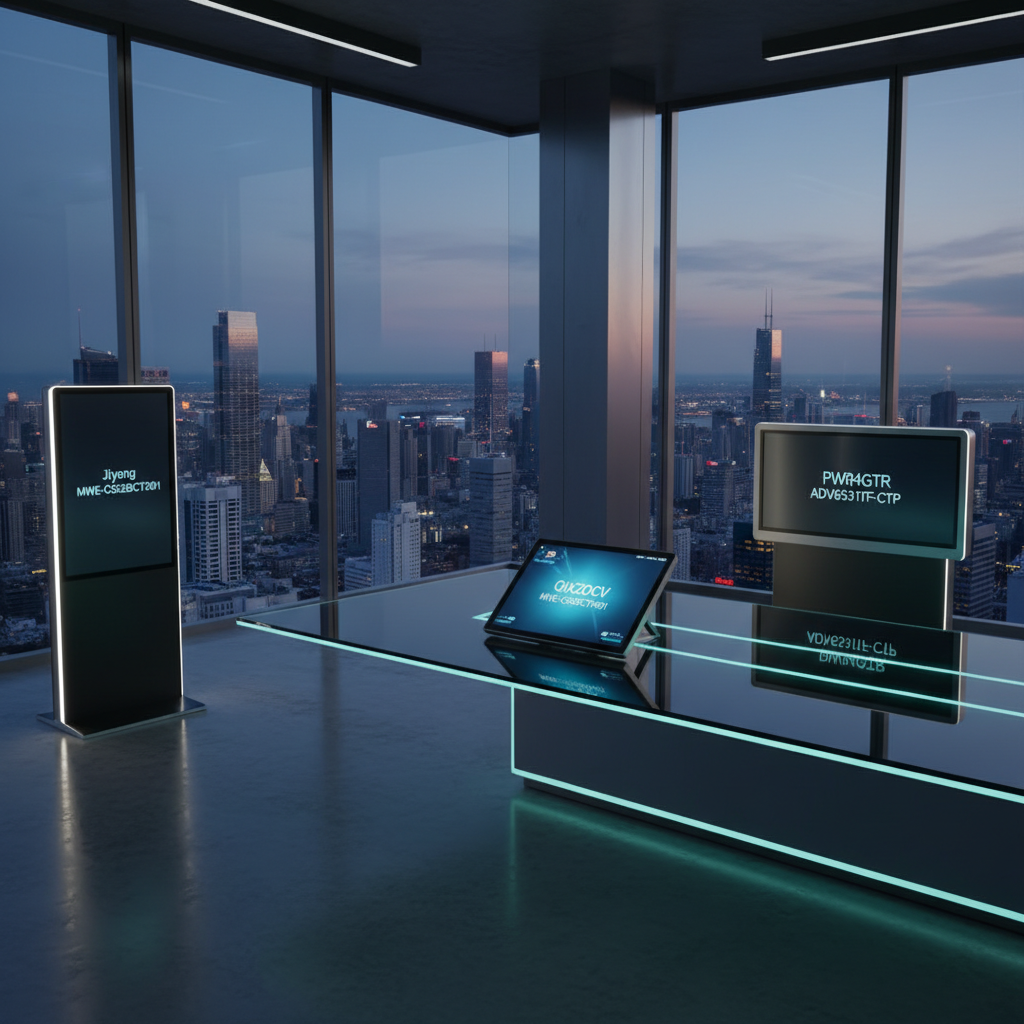
Finding an Android‑powered interactive display that fits your space, budget, and workflow can feel like a maze. We’ve compared 15 models, from a 15.6‑inch portable unit to 86‑inch classroom boards, to see which ones deliver smooth touch, reliable Android integration and the features you actually need. Whether you’re setting up a café menu kiosk or a collaborative meeting room, the right screen can turn a static wall into an engaging digital hub.
We split the lineup into budget, mid‑range and premium tiers based on list price. The Jiyang MWE‑CS32BCT201 leads the budget camp at $999.00 and a flawless 5.0/5 rating from 24 reviewers, offering built‑in speakers and four wheels for easy repositioning. In the mid‑range bracket, PWR4GTR’s ADV6531T stands out at $1599.00 with a 5.0/5 score and 500‑nit brightness that stays clear in bright lobbies. For premium power, the PWR4GTR ADV6531TF‑CTP commands $1699.00, packs 4 GB RAM and a 65‑inch 4K panel, and includes a free CMS for remote content control.
The next sections explore each tier and point you to the best‑fit model for your specific scenario.

Jiyang MWE-CS32BCT201 32-inch
Four built‑in wheels make it easy to move the 32‑inch display around your workspace.

QIXZOCV MWE-CS43BCT401
Ideal for users who need a larger 43‑inch screen and are willing to spend about $540 more than the budget option.

PWR4GTR ADV6531TF-CTP
Stands out with 500‑nit brightness and built‑in 2 × 2 W speakers, delivering vivid visuals and sound without extra gear.
Also considered
Score Analysis
Key score advantages vs. runner-up (QIXZOCV MWE-CS43BCT401)
Price Range
Jiyang MWE-CS32BCT201 32-inch
$999.00
QIXZOCV MWE-CS43BCT401
$1,539.00
PWR4GTR ADV6531TF-CTP
$1,699.00

Qixzocv 65-inch Touchscreen
$2,059.00

PWR4GTR ADV6531T
$1,599.00

Samsung LH75WAFWLGCXZA
$1,379.99

Qixzocv 49-inch Touchscreen
$1,599.00

AYSTekMann 15.6
$269.99

Samsung LH86WADWLGCXZA
$1,784.55

AG Neovo I654A0 65-inch
$1,799.00
Samsung WAF 65-inch
$1,405.24

Samsung WA65D
$1,621.98

TouchWo HD320AA 32-inch
$729.00
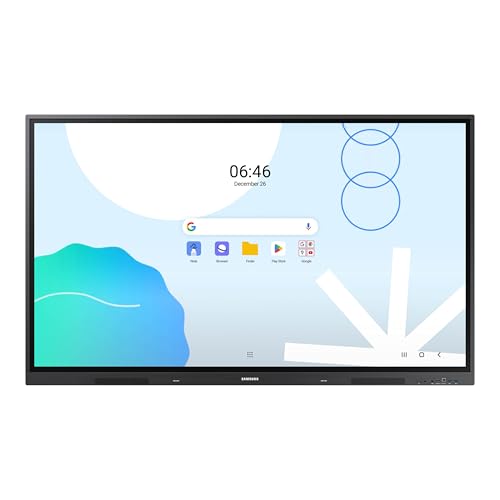
Samsung LH65WADWLGCXZA
$1,598.94

TouchWo HD430AA 43-inch
$1,059.20
Spec Comparison
TL;DR: The Jiyang 32‑inch Android kiosk delivers Full HD visuals, a responsive capacitive touch surface and built‑in speakers, but its bulky frame and glossy screen may limit placement flexibility.
The standout spec is the 32‑inch LCD panel with a 1920 × 1080 pixel resolution and Stable Open Cell technology, paired with a quad‑core processor that runs Android out of the box. Four integrated wheels let you roll the unit onto a floor stand, and a single USB port supports plug‑and‑play media playback.
Compared with the other 14 displays in this roundup, the Jiyang is heavier than the 32‑inch TouchWo HD320AA (which weighs about 24.9 lb) and far deeper than its 0.7874‑inch depth. It also tops the 43‑inch TouchWo HD430AA in depth (20 mm) and weight (38.8 lb). The 49‑inch Qixzocv model is substantially larger and heavier (123.2 lb), so the Jiyang sits in the middle of the size spectrum while still being the bulkiest among the 32‑inch options.
People consistently praise the crisp 1080p picture and the intuitive multi‑touch response, calling the setup “plug‑and‑play” thanks to the USB autoplay function and HDMI input. Professional reviewers highlight the built‑in split‑screen modules that let you show several windows at once, which is handy for advertising or wayfinding. The main complaints focus on the glossy screen reflecting bright indoor lighting and the lack of any weather‑proof rating, so it isn’t suitable for outdoor use. Reviewers also note that the 79.1 lb weight makes relocating a bit of a chore, even with the wheels.
Beyond the display, the kiosk includes built‑in loudspeakers delivering clear audio, Wi‑Fi connectivity for cloud‑based content management, and a three‑year warranty covering the frame and electronics. The lifetime‑free cloud CMS and automatic looping/autoplay features simplify content updates, so you don’t pay extra software fees.
Pros
Cons
Best for: Entry‑level buyers or those on a tight budget
Avoid if: You want the best value‑per‑dollar in its price range
“Exceeded expectations”
TL;DR: The QIXZOCV MWE‑CS43BCT401 delivers crisp 4K visuals on a 43‑inch IPS display with Android interactivity, but its near‑100 lb weight and limited hardware details make it best for fixed‑location commercial kiosks.
The standout specification is its 3840 × 2160 pixel 4K UHD panel, paired with a 5000:1 contrast ratio and a 178° viewing angle, ensuring vivid colors and wide‑angle clarity on a 43‑inch screen.
At 45 272 g, the unit weighs more than the 17.6 kg TouchWo HD430AA but less than the 80.6 kg Qixzocv 65‑inch Touchscreen, placing it in the mid‑range of kiosk weights. Its 450 mm depth matches the Qixzocv 49‑inch and 65‑inch models, yet it's considerably deeper than the 76 mm depth of the PWR4GTR ADV6531T and the 88.1 mm depth of the AG Neovo I654A0, giving it a sturdier totem presence.
Customers rate the display 4.6 / 5 stars across 69 reviews, praising the sharp 4K image, responsive touch surface, and the ease of loading content via the supplied 16 GB USB drive. Reviewers note occasional boot‑up delays, spotty Wi‑Fi connectivity, and glare from the glossy screen, while some users describe the remote control navigation as unintuitive.
Powered by Android (likely version 9.0 or higher), the kiosk offers RJ45 Ethernet, a single HDMI input, and two USB 2.0 ports, plus dual‑band Wi‑Fi (802.11 b/g/n/ac). The package includes a power cord, floor‑standing base, remote controller, wheels, and assembly tools, and it comes with a 3‑year warranty.
Pros
Cons
Best for: Retail stores, restaurants, corporate lobbies, hospitals and educational campuses that need a sturdy, fixed‑position interactive display.
Avoid if: You require wall‑mounting, lightweight portability, or a device with fully disclosed hardware specifications.
“Users highlight the ease of content upload via USB and the reliability of automatic playback.”
“The touch responsiveness is smooth for navigation and interactive apps.”
TL;DR: The PWR4GTR 65‑inch interactive display delivers 4K IPS visuals at 500 nits, 10‑point Android‑11 touch and 4 GB RAM, but its 151.0‑lb weight and $1,699 price place it in the premium tier.
This model packs a 3840 × 2160‑pixel 4K UHD panel, 500 nits of brightness and an IPS G+G capacitive surface that registers up to 10 simultaneous touch points. Under the hood runs a Rockchip RK3568 processor, 4 GB of RAM and 64 GB of storage, all powered by Android 11. The unit measures 76.2 mm deep, 889 mm high and 1955.8 mm wide, and weighs a solid 151.0 pounds.
Compared with the AG Neovo I654A0, the PWR4GTR is heavier (151.0 lb vs 110.8 lb) but slimmer (76.2 mm depth vs 88.1 mm). It shares the same 500‑nit brightness and 4 GB RAM as the non‑touch PWR4GTR ADV6531T, while the Qixzocv 49‑inch unit tips the scales at 123.2 lb, making the PWR4GTR the most massive in this lineup.
Users consistently praise the touch accuracy and crisp 4K image quality, noting that the free CMS and customizable logo stickers simplify signage updates for small businesses. Professional reviewers highlight the aluminum frame and tempered glass as indicators of industrial durability, while some users mention the heavy chassis makes relocation a chore and that Android 11 lacks enterprise‑grade security features.
Beyond the screen, the display offers dual‑band 5 GHz Wi‑Fi, RJ45 LAN, a lockable HDMI port and a single USB input, all protected by lockable covers. Built‑in speakers deliver 2 × 2 W audio, and the package includes a floor stand, power cord, remote, USB flash drive and assembly tools. With a rated lifespan of 60,000 hours, the unit runs continuously indoors.
Pros
Cons
Best for: Those prioritizing quality and willing to pay for premium performance
Avoid if: You're shopping on a tight budget — it's priced at $1699.00
TL;DR: The Qixzocv 65‑inch Touchscreen delivers 4K IPS visuals, 10‑point PCAP touch and Android 9/12 integration, but its hefty 80.6 kg build demands careful installation.
The standout specification is its 65‑inch 4K UHD panel (3840×2160 pixels) paired with an IPS matrix that offers a 178° horizontal and vertical viewing angle. A projected‑capacitive surface supports 10‑point multitouch, letting you pinch, swipe and rotate just like on a smartphone. Under the hood runs Android 9.0 up to 12.0, complete with an auto‑media player and a remote control that works with a single C‑cell battery.
When you line it up against the other 14 contenders, the Qixzocv is noticeably bulkier. Its depth measures 450 mm, far deeper than the 3.47‑inch (≈88 mm) profile of the AG Neovo I654A0 and the 76 mm depth of the PWR4GTR ADV6531T. Weight is another differentiator: at 80 571.5 g (≈177 lb) the touchscreen version outweighs the AG Neovo’s 110.8 lb and the PWR4GTR’s 151 lb, making relocation a serious consideration. The price point of $2 059 also sits above many peers, positioning it in the premium tier of the roundup.
Customer feedback praises the vivid 4K display and the “smartphone‑like” responsiveness of the PCAP touch layer. Reviewers also highlight the usefulness of split‑screen apps and the built‑in Android ecosystem for retail and hospitality use cases. However, users repeatedly mention the heavy chassis as a hurdle during setup, and some have run into inconsistent listings that mix up the touch and non‑touch model numbers. Professional reviewers echo the same points, noting the reliable touch performance but warning buyers to verify the exact variant before purchase.
Pros
Cons
Best for: Those prioritizing quality and willing to pay for premium performance
Avoid if: You're on a tight budget or only need basic functionality
“The display is bright and clear even in well‑lit environments.”
“Touchscreen responsiveness is fast and accurate.”
TL;DR: The 65‑inch PWR4GTR ADV6531T delivers 4K Android 11 interaction with 500 nits brightness and G+G touch, but its 151‑lb weight and complex setup suit fixed retail installations.
This model runs Android 11 and packs a 3840×2160 pixel IPS LCD panel with G+G capacitive touch, giving you crisp 4K visuals and a responsive multi‑point surface. The display also offers 4 GB of RAM and 64 GB of internal storage; it's enough for most interactive apps and content‑management tasks.
At just 76 mm deep, the unit is far slimmer than the Qixzocv 49‑inch floor‑standing screen, which measures 450 mm in depth, and it’s thinner than the AG Neovo 65‑inch model’s 88.1 mm depth. It weighs 151 lb, making it heavier than the AG Neovo’s 110.8 lb but lighter than the Qixzocv 65‑inch touchscreen that tips the scales at roughly 177 lb.
Reviewers consistently praise the sharp 4K picture, the bright 500‑nit panel, and the fast G+G touch response. Professional reviewers highlight the rarity of Android 11 in this price tier and the value of the free CMS plus installation support. The main complaints revolve around the unit’s heft, the need for a permanent power source, and occasional Wi‑Fi instability during the initial setup.
Pros
Cons
Best for: Those prioritizing quality and willing to pay for premium performance
Avoid if: You need advanced features or professional‑grade performance
“Free CMS is intuitive and a game‑changer for managing multiple locations.”
TL;DR: The 75‑inch Samsung LH75WAFWLGCXZA packs a 4K IPS panel, Android 14, 40‑point IR touch and strong connectivity, but requires wall‑mounting and may feel dim in very bright rooms.
This model’s standout is its massive 75‑inch 4K IPS screen (3840×2160) paired with 40‑point infrared multi‑touch and Android 14, giving you a full‑featured, app‑ready whiteboard right out of the box. Under the hood you’ll find an octa‑core CPU, 8 GB of RAM and 64 GB of storage, while the built‑in speakers deliver a total of 30 W audio power.
When you line it up against Samsung’s smaller WA65D and LH65WADWLGCXZA, the LH75WAFWLGCXZA keeps the same three HDMI inputs and four USB 3.0 ports, but expands the viewing area from 65 inches to 75 inches. Like those peers, it also offers dual 15 W speakers and a single USB‑C port that can charge up to 65 W.
Reviewers consistently praise the large 4K canvas and the dual passive pens for smooth classroom collaboration, and professionals note the Wi‑Fi 6 and 1 Gbps Ethernet make wired and wireless sharing reliable. The most common complaints focus on the lack of a built‑in stand—so you’ll need a wall mount or third‑party stand—and the 400 cd/m² brightness being modest in bright lighting conditions.
Pros
Cons
Best for: Large classrooms, lecture halls or meeting rooms that can accommodate a wall‑mounted 75‑inch Android interactive display.
TL;DR: The Qixzocv 49‑inch Touchscreen packs a 10‑point PCAP display, Android OS and a sturdy 123.2 lb build for $1599.00, making it a solid indoor interactive solution with a modest brightness range.
This model’s standout spec is the 49‑inch FHD IPS LCD panel that delivers 1920 × 1080 pixels at 300–450 nits, paired with a 10‑point projected‑capacitive touch surface. Under the hood you’ll find a quad‑core or octa‑core ARM processor, 2–4 GB RAM and 8–32 GB onboard storage, all running Android OS straight out of the box. The unit measures 17.72 in deep, 73.23 in tall and 26.38 in wide, and its 123.2 lb (55,886 g) weight gives it a solid, commercial feel.
Compared with the other 14 entries, the Qixzocv sits between the 43‑inch QIXZOCV MWE‑CS43BCT401 (weighing 45,272 g) and the larger 65‑inch PWR4GTR ADV6531T (weighing 68,492 g). Its brightness of up to 450 nits is lower than the 500‑nit panels that the PWR4GTR models use, and its 1–2 USB 2.0 ports are fewer than the multiple USB options on some rivals. However, its screen size is larger than the 43‑inch competitors and smaller than the 65‑inch options, offering a middle ground for spaces that need presence without overwhelming the room.
Amazon reviewers repeatedly praise the quick setup, responsive touch and the lifetime CMS access included with the device. Professional reviewers note that the integrated Android OS removes the need for an external media player and that the ultra‑narrow bezel adds a modern aesthetic. The most common complaint is the 123.2 lb weight, which can make relocation a two‑person job, and several users mention that the 300–450 nits brightness struggles in very bright or near‑window environments.
Pros
Cons
Best for: Those prioritizing quality and willing to pay for premium performance
Avoid if: You're on a tight budget or only need basic functionality
“Ease of setup: Many report installation and internet connectivity completed in under 30 minutes.”
“perfect for retail and office settings.”
TL;DR: The AYSTekMann 15.6‑inch Android 11 interactive display offers Full HD IPS visuals, 10‑point touch and wireless mirroring at a budget‑friendly $269.99, though its 4–6 hour battery may limit standalone use.
At the heart of this unit is a 15.6‑inch IPS LCD panel delivering 1920 × 1080 pixels and 250 nits of brightness, all framed by an ultra‑narrow 10 mm bezel for an immersive look. The screen supports 10‑point capacitive multi‑touch and runs Android 11, giving you access to the Google Play Store and built‑in apps like automatic playback and timing. Power comes from a 10,000 mAh battery that the manufacturer says lasts 4–6 hours of continuous operation.
Compared with the other 14 products in this roundup, the AYSTekMann is notably lighter than the 32‑inch TouchWo HD320AA, which weighs about 24.9 pounds, while still matching the Gigabit Ethernet (1000 Mbps) found in several Samsung models. Its price of $269.99 places it well below many larger‑format peers, making it a strong value proposition for budget‑focused buyers.
Users consistently praise the straightforward setup, smooth touch response and the convenience of E‑Share wireless mirroring across iOS, Android, Windows, macOS, ChromeOS and Ubuntu devices. Professional reviewers highlight the wireless casting as a standout feature, but note that the lack of a sunlight‑readable panel and the modest 4–6 hour battery limits outdoor or full‑day deployments. The device also includes 5G dual‑band Wi‑Fi, two HDMI ports (IN and OUT), two USB‑A ports, a microSD slot and RJ45 Ethernet, rounding out its connectivity suite.
Pros
Cons
Best for: Shoppers on a tight budget who want the most for their money
Avoid if: You need outdoor sunlight‑readable display or all‑day battery autonomy
TL;DR: The 86‑inch Samsung LH86WADWLGCXZA delivers 4K IPS clarity, 40‑point IR touch with sub‑45 ms latency, Android 13, and 65 W USB‑C power‑delivery, but its size, weight, and lack of built‑in camera keep it squarely in large‑room use.
This display’s standout spec is the 86‑inch 3840×2160 IPS panel backed by 400 nits brightness and a 1200:1 typical contrast ratio, paired with a quad‑core ARM Cortex‑A55 processor, 8 GB RAM and 64 GB storage. The infrared touch layer supports 40 simultaneous touch points and delivers drawing latency of ≤45 ms, while the front‑facing 2 × 15 W speakers provide clear stereo audio.
Compared with the 65‑inch Samsung WAF model, which features a 14.0 mm bezel width and a packaged depth of 185 mm, the LH86WADWLGCXZA’s 86‑inch diagonal and 16.4 mm top/side bezel make it a substantially larger visual canvas. Its connectivity mirrors the LH65WADWLGCXZA’s offering—both have three HDMI inputs, one HDMI output, and a 1 Gbps Ethernet port—but the LH86 adds a 3‑in‑1 USB‑C port delivering up to 65 W charging, which the smaller peers don’t list. While the WA65D and LH75WAFWLGCXZA also provide dual 15 W speakers, the LH86’s 40‑point multi‑touch and Android 13 OS give it a richer interactive experience than the more basic touch implementations of those models.
Professional reviewers highlight the EDLA certification that guarantees smooth access to Google Workspace and education apps, and users consistently praise the ultra‑responsive touch surface and bright 4K image for classroom collaboration. The downside noted in consumer feedback is the absence of an integrated camera or microphone, meaning external peripherals are required for video calls. At a set weight of 124.3 lb, installation demands a sturdy wall mount, and the 486 W active power draw is higher than many smaller displays, which could impact operating costs.
Pros
Cons
Best for: Large classrooms, lecture halls, or corporate meeting rooms that need a high‑resolution Android interactive display with strong multi‑touch and extensive connectivity.
Avoid if: You need an all‑in‑one video‑conferencing solution, a lightweight portable screen, or a low‑power display for small spaces.
TL;DR: The AG Neovo I654A0 delivers a 65‑inch 4K Android 13 display with 40‑point IR touch and Google EDLA certification, but its 110.8 lb weight and premium price make it a specialist‑grade investment.
The standout spec is the 65‑inch 3840 × 2160 pixel IPS panel running Android 13.0, powered by an octa‑core CPU and backed by 128 GB of internal storage. A 40‑point IR multi‑touch system handles interaction, and the unit supplies up to 65 W via USB‑C Power Delivery, meaning you can charge laptops directly from the display.
At 110.8 lb (50,260 g), the I654A0 is lighter than the PWR4GTR ADV6531TF‑CTP which tips the scales at 151.0 pounds, yet it’s still heavier than the 45.3 kg (≈99.8 lb) QIXZOCV MWE‑CS43BCT401. Its depth of 3.47 inches (88.1 mm) is deeper than the 76 mm profile of the PWR4GTR ADV6531T, but far slimmer than the 17.72‑inch depth of the Qixzocv 49‑inch Touchscreen. With five USB ports (mix of USB‑A and USB‑C), it offers more connectivity than the Qixzocv 65‑inch model that lists only two USB 3.0 ports.
User sentiment praises the Google EDLA certification for stable app updates and the 40‑point touch for collaborative work, while professional reviewers highlight the AI‑powered 4K camera’s auto‑framing. However, reviewers note the limited number of consumer reviews, the undisclosed RAM amount, and the glossy screen’s susceptibility to glare in bright rooms.
Pros
Cons
Best for: Corporate meeting rooms and classrooms that need secure, Android‑based collaboration with advanced multi‑touch capability.
Avoid if: You have a tight budget, require a Windows OS, or need a lightweight, glare‑free display for casual use.
TL;DR: The Samsung WAF 65‑inch interactive display packs a 4K IPS panel, Android 14 OS and 40‑point IR touch, but its 409 W power draw and lack of battery keep it rooted in fixed rooms.
This model offers a 65‑inch (166 cm) 4K UHD screen (3840×2160) with a typical brightness of 400 nits and a 1200:1 contrast ratio, all on an IPS panel that delivers 178° viewing angles. The Android 14 OS carries EDLA certification, giving you direct access to Google Play, YouTube and Classroom apps, while the 40‑point infrared touch surface and dual‑pen support enable true multi‑user collaboration.
Compared with the Samsung LH65WADWLGCXZA, which lists three HDMI inputs, the WAF provides two HDMI‑In ports, so it has fewer HDMI connections than that sibling. It also shares a single USB‑C port with the LH86WADWLGCXZA, allowing screen mirroring, touch control and charging from the same connector. At 36.2 kg (79.8 lbs), it's also considerably heavier than the 15.6‑inch AYSTekMann tablet that weighs about 13.85 lbs.
Users consistently praise the instant annotation, dual‑pen convenience and the ability to install Google apps straight onto the display. Professional reviewers highlight the remote‑management solution that comes free for a year, but they also note the 409 W power consumption as higher than typical for interactive displays and point out that the device lacks a built‑in battery, limiting portability. The Wi‑Fi 5 (802.11ac) radio may also fall short for future‑proof networking needs.
Pros
Cons
Best for: Ideal for K‑12 classrooms, lecture halls and corporate meeting rooms that need a large‑format, Android‑driven whiteboard with strong multi‑touch capabilities.
Avoid if: You need a portable, battery‑operated display or require Wi‑Fi 6 connectivity.
TL;DR: The Samsung WA65D delivers a 65‑inch 4K Android display with 40‑point infrared touch, 400‑nit brightness, and robust connectivity, making it a solid choice for collaborative classrooms and meeting rooms.
The standout feature is its 40‑point infrared touch surface with a response time of ≤10 ms, letting several users write or draw at once without lag. Coupled with a 65‑inch 3840×2160 panel that reaches 400 nits and a contrast ratio of 1200:1, the board stays vivid even in well‑lit spaces.
Compared with other Samsung models in this roundup, the WA65D provides five USB ports (one USB 2.0 and four USB 3.0) whereas the LH65WADWLGCXZA lists only four total ports. It also includes a 65 W USB‑C 3‑in‑1 port for screen mirroring, touch control and device charging—matching the capability of the LH86WADWLGCXZA but offering more overall USB connectivity. Its three HDMI inputs and single HDMI output are on par with the LH75WAFWLGCXZA, and the depth of 88 mm aligns closely with that model’s 8.89 cm chassis.
Users consistently praise the ultra‑responsive touch and the ease of launching Android apps thanks to Android 13 with Google EDLA certification. Reviewers note the bright 4K screen performs well in bright classrooms, and the tempered 3.2 T glass adds durability. However, reviewers point out the lack of a built‑in microphone and the front‑facing USB‑C and HDMI ports, which can be inconvenient for wall‑mounted installations that require separate mounting hardware.
Under the hood sits a quad‑core Cortex‑A55 processor, 8 GB of RAM and 64 GB of storage, giving the board enough headroom for multitasking and app use. Samsung backs the unit with a five‑year parts‑and‑labor warranty, reinforcing its suitability for high‑traffic educational and corporate environments.
Pros
Cons
Best for: Large classrooms, lecture halls, and corporate meeting rooms that need a spacious, ultra‑responsive Android touchscreen for group collaboration.
“Incredibly responsive touch”
“Easy setup and Google integration”
TL;DR: The TouchWo HD320AA 32‑inch interactive display packs a Full HD screen, 10‑point (up to 40‑point) PCAP touch, Android 11 OS and a solid accessory bundle for $729, but its modest 2 GB RAM and mixed user reviews keep it in the budget tier.
The standout feature is its touch engine: a projected‑capacitive panel that scans at 200 Hz, delivers sub‑5 ms response time and supports 10‑point (standard) or 40‑point (higher‑end) multi‑touch. Coupled with a 32‑inch Full HD (1920 × 1080) panel that shines at 300 nits and offers a 178° viewing angle, the display feels responsive enough for collaborative whiteboarding.
Compared with the other 14 entries, the HD320AA is lighter than the Jiyang 32‑inch model (79.1 lb) and the larger TouchWo HD430AA (38.8 lb), yet heavier than the compact AYSTekMann 15.6‑inch unit (13.85 lb). Its depth of 0.7874 inches is dramatically slimmer than Jiyang’s 69.2‑inch depth, making wall‑mounting or desktop placement easy. It offers two USB ports, whereas Jiyang lists only one, giving a slight edge in peripheral connectivity.
Users appreciate the plug‑and‑play setup, the bright 300‑nit picture and the included stylus, presenter remote and portable stand that turn the screen into a ready‑to‑use collaboration hub. However, several reviewers flag Wi‑Fi connectivity hiccups and note that the Android configuration’s 2 GB RAM and 32 GB internal storage can feel cramped for multitasking or larger app libraries. Professional reviewers also point out the rare HDMI‑IN touchback capability, which lets you retain touch input when displaying external sources.
Pros
Cons
Best for: Entry‑level buyers or those on a tight budget
Avoid if: Reliability and user satisfaction are your top concerns
TL;DR: The Samsung LH65WADWLGCXZA is a 65‑inch Android 13 interactive display with 4K resolution, 400 nits brightness, 40‑point touch and dual‑sided pen, but its 42.8 kg weight and lack of built‑in Windows limit portability.
What really stands out is the Android 13 operating system paired with an EDLA certification that unlocks full Google Workspace access. The 65‑inch 3840×2160 panel delivers 400 nits of brightness and a 1200:1 contrast ratio, while the infrared overlay registers up to 40 simultaneous touch points with a response time of ≤10 ms. Dual‑channel speakers put out 15 W per channel (30 W total), and the built‑in ambient‑light sensor automatically adjusts brightness for bright classrooms.
Compared with the other 14 displays in this roundup, the LH65WADWLGCXZA is slightly deeper than the Samsung WAF 65‑inch (88.9 mm vs 87.7 mm) and carries a heavier chassis at 42 800 g, meaning a professional mount is advisable. It offers more HDMI inputs (three total) than the WA65D, which lists three but without a VGA‑to‑HDMI option. The 3‑in‑1 USB‑C port with up to 65 W charging outpaces the WA65D’s single front USB‑C, and the four USB 3.0‑A ports exceed the USB‑2.0‑only offering on the LH86WADWLGCXZA. While the LH75WAFWLGCXZA matches the 30 W speaker output, the LH65WADWLGCXZA adds an optical audio output and dual‑sided pen, features not mentioned for the peers.
Professional reviewers highlight the strong connectivity and the convenience of the dual‑sided passive pen, noting that teachers can switch colors instantly without pausing the lesson. Users consistently praise the smooth Google Classroom experience and the bright 4K picture at 400 nits, which stays visible even in well‑lit rooms. Critics note the lack of a native Windows environment—an OPS module is required—and the missing NFC, which some classrooms find inconvenient. The heft of the unit also means it isn’t suited for portable setups.
On the technical side, the display runs at 60 Hz refresh with an 8 ms response time, and its 0.372 mm pixel pitch ensures crisp detail at close range. Connectivity includes two Gigabit Ethernet ports, three USB‑B ports for touch control, and an optical audio output, giving IT teams plenty of wiring options. The built‑in eco sensor helps reduce power draw by dimming the panel when ambient light is low.
Pros
Cons
Best for: Large classrooms or corporate meeting rooms that rely heavily on Google services and need extensive multi‑touch collaboration.
Avoid if: You need a native Windows environment out of the box, lightweight installation, or advanced NFC pairing.
“The Google Classroom integration is flawless—students join instantly.”
“Love the dual pens—no more stopping to change colors during lessons.”
TL;DR: The TouchWo HD430AA packs a 43‑inch Full HD touch display, integrated PC hardware and built‑in audio for around $1,060, but its mixed 3.6‑star rating and Windows licensing quirks may deter power users.
The standout spec is the 43‑inch 1920 × 1080 pixel panel that delivers 300 nits of brightness on a standard anti‑glare surface. At 38.8 pounds, the unit is lighter than the roughly 79‑lb Jiyang 32‑inch model and considerably lighter than the 45272 g QIXZOCV 43‑inch competitor, making wall‑mount or kiosk installation easier. The all‑in‑one design bundles an Intel Core i5 or i7 processor (or an RK3568 ARM option), up to 16 GB DDR3 RAM and storage ranging from 32 GB ROM to 512 GB SSD, so you get a full Windows PC without a separate tower.
Compared with the other 14 displays in this roundup, the HD430AA sits toward the higher end of the price band and carries a lower 3.6‑star rating, suggesting it isn’t the most popular choice. It also offers more connectivity than the 32‑inch TouchWo sibling (which lists only two USB ports), featuring 4–6 USB ports, HDMI 1–2, a VGA input, an RJ45 Ethernet port, Wi‑Fi 802.11 b/g/n/ac and Bluetooth 5.0. The built‑in 2 × 10 W speakers and 3.5 mm audio jack, plus a microphone, give you ready‑to‑go video‑conference capability.
User feedback repeatedly praises the straightforward setup and the responsive 10‑point capacitive touch that works with fingers, gloves and even opaque objects. Professional reviewers note the vibrant 1080p image and the anti‑glare coating that keeps the screen clear in bright rooms. However, several owners report that Windows arrives unactivated, meaning an extra license purchase, and many models lack TPM 2.0, which blocks a smooth upgrade to Windows 11. Many users complain about the lack of active stylus support.
Technical highlights include an 8 ms touch response time, a 50,000‑hour panel lifetime and an IP65 rating for dust and water resistance, making it useful in industrial or classroom settings. The unit ships with Android 11, Windows 10 Pro and Windows 11 options, and the built‑in microphone rounds out its collaboration features.
Pros
Cons
Best for: Entry‑level buyers or those on a tight budget
Avoid if: You need advanced features or professional‑grade performance
“I bought this for our warehouse… it has worked flawlessly from day 1. I will be buying more.”
“Windows is not activated. You need to purchase a separate license key… motherboard doesn’t support upgrading to Windows 11 (no TPM 2.0).”
Breakdown
Jiyang MWE-CS32BCT201 32-inch
Pros
Cons
QIXZOCV MWE-CS43BCT401
Pros
PWR4GTR ADV6531TF-CTP
Pros
Cons
Qixzocv 65-inch Touchscreen
Pros
Based on scoring data and product specs
Personalized picks
Best Overall Pick
Jiyang MWE-CS32BCT201 32-inch
Best Budget PickBest for: Entry-level buyers or those on a tight budget
QIXZOCV MWE-CS43BCT401
Best for: Most users seeking a balanced, mainstream option
$1,539.00+$540.00 vs winner
Skip TouchWo HD430AA 43-inch if…
You need advanced features or professional-grade performance
Jiyang’s MWE‑CS32BCT201 32‑inch display takes the top spot, thanks to its perfect 5.0‑star rating from 24 reviewers, a full‑HD 1920 × 1080 panel, and built‑in loud speakers that eliminate the need for external audio. At $999.00 it’s also backed by a solid three‑year warranty and Android‑based software with split‑screen and autoplay features, giving you a ready‑to‑use digital signage solution straight out of the box.
The runner‑up, QIXZOCV’s MWE‑CS43BCT401, shines when you need a larger, sharper canvas – its 43‑inch IPS LCD delivers 3840 × 2160 4K resolution and a 5000:1 contrast ratio for vivid detail. Coupled with Wi‑Fi 802.11 b/g/n/ac, two USB ports and a 4.6‑star rating from 69 reviews, it’s an ideal choice for conference rooms or retail displays where visual impact matters.
For shoppers on a tighter budget, the AYSTekMann 15.6‑inch model stands out at just $269.99, delivering basic Android interactivity at a fraction of the cost. If you want a step up without splurging, the QIXZOCV MWE‑CS43BCT401 (the runner‑up) offers a solid mid‑range balance of size and 4K clarity. For premium needs, the Qixzocv 65‑inch Touchscreen tops the list at $2059.00, providing the biggest screen real estate for immersive presentations.
Pick the Jiyang MWE‑CS32BCT201 now and get a reliable, feature‑rich interactive display that won’t break the bank.
The Jiyang MWE‑CS32BCT201 delivers a 32‑inch Full HD screen, built‑in speakers, Wi‑Fi and split‑screen capability for $999, making it the most affordable option that still covers essential collaboration features.
Please sign in to leave a review
No reviews yet. Be the first to review!
