Rankings
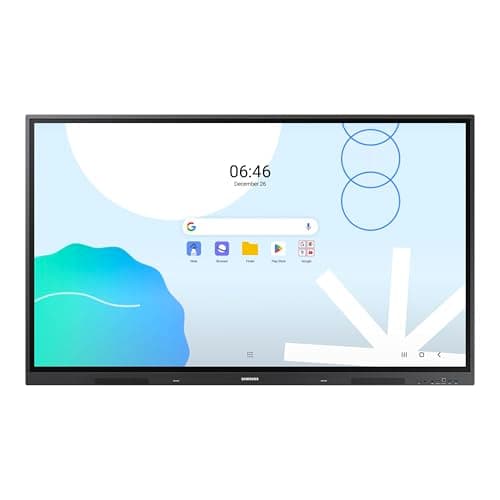
The Samsung 65" WAD Interactive Display runs Android 13, is EDLA-certified for Google services, and offers 40-point IR touch, dual-pen input, a 3-in-1 USB-C port, HDMI-out and dual Ethernet ports. It delivers bright 4K visuals and strong connectivity, though it is heavy and lacks native Windows OS.
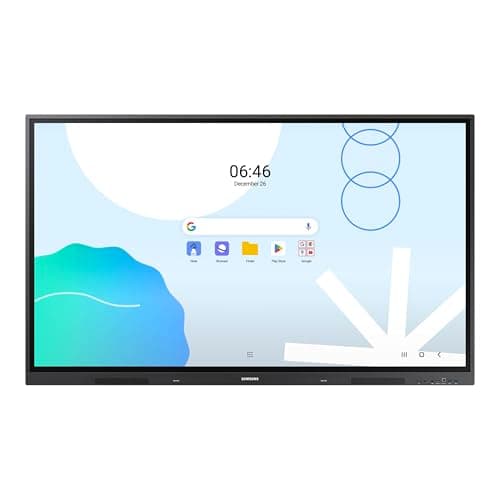
The Samsung 86" WAD Interactive Display delivers a 4K IPS panel with 40-point IR touch and extensive Android-based Google integration, making it ideal for large classrooms and corporate rooms, though its size, weight, and power draw are considerable.
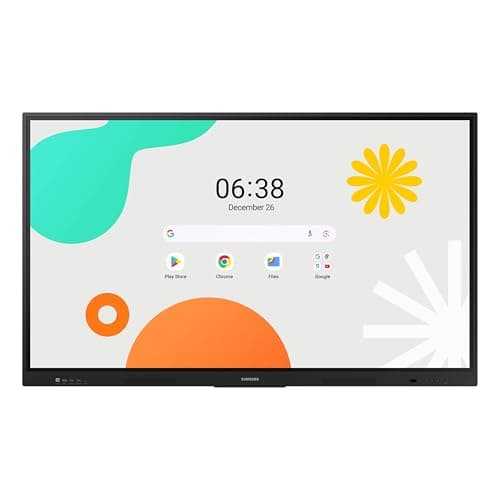
The Samsung 65" WAF Series Interactive Display runs Android 14, offers 4K resolution, 40-point infrared touch and dual-pen input, and is EDLA-certified for full Google service integration. It excels in connectivity and collaborative features but draws significant power.
The Samsung 75" WAF Interactive Display offers a 4K IPS panel, 40-point IR touch, and Android 14 with Google services, delivering strong collaborative features, though it lacks an integrated stand and has moderate brightness.
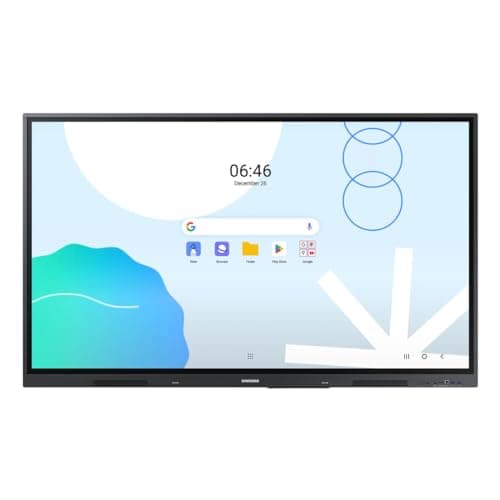
The Samsung WA65D 65" interactive display combines 4K resolution, 40-point IR touch, and Android 13 with Google integration, offering solid performance for education and business, though it lacks a built-in mic and is relatively heavy.
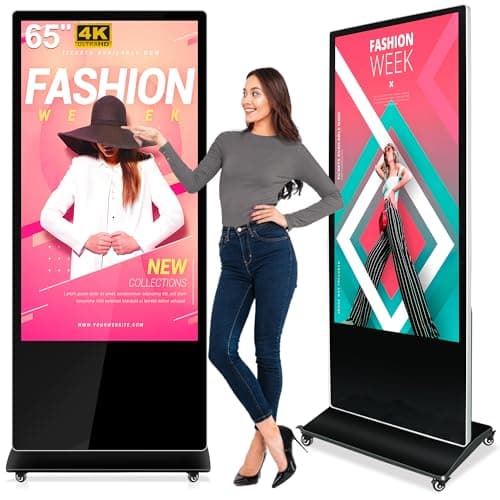
The PWR4GTR 65-inch interactive kiosk delivers bright 4K visuals, responsive multi-touch, and Android 11 with a free CMS, targeting high-traffic indoor venues, though its weight and lack of outdoor protection limit portability.
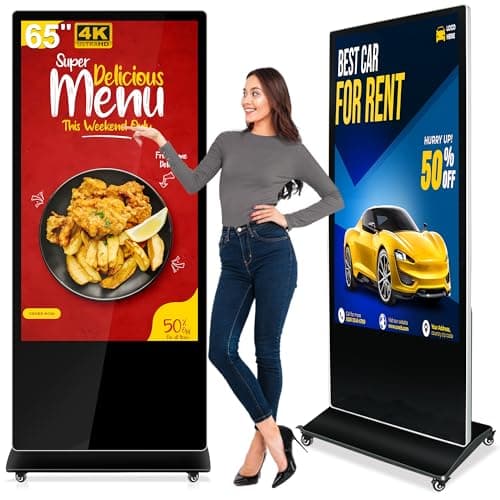
The PWR4GTR 65-inch interactive totem offers 4K UHD, bright IPS touch, Android 11 with a free CMS, and rugged construction, making it a strong choice for permanent indoor installations despite its weight and lack of portability.
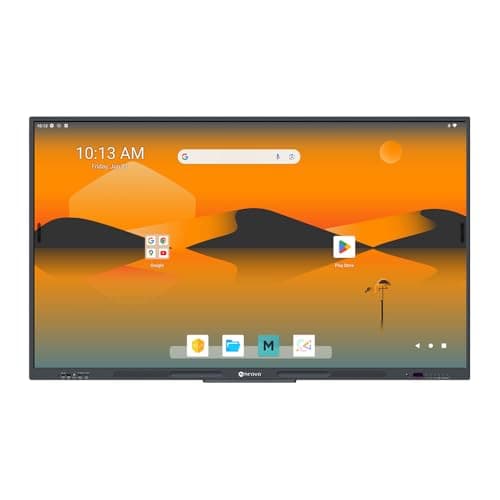
The AG Neovo 65-inch Smart Board is a Google-certified 4K interactive display with robust 40-point touch and Android 13, aimed at corporate and educational settings that prioritize secure app ecosystems.
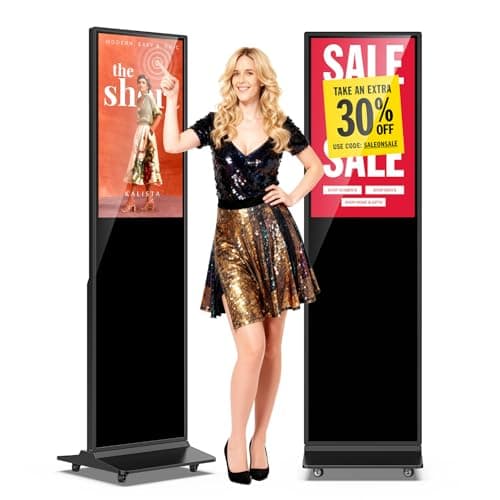
The JIYANG 32-inch floor-standing kiosk offers a Full HD LCD display, capacitive multi-touch, built-in speakers, and Android-based signage software, making it a versatile indoor digital signage solution.
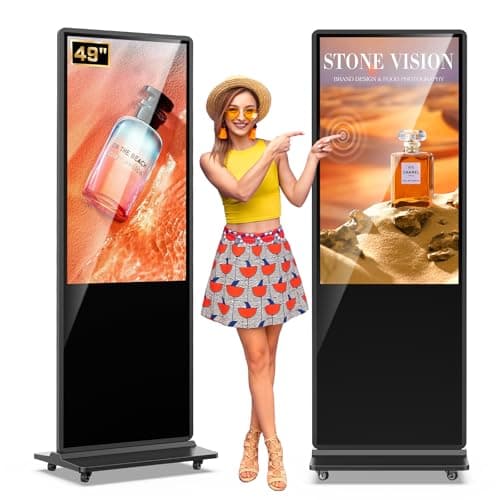
A 49-inch Android-powered digital signage kiosk with IPS panel and PCAP touch, offering built-in media playback and lifetime CMS, suited for indoor commercial signage but heavy and limited in brightness.
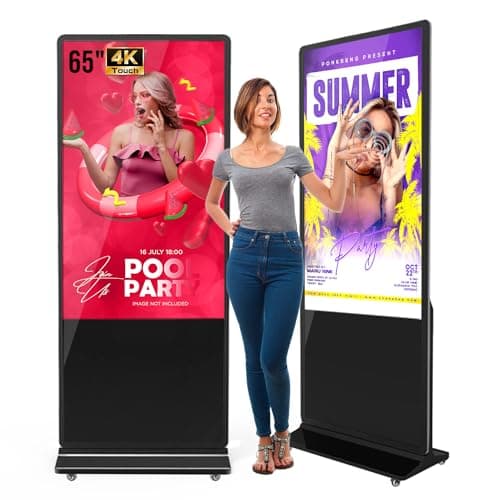
The QIXZOCV MWE 65" 4K touchscreen kiosk is a robust floor-standing interactive display with a high-resolution IPS panel and Android OS. It offers solid connectivity and optional lifetime CMS, but its large weight and occasional spec ambiguities may deter some buyers.
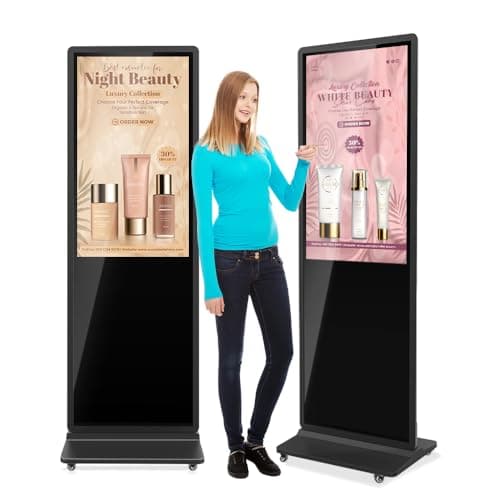
The QIXZOCV 43-inch 4K touchscreen kiosk offers high-resolution visuals and Android-based interactivity for commercial indoor signage, packaged with a robust accessory set and a three-year warranty. Its large size and built-in CMS make it suitable for multi-unit deployments, though its weight and lack of VESA mounting restrict flexibility.
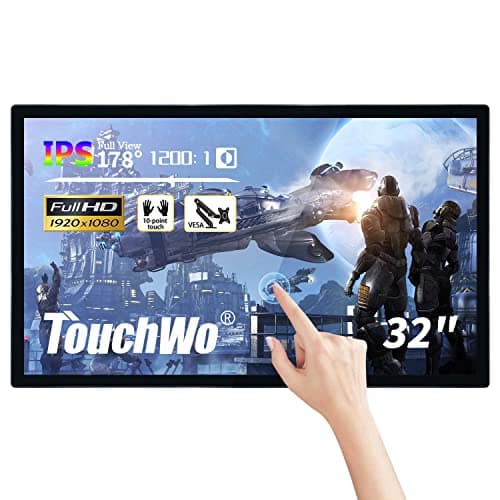
The TouchWo 32-inch Interactive Touchscreen Monitor is an all-in-one PC with a 1080p display, projected-capacitive multi-touch, and optional Windows or Android OS, targeting classrooms, meeting rooms and commercial spaces.
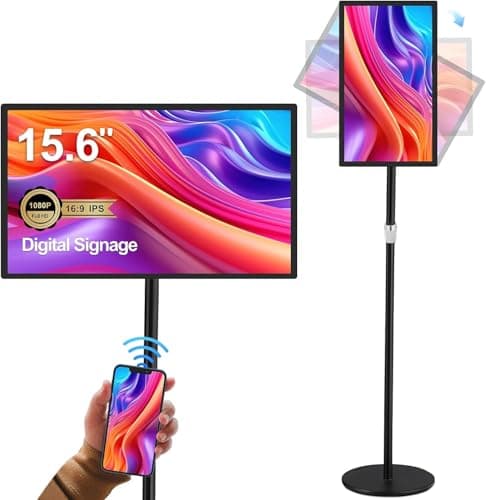
The AYSTekMann 15.6" Digital Signage Display is a commercial-grade interactive touchscreen running Android 11, offering full-HD IPS visuals, 10-point capacitive touch and a built-in 10,000 mAh battery for portable kiosk use.
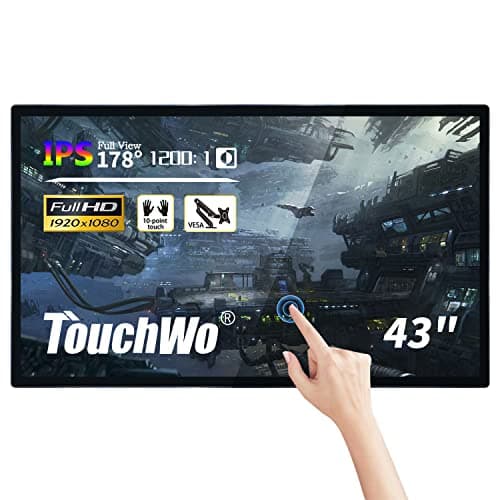
The TouchWo 43-inch model delivers a full-HD LED panel with integrated Windows PC, 10-point capacitive touch and robust connectivity, targeting classrooms and conference rooms, though Windows activation and TPM limitations can be drawbacks.
| Attribute | | | | | | | | | | | | | | | |
|---|---|---|---|---|---|---|---|---|---|---|---|---|---|---|---|
32 inches | 43 inches | 65 inches | 65 inches | 65 inches | 75 inches | 49 inches | 15.6 inches | 86 inchesbest | 65 inches | 65 inches | 65 inches | 32 inches | 65 inches | 43 inches | |
— | — | 500 nitsbest | — | 500 nitsbest | 400 nits | — | 250 nits | 400 nits | 400 nits | 400 nits | 400 nits | 300 nits | 400 nits | 300 nits | |
— | 5,000best | 1,200 | — | 1,200 | 1,200 | — | — | 1,200 | — | 1,200 | 1,200 | 1,200 | 1,200 | — | |
— | — | — | — | 60 Hzbest | 60 Hzbest | — | — | 60 Hzbest | 60 Hzbest | 60 Hzbest | 60 Hzbest | 60 Hzbest | 60 Hzbest | — | |
| ↓ lower better | — | — | — | — | — | 8 msbest | — | — | 8 msbest | — | 8 msbest | 8 msbest | — | 8 msbest | 8 msbest |
— | — | 10 | 10 | 10 | 40best | 10 | 10 | 40best | 40best | 40best | 40best | 10 | 40best | 10 | |
— | — | — | — | — | 72 %best | — | — | 72 %best | — | 72 %best | 72 %best | — | 72 %best | — | |
1 | 1 | 1 | 1 | 1 | 4best | — | 2 | 4best | — | 3 | 4best | 2 | 4best | 2 |
Click an attribute name to sort · Green = best, red = worst (relative to this comparison)
| Attribute | | | | | | | | | | | | | | | |
|---|---|---|---|---|---|---|---|---|---|---|---|---|---|---|---|
Touch(2) | |||||||||||||||
Touch Technology | Capacitive | Capacitive/Infrared | capacitive | PCAP | capacitive | Infrared | PCAP | Capacitive | Infrared | Infrared | Infrared | Infrared | Projected Capacitive (PCAP) | Infrared | Capacitive |
Touch Points | — | — | 10 | 10 | 10 | 40 | 10 | 10 | 40 | 40 | 40 | 40 | 10 | 40 | 10 |
Display(5) | |||||||||||||||
Screen Size (inches) | 32 inches | 43 inches | 65 inches | 65 inches | 65 inches | 75 inches | 49 inches | 15.6 inches | 86 inches | 65 inches | 65 inches | 65 inches | 32 inches | 65 inches | 43 inches |
Native Resolution | 1920x1080 | 3840x2160 | 3840x2160 | 3840x2160 | 3840x2160 | 3840x2160 | 1920x1080 | 1920x1080 | 3840x2160 | 3840x2160 | 3840x2160 | 3840x2160 | 1920x1080 | 3840x2160 | 1920x1080 |
Brightness (nits) | — | — | 500 nits | — | 500 nits | 400 nits | 300-450 nits | 250 nits | 400 nits | 400 nits | 400 nits | 400 nits | 300 nits | 400 nits | 300 nits |
Contrast Ratio | — | 5000 | 1200 | — | 1200 | 1200 | — | — | 1200 | — | 1200 | 1200 | 1200 | 1200 | — |
Panel Type | LCD | IPS | IPS | IPS | IPS | IPS | IPS LCD | IPS LCD | IPS | IPS | IPS | Direct LED | — | Direct LED | LED |
Connectivity(2) | |||||||||||||||
HDMI Ports | 1 | 1 | 1 | 1 | 1 | 4 | — | 2 | 4 | — | 3 | 4 | 2 | 4 | 2 |
USB Ports | 1 | 2 | 1 | 2 | 2 | 6 | 1-2 | 2 | 6 | 5 | 4 | 6 | 2 | 8 | 5 |
Power & Energy(2) | |||||||||||||||
Power Consumption (W) | — | — | — | — | — | 200 W | — | — | 486 W | — | 409 W | 184 W | 115 W | — | — |
Standby Power (W) | — | — | — | — | — | 0.5 W | — | — | 0.5 W | — | 0.5 W | 0.5 W | — | — | 5 W |
Warranty(1) | |||||||||||||||
Warranty Period (years) | 3 years | 3 years | 2 years | 3 years | 2 years | — | 3 years | 1 years | 5 years | 3 years | — | 5 years | 1 years | — | 1 years |
Build & Design(1) | |||||||||||||||
Weight (kg) | 35.9 kg | 45.272 kg | 68.49 kg | 80.5715 kg | 68.49 kg | 49.21 kg | 55.886 kg | 6.28 kg | 56.4 kg | 50.26 kg | 36.2 kg | 33.9 kg | 11.3 kg | 42.8 kg | 17.6 kg |
Products in the top-left offer the best value (high score, low price).
Professional reviewers highlight the JIYANG kiosk as a well-rounded digital signage solution that delivers high-resolution visuals, responsive touch interaction, and a feature-rich software platform at a mid-range price. Its durable construction and energy-saving features are praised, though experts note the lack of an IP rating and the need for manual Android security maintenance.
Everyday users consistently praise the kiosk for its impressive picture quality, straightforward setup, and engaging touchscreen experience, while common complaints focus on screen glare, the unit's weight, and the absence of weatherproofing.
“Exceeded expectations”
“Users highlight the ease of content upload via USB and the reliability of automatic playback.”
“The touch responsiveness is smooth for navigation and interactive apps.”
Smaller size but lower power consumption
Smaller screen with lower power consumption and similar touch capabilities
Industry analysts view the QIXZOCV MWE 43" as a solid mid-tier commercial signage solution, praising its Android platform and 4K touch, but caution that vague hardware specs and the absence of VESA mounting may limit demanding interactive applications.
Customers rate the kiosk highly (average 4.6/5), highlighting visual clarity, smooth touch response, and easy content loading, while noting occasional connectivity hiccups, the heavy weight, and the need for firmware updates.
Professional reviewers commend the PWR4GTR for its responsive G+G capacitive touch, robust construction, and free CMS, while noting the lack of an outdoor IP rating and Android 11's limitations versus dedicated signage platforms.
Everyday users praise the kiosk's touch accuracy, 4K visual quality, and the value of the free CMS, but report frustrations with heavy weight, app compatibility, and occasional slow performance.
Professional reviewers commend the QIXZOCV kiosk for its reliable PCAP touchscreen, robust Android platform, and useful split-screen and auto-playback capabilities, while warning buyers to double-check model numbers to avoid variant confusion.
Everyday users praise the bright 4K display, responsive touch, and straightforward USB content loading, but they frequently mention spec inconsistencies, a steep initial setup, and occasional slow customer support.
Professional reviewers highlight the display's sharp 4K visuals, high brightness, responsive touch, and the value of the free CMS, while noting the heavy weight and setup complexity.
Everyday users consistently praise the sharp visuals, high brightness, and responsive touch, but mention the heavy weight, initial setup difficulty, and occasional Wi-Fi drops.
Reviewers commend the smooth multi-touch response, Android integration, and versatile connectivity, especially the OPS slot, while noting the lack of a built-in stand and modest brightness.
Users like the large 4K screen and easy wireless sharing, but criticize the absence of a stand and the need for an extra OPS module for Windows.
Professional reviewers consider the QIXZOCV MWE 49" kiosk a cost-effective alternative to premium signage solutions, commending its Android integration, responsive PCAP touch, and IPS display quality while noting brightness limits and lower performance compared to high-end 4K units.
Amazon customers rate the kiosk 4.7/5, highlighting quick setup, sharp visuals and responsive touch, with the main complaint being its heavy weight.
Professional reviewers note that the AYSTekMann display delivers a solid interactive experience with its high-resolution IPS screen and versatile E-Share mirroring, but caution that lack of outdoor-rated panels, undefined processor details, and modest battery endurance may limit demanding deployments.
Everyday users consistently praise straightforward setup, smooth touch response, and wireless casting convenience, while recurring complaints focus on battery runtime, HDMI port confusion, limited storage, and desire for an open API.
Professional reviewers praise the Samsung WAD 86" for its enterprise-grade durability, extensive connectivity options, and Google-centric Android platform, while noting the lack of built-in video-conferencing hardware and high power draw.
Everyday users appreciate the ultra-responsive multi-touch surface, bright 4K display, and solid audio, but frequently mention the missing camera/mic and the unit's considerable weight and power usage.
Professional reviewers commend the Meetboard 4 for its enterprise-grade Google EDLA certification, robust 40-point touch, and the optional AI-driven 4K camera, while noting the lack of disclosed RAM and the unit's substantial weight.
Everyday users appreciate the board's ease of use, sharp 4K visuals, and the ability to install Google-ecosystem apps directly, but express concerns over weight, glossy glare and the absence of a Windows option.
Professional reviewers view the Samsung WAF 65" as a breakthrough for interactive education, emphasizing its EDLA certification, 40-point touch, Split Note Mode, and robust connectivity, while noting the absence of Wi-Fi 6 and relatively high power consumption.
Everyday users praise the instant annotation, dual-pen convenience, and the ability to install Google apps directly on the display, though a minority report occasional lag and Bluetooth pairing issues.
Professional reviewers praise the touch responsiveness, Google Workspace integration, and connectivity, while noting the lack of a microphone and front-port accessibility.
Everyday users commend the responsive touch, easy setup, and bright display, but mention the missing microphone and weight.
Professional reviewers praise the TouchWo 32" panel for its high-speed PCAP touch (200 Hz, <5 ms) that feels like writing on paper, and especially for the HDMI IN with touchback-a feature rarely found in this price segment.
Everyday users appreciate the straightforward plug-and-play experience, the bright clear display, and the collaborative tools such as screen mirroring, but report Wi-Fi reliability issues and limited performance on low-spec models.
Professional reviewers commend the WAD display for its extensive connectivity, especially the 3-in-1 USB-C, and its dual-pen, 40-point touch capabilities that boost classroom interactivity. The EDLA certification is highlighted as a differentiator, though critics note the newer WAF series offers Android 14 and a more powerful processor.
Everyday users rave about the seamless Google Classroom experience, the convenience of dual pens, and the bright 4K picture that remains visible in bright environments. HDMI-Out is praised for extending content, while the lack of built-in Windows and NFC are noted as drawbacks.
Professional reviewers commend the vivid 1080p panel, solid i7 performance and fluid 10-point touch, while noting issues with Windows activation, lack of TPM for Windows 11, and occasional overheating.
Everyday users appreciate the straightforward setup and responsive touch, but report unactivated Windows licenses, missing TPM, and occasional overheating in industrial settings.
