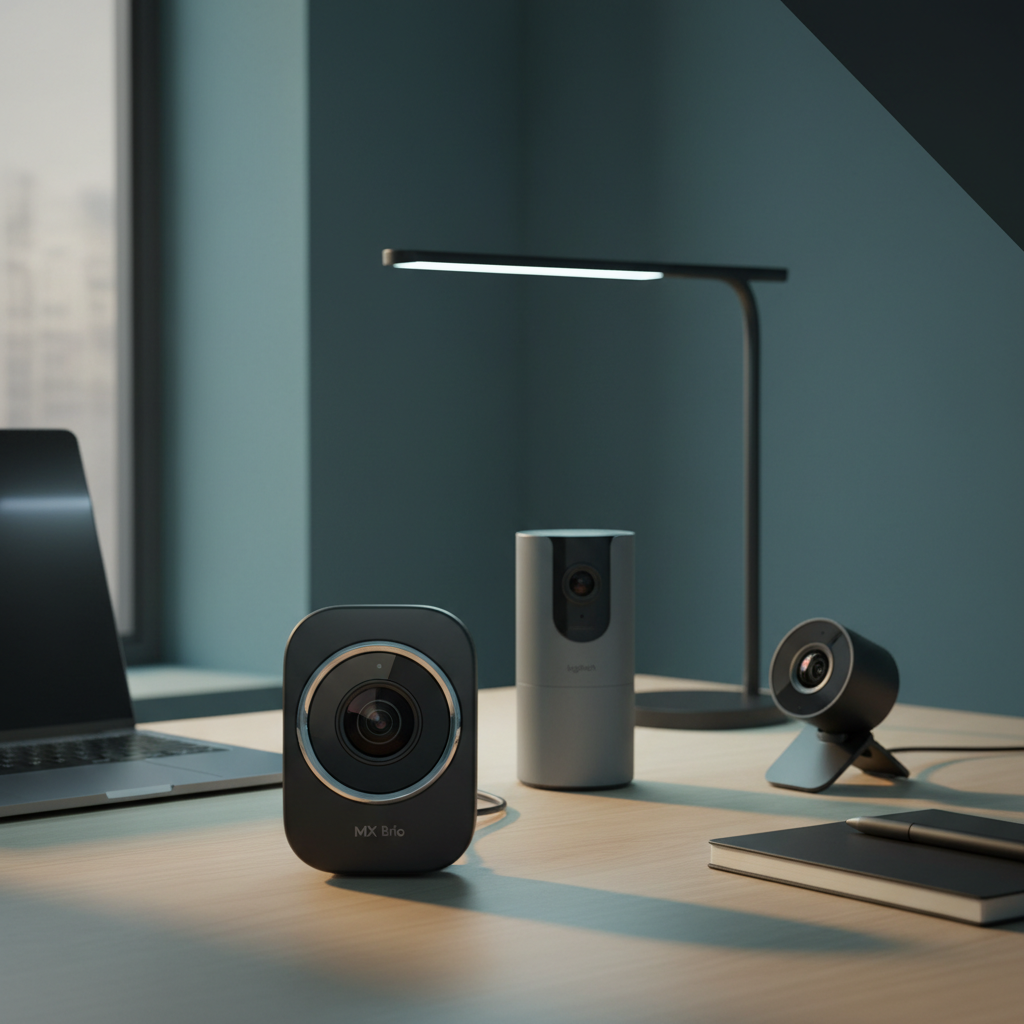
You’re looking at a curated set of 7 Logitech webcams that span the brand’s entire price ladder. At the low end, the budget trio – the C270 at $15.59, the Brio 100 for $39.99 and the Brio 101 for $37.30 – give you solid 720p‑108p video and a built‑in mic without breaking the bank. The mid‑range Brio 300 sits at $44.70 and adds a full‑HD sensor with a 70° field of view. At the premium tier, the Brio 301 ($49.99), the Brio 505 ($129.99) and the MX Brio ($199.99) bring 4K resolution, AI‑enhanced lighting and dual microphones for professional‑grade calls.
All seven models share a 4.5/5 rating for the MX Brio and Brio 301, while the C270 holds a 4.4/5 score from over 21,000 reviewers, so you’ll find consistent user satisfaction across the line. If you need a webcam that works in dim rooms, the MX Brio’s AI‑enhanced sensor features 70% larger pixels and RightLight 3, whereas the Brio 100 and 101 boost low‑light brightness by up to 50%. In practice, the right choice hinges on resolution, field of view and whether you value a privacy shutter. Below we break down each option so you can match features to your workflow.

Logitech MX Brio
Two built‑in microphones with a 1.2 m effective range deliver premium audio for calls.

Logitech Brio 301
Ideal for creators who need a proven, high‑quality webcam without breaking the bank—priced at $49.99, about $150 cheaper than the MX Brio.

Logitech C270
Offers a 5 ft cable, letting you position the webcam far from your PC—something the higher‑priced models lack.
Also considered
Score Analysis
Key score advantages vs. runner-up (Logitech Brio 301)
Price Range
Logitech MX Brio
$169.99
Logitech Brio 301
$45.99
Logitech C270
$19.99

Logitech Brio 300
$49.99

Logitech Brio 100
$24.99

Logitech Brio 101
$24.99

Logitech Brio 505
$129.99
Spec Comparison
TL;DR: The Logitech MX Brio delivers 3840×2160 4K video with AI‑enhanced lighting, dual beamforming mics, and a built‑in privacy shutter, but its $199.99 price tags it as a premium‑tier webcam.
The standout spec is its 8.5 MP STARVIS sensor paired with RightLight 3 AI auto‑exposure, which lets the MX Brio shoot 3840×2160 4K video at 30 fps and 1080p at a smooth 60 fps. Digital zoom reaches up to 4× and the field of view adjusts from 65° to a full 90° diagonal, giving you flexibility whether you’re on a solo call or a small‑group meeting.
Compared with the six other Logitech webcams in this roundup, the MX Brio sits at the top end of the spec sheet. Its 8.5 MP sensor dwarfs the 4 MP of the Brio 505 and the 2 MP sensors of the Brio 301, Brio 300, Brio 100, Brio 101, and the C270. Frame‑rate wise, it offers 60 fps at 1080p, while the Brio 505 tops out at 30 fps for the same resolution. The MX Brio also carries a detachable universal clip and a ¼″ threaded mount, a feature that lower‑priced models don’t list, and it weighs 0.78925489796 lb (357.9 g), making it heavier than the Brio 301 and Brio 300 but comparable to the larger Brio 505.
Users consistently praise the crystal‑clear video and the effectiveness of the dual beamforming microphones, which have an AI‑powered noise‑cancellation and a 1.2 m effective range. The rotating privacy shutter earns frequent mentions for peace of mind, and Show Mode—tilting the camera to capture desk work—gets particular kudos from educators and designers. Professional reviewers highlight the AI‑enhanced imaging and RightLight 3 as key reasons the webcam shines in low‑light rooms. On the downside, several users note that autofocus can lag during rapid movement, the lack of Windows Hello facial login feels like a missed opportunity, and the 4K mode’s 30 fps ceiling limits fast‑action content.
Beyond video, the MX Brio’s cable is 1.5 meters long and USB‑C powered, eliminating the need for an external adapter. The webcam’s build uses post‑consumer recycled aluminum and carries CarbonNeutral certification, appealing to environmentally conscious buyers. With a 1‑year limited hardware warranty, you also get Logitech’s software suite—including Logi Tune and Logi Options+—to fine‑tune ISO, shutter speed, tint, and vibrance, or let the AI handle it automatically.
Pros
Cons
Best for: Remote professionals and content creators who need 4K video, AI‑enhanced lighting, and premium audio in a secure, environmentally friendly package.
Avoid if: You need a budget webcam — the MX Brio’s $199.99 price may be overkill for casual use.
“The image is crystal clear, even in my dimly lit home office.”
“Love the privacy shutter—gives me peace of mind.”
TL;DR: The Logitech Brio 301 delivers crisp 1080p video at 30 fps, a 70° field of view, and RightLight 2.5 auto‑light correction for $49.99. It's earned a solid 4.5‑star rating from over a thousand users.
The Brio 301 records Full HD 1920 × 1080 video at 30 fps using a 2 MP CMOS sensor and a custom Logi 4‑element lens with a maximum aperture of f/2.8. Its 70° diagonal field of view and RightLight 2.5 auto‑light correction keep you visible even in dim rooms, while its built‑in 4 m omnidirectional microphone reduces background noise.
Compared with the other six webcams in this roundup, the Brio 301 is lighter than the Brio 300 and considerably lighter than the Brio 505, yet it shares the same 70° field of view as the Brio 300. Its 1500 mm USB‑C cable length matches that of the Brio 100 and Brio 505, giving it comparable reach without the extra bulk of larger models.
Users consistently praise the sharp 1080p picture, the effective RightLight 2.5 lighting boost, and the peace‑of‑mind offered by the spin‑to‑close privacy shutter. Professional reviewers note the clear skin tones and the convenience of plug‑and‑play USB‑C connectivity. The main trade‑offs are the fixed‑focus lens, which can be limiting for close‑up shots, the mono microphone that lacks stereo depth, and the absence of a tripod mount that restricts flexible positioning. The webcam requires 2 GB of RAM for 1080p streaming and comes with a 1‑year limited hardware warranty.
Pros
Cons
Best for: Remote professionals, educators, and budget‑conscious creators who want reliable 1080p video and solid privacy features.
Avoid if: You need stereo audio, autofocus, or a tripod‑mountable webcam for more versatile setups.
“ideal for remote work”
“might just be the upgrade you need”
TL;DR: The Logitech C270 delivers 720p video at 30 fps with RightLight 2 auto‑light correction and a built‑in noise‑reducing mic for just $15.59, making it a solid entry‑level webcam.
The standout feature is its RightLight 2 automatic light correction, which brightens and balances the image in low‑light rooms. It records at a maximum resolution of 1280 × 720 px and 30 fps, while the CMOS sensor captures a still resolution of 1280 × 960 px (1.2 MP). At only 0.16 lb, the camera's lightweight enough to sit comfortably on any laptop or monitor.
Compared with the other six Logitech models in this roundup, the C270 is the most budget‑friendly and the lightest option, especially when stacked against the MX Brio, which weighs substantially more. It offers a diagonal field of view of 55°–60°, narrower than the 70° view on the Brio 300 and Brio 301, but it still covers a typical desk setup. While the Brio 505 offers higher‑resolution sensors, the C270’s price point undercuts all of them.
Users consistently praise the plug‑and‑play USB‑A connection and the clear 720p output, noting that the built‑in omnidirectional microphone picks up voice clearly up to 1.5 m even in noisy environments. Professional reviewers highlight the convenience of RightLight 2 and the straightforward universal clip. Common complaints focus on the fixed‑focus lens, which only sharpens subjects beyond 40 cm, and the lack of pan, tilt, or zoom controls. Some buyers also mention that the plastic housing feels less sturdy and that the clip can be loose on thick screens.
Technical details include a 4.0 mm focal length, a fixed focus type, and a USB‑A 2.0 high‑speed interface that works with Windows 7+, macOS 10.10+, Chrome OS, and Android 5.0+. The webcam’s universal clip allows up/down adjustment but no swivel, and the built‑in mono microphone features noise suppression.
Pros
Cons
Best for: Budget‑conscious buyers seeking a reliable entry‑level webcam.
Avoid if: You need 1080p or higher resolution, autofocus, wide‑angle view, or professional‑grade features.
“simple budget webcam that "gets the job done"”
“crisp and smooth video”
TL;DR: The Logitech Brio 300 delivers Full HD video with a 70° field of view, RightLight 2 low‑light help and a privacy shutter for $44.70, earning a solid 4.5‑star rating from over a thousand users.
The standout spec is its 70° field of view combined with a 2 MP CMOS sensor that records up to 1920 × 1080 pixels at 30 fps. RightLight 2 auto‑light correction tries to brighten dim scenes, while a fixed‑focus glass lens keeps the hardware simple. The webcam plugs directly into a USB‑C port, so no driver install needed.
Compared with its siblings, the Brio 300 is a bit heavier than the Brio 100 (0.165625 lb) and Brio 301 (0.164375 lb) but lighter than the Brio 505 (0.2625 lb). Its 1524 mm cable is marginally longer than the 1500 mm cables on most of the other models, giving a little extra reach for desktop setups. The 70° diagonal view matches the Brio 301, while the Brio 100 offers a narrower 58.9° view.
Reviewers praise the plug‑and‑play USB‑C connection, the built‑in privacy shutter and the clear mono microphone that captures sound up to 1.2 m away. Professional outlets note the RightLight 2 boost, but many users mention grainy footage in low‑light rooms and the fixed‑focus lens that needs a few feet of distance for a sharp picture. A lack of a swivel or tripod mount also limits placement options on thin desks.
Beyond video, the webcam features a tilt range from –25° to +40°, a clip‑on mount with rubberized pads for stability, and a 1 x digital zoom. The glass lens and CMOS sensor work together for reliable colour reproduction in well‑lit environments, while the mono noise‑reducing microphone helps keep background chatter down.
Pros
Cons
Best for: Most users looking for a well‑reviewed, reliable mainstream option
Avoid if: You need advanced features or professional‑grade performance
“ideal for remote work”
“might just be the upgrade you need”
TL;DR: The Logitech Brio 100 delivers Full HD 1080p video with RightLight 2 low‑light boost and a sliding privacy shutter for $39.99, making it a solid, budget‑friendly webcam for everyday calls.
The Brio 100 records at a maximum resolution of 1920×1080 (1080p) at 30 fps, and its 2 MP CMOS sensor pairs with a custom Logi 4‑element plastic lens. Its diagonal field of view measures 58.9°, while RightLight 2 technology can increase brightness by up to 50% in dim rooms. An integrated sliding cover protects your privacy when the camera isn’t in use.
Compared with the other six webcams in this roundup, the Brio 100 sits at the lower end of the price band and is lighter than the Brio 300, yet its weight matches the Brio 301. It offers a comparable 1500 mm cable length to the Brio 101 and Brio 301, but it lacks a tripod thread that some higher‑priced models provide.
Users consistently praise the plug‑and‑play USB‑A connection and the reliable privacy shutter, noting that video calls look clear even in low light thanks to RightLight 2. However, reviewers also point out the fixed‑focus lens and the relatively narrow 58° horizontal field of view, which can make framing larger groups tricky. The built‑in mono omnidirectional microphone reaches about 4 ft, and the webcam even supports Nintendo Switch 2’s GameChat mode for casual streaming.
Pros
Cons
Best for: Budget-conscious buyers seeking a reliable entry-level option
Avoid if: You want the best value‑per‑dollar in its price range
“ideal for remote work”
“might just be the upgrade you need”
TL;DR: The Logitech Brio 101 delivers 1080p video with RightLight 2’s 50 % brightness boost, a built‑in mic, and a slide‑to‑cover shutter, all for $37.30, making it a solid budget webcam.
The standout feature is RightLight 2, which can increase brightness by up to 50 % in low‑light rooms, while still recording full HD 1920 × 1080 video at 30 fps. Its 58.9° diagonal field of view and a 4 mm focal length keep the framing tight enough for typical desk setups.
At 75 g, the Brio 101 matches the weight of the Brio 100 and Brio 301 and is noticeably lighter than the Brio 300, Brio 505, and the MX Brio, which tip the scales at over 0.24 lb. Its 66.64 mm depth equals the Brio 100 but is deeper than the 45 mm depth of the Brio 300 and Brio 301, and shallower than the 152.4 mm depth of the C270. The 58.9° field of view is narrower than the 70° view on the Brio 300 and Brio 301, while the 1.22 m microphone range lines up with the Brio 300’s 1.2 m range but falls short of the 4 m range on the Brio 301 and the 1.5 m range on the C270.
Users've given the webcam a 4.4‑star rating across 26,739 reviews, repeatedly praising the crisp 1080p picture, the hassle‑free plug‑and‑play setup, and the slide‑to‑cover privacy shutter provides peace‑of‑mind. Professional reviewers call it a “best‑in‑class budget webcam,” yet they note the fixed focus and the relatively narrow 58.9° view as drawbacks for anyone needing wide‑angle framing.
Technically, the Brio 101 packs a mono omni‑directional microphone with a 1.22 m pickup range, a custom Logitech 4‑element glass lens with an f/2.0 aperture, and USB‑A connectivity that works with Windows 10+, macOS 10.15+, and ChromeOS. It also supports Nintendo Switch 2’s GameChat mode and comes with Logi Options+ software for easy configuration.
Pros
Cons
Best for: Budget‑conscious buyers seeking a reliable entry‑level option
Avoid if: You want the best value‑per‑dollar in its price range
“ideal for remote work”
“might just be the upgrade you need”
TL;DR: The Logitech Brio 505 delivers 1080p Full HD video with a 4 MP sensor, AI‑driven auto‑framing and dual‑mic audio, but its $129.99 price and Chrome OS limitation may keep it out of reach for budget‑focused users.
The standout spec is the 4 MP image sensor that powers 1080p video at 30 fps and 720p at up to 60 fps, giving you crisp, smooth video for professional calls. Its 90° field of view (adjustable to 65° or 78°) and autofocus keep you in frame, while the AI‑based RightSight auto‑framing and RightLight 4 HDR lighting adjust on the fly for natural‑looking skin tones.
Compared with the six other webcams in this roundup, the Brio 505 measures just 30 mm depth and 30 mm height, making it slimmer than its peers, and its 109 mm width exceeds that of the compact Brio 301 and Brio 300 models. It weighs 0.2625 pounds, so it's lighter than the MX Brio but a touch heavier than the Brio 301 and Brio 100. Its 1500 mm USB‑C cable is the same length as most peers, yet the fixed cable design limits placement flexibility—a drawback not shared by models with detachable cords.
User feedback repeatedly praises the webcam’s “crisp video” and the “effective auto‑framing” that stays unobtrusive during meetings. Reviewers also highlight the dual‑noise‑reducing stereo microphones for clearer voice capture and the built‑in privacy shutter for added security. Professional reviewers note that RightLight 4 delivers natural skin tones even in dim lighting, while the AI auto‑framing delivers accurate results without being distracting. On the downside, the auto‑framing feature relies on the Logi Tune app, which isn’t available on Chrome OS, and the webcam doesn’t reach the 4K resolution that higher‑end Brio models offer.
Pros
Cons
Best for: Remote and hybrid workers who need reliable, high‑quality video and audio for daily meetings.
Avoid if: You need 4K resolution, use a Chromebook for video calls, or are looking for a budget‑friendly webcam.
“ideal for remote work”
“might just be the upgrade you need”
Breakdown
Logitech MX Brio
Pros
Cons
Logitech Brio 301
Pros
Logitech C270
Pros
Logitech Brio 300
Pros
Based on scoring data and product specs
Personalized picks
Best Overall Pick
Logitech MX Brio
Best ValueBest for: Audiophiles and enthusiasts seeking premium sound quality and advanced features
Logitech Brio 301
Best for: Buyers willing to invest in a proven, high-quality option
$45.99-$124.00 vs winner
Skip Logitech Brio 505 if…
You're on a tight budget or only need basic functionality
Logitech MX Brio takes the top spot thanks to its 8.5 MP STARVIS sensor, 4K Ultra HD video at 30 fps and advanced image processing that delivers “2× better face visibility” in tough lighting. It also includes dual beamforming microphones that suppress background noise and a built‑in rotating privacy shutter, and it earned a 4.5‑star rating from 1,114 reviewers at $199.99.
The runner‑up, Logitech Brio 301, is perfect if you need reliable Full HD video for everyday meetings without breaking the bank. It records 1080p at 30 fps, features RightLight 2.5 auto‑light correction, a single omnidirectional noise‑reducing mic, and a spin‑to‑close privacy shutter—all for $49.99 and a 4.5‑star rating from 1,068 reviewers.
For tighter budgets, the Logitech C270 at $15.59 offers basic webcam functionality at the lowest price point, while the Logitech Brio 300 at $44.70 delivers a balanced mix of performance and cost for users who want more than entry‑level quality without stepping up to the premium tier.
If you want the most capable Logitech webcam, the MX Brio is the clear pick.
The MX Brio is listed with an 8.5 MP STARVIS sensor, AI‑enhanced RightLight 3 auto‑exposure and a 2× boost in face visibility, making it the strongest low‑light performer. The Brio 505 also offers RightLight 4 with HDR, but at a higher price point.
Please sign in to leave a review
No reviews yet. Be the first to review!
