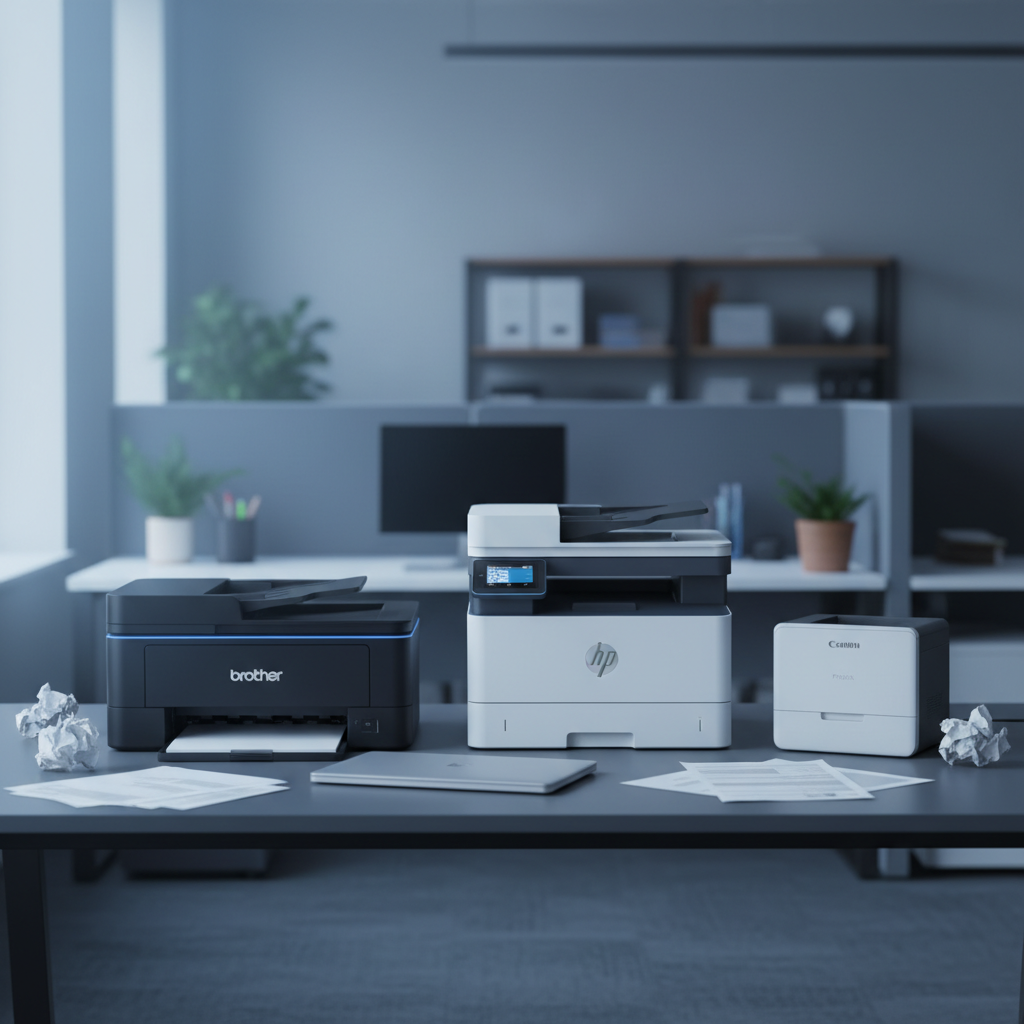
If you need a modern all‑in‑one that still sends a fax, you’ve come to the right place. We’ve evaluated 13 printers that blend printing, scanning, copying and faxing into a single footprint. Prices stretch from a $62.99 entry‑level HP Envy 6455e up to the $530.81 Canon imageCLASS MF753Cdw II, and user ratings range from 3.6/5 to 4.4/5.
To make shopping easier, we grouped the models into three price tiers. The budget lane features the HP Envy 6455e, Canon PIXMA TR4720 Black, Epson Workforce WF‑2960 and Canon PIXMA TR8620, all under $150 and carrying ratings around 4.0/5. Mid‑range picks include the HP OfficeJet Pro 8135e ($239.89, 3.8/5) and the HP OfficeJet Pro 9125e ($219.89, 3.6/5), offering faster draft speeds and larger trays. Premium options such as the Brother MFC‑L2820DW ($279.99, 4.4/5) and Canon’s MF‑series lasers deliver 34‑42 copies per minute and robust paper handling for busy offices.
Below you’ll find a side‑by‑side look at each model’s strengths, so you can pinpoint the printer‑fax combo that fits your workflow and budget.

Brother MFC-L2820DW
It's fast 34 copies‑per‑minute monochrome speed gives reliable performance for busy home offices.
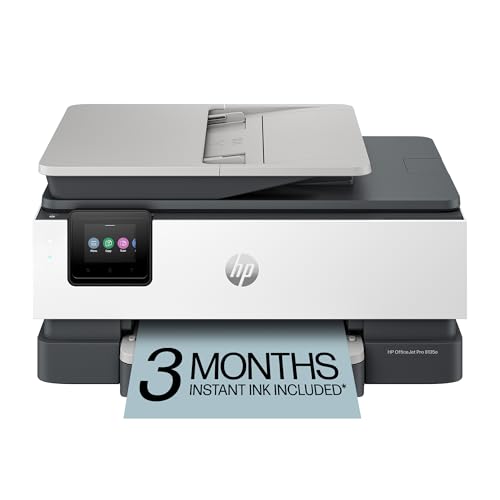
HP OfficeJet Pro 8135e
Ideal for cost‑conscious small businesses, it comes in at $239.89—about $40 cheaper than the Brother.

Canon PIXMA TR8620a
Stands out with 4800 × 1200 dpi color copy resolution, delivering sharper images for occasional photo prints.
Also considered
Score Analysis
Key score advantages vs. runner-up (HP OfficeJet Pro)
Price Range
Brother MFC-L2820DW
$279.98
HP OfficeJet Pro 8135e
$129.99
Canon PIXMA TR8620a
$149.00

HP OfficeJet Pro 9125e
$219.89

Canon Color imageCLASS MF753Cdw II
$517.65

Canon imageCLASS MF465dw II
$324.00

Canon PIXMA TR4720
$69.00

Epson Workforce WF-2960
$99.99

Canon Color imageCLASS MF665Cdw
$449.99

HP Envy 6455e
$72.99
HP OfficeJet Pro 9135e
$299.89

HP OfficeJet Pro 8139e
$229.89

Epson EcoTank ET-4800
$219.99
Spec Comparison
TL;DR: The Brother MFC‑L2820DW is a compact monochrome laser all‑in‑one delivering 34 ppm printing, automatic duplex, a 2.7‑inch touchscreen, and reliable wireless options for $279.99.
This model’s standout spec is its 34 ppm monochrome print speed paired with a 7‑second first‑page‑out time, meaning you’ll get documents off the line almost instantly. The drum lasts for 15,000 pages and costs just 0.9 cent per page, while the 128 MB of memory helps keep large jobs moving smoothly. A 50‑sheet ADF and a 250‑sheet main tray give you plenty of paper handling for a small office.
At 22.5 lb, the Brother sits heavier than the Epson EcoTank’s 11.0 lb chassis but is considerably lighter than the Canon imageCLASS MF465dw II, which weighs 34.4 lb. Its 34 ppm speed lands between the slower HP OfficeJet Pro 8135e’s 25 cpm draft speed and the faster Canon MF465dw II’s 42 cpm copy speed. Both Brother and Canon list a 50‑sheet ADF, though Canon’s is duplex while Brother’s only scans one side at a time.
Reviewers consistently praise the quick first page out, the intuitive 2.7‑inch color LCD touchscreen, and the reliable dual‑band Wi‑Fi plus Ethernet connectivity. Professional reviewers note the machine’s compact footprint and solid build quality, but they also flag the lack of automatic duplex scanning as a drawback. Users appreciate the low drum cost per page, yet some mention that toner at 2.4 cents per page can add up over time.
Pros
Cons
Best for: Small offices or home offices that need fast, reliable monochrome printing and fax capability.
Avoid if: You need heavy two‑sided scanning or are on a tight budget — it’s priced at $279.99.
TL;DR: The HP OfficeJet Pro 8135e delivers fast color printing, a 35‑sheet ADF, and built‑in fax at a mid‑range price, making it a solid all‑in‑one for small offices.
With a draft print speed of up to 29 ppm in black and 25 ppm in color, the 8135e moves documents through quickly, while the first page appears in just 0.25 minutes for black jobs. Its 2.7‑inch color touchscreen makes navigation intuitive, and the built‑in 35‑sheet automatic document feeder lets you scan or copy multi‑page jobs without manual feeding.
At 17.6 pounds, it's lighter than the Brother MFC‑L2820DW (22.5 pounds) and the HP OfficeJet Pro 9125e (20.48 pounds), but comparable to the HP OfficeJet Pro 8139e, which shares the same weight. Its draft copy speed of 25 cpm (black) and 17 cpm (color) trails the Brother’s 34 cpm monochrome copy speed, yet it offers a larger 35‑sheet ADF than the HP 9125e, which lists only copies per job. The 512 MB DDR3 memory is substantially higher than Brother’s 128 MB, which gives the 8135e a bit more headroom for multitasking.
Users frequently praise the quick wireless setup, the responsive touchscreen, and the convenience of automatic duplex printing. Some users complain about the lack of ENERGY STAR certification and the requirement to sign up for an HP+ account to unlock free ink and cloud features. The discontinuation of Google Cloud Print also surfaces in a few reviews, prompting users to rely on alternative mobile‑printing apps.
The 8135e supports dual‑band Wi‑Fi, Ethernet, Bluetooth Low Energy, and a USB 2.0 host port for flash drives, covering most connectivity needs. It handles a monthly duty cycle of 20,000 pages with a recommended volume of 800 pages, and its fax module can transmit a page in just 0.07 minutes, storing up to 100 pages in memory. The printer also offers borderless printing up to 8.5 × 11 in and uses four individual cartridges (500‑page black, 400‑page color yields).
Pros
Cons
Best for: Most users seeking a balanced, mainstream option
Avoid if: You need advanced features or professional‑grade performance
TL;DR: The Canon PIXMA TR8620 prints vibrant photos at 4800 × 1200 dpi, offers a 4.3‑inch color touchscreen and automatic duplex printing, but its small 5.6 mL ink cartridges can raise running costs.
The standout spec is the 4800 × 1200 dpi maximum color print resolution, which lets you produce sharp, gallery‑quality photos straight from the printer. Coupled with a five‑ink system that separates pigment‑based black for text and dye‑based inks for photos, the unit delivers both crisp documents and vivid images without sacrificing speed.
At 17.4 pounds, the TR8620 is a bit lighter than the HP OfficeJet Pro 9125e (over 20 pounds) but heavier than the Epson Workforce WF‑2960 (14.1 pounds). Its 4.3‑inch color touchscreen measures noticeably larger than the 2.7‑inch displays on the HP OfficeJet Pro 8139e and HP OfficeJet Pro 8135e, and also exceeds the 2.4‑inch panel on the Epson model. Copy speed for black‑and‑white pages sits at 14.1 cpm, outpacing the HP Envy 6455e (8 cpm) and Canon TR4720 (8.8 cpm) while falling short of the HP OfficeJet Pro 9125e’s 21 cpm.
Reviewers praise the printer’s sharp text and vibrant photo output, as well as the convenience of direct SD‑card and smartphone printing via AirPrint, Canon PRINT app and Alexa/Google Assistant integration. However, reviewers consistently note the modest 5.6 mL ink cartridge capacity, which can translate into higher refill costs, and the lack of automatic duplex scanning – you’ll need to flip pages manually for double‑sided copies.
Pros
Cons
Best for: Home office professionals, hybrid workers, photography enthusiasts, small businesses, and educators who need quality photo prints and a user‑friendly interface.
Avoid if: You want the best value‑per‑dollar in its price range or need high‑volume automatic duplex scanning.
“solid office performance”
“high image quality”
TL;DR: The HP OfficeJet Pro 9125e delivers 22 ppm black and 18 ppm color printing, a 250‑sheet tray and fast first‑page out, making it a solid all‑in‑one for small‑to‑mid‑size offices.
What really stands out is the combination of speed and capacity. HP lists a black print speed of 22 ppm and color at 18 ppm, with the first black page appearing in just 10 seconds and color in 11 seconds. The 250‑sheet input tray and 35‑sheet automatic document feeder keep you printing and scanning without constant refilling, while the 2.7‑inch capacitive touchscreen lets you change settings at a glance.
Compared with the other printers in this roundup, the 9125e is a bit heavier at 20.48 pounds, so it sits above the HP OfficeJet Pro 8135e and 8139e, both around 17.6 pounds. Its black copy speed of 21 cpm also outpaces those two HP models, which list 12 cpm. The Brother MFC‑L2820DW copies faster at 34 cpm but weighs 22.5 pounds, so the 9125e offers a middle ground of speed and footprint. Like the Canon PIXMA TR8620, it shares a 2.7‑inch display, but the HP adds a larger 250‑sheet main tray versus the Canon’s standard capacity.
Users consistently praise the quick first‑page out times and the convenience of two‑sided scanning straight to email or a network folder. Reviewers note that the large paper capacity reduces interruptions during busy days, and the HP Smart app makes mobile printing feel effortless. Professional reviewers highlight the 25,000‑page monthly duty cycle and the extensive fax features—100‑page memory and 4‑second per‑page transmission—as valuable for office workflows.
On the technical side, the printer packs 512 MB of memory and a 1.2 GHz processor, supporting 600 × 600 dpi copy resolution and up to 4800 × 1200 dpi color print quality. Scanning runs at 4 ipm duplex and 8 ipm simplex on A4, with an ADF that holds 35 sheets. Power consumption stays modest at 5.06 W when ready, and the device offers Ethernet, Wi‑Fi Direct and Bluetooth LE for flexible connectivity.
Pros
Cons
Best for: Most users seeking a balanced, mainstream option
Avoid if: you need a higher duty cycle than 25,000 pages per month or require Energy Star certification
TL;DR: The Canon imageCLASS MF753Cdw II delivers 35 ppm color laser printing, a 5‑inch touchscreen, and up to 850 sheets of paper handling for $530.81, making it a solid premium choice for small‑to‑mid‑size offices.
This model packs a 35‑page‑per‑minute print speed and the same 35‑copy‑per‑minute rate, plus a first‑print out time of just 7 seconds (0.12 minutes). Its 5‑inch color touchscreen lets you navigate jobs without a PC, while the built‑in duplex unit handles two‑sided jobs automatically. With 7,600‑page black toner yield and 5,500‑page color yields, you’ll change cartridges far less often than with lower‑capacity units.
Compared with peers, the MF753Cdw II weighs 50 lb—lighter than the Canon MF665Cdw’s 60.7 lb but heavier than Brother’s MFC‑L2820DW at 22.5 lb. Its 35 cpm copy speed outpaces the MF665Cdw’s 26 cpm and matches the HP OfficeJet Pro 9135e’s draft speed of up to 33 ppm. All models share a 50‑sheet ADF, but the MF753Cdw II’s total expandable input capacity of 850 sheets tops the Brother’s 250‑sheet main tray and exceeds the standard 250‑sheet cassette found in many competitors.
Reviewers consistently praise the printer’s 35 ppm speed and the crisp black‑and‑white text that professional testers highlight, along with vivid color graphics suitable for reports and newsletters. Users also appreciate the generous 512‑page fax memory and the ability to store 281 speed‑dial numbers. Common complaints focus on a finicky wireless setup and the absence of a built‑in memory‑card reader, which can be a hassle for users who rely on direct media printing.
Pros
Cons
Best for: Those prioritizing quality and willing to pay for premium performance
Avoid if: You're shopping on a tight budget — it's priced at $530.81
TL;DR: The Canon imageCLASS MF465dw II delivers 42 ppm monochrome printing, a 50‑sheet duplex ADF and a 5‑inch color touchscreen, but its premium price and lack of duplex copying keep it squarely in the small‑to‑mid‑office niche.
What really stands out is the combination of speed and convenience: the MF465dw II prints up to 42 pages per minute on Letter‑size stock and can scan double‑sided documents in one pass with its 50‑sheet duplex ADF. First pages appear in just 4.9 seconds, and the 5‑inch color touchscreen makes navigation feel modern for a monochrome laser unit.
In the context of the other twelve printers, the MF465dw II is heavier than the Epson EcoTank ET‑4800 (11 lb) and the Brother MFC‑L2820DW (22.5 lb), but lighter than Canon’s own MF665Cdw (60.7 lb). Its ADF capacity matches the Brother’s 50‑sheet feeder, while its 42 ppm output outpaces the HP OfficeJet Pro 8135e’s 25 cpm draft copy speed. The device also ships with a larger total paper capacity (900 sheets with optional expansion) compared with most peers that top out around 250‑500 sheets.
Users repeatedly praise the quick setup, reliable operation and the intuitive touchscreen, noting that duplex scanning saves a lot of time on double‑sided contracts. Professional reviewers highlight the printer’s slightly better image quality and its ability to retain 85–89 % of single‑sided speed when printing duplex. The most common complaints focus on the high cost of the high‑capacity toner cartridge and occasional Wi‑Fi configuration hiccups, while the lack of automatic duplex copying is a frequent “missing feature” remark.
Beyond speed, the MF465dw II offers strong security—IP/MAC filtering, IPSec, TLS 1.3 and job‑log concealment—so it's suitable for environments that need data protection. Power consumption stays modest at 0.1 W in sleep mode, and the high‑capacity toner yields roughly 10,200 pages, which helps offset the higher upfront price for heavy users.
Pros
Cons
Best for: Those prioritizing quality and willing to pay for premium performance
Avoid if: You need advanced features or professional‑grade performance
TL;DR: The Canon PIXMA TR4720 delivers solid photo quality, built‑in fax, and a 20‑sheet ADF at a budget‑friendly $69 price, though its color printing is slow and per‑page costs are relatively high.
What really sets the TR4720 apart is its all‑in‑one fax capability paired with a 20‑sheet automatic document feeder, plus copy speeds of 4.4 cpm in color and 8.8 cpm in monochrome, and a maximum of 200 copies per run. The printer also handles borderless 4×6 photo prints at 1 ppm, and offers automatic duplex printing.
At $69 the TR4720 lands well below the price points of most peers, and at 12.7 lb it’s lighter than the HP OfficeJet Pro 9125e, which weighs over 20 lb. Its color copy speed of 4.4 cpm is on par with the HP Envy 6455e’s 4 cpm, while its monochrome copy speed of 8.8 cpm nudges ahead of that model’s 8 cpm.
Reviewers consistently praise the printer’s realistic photo colors and the convenience of its wireless setup via AirPrint and the Canon PRINT app. Professional reviewers highlight the “excellent photo quality” and reliable ADF, but they also flag the high operating cost—17.9 cents per color page and 8.2 cents per monochrome page—and the modest 4.4 ipm color print speed. Reviewers note the 2‑line monochrome LCD (non‑backlit) and the front flip‑out paper tray take up space.
Physically, the unit measures 17.2 in × 7.5 in × 11.7 in when closed, expanding to 16.2 in depth with the paper tray pulled out. It runs at 56.5 dBA and draws a maximum of 7 W while printing, dropping to just 0.3 W when off and 0.8 W in standby, making it an energy‑efficient choice for home offices.
Pros
Cons
Best for: Home users and small offices that need fax, occasional high‑quality photo prints, and a full suite of scanning and copying features without breaking the bank.
Avoid if: You have limited desk space, require fast high‑volume color printing, or want a low per‑page cost for color documents.
“solid office performance”
“high image quality”
TL;DR: The Epson WorkForce WF‑2960 offers all‑in‑one printing, scanning, copying and fax at $99.99, delivering 4800 dpi copy quality, automatic duplex, and a compact 2.4‑inch touchscreen for small offices.
The WF‑2960’s standout spec is its 4800 dpi copy resolution, which matches the colour‑print resolution of 4800 × 1200 dpi and lets you produce sharp text and graphics. It prints monochrome at 14 ppm and colour at 7.5 ppm, while automatic two‑sided printing runs at 6.5 ppm for black pages. A built‑in fax with speed‑dial and PC faxing adds true office functionality.
At 14.1 pounds, the Epson is heavier than the Canon PIXMA TR4720’s 12.7 pounds but lighter than the HP OfficeJet Pro 8139e, which weighs 17.6 pounds. Its colour copy speed of 5.5 cpm outpaces the Canon’s 4.4 cpm and the HP Envy 6455e’s 4 cpm, it's a relatively quick option among the budget tier.
Users appreciate the compact 503 mm × 254 mm × 417 mm footprint and the 2.4‑inch colour LCD for easy navigation. Reviewers note reliable Ethernet (10/100 Mbps) and Wi‑Fi Direct connectivity, plus voice‑activated printing via Alexa, Siri or Google Assistant. However, several owners point out the high ink cost per page and report occasional Wi‑Fi setup hiccups.
Pros
Cons
Best for: Home offices or micro‑businesses that need printing, scanning, copying and fax in a compact, budget‑friendly package.
Avoid if: You require high‑volume output, low cost‑per‑page printing, or automatic duplex scanning.
“A multifunctional workhorse with cheap ink.”
“The small touchscreen is slightly inconvenient.”
TL;DR: The Canon imageCLASS MF665Cdw delivers fast 26 ppm color laser printing, automatic duplex, a 50‑sheet ADF and robust connectivity, but its $429.99 price and 60‑pound footprint make it a premium choice for small‑office power users.
What really stands out is the combination of 26 ppm print speed and 26 cpm copy speed, both use a 1200 × 1200 dpi resolution. A 5‑inch color touchscreen makes navigation easy, while 1 GB of RAM and a single‑pass 50‑sheet ADF keep large jobs moving. The machine weighs 60.7 pounds and measures 18.2 in × 15.7 in × 16.8 in, so it isn’t the lightest option, but it packs a solid paper handling suite: a 250‑sheet main cassette, a 100‑sheet output tray and a one‑sheet multipurpose feeder.
Compared with other contenders, the MF665Cdw is heavier than the HP OfficeJet Pro 9135e (26.1 pounds) and Brother MFC‑L2820DW (22.5 pounds), and even heavier than the Canon MF753Cdw II (50.0 pounds). It also sits deeper than the HP OfficeJet Pro 9135e’s 15.6 in depth, which can matter on cramped desks. In speed terms, it outpaces the HP OfficeJet Pro 9135e’s 23 cpm black copy rate and 15 cpm color rate, though it trails the MF753Cdw II’s 35 cpm copy speed. Its 50‑sheet ADF matches the Canon MF465dw II, and its price point is higher than the HP OfficeJet Pro 8135e, so budget‑focused shoppers may look elsewhere.
User feedback praises the quick setup, vibrant 26 ppm prints and the convenience of mobile printing via Canon PRINT, AirPrint and Mopria. Reviewers also note the solid first‑print out times—about 10.3 seconds for black and 10.8 seconds for color—plus a 13‑second warm‑up from power‑off. On the downside, the lack of a grayscale scan‑to‑email option and occasional PDF artifacts in black‑and‑white scans surface in several comments. The menu system can feel confusing at first, and some users report toner smudging on heavier cardstock. Professional reviewers highlight the ENERGY STAR and EPEAT Silver certifications, as well as the low standby draw of 9 W and off power of 0.3 W, which help offset the 1080 W maximum consumption.
Pros
Cons
Best for: Those prioritizing quality and willing to pay for premium performance
Avoid if: You need advanced features or professional‑grade performance
TL;DR: The HP Envy 6455e delivers solid text and photo quality, automatic duplex printing, and a 35‑sheet feeder at a budget‑friendly $62.99, though its slow speeds and tri‑color cartridge can raise ink costs.
The Envy 6455e packs a 35‑sheet automatic document feeder and automatic two‑sided printing, letting you scan or copy multi‑page jobs without manual reloading. It prints up to 7 ppm in color and 10 ppm in monochrome, with the first page appearing in just 18 seconds. Its compact chassis measures 17.03 in × 14.21 in × 7.64 in and weighs 13.6 lb, making it easy to fit on a home desk.
Compared with the other twelve models, the Envy sits in the middle of the weight range—heavier than the Canon TR4720 but lighter than the Epson WF‑2960 and the larger OfficeJet Pro units. Its color copy speed of 4 cpm is modest; several peers reach 5 cpm or higher, with some office‑oriented models topping 14 cpm. Still, the Envy offers more copy capacity per job than the Canon’s 200‑copy limit, albeit capped at nine copies per run.
Users consistently praise the easy wireless setup via HP Smart, the compact footprint, and the crisp 4800 × 1200 dpi color output. Professional reviewers note the reliable duplex function and the convenience of voice‑assistant integration (Amazon Alexa, Google Assistant). The main complaints revolve around the high per‑page ink cost without an Instant Ink subscription and the waste inherent in the single tri‑color cartridge, which you have to replace when any color runs out.
Pros
Cons
Best for: Entry‑level buyers or those on a tight budget
Avoid if: You need advanced features or professional‑grade performance
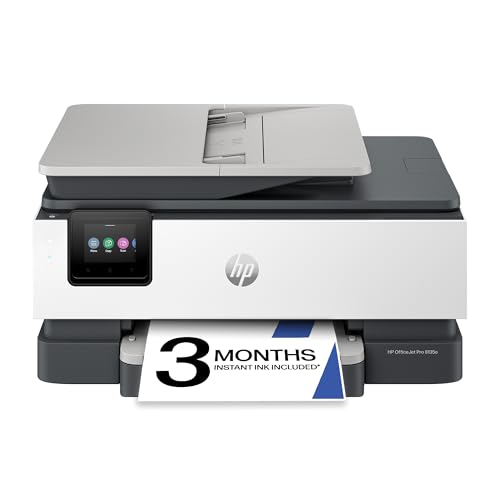
TL;DR: The HP OfficeJet Pro 9135e delivers fast 25 ppm black printing, automatic duplex, a 4.3‑inch touchscreen, and a 500‑sheet capacity, but its $429.89 price and ink costs may deter budget‑focused buyers.
The standout spec is its print speed: up to 25 ppm in black and 20 ppm in color, with the first black page out in just 10 seconds. Draft mode can push to 39 ppm, and the built‑in 4.3‑inch color touchscreen makes job selection and fax dialing intuitive. A total input capacity of 500 sheets across two trays lets you keep separate paper types without constant refilling.
Compared with the other printers in this roundup, the 9135e sits in the middle of the weight range—lighter than the 60.7‑pound Canon imageCLASS MF665Cdw but heavier than the 22.5‑pound Brother MFC‑L2820DW. Its 35‑sheet ADF is smaller than the 50‑sheet ADF found on the Canon MF665Cdw, yet the copy draft speed of up to 33 ppm (B/W) outpaces the Canon’s 26 cpm copy speed. The HP’s Ethernet and dual‑band Wi‑Fi match the connectivity level of many peers, while its security suite (HP Wolf Security, firmware rollback protection, secure boot) adds an enterprise touch.
Everyday users praise the large touchscreen and the ability to print, scan, copy, and fax from a single device, especially the quick duplex printing that cuts paper waste. Professional reviewers highlight the fast print and duplex performance as strong points for small‑to‑medium offices. On the flip side, reviewers note that the per‑page ink cost is higher than laser alternatives, and the initial Wi‑Fi setup can be fiddly, often requiring a wired connection before the wireless network is configured.
Technical extras include four individual HP 936 cartridges (pigment black, dye‑based color) with yields of up to 800 black pages and 420 color pages per cartridge. The printer supports a monthly duty cycle of up to 30,000 pages and offers 1200 dpi black resolution and 4800 × 1200 dpi optimized color resolution. Security features such as HP Wolf Security help protect sensitive documents in a busy office environment.
Pros
Cons
Best for: Small to medium businesses or busy home offices that need fast duplex printing, reliable scanning, and fax capabilities.
Avoid if: You're shopping on a tight budget or need the lowest possible per‑page ink cost; it's priced at $429.89.
TL;DR: The HP OfficeJet Pro 8139e delivers fast color printing, a roomy 225‑sheet tray, and a 2.7‑inch touchscreen, but manual duplex and higher ink costs may limit heavy‑duty users.
One of the most noticeable specs is the 225‑sheet input capacity, which is uncommon in this price tier and lets you load a full week’s worth of documents without refilling. The printer also offers up to 400% copy enlargement and a 2.7‑inch color touchscreen that makes navigating print, scan, copy, and fax functions intuitive.
At 17.6 pounds, it’s just a shade heavier than the Canon PIXMA TR8620’s 17.4 pounds, yet noticeably lighter than the HP OfficeJet Pro 9125e’s 20.48 pounds. Its black‑and‑white copy speed of 12 cpm trails the Canon’s 14.1 cpm and the HP 9125e’s 21 cpm, while color copy runs at 6 cpm, comparable to the Canon’s 5.2 cpm. Print speeds of 20 ppm black and 10 ppm color are solid for home‑office tasks, and the draft mode pushes that up to 29 ppm black and 25 ppm color for quick drafts.
Users consistently praise the high‑quality text and color graphics, noting the 1200 × 1200 dpi black and 4800 × 1200 dpi color print resolutions produce crisp results. Professional reviewers highlight the reliable dual‑band Wi‑Fi and the HP Smart app for seamless mobile printing. However, users frequently complain about the manual duplex method (user‑assisted), and the low ink yield—about 490 pages per black cartridge—drives up long‑term costs, a point echoed in consumer sentiment about expensive consumables.
Technical extras include a 100‑page fax memory, 33.6 kbps fax modem speed, and a 35‑sheet automatic document feeder for batch scanning. The printer handles media from 3 × 5 in up to 8.5 × 14 in and supports paper weights between 61 gsm and 105 gsm. Its monthly duty cycle caps at 20 000 pages (recommended 800), and the first page appears in roughly 0.25 minutes for black and 0.30 minutes for color, with a quiet 60 dBA printing noise level.
Pros
Cons
Best for: Home office workers and small teams that need high‑quality color prints and a large paper tray without a high upfront budget.
Avoid if: You need automatic duplex printing, very low running costs, or professional‑grade volume handling.
TL;DR: At $285, the Epson EcoTank ET-4800 earns a 4.0‑star rating from over 5,300 reviewers, praised for its cartridge‑free ink system and all‑in‑one fax capability, though users note its slower speed and manual duplex.
The Epson EcoTank ET-4800 is Epson’s cartridge‑free all‑in‑one inkjet, priced at $285 and sitting near the bottom of our 13‑product ranking with a 4.0‑star rating from 5,334 reviews. Its score of 47 places it at rank #13 in this roundup.
Reviewers love the EcoTank refillable ink tanks that dramatically lower ongoing costs, as well as the built‑in ADF scanner, copier and fax that cover most home‑office needs. The printer also supports a wide range of mobile and cloud services, making it easy to print from phones and tablets. On the downside, users point out the lack of automatic duplexing, slower printing and copying speeds, and a footprint that can feel large on tighter desks.
Based purely on price and rating, the ET‑4800 offers a budget‑friendly entry into Epson’s EcoTank line but trails behind higher‑rated competitors in general satisfaction. If low ink cost and all‑in‑one functionality outweigh speed and size concerns, it can be a sensible choice.
Pros
Cons
Best for: Home office users who want low ink costs and built‑in fax capability.
Breakdown
Brother MFC-L2820DW
Pros
Cons
HP OfficeJet Pro 8135e
Pros
Cons
Canon PIXMA TR8620a
Cons
HP OfficeJet Pro 9125e
Pros
Cons
Based on scoring data and product specs
Personalized picks
Best Overall Pick
Brother MFC-L2820DW
Best OverallBest for: Most users looking for a well-reviewed, reliable mainstream option
HP OfficeJet Pro 8135e
Best for: Most users seeking a balanced, mainstream option
$129.99-$149.99 vs winner
Skip Epson EcoTank ET-4800 if…
You're on a tight budget or only need basic functionality
Brother’s MFC‑L2820DW takes the top spot with a solid 4.4‑star rating from 852 reviewers, a fast monochrome print speed of 34 ppm, and a hefty monthly duty cycle of 35,000 pages. Its 2.7‑inch color LCD touchscreen makes navigation easy, while the 50‑sheet ADF and 250‑sheet main tray keep busy offices running without constant reloading.
The HP OfficeJet Pro 8135e lands as the runner‑up, especially if you need versatile color inkjet output for photos and borderless prints. It offers a 2.7‑inch capacitive touchscreen, a 35‑sheet ADF, and decent speeds of 29 ppm black and 25 ppm color. With four individual ink cartridges and automatic duplex printing, it handles mixed‑media jobs while still providing network fax via Ethernet or Wi‑Fi.
Pick the Brother MFC‑L2820DW today for reliable, high‑volume fax‑enabled printing.
The Canon imageCLASS MF753Cdw II lists a monochrome print speed of 35 pages per minute, edging out the Brother MFC‑L2820DW at 34 ppm and the HP OfficeJet Pro 8135e at 29 ppm. If raw speed is your priority, the Canon model leads the pack.
Please sign in to leave a review
No reviews yet. Be the first to review!
