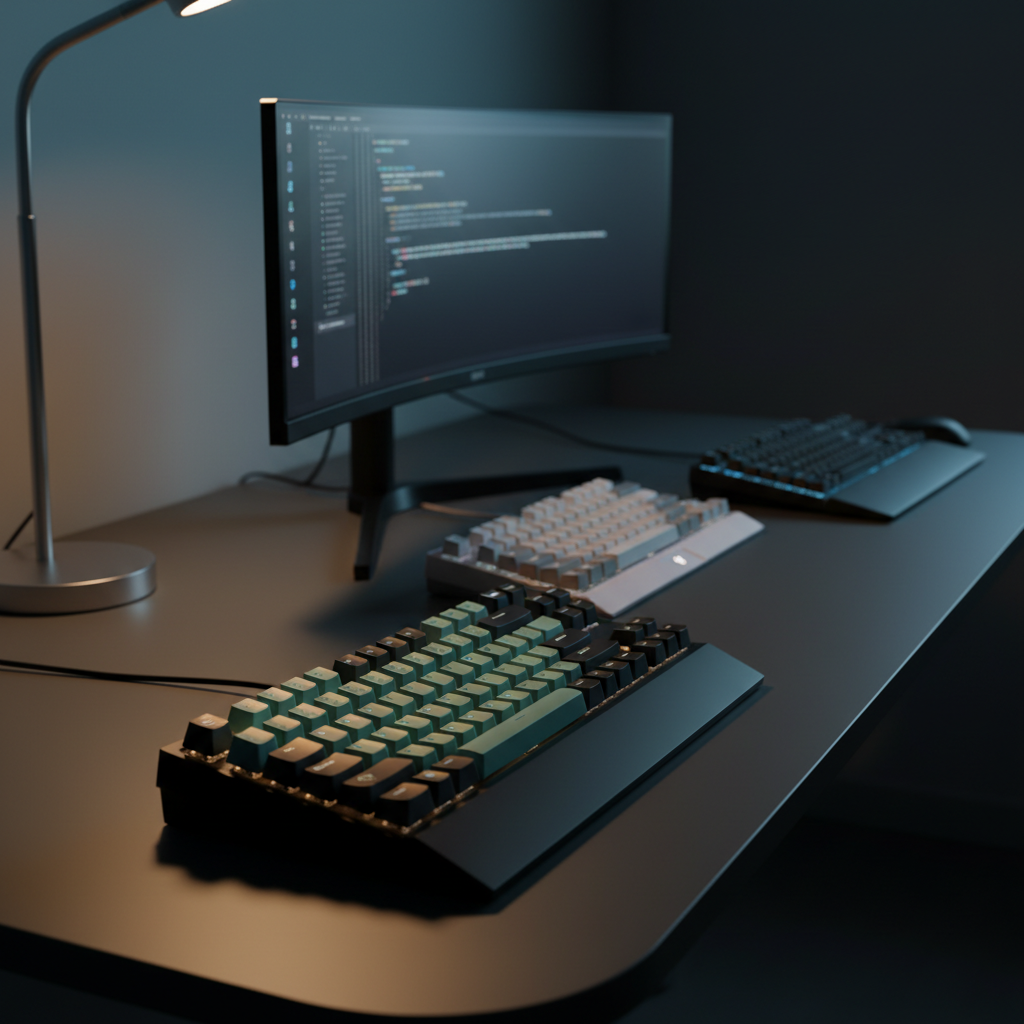
Finding a keyboard that lets you assign macros without breaking the bank can feel like hunting for a needle in a haystack. Thirteen programmable keyboards were compared, spanning a price range from $47.99 for the Royal Kludge R65 up to $199.99 for the Razer BlackWidow V4 Pro. The list covers budget, mid‑range and premium tiers, so you’ll see options that fit a tight desk, a gaming rig or a multi‑device workstation.
For compact, budget‑focused setups the Royal Kludge R65 stands out with a 4.6/5 rating from 1,529 reviews, a lightweight 1.4109584768‑pound frame, 66 keys and a 1000 Hz polling rate—all for $47.99. Mid‑range gamers who crave extra macro lanes will appreciate the Razer BlackWidow V4 X Yellow’s six dedicated macro keys, an 8000 Hz polling rate and a solid 2.51‑pound build. If you need a premium, multi‑device workhorse, the Logitech MX Keys S Graphite offers up to three paired devices, 216000 minutes of battery life with the backlight off, and a sleek low‑profile feel.
Below each tier is broken down, showing which board fits specific workflows, from tight‑desk gamers to multi‑screen professionals.

Royal Kludge R65
Comes with four replacement switches, so you can swap or upgrade keys without extra cost.

Razer BlackWidow V3 Quartz
Ideal for gamers who want a proven, high‑quality board and don’t mind paying about $92 more than the budget‑focused Royal Kludge R65.

Logitech MX Keys S Graphite
Features a 1500 mAh battery delivering up to five months of use with backlight off, ideal for long‑haul workstations.
Also considered
Score Analysis
Key score advantages vs. runner-up (Razer BlackWidow V3)
Price Range
Royal Kludge R65
$47.99
Razer BlackWidow V3 Quartz
$139.99
Logitech MX Keys S Graphite
$119.99

HyperX Alloy Origins
$99.99

HP 400
$54.99

Keychron V6
$76.49

Razer BlackWidow V4 X Yellow
$99.99

Razer BlackWidow V4 Pro
$199.99
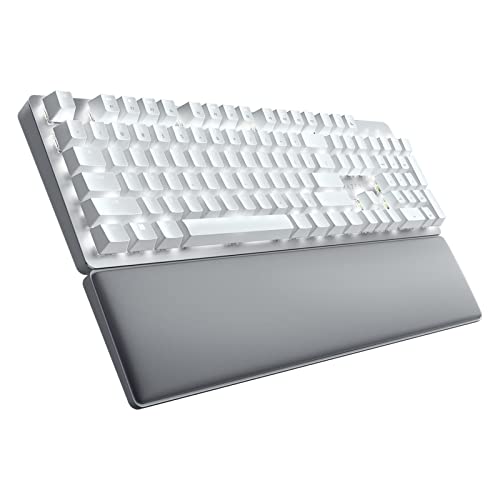
Razer Pro Type Ultra
$158.99

Razer BlackWidow V3 TKL Yellow
$99.99

Keychron C2P-K1
$57.60

Keychron V6 Max
$119.99

Razer BlackWidow V4 Green
$169.99
Spec Comparison
TL;DR: The RK Royal Kludge R65 packs a gasket‑mounted, hot‑swappable 65% layout with a CNC aluminum volume knob, 20+ RGB modes and a 1000 Hz poll for just $47.99.
The R65’s standout feature is its five‑layer gasket‑mount with sound‑dampening material, which reviewers say gives the board a premium “thocky” feel. It also ships with pre‑lubed Cream switches and a CNC‑machined aluminum volume knob—features you’d normally see on much pricier keyboards. The unit measures 1.6 inches tall, 12.6 inches long and 4.6 inches wide, and weighs 1.4109584768 pounds.
At 1.4109584768 pounds the R65 is lighter than the HP 400 (2.05 pounds), the Razer BlackWidow V3 TKL (1.85 pounds), HyperX Alloy Origins (2.3699693165 pounds) and the Razer BlackWidow V4 X (2.51 pounds). Its 1000 Hz polling rate matches the standard rate of many keyboards, but it's lower than the 8000 Hz offered by the Razer V4 X and the high‑speed mode of the Keychron C2P‑K1. Lighting-wise, the R65 provides 20+ built‑in RGB modes, far more than the three brightness levels listed for the HP 400.
User sentiment highlights the satisfying typing experience, the premium sound from the gasket mount, and the handy volume knob. Professional reviewers point out that the gasket design rivals higher‑priced custom builds, and the full QMK/VIA support opens deep macro programming. Some users note occasional inconsistent lubrication on factory switches, RGB brightness that can feel excessive, and early firmware bugs that required updates.
Pros
Cons
Best for: Gamers, programmers, writers and keyboard enthusiasts who want a compact, high‑quality mechanical board with deep macro support on a budget.
Avoid if: You need wireless connectivity, an integrated wrist rest, or prefer a plug‑and‑play keyboard without QMK/VIA configuration.
TL;DR: The Razer BlackWidow V3 Quartz packs clicky Razer Green switches, per‑key RGB and full macro support into a solid 2.83‑lb, $139.99 keyboard that’s praised for build quality but hampered by Synapse quirks.
The standout feature is the Razer Green switch, delivering a tactile, clicky feel with a 50 g actuation force and a 1.9 mm actuation point, while the keys rate for 80 million keystrokes. Combined with 16.8 million‑color per‑key Chroma RGB, the keyboard looks as sharp as it feels.
Compared with the other 12 entries, the V3’s 1000 Hz polling rate is solid but slower than the Razer BlackWidow V4 X Yellow’s 8000 Hz. Its 1.9 m re‑routable cable is a touch shorter than that model’s 2 m cable. At 2.83 lb, it’s heavier than the HyperX Alloy Origins (≈2.37 lb) yet lighter than the Razer BlackWidow V4 Green (3.27 lb). Priced at $139.99, it sits just above the Logitech MX Keys S Graphite’s $129.99 list price while offering full macro recording that many peers lack.
Users consistently praise the keyboard’s premium aluminum top plate, clicky switches and vibrant lighting, calling it the best they’ve owned. Professional reviewers echo the build quality and note the satisfying tactile feedback. The main complaints revolve around the Razer Synapse software—users report crashes, settings reset after sleep, and a steep learning curve. The hard‑plastic detachable wrist rest also draws mixed reactions for comfort during long sessions.
Beyond the switches, the V3 provides N‑key rollover, five onboard profiles for lighting and keybinds, and a dedicated media roller with mute, play/pause and track‑skip controls. A 2‑year warranty rounds out the package, giving confidence for intensive gaming or typing use.
Pros
Cons
Best for: Buyers willing to invest in a proven, high‑quality option
Avoid if: You're on a tight budget or only need basic functionality
“Best keyboard I’ve ever used”
“RGB looks amazing”
TL;DR: The Logitech MX Keys S Graphite offers a low‑profile scissor‑key layout, five‑month battery life and multi‑device pairing for $129.99, making it a solid premium choice for heavy typists.
This keyboard packs a 1500 mAh rechargeable lithium‑polymer battery that delivers 216000 minutes (5 months) of use with the backlight off and 14400 minutes (10 days) with it on. A quick‑charge of just 3 minutes gives you three hours of runtime, so you won’t be tethered to a wall for long. The spherically‑dished, low‑profile keys sit on a scissor mechanism, delivering the quiet, precise feel that reviewers consistently praise.
At 1117 g, the MX Keys S is lighter than the Razer BlackWidow V3 Quartz (2.83 lb) and comparable in heft to the HyperX Alloy Origins. Unlike some rivals that ship dedicated macro keys, this model relies on Logi Options+ to create Smart Actions, so its macro support is software‑based rather than hardware‑dedicated. Its $129.99 price point sits in the premium tier, so it’s pricier than many entry‑level options but still competitive within its class.
Users love the solid build, quiet typing experience and the easy ability to switch between up to three devices via Bluetooth Low Energy or the Logi Bolt 2.4 GHz receiver, with a 10 m (32.8 ft) transmission range. However, a handful of owners note that the backlight sometimes wakes up slowly or inconsistently, and the requirement for Logi Options+ limits full feature access on Linux and iOS. Professional reviewers also point out that the lack of mechanical switches means you miss tactile feedback.
Pros
Cons
Best for: Professionals, writers and developers who type for long stretches and value a premium, low‑profile keyboard with strong cross‑device workflow.
Avoid if: You prefer mechanical tactile feedback, need always‑on backlighting, rely on Linux or iOS for full customization, or have a tight budget.
“Best keyboard I’ve ever used”
“The typing feels buttery, precise and quiet, even after hours of coding.”
TL;DR: At $99.99 the HyperX Alloy Origins earns a 4.6‑star rating from nearly 15,000 reviewers, offering premium aluminum construction and vibrant RGB for a solid mainstream pick.
The HyperX Alloy Origins is HyperX’s flagship mechanical keyboard line, priced at $99.99 and carrying a strong 4.6‑out of‑5 rating among the thirteen keyboards in this roundup. Its position in the list reflects a well‑balanced blend of build quality, switch feel and visual flair without breaking the bank.
Users consistently applaud the keyboard’s full‑metal chassis and the smooth, durable HyperX Aqua or Red switches, calling the typing experience “tank‑like” and “responsive.” The per‑key RGB lighting appears bright and highly customizable, while the detachable USB‑C cable earns praise for easy transport. On the downside, several reviewers note a hollow ping from the spacebar and backspace, and the Windows‑only NGENUITY software (downloaded from the Microsoft Store) can feel limiting for non‑Windows users.
Given its price point and the high rating it enjoys, the Alloy Origins lands comfortably in the middle of the pack, offering a premium feel that rivals higher‑priced options while staying accessible for most budgets.
Pros
Cons
Best for: Most users looking for a well‑reviewed, reliable mainstream option
TL;DR: The HP 400 offers a compact full‑size layout with 12 programmable keys, warm‑white backlighting and a spill‑resistant, sanitizable design for $54.99, making it a solid budget choice for office work.
What really stands out is the 12 programmable keys that let you assign macros or shortcuts, backed by 20 hot‑keys for quick access. The keyboard uses low‑profile plunger switches with a 2.5 mm travel and three brightness levels of warm‑white LED backlight, so you get a subtle glow without the distraction of full RGB.
Compared with the other 12 keyboards in this roundup, the HP 400 is heavier than the Royal Kludge R65 (1.4109584768 pounds) but lighter than the HyperX Alloy Origins (2.3699693165 pounds). Its 150 cm (59 in) detachable cable is shorter than the 2 m cable on the Razer BlackWidow V4 X Yellow, yet long enough for most desk setups. While the Razer model provides six dedicated macro keys, the HP 400’s 12 programmable keys give you more flexibility, albeit without the RGB lighting that many peers, such as the Royal Kludge R65 and Keychron C2P‑K1, offer.
Users highlight the warm backlighting and solid build as major pluses, especially in shared office environments. Reviewers appreciate the spill‑resistant construction and the surface tolerates up to 1,000 wipes with select disinfectants. A few users note a sticky Shift key and that the function row defaults to media controls, requiring the Fn key for standard F‑keys. Professional reviewers also point out the sustainable packaging—50 % post‑consumer recycled plastic and plastic‑free boxes—plus a 10 million‑keystroke lifecycle per key.
Pros
Cons
Best for: Entry-level buyers or those on a tight budget
Avoid if: You want the best value‑per‑dollar in its price range
“Backlighting is excellent for dim lighting”
“Solid, well‑built feel”
TL;DR: The Keychron V6 delivers full‑size, hot‑swappable mechanical performance with QMK/VIA support, South‑facing RGB and a 1000 Hz polling rate, all for $76.49.
At the heart of the V6 is a 1000 Hz polling rate paired with a 1 ms latency, giving you snappy response for typing or gaming. The board runs on an STM32L432 MCU, stores 128 KB of firmware, and offers a steel plate inside an ABS case. Its hot‑swappable sockets accept both 3‑pin and 5‑pin MX switches, and the included factory‑lubed K Pro switches are rated for 50,000,000 keystrokes.
Compared with the other 12 keyboards in this roundup, the V6’s polling rate matches the standard 1000 Hz found on the Keychron C2P‑K1, while the Razer BlackWidow V4 X Yellow pushes an 8000 Hz rate. In terms of weight, the V6’s 1350 g mass makes it heavier than the HP 400 (2.05 pounds) and the Royal Kludge R65 (1.4109584768 pounds), but lighter than many metal‑chassis models that tip the scales above two pounds. Its price sits above the ultra‑budget Keychron C2P‑K1 but below premium options like the HyperX Alloy Origins.
Reviewers consistently praise the V6 for its smooth, premium typing feel thanks to the pre‑lubed switches and the ability to remap every key through QMK/VIA. The dual‑OS toggle highlights a handy convenience for developers who switch between macOS and Windows. On the downside, users note that the ABS case feels less premium than aluminum alternatives, the non‑shine‑through PBT keycaps limit RGB visibility, and the 1350 g weight can be a hassle for frequent desk moves.
Pros
Cons
Best for: Entry-level buyers or those on a tight budget
Avoid if: You want the best value-per-dollar in its price range
TL;DR: The Razer BlackWidow V4 X Yellow costs $99.99, weighs 2.51 lb, offers six macro keys and an 8,000 Hz polling rate, delivering fast linear switches and vibrant per‑key RGB for gamers.
This keyboard’s standout spec is the 8,000 Hz polling rate, a figure that professional reviewers highlight as giving a clear latency edge in fast‑paced games. Coupled with Razer’s Yellow Linear switches—45 g actuation force and a 1.2 mm actuation point—the board feels quick and quiet, while the 4.0 mm total travel keeps keystrokes comfortable for long sessions.
Compared with the other 12 keyboards in the roundup, the V4 X Yellow is a bit heavier than the HyperX Alloy Origins (≈2.37 lb) and noticeably heavier than the Razer BlackWidow V3 TKL Yellow (1.85 lb). Its 8,000 Hz polling rate matches the Keychron C2P‑K1, whereas many rivals either list lower rates or omit the figure entirely. With six dedicated macro keys, it provides more programmable real‑estate than the typical four‑media‑key layouts seen on most competitors.
User feedback praises the smooth, silent linear switches and the striking 16.8 million‑color per‑key RGB with dual‑side underglow. Reviewers frequently call the magnetic plush leatherette wrist rest comfortable, but they note the ABS keycaps can develop shine over time and some owners have experienced premature key failures—particularly with the spacebar and A key—within the first year. Reviewers also commonly complain about the lack of a USB passthrough port for users who need extra connectivity.
Additional technical details include a detachable USB‑C to USB‑A cable that’s 2 m long, top‑mounted 5052 aluminum alloy construction, lubricated stabilizers, and onboard storage for five profiles. The switches are rated for 100 million keystrokes, and the keyboard ships with a two‑year manufacturer warranty.
Pros
Cons
Best for: Most users seeking a balanced, mainstream option
Avoid if: You're shopping on a tight budget — it's priced at $99.99
“Best keyboard I’ve ever used”
“RGB looks amazing”
TL;DR: The Razer BlackWidow V4 Pro delivers clicky Razer Green switches, 8 programmable macro keys, and a lightning‑fast 8000 Hz polling rate, but its $199.99 price tags it as a premium choice.
The keyboard’s standout spec is its 8000 Hz polling rate, which Razer markets as ultra‑responsive for fast‑paced gaming. It also packs eight dedicated macro keys and a programmable command dial, letting you bind complex actions without leaving the game. The detachable magnetic wrist rest adds a touch of RGB‑lit comfort, and the whole unit weighs 3.61 pounds, with an aluminum top plate and a 1.98 m detachable USB‑C cable anchoring it.
Compared with other entries in this roundup, the V4 Pro is heavier than the Razer BlackWidow V4 Green (3.27 pounds) and considerably heftier than the Razer Pro Type Ultra (about 2.3 pounds). Its 8000 Hz polling rate dwarfs the 1000 Hz rate of the Razer BlackWidow V3 Quartz, giving it a clear edge in input latency. While many peers lack dedicated macro clusters, the V4 Pro’s eight macro keys and four media buttons outpace most, though the premium price places it above the majority of the lineup.
Professional reviewers highlight the keyboard’s solid construction, the satisfying click of the Razer Green switches, and the immersive per‑key Chroma lighting. Everyday users appreciate the command dial for quick adjustments, but recurring complaints mention sticky or unresponsive keys straight from the box and occasional instability with the Razer Synapse software. The full‑size layout, 1.9 mm actuation distance and 50 g actuation force cater to gamers who need tactile feedback and precise control.
Pros
Cons
Best for: Those prioritizing quality and willing to pay for premium performance
Avoid if: You're shopping on a tight budget — it's priced at $199.99
“Best keyboard I’ve ever used”
“RGB looks amazing”
TL;DR: The Razer Pro Type Ultra offers a premium aluminum‑capped build, ultra‑low 42 gf actuation, and up to 214 hours of Bluetooth‑off battery life, but its price of $158.99 and audible stabilizer noise may deter budget‑focused or quiet‑office users.
The headline spec is its battery endurance: Bluetooth‑off operation lasts for 214 hours, while the 2.4 GHz mode reaches 207 hours, and even at full brightness you still get 13 hours of use. A two‑hour USB‑C charge restores full power, so you can keep the keyboard running through long workdays without hunting for an outlet.
At 1038 g (about 2.29 lb), the Pro Type Ultra is lighter than the Razer BlackWidow V4 Green (3.27 pounds) and the BlackWidow V4 Pro (3.61 pounds), but a bit heavier than the HyperX Alloy Origins (2.3699693165 pounds). Its depth of 439 mm makes it deeper than the BlackWidow V3 Quartz’s 225.1 mm (with wrist rest) and the Logitech MX Keys S Graphite’s 457.2 mm length, giving it a more substantial footprint. Battery life outperforms the Keychron V6 Max’s 190–225 hours and far exceeds the typical 13‑hour full‑brightness runtime of many competitors.
Professional reviewers praise the “extremely responsive and fast typing experience” thanks to the linear Razer Yellow switches with a 1.2 mm actuation point and a light 42.08 gf force. Users love the detachable leatherette wrist rest and the ability to toggle between up to four devices via Bluetooth 5.0 or Razer HyperSpeed 2.4 GHz. However, the same reviewers note audible ping from the stabilizers and a rattle on the space‑bar, which can be distracting in open‑plan offices. The double‑shot ABS keycaps, while soft‑touch, tend to show fingerprints and wear over time, and the Razer Synapse 3 software feels intrusive and includes ads.
Pros
Cons
Best for: Fast typists and productivity power users who need low‑actuation linear switches and multi‑device flexibility.
Avoid if: You're shopping on a tight budget — it's priced at $158.99, and the audible stabilizer noise can be disruptive in quiet workspaces.
TL;DR: At $94.99, the Razer BlackWidow V3 TKL Yellow holds a 4.6‑star rating from 1,130 reviewers, loved for its quiet linear switches and vivid RGB, but criticized for a cheap‑feel cable.
Razer’s BlackWidow V3 TKL Yellow lands in the middle of the 13‑product roundup, priced at $94.99 and backed by a strong 4.6‑out of 5 rating. The tenkeyless layout keeps the desk uncluttered, and the brand’s reputation for gaming peripherals adds confidence for buyers.
Users consistently praise the smooth, silent linear switches and the per‑key Chroma lighting that brings a lot of personality to a compact board. Reviewers also note the solid aluminum top plate and the “Snap Tap” feature that helps with rapid directional inputs. The most common complaints focus on the non‑braided rubber cable, which feels cheap and stiff, and the absence of onboard memory or dedicated media keys, meaning you’ll need Razer’s software for most customisation.
When you look at the competition, the Razer BlackWidow V4 X Yellow and the Keychron C2P‑K1 both list an 8000 Hz polling rate, while Razer hasn't disclosed the BlackWidow V3 TKL’s polling rate, leaving that particular metric unclear. Its price undercuts many fully‑featured rivals, which may appeal to gamers who prioritise core performance over extra conveniences.
Pros
Cons
Best for: Competitive gamers who want fast, quiet switches and strong RGB on a budget‑friendly, space‑saving keyboard.
“Best keyboard I’ve ever used”
“RGB looks amazing”
TL;DR: The Keychron C2P‑K1 is a full‑size wired keyboard with hot‑swappable MX sockets, 22+ RGB lighting modes, and an 8000 Hz polling rate, all for $64.
The standout spec is its 8000 Hz polling rate on the 8K model, paired with 22+ RGB lighting effects and south‑facing LEDs that stay visible under keycaps. Its 104‑key ANSI layout measures 436.48 mm in length and 130.33 mm in width, while the adjustable typing angles of 4.8°, 8.5°, and 10.7° let you fine‑tune ergonomics.
Compared with the other twelve keyboards, the C2P‑K1 matches the Razer BlackWidow V4 X’s 8000 Hz polling, outpacing the Royal Kludge R65’s 1000 Hz rate. It offers more RGB effects than the R65’s 20+ built‑in modes, and its tilt range exceeds the HP 400’s 0°‑6° while aligning with the Keychron V6’s three‑step angles. At 975 g, it's heavier than the R65’s 1.4109584768‑pound chassis but still lighter than the HP 400’s 2.05‑pound frame.
Users consistently praise the solid build, smooth pre‑lubed K Pro switches, and the convenience of hot‑swap sockets that accept both 3‑pin and 5‑pin MX switches. Professional reviewers note the integration of open‑source QMK/VIA firmware and the web‑based Keychron Launcher as a low‑barrier way to program macros. The main complaints focus on the ABS plastic frame, which feels less premium than aluminum alternatives, and the lack of any wireless or Bluetooth option.
Under the hood, the keyboard runs an AT32F405 ARM Cortex‑M4 microcontroller for the 8K version and supports both standard 1000 Hz and high‑speed 8000 Hz polling. Keychron provides open‑source firmware, and the Keychron Launcher works in any modern browser, making macro programming accessible on macOS, Windows, or Linux.
Pros
Cons
Best for: Programmers, developers, and gamers who need full QMK/VIA macro support on a budget.
Avoid if: You require wireless connectivity, a metal chassis, or prioritize the lightest possible keyboard.
TL;DR: The Keychron V6 Max offers a full‑size, hot‑swappable layout with QMK/VIA macro support, a 4000 mAh battery lasting up to 225 hours, and a 1000 Hz polling rate, all for $119.99.
The V6 Max’s standout feature is its hot‑swappable Gateron Jupiter switches paired with a gasket‑mount design, letting you swap 3‑pin or 5‑pin MX‑compatible switches without soldering. Its 4000 mAh lithium‑polymer battery delivers 190–225 hours of use with the backlight off, and up to 100 hours with RGB on at the lowest brightness.
Compared with the other 12 keyboards, the V6 Max sits in the middle of the weight range: it’s a bit heavier than the HyperX Alloy Origins (about 2.37 lb) but lighter than the Razer BlackWidow V3 Quartz (2.83 lb). Its 1000 Hz wireless and wired polling rates match many gamers’ expectations, though the Razer BlackWidow V4 X Yellow offers a faster 8000 Hz rate. Battery endurance lasts 190–225 hours, yet the Logitech MX Keys S lists a backlight‑off life of 216 000 minutes (five months), far outlasting the V6 Max.
Professional reviewers praise the low‑latency performance from the 1000 Hz polling and the open‑source QMK/VIA firmware that unlocks full macro programming. Users love the 190–225 hour battery life and the ease of switching between Mac and Windows layouts, but many note that the ABS plastic case feels less premium than aluminum alternatives and that the RGB brightness is modest, especially with non‑shine‑through PBT keycaps.
Pros
Cons
Best for: Most users seeking a balanced, mainstream option
Avoid if: You're shopping on a tight budget — it's priced at $119.99
TL;DR: The Razer BlackWidow V4 Green delivers clicky 1.9 mm Green switches, six macro keys, and per‑key Chroma RGB for $149.99, though its 3.9‑star rating and premium price may give pause.
The standout feature is the six dedicated macro keys, letting you assign complex combos without hunting through menus. Coupled with Razer’s Green mechanical clicky switches that actuate at 1.9 mm, the keyboard offers tactile feedback that many gamers find satisfying.
At $149.99, the V4 Green sits above entry‑level options like the HyperX Alloy Origins ($99.99) but below the top‑tier Razer BlackWidow V4 Pro ($199.99). Weighing 3.27 pounds, it's heavier than the Razer Pro Type Ultra (about 2.29 pounds) and the Razer BlackWidow V3 Quartz (2.83 pounds), yet lighter than the V4 Pro (3.61 pounds). It has fewer macro keys than the V4 Pro’s eight, but still more than many standard keyboards, which list none.
User feedback praises the solid aluminum construction, the satisfying click of the Green switches, and the vibrant per‑key Chroma lighting with dual‑side underglow. However, several owners mention keys that feel sticky straight out of the box and occasional hiccups with the Razer Synapse software, which can fail to save profiles. The full‑size layout also feels bulky on smaller desks.
Technical notes include a 0.07 in (1.9 mm) actuation point for the switches, double‑shot ABS keycaps that resist wear, and a magnetic plush leatherette wrist rest that snaps securely into place for extended sessions.
Pros
Cons
Best for: Those prioritizing quality and willing to pay for premium performance
Avoid if: You're on a tight budget or only need basic functionality
“Best keyboard I’ve ever used”
“RGB looks amazing”
Breakdown
Royal Kludge R65
Pros
Razer BlackWidow V3 Quartz
Pros
Logitech MX Keys S Graphite
Pros
HyperX Alloy Origins
Pros
Based on scoring data and product specs
Personalized picks
Best Overall Pick
Royal Kludge R65
Best OverallBest for: Budget-conscious buyers seeking a reliable entry-level option
Razer BlackWidow V3 Quartz
Best for: Buyers willing to invest in a proven, high-quality option
$139.99+$92.00 vs winner
Skip Razer BlackWidow V4 Green if…
You're on a tight budget or only need basic functionality
Royal Kludge R65 takes the top spot thanks to its $47.99 price, a solid 4.6/5 rating from 1,529 reviews, and a lightweight 1.4109584768‑pound chassis. It offers 20+ lighting modes, per‑key RGB customization through QMK/VIA, and hot‑swappable switches, giving you deep macro control without breaking the bank.
The runner‑up, Razer BlackWidow V3 Quartz, shines when you need a full‑size board with dedicated media controls and a full‑featured software suite. At $139.99 it scores the same 4.6/5 rating (4,442 reviews), features a 1000 Hz polling rate, per‑key RGB via Razer Chroma, and a convenient volume roller with mute and track‑skip buttons.
For those looking beyond the winner, the HyperX Alloy Origins at $99.99 provides a solid mid‑range option with a full‑size layout and reliable build quality. If premium features are a priority, the Razer BlackWidow V4 Pro at $199.99 delivers high‑end construction and advanced programmability.
Pick the Royal Kludge R65 today and you'll get the best macro‑ready keyboard without overspending.
The Royal Kludge R65 costs $47.99 and includes full QMK/VIA support for per‑key macro programming, making it a very affordable choice. Its hot‑swappable sockets also let you change switches without soldering, adding long‑term flexibility.
Please sign in to leave a review
No reviews yet. Be the first to review!
